# AWS Lightsail vs DigitalOcean: Which Is Better in 2026?
> See how AWS Lightsail and DigitalOcean compare for VPS pricing, bandwidth, performance, ease of use, deployment, DevOps workload and which fits your workflow.
- **Author**: manav-dobariya
- **Published**: 2026-01-04
- **Modified**: 2026-08-27
- **Category**: AI & DevOps
- **URL**: https://kuberns.com/blogs/aws-lightsail-vs-digitalocean-vs-kuberns/
---
If you are comparing AWS Lightsail vs DigitalOcean in 2026, the practical answer is simple: DigitalOcean is usually the better choice for standalone VPS projects and day-to-day developer experience, while AWS Lightsail makes more sense when your project already depends on the broader AWS ecosystem.
Both platforms give you virtual private servers with bundled monthly pricing. The difference is how they feel once you actually deploy, maintain, scale, and pay for a real application. DigitalOcean is more focused and easier for many developers to manage. AWS Lightsail is simpler than EC2, but it still sits inside the wider AWS world.
This guide compares AWS Lightsail and DigitalOcean across pricing, bandwidth, performance, usability, deployment effort, and long-term operational responsibility. It also explains where [Kuberns](https://kuberns.com/) fits when teams want to move beyond manual VPS work altogether.
## TL;DR: AWS Lightsail vs DigitalOcean in 2026
- **DigitalOcean is better for most standalone projects.** It has a cleaner dashboard, strong developer documentation, Droplets, managed databases, Kubernetes, and lower published bandwidth overage pricing than Lightsail.
- **AWS Lightsail is better when you already use AWS.** It is a simpler entry point into AWS than EC2, especially if you need AWS account-level services, IAM, VPC peering, Route 53, or S3 integration.
- **Both platforms still require server work.** You still manage runtime setup, CI/CD, patches, monitoring, scaling decisions, backups, and application operations.
- **Kuberns is better when you want to avoid manual deployment configuration.** Kuberns is an agentic AI platform for deployment that analyzes a connected GitHub repository and prepares the application deployment workflow.
> Comparing broader cloud options too? See our [DigitalOcean alternatives guide](https://kuberns.com/blogs/digitalocean-alternatives/) and [Render vs DigitalOcean comparison](https://kuberns.com/blogs/render-vs-digitalocean/) for adjacent managed-platform tradeoffs.
## AWS Lightsail vs DigitalOcean Complete Comparison
| What matters | DigitalOcean | AWS Lightsail |
|---|---|---|
| Core product | Developer-focused cloud with Droplets, databases, Kubernetes, storage, and App Platform | Simple VPS bundles inside AWS |
| Best for | Standalone VPS projects, small teams, developer-friendly infrastructure | Small AWS-adjacent projects and teams already using AWS |
| Starting compute | Basic Droplets start at $4/month on the official pricing page | Lightsail Linux bundles start at $3.50/month on the official pricing page |
| Bandwidth overage | Lower published transfer overage pricing | Higher published data transfer overage pricing |
| Dashboard | Focused developer dashboard | Simpler than AWS EC2, but still tied to AWS concepts |
| Scaling path | Resize Droplets, add managed databases, use Kubernetes or App Platform | Resize instances, add Lightsail load balancing, or move into broader AWS services |
| Deployment workflow | Manual on Droplets, managed options through App Platform | Manual server deployment unless you build CI/CD around it |
| Best limitation to know | You still manage servers on Droplets | You may outgrow Lightsail and move into full AWS complexity |
## What Is AWS Lightsail Best For?

AWS Lightsail is Amazon's simplified virtual private server product. It bundles compute, storage, networking, static IPs, snapshots, and basic monitoring into predictable monthly plans. For developers who find EC2, VPCs, and the full AWS console overwhelming, Lightsail is a simpler starting point.
Lightsail works best when:
- You want a small VPS inside AWS
- Your project already uses AWS services such as S3, Route 53, IAM, or VPC networking
- You are running a small website, internal tool, or simple application
- You are comfortable managing the operating system, runtime, deployment scripts, patches, and backups yourself
AWS lists Lightsail bundle pricing publicly on its [official Lightsail pricing page](https://aws.amazon.com/lightsail/pricing/). The low starting price is attractive, but the real cost depends on instance size, snapshots, load balancers, static IP usage, and data transfer beyond the included allowance.
> If your main question is whether AWS complexity is worth it, our [AWS vs Vercel comparison](https://kuberns.com/blogs/vercel-vs-aws-kuberns/) explains how broader AWS control compares with simpler deployment platforms.
> Want the pricing details before choosing Lightsail? Read our [AWS Lightsail pricing guide](https://kuberns.com/blogs/aws-lightsail-pricing-your-comprehensive-guide/) to understand bundles, bandwidth, snapshots, static IPs, and real monthly costs.
## What Is DigitalOcean Best For?
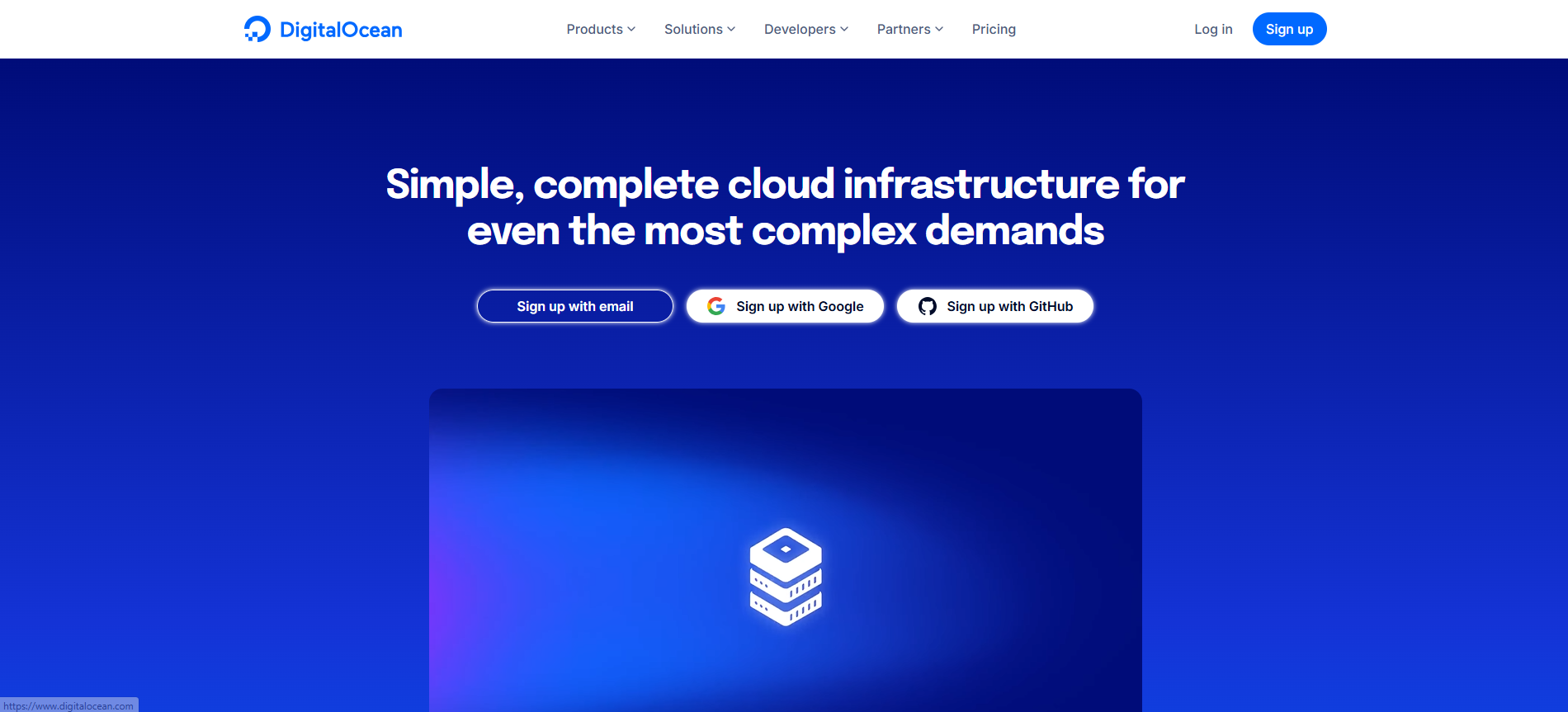
DigitalOcean is a developer-focused cloud platform built around Droplets, managed databases, Kubernetes, object storage, networking, and App Platform. It is popular with developers and small teams because the dashboard is cleaner than most hyperscaler consoles and the product set is easier to understand.
DigitalOcean works best when:
- You want VPS hosting with a straightforward dashboard
- You need Droplets, managed databases, storage, or Kubernetes without adopting the full AWS ecosystem
- Your team can manage server setup, security patches, CI/CD, monitoring, backups, and scaling
- You want a simple path from a single server to a more complete cloud setup
DigitalOcean lists Droplet prices on its [official Droplets pricing page](https://www.digitalocean.com/pricing/droplets). Its [bandwidth pricing documentation](https://docs.digitalocean.com/products/billing/bandwidth/) explains how transfer allowance and overage charges work across products.
> If you are evaluating DigitalOcean against other cloud providers, our [DigitalOcean pricing guide](https://kuberns.com/blogs/digitalocean-pricing/) breaks down Droplets, App Platform, databases, snapshots, bandwidth, and real app costs.
> For a broader cloud-provider decision, compare [DigitalOcean vs AWS](https://kuberns.com/blogs/best-cloud-platform-digitalocean-vs-aws/) to see when a focused developer cloud is enough and when the AWS ecosystem makes more sense.
## Pricing, Bandwidth and Real Cost Differences
AWS Lightsail often looks cheaper at the smallest starting bundle, while DigitalOcean often becomes easier to reason about once you compare bandwidth, Droplet tiers, databases, and day-to-day operations.
### AWS Lightsail Pricing
AWS Lightsail Linux/Unix bundles start at $3.50/month according to AWS pricing. Higher plans include more memory, vCPUs, storage, and transfer allowance. Lightsail is attractive for small workloads because the bundle includes a fixed amount of transfer, but teams need to watch overage charges and add-on services.
### DigitalOcean Pricing
DigitalOcean Basic Droplets start at $4/month according to DigitalOcean pricing. A Basic Droplet is often enough for small apps, internal tools, and experiments. Larger workloads need bigger Droplets, managed databases, load balancers, backups, snapshots, monitoring, or App Platform resources.
### The Cost Most Teams Miss
The cheapest server is rarely the full cost. The bigger cost is usually the work around the server:
- Provisioning and securing the machine
- Setting up Docker, Nginx, SSL, and process management
- Building deployment pipelines
- Configuring backups and monitoring
- Handling updates, patches, scaling, and incidents
That is why VPS comparisons should include engineering effort, not only monthly server price.
## Performance, UI and Developer Experience
DigitalOcean usually feels better for developers who want a focused VPS workflow. The dashboard is built around a smaller set of cloud products, so it is easier to understand what you are paying for and how to manage it.
AWS Lightsail is simpler than EC2, but it is still part of AWS. That can be helpful when you need AWS services, but it can also make the learning curve steeper once your application outgrows a basic instance.
For developer experience:
- **Choose DigitalOcean** if you want a focused dashboard, Droplets, managed databases, Kubernetes, and a simpler cloud interface.
- **Choose AWS Lightsail** if you want simple VPS hosting inside AWS and may later connect deeper AWS services.
- **Avoid both as your primary deployment workflow** if your team does not want to manage servers, CI/CD, monitoring, and scaling manually.
## Limitations of AWS Lightsail and DigitalOcean
Both AWS Lightsail and DigitalOcean are useful VPS options, but they do not remove infrastructure responsibility.
**AWS Lightsail limitations:**
- You still manage runtime setup, deployments, patches, security, and backups
- Scaling beyond a small instance often means more AWS knowledge
- Bandwidth overage can become expensive for traffic-heavy applications
- CI/CD, monitoring, and log workflows are not automatically prepared for your application
**DigitalOcean limitations:**
- Droplets still require server administration
- Managed databases, backups, snapshots, load balancers, and monitoring add to the bill
- App Platform is simpler than Droplets but still requires resource and service configuration
- Scaling decisions stay with your team unless you move into more managed products
The shared limitation is operational work. Both platforms give you infrastructure, but neither automatically prepares the full deployment workflow for your application.
## Kuberns: A Simpler Way to Deploy Than AWS Lightsail or DigitalOcean
 [Kuberns](https://kuberns.com/) is an agentic AI platform for deployment. It is designed for full-stack and complex backend projects where teams want to avoid manually preparing infrastructure, Docker, Kubernetes, CI/CD, and scaling configuration.
Instead of starting with a VPS and building the deployment workflow around it, you connect a GitHub repository. Kuberns analyzes the application and prepares the deployment configuration so developers can focus on shipping the product.
### What Changes With Kuberns
- **Repository-first workflow:** connect GitHub and let Kuberns analyze the application structure
- **Less manual infrastructure setup:** no need to begin with server provisioning, Nginx setup, or CI/CD wiring
- **No manual Docker work required:** supported projects can deploy without maintaining a Docker workflow first
- **One platform for deployment and operations:** deployments, logs, and operational information stay in one workflow
- **Clear starting point:** plans start at $7, bundle packs provide additional savings, and a Trial Option is available
> If your team is comparing VPS platforms because deployment is becoming too manual, Kuberns is the better path forward. It replaces the manual VPS workflow with agentic AI for deployment.
## Final Verdict: AWS Lightsail, DigitalOcean, or Kuberns?
DigitalOcean is the better choice for many standalone VPS projects because it offers a cleaner developer experience, straightforward Droplet workflow, and lower published bandwidth overage pricing. AWS Lightsail is the better fit when you already use AWS and want a simple VPS product inside that ecosystem.
But both platforms still make your team responsible for server operations. You still need to configure deployments, manage security updates, handle monitoring, build CI/CD, and decide how to scale.
Kuberns is the better choice when the real goal is not choosing a VPS, but removing manual deployment work. It gives teams a repository-to-deployment workflow with agentic AI for deployment, so full-stack and backend projects can move faster without becoming infrastructure projects.
[Deploy your project with Kuberns](https://dashboard.kuberns.com/)
[Kuberns](https://kuberns.com/) is an agentic AI platform for deployment. It is designed for full-stack and complex backend projects where teams want to avoid manually preparing infrastructure, Docker, Kubernetes, CI/CD, and scaling configuration.
Instead of starting with a VPS and building the deployment workflow around it, you connect a GitHub repository. Kuberns analyzes the application and prepares the deployment configuration so developers can focus on shipping the product.
### What Changes With Kuberns
- **Repository-first workflow:** connect GitHub and let Kuberns analyze the application structure
- **Less manual infrastructure setup:** no need to begin with server provisioning, Nginx setup, or CI/CD wiring
- **No manual Docker work required:** supported projects can deploy without maintaining a Docker workflow first
- **One platform for deployment and operations:** deployments, logs, and operational information stay in one workflow
- **Clear starting point:** plans start at $7, bundle packs provide additional savings, and a Trial Option is available
> If your team is comparing VPS platforms because deployment is becoming too manual, Kuberns is the better path forward. It replaces the manual VPS workflow with agentic AI for deployment.
## Final Verdict: AWS Lightsail, DigitalOcean, or Kuberns?
DigitalOcean is the better choice for many standalone VPS projects because it offers a cleaner developer experience, straightforward Droplet workflow, and lower published bandwidth overage pricing. AWS Lightsail is the better fit when you already use AWS and want a simple VPS product inside that ecosystem.
But both platforms still make your team responsible for server operations. You still need to configure deployments, manage security updates, handle monitoring, build CI/CD, and decide how to scale.
Kuberns is the better choice when the real goal is not choosing a VPS, but removing manual deployment work. It gives teams a repository-to-deployment workflow with agentic AI for deployment, so full-stack and backend projects can move faster without becoming infrastructure projects.
[Deploy your project with Kuberns](https://dashboard.kuberns.com/)
 ## Frequently Asked Questions on AWS Lightsail vs DigitalOcean
### Which is better: AWS Lightsail or DigitalOcean?
For most standalone VPS projects, DigitalOcean is usually the better choice because it has a cleaner developer experience, broader Droplet options, and lower public bandwidth overage pricing than AWS Lightsail. AWS Lightsail is better when you already work inside AWS and want a simpler path into AWS services.
### What are the pros and cons of AWS Lightsail and DigitalOcean?
AWS Lightsail is useful for simple VPS bundles inside the AWS ecosystem, but scaling beyond the basics often pushes teams toward broader AWS services. DigitalOcean is easier for many standalone VPS projects, with a clean dashboard, Droplets, managed databases, Kubernetes, and App Platform, but server management still stays with your team.
### Why do teams move away from AWS Lightsail or DigitalOcean?
Teams move away from AWS Lightsail or DigitalOcean when VPS management becomes too manual. Deployments, CI/CD, patches, scaling, monitoring, backups, and cost control can become a bottleneck as applications grow.
### Is Kuberns just another VPS?
No. Kuberns is an agentic AI platform for deployment. It helps teams deploy full-stack and complex backend projects without manually preparing server, Docker, Kubernetes, CI/CD, and scaling configuration.
### Do I get cloud control with Kuberns?
Kuberns keeps the workflow focused on your application, repository, environments, deployments, and logs while reducing the manual infrastructure configuration normally required on VPS platforms.
### Which option is best for startups in 2026?
For startups building production applications without dedicated DevOps teams, Kuberns is the better long-term choice because it reduces manual deployment configuration and helps teams ship full-stack projects faster.
### Can I migrate from AWS Lightsail or DigitalOcean to Kuberns easily?
Yes. For supported applications, teams can connect a GitHub repository to Kuberns and let the platform analyze the project and prepare the deployment configuration, instead of rebuilding a manual VPS workflow.
### What is the biggest cost difference over time?
The biggest long-term cost difference is not only the server price. VPS platforms can require extra time for monitoring, backups, scaling, CI/CD, and operational fixes. Kuberns reduces that manual work by combining deployment and operations into one managed workflow.
### What are the pros and cons of DigitalOcean, Vultr, and AWS Lightsail?
DigitalOcean is strong for a clean VPS experience and managed cloud services, Vultr is useful for broad VPS location coverage and simple hourly billing, and AWS Lightsail is best when you want a small VPS inside AWS. All three still require manual deployment and server operations as projects grow.
### Is DigitalOcean or AWS Lightsail simpler to manage for IaaS?
DigitalOcean is simpler day-to-day for many IaaS users because its dashboard and Droplet workflow are more focused. AWS Lightsail is simple at the start, but teams that outgrow it often need broader AWS knowledge. Neither removes CI/CD, monitoring, scaling, and server maintenance work.
### DigitalOcean, Hetzner, AWS Lightsail, or Bluehost: which is best for hosting apps like n8n?
For self-hosted apps like n8n, DigitalOcean, Hetzner, and AWS Lightsail are all viable VPS options if you are comfortable managing Docker, updates, storage, and backups. Bluehost is usually better suited to website hosting than long-running background services.
---
- [More AI & DevOps articles](https://kuberns.com/blogs/category/ai-devops/1/)
- [All articles](https://kuberns.com/blogs/)
## Frequently Asked Questions on AWS Lightsail vs DigitalOcean
### Which is better: AWS Lightsail or DigitalOcean?
For most standalone VPS projects, DigitalOcean is usually the better choice because it has a cleaner developer experience, broader Droplet options, and lower public bandwidth overage pricing than AWS Lightsail. AWS Lightsail is better when you already work inside AWS and want a simpler path into AWS services.
### What are the pros and cons of AWS Lightsail and DigitalOcean?
AWS Lightsail is useful for simple VPS bundles inside the AWS ecosystem, but scaling beyond the basics often pushes teams toward broader AWS services. DigitalOcean is easier for many standalone VPS projects, with a clean dashboard, Droplets, managed databases, Kubernetes, and App Platform, but server management still stays with your team.
### Why do teams move away from AWS Lightsail or DigitalOcean?
Teams move away from AWS Lightsail or DigitalOcean when VPS management becomes too manual. Deployments, CI/CD, patches, scaling, monitoring, backups, and cost control can become a bottleneck as applications grow.
### Is Kuberns just another VPS?
No. Kuberns is an agentic AI platform for deployment. It helps teams deploy full-stack and complex backend projects without manually preparing server, Docker, Kubernetes, CI/CD, and scaling configuration.
### Do I get cloud control with Kuberns?
Kuberns keeps the workflow focused on your application, repository, environments, deployments, and logs while reducing the manual infrastructure configuration normally required on VPS platforms.
### Which option is best for startups in 2026?
For startups building production applications without dedicated DevOps teams, Kuberns is the better long-term choice because it reduces manual deployment configuration and helps teams ship full-stack projects faster.
### Can I migrate from AWS Lightsail or DigitalOcean to Kuberns easily?
Yes. For supported applications, teams can connect a GitHub repository to Kuberns and let the platform analyze the project and prepare the deployment configuration, instead of rebuilding a manual VPS workflow.
### What is the biggest cost difference over time?
The biggest long-term cost difference is not only the server price. VPS platforms can require extra time for monitoring, backups, scaling, CI/CD, and operational fixes. Kuberns reduces that manual work by combining deployment and operations into one managed workflow.
### What are the pros and cons of DigitalOcean, Vultr, and AWS Lightsail?
DigitalOcean is strong for a clean VPS experience and managed cloud services, Vultr is useful for broad VPS location coverage and simple hourly billing, and AWS Lightsail is best when you want a small VPS inside AWS. All three still require manual deployment and server operations as projects grow.
### Is DigitalOcean or AWS Lightsail simpler to manage for IaaS?
DigitalOcean is simpler day-to-day for many IaaS users because its dashboard and Droplet workflow are more focused. AWS Lightsail is simple at the start, but teams that outgrow it often need broader AWS knowledge. Neither removes CI/CD, monitoring, scaling, and server maintenance work.
### DigitalOcean, Hetzner, AWS Lightsail, or Bluehost: which is best for hosting apps like n8n?
For self-hosted apps like n8n, DigitalOcean, Hetzner, and AWS Lightsail are all viable VPS options if you are comfortable managing Docker, updates, storage, and backups. Bluehost is usually better suited to website hosting than long-running background services.
---
- [More AI & DevOps articles](https://kuberns.com/blogs/category/ai-devops/1/)
- [All articles](https://kuberns.com/blogs/)