# Best Railway Alternatives for Developers in 2026
> Looking for a Railway alternative? Compare Kuberns, Render, Fly.io, Netlify, Heroku, and more based on pricing, deployment simplicity, and scalability.
- **Author**: charan-achari
- **Published**: 2025-10-15
- **Modified**: 2026-05-07
- **Category**: Alternatives
- **URL**: https://kuberns.com/blogs/best-railway-alternatives/
---
The best Railway alternatives in 2026 are Kuberns, Render, Fly.io, DigitalOcean App Platform, Netlify, and Heroku. Each handles the core gaps that push developers off Railway, including unpredictable credit-based pricing, configuration complexity, and limited infrastructure control as projects grow.
Railway made Git-based deployment feel simple, and that is exactly why solo developers and startups start with it. But the credit model makes costs hard to predict, and deployment can break unexpectedly as infrastructure changes. Most teams start looking for alternatives before they even hit scale.
This guide compares all seven options on cost, deployment simplicity, and how well each handles real production workloads.
### TL;DR: Which Railway Alternative Should You Choose?
* Railway is popular for its quick Git-based deployment and simple developer experience. However, many developers start looking for alternatives when they encounter credit-based pricing, configuration complexity for services like workers or environments, and limited infrastructure control.
* Render and Heroku provide full-stack deployment with support for web services, databases, and background jobs, but developers still need to configure scaling, environments, and monitoring manually.
* Fly.io and DigitalOcean App Platform offer more infrastructure flexibility and global deployment options, though they require additional DevOps knowledge and setup compared to simpler PaaS platforms.
* Netlify works well for frontend and Jamstack applications, but backend-heavy projects often require additional services.
* Kuberns takes a different approach using Agentic AI for deployment. Instead of configuring infrastructure or managing multiple services, developers connect their GitHub repository and deploy in one click while the platform automatically handles scaling, monitoring, and cloud cost optimisation.
> Key Takeaway: Many Railway alternatives simplify hosting but still require developers to configure infrastructure, services, or deployment settings manually. But Kuberns uses Agentic AI to remove these steps, allowing developers to connect their repository and deploy applications with one-click deployment while the platform automatically manages infrastructure, scaling, monitoring, and cloud cost optimisation.
 ## Comparison Table: Railway Alternatives for Solo Developers & Startups
| Platform | Deployment Experience | Pricing Model | Infrastructure Management | Best For |
| ------------------------- | --------------------------------------------------------------------------------------------------------- | ------------------------------------ | ------------------------------------------ | ---------------------------------------------- |
| **Kuberns** | **One-click deployment using Agentic AI, no manual configuration required** | **Usage-based, no per-user pricing** | **Fully automated infrastructure** | **Solo developers, startups, full-stack apps** |
| Render | Git-based deployment but requires manual setup for services, workers, and environment variables | Resource-based pricing | Manual service configuration | Small full-stack apps |
| Fly.io | Docker-based deployment requiring container setup, machine configuration, and regional deployment choices | Usage-based pricing | Manual machine and region configuration | Performance-focused apps |
| Netlify | Easy for static sites but backend services require serverless functions and external integrations | Free tier + usage pricing | Managed for frontend apps | Static sites and Jamstack |
| DigitalOcean App Platform | Git-based deployment but infrastructure, scaling rules, and services require configuration | Pay-as-you-go | Some infrastructure configuration required | Startups needing cloud flexibility |
| Northflank | Container-based deployment requiring Docker knowledge and CI/CD configuration | Usage-based pricing | Container infrastructure management | Docker-based applications |
| Heroku | Git-based deployment but add-ons, scaling, and background services require configuration | Dyno-based pricing | Managed platform with add-on ecosystem | Traditional PaaS users |
## Comparison Table: Railway Alternatives for Solo Developers & Startups
| Platform | Deployment Experience | Pricing Model | Infrastructure Management | Best For |
| ------------------------- | --------------------------------------------------------------------------------------------------------- | ------------------------------------ | ------------------------------------------ | ---------------------------------------------- |
| **Kuberns** | **One-click deployment using Agentic AI, no manual configuration required** | **Usage-based, no per-user pricing** | **Fully automated infrastructure** | **Solo developers, startups, full-stack apps** |
| Render | Git-based deployment but requires manual setup for services, workers, and environment variables | Resource-based pricing | Manual service configuration | Small full-stack apps |
| Fly.io | Docker-based deployment requiring container setup, machine configuration, and regional deployment choices | Usage-based pricing | Manual machine and region configuration | Performance-focused apps |
| Netlify | Easy for static sites but backend services require serverless functions and external integrations | Free tier + usage pricing | Managed for frontend apps | Static sites and Jamstack |
| DigitalOcean App Platform | Git-based deployment but infrastructure, scaling rules, and services require configuration | Pay-as-you-go | Some infrastructure configuration required | Startups needing cloud flexibility |
| Northflank | Container-based deployment requiring Docker knowledge and CI/CD configuration | Usage-based pricing | Container infrastructure management | Docker-based applications |
| Heroku | Git-based deployment but add-ons, scaling, and background services require configuration | Dyno-based pricing | Managed platform with add-on ecosystem | Traditional PaaS users |
 ## Top 7 Railway alternatives of 2026
Now that you've seen the quick comparison, let's break down each option in more detail, including how they handle pricing, deployments, and infrastructure control.
### 1. Kuberns: The AI-Powered Railway Alternative for One-Click Deployment
When developers start searching for a **Railway alternative**, the goal is usually to simplify deployment without introducing more infrastructure work. Railway made deployment easier compared to traditional cloud setups, but many developers still find themselves configuring services, setting environment variables, managing background workers, and monitoring infrastructure manually. These steps can quickly turn deployment into a DevOps task instead of a simple process of getting an application live.
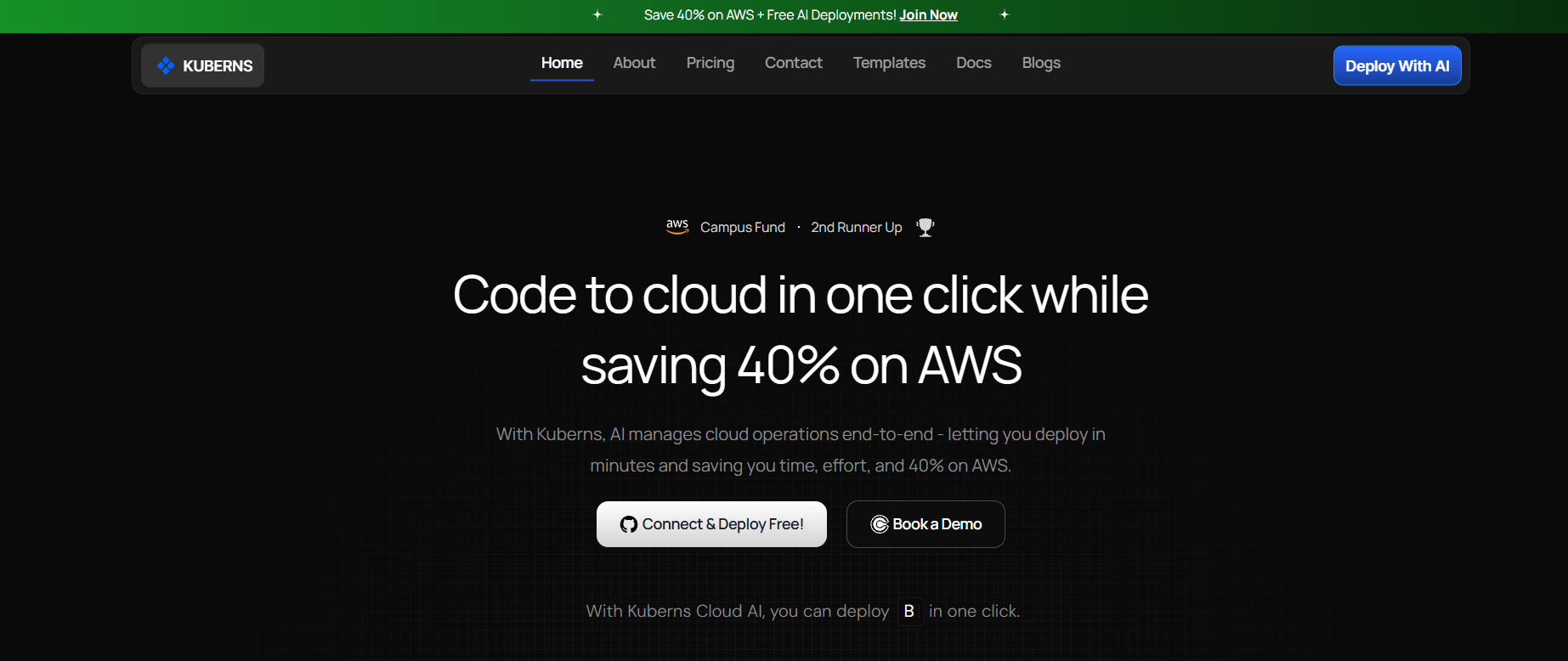
Kuberns approaches deployment differently by using **Agentic AI to automate the entire deployment workflow**. Instead of asking developers to configure infrastructure step by step, the platform analyses the application and prepares the environment required to run it automatically.
**One-Click Deployment with Agentic AI:** With Kuberns, developers can deploy applications with a one-click deployment workflow. After connecting a GitHub repository and clicking deploy, the platform automatically analyses the codebase and prepares the infrastructure needed to run the application.
This includes setting up compute resources, configuring networking, preparing runtime environments, and building the deployment pipeline. Because the system performs these tasks automatically, developers do not need to manually configure services, background workers, or deployment settings before launching their applications. This significantly reduces the time and effort required to move from code to production.
**Predictable Pricing Without Per-User Costs:** Pricing unpredictability is another reason many developers search for a Railway alternative. Credit-based pricing models can make it difficult to estimate how long an application will run or how costs will increase as usage grows.
[Kuberns uses a usage-based pricing model without per-user charges](https://kuberns.com/pricing), making it easier for startups and solo developers to understand how their infrastructure costs scale with their application.
**Automatic Infrastructure and Scaling:** One of the biggest challenges developers face on many PaaS platforms is managing infrastructure as applications grow. Even when deployment is simple initially, developers often need to manually adjust resources, configure scaling rules, or troubleshoot infrastructure issues as usage increases.
Kuberns removes much of this complexity by automatically managing infrastructure on AWS. The platform provisions the necessary resources, monitors application performance, and adjusts scaling automatically based on demand. This allows applications to handle traffic spikes or growth without developers needing to manually modify infrastructure settings.
**Built for Solo Developers and Startups:** Kuberns is designed for developers who want to focus on building products rather than managing infrastructure. Solo developers working on side projects and startups launching new applications often do not have the time or resources to maintain complex DevOps workflows.
By combining deployment, infrastructure management, monitoring, and scaling into a single platform, Kuberns removes many of the operational tasks developers typically handle manually. This makes it easier to launch applications quickly, scale them reliably, and maintain predictable infrastructure costs as projects grow.
## Top 7 Railway alternatives of 2026
Now that you've seen the quick comparison, let's break down each option in more detail, including how they handle pricing, deployments, and infrastructure control.
### 1. Kuberns: The AI-Powered Railway Alternative for One-Click Deployment

When developers start searching for a **Railway alternative**, the goal is usually to simplify deployment without introducing more infrastructure work. Railway made deployment easier compared to traditional cloud setups, but many developers still find themselves configuring services, setting environment variables, managing background workers, and monitoring infrastructure manually. These steps can quickly turn deployment into a DevOps task instead of a simple process of getting an application live.
Kuberns approaches deployment differently by using **Agentic AI to automate the entire deployment workflow**. Instead of asking developers to configure infrastructure step by step, the platform analyses the application and prepares the environment required to run it automatically.
**One-Click Deployment with Agentic AI:** With Kuberns, developers can deploy applications with a one-click deployment workflow. After connecting a GitHub repository and clicking deploy, the platform automatically analyses the codebase and prepares the infrastructure needed to run the application.
This includes setting up compute resources, configuring networking, preparing runtime environments, and building the deployment pipeline. Because the system performs these tasks automatically, developers do not need to manually configure services, background workers, or deployment settings before launching their applications. This significantly reduces the time and effort required to move from code to production.
**Predictable Pricing Without Per-User Costs:** Pricing unpredictability is another reason many developers search for a Railway alternative. Credit-based pricing models can make it difficult to estimate how long an application will run or how costs will increase as usage grows.
[Kuberns uses a usage-based pricing model without per-user charges](https://kuberns.com/pricing), making it easier for startups and solo developers to understand how their infrastructure costs scale with their application.
**Automatic Infrastructure and Scaling:** One of the biggest challenges developers face on many PaaS platforms is managing infrastructure as applications grow. Even when deployment is simple initially, developers often need to manually adjust resources, configure scaling rules, or troubleshoot infrastructure issues as usage increases.
Kuberns removes much of this complexity by automatically managing infrastructure on AWS. The platform provisions the necessary resources, monitors application performance, and adjusts scaling automatically based on demand. This allows applications to handle traffic spikes or growth without developers needing to manually modify infrastructure settings.
**Built for Solo Developers and Startups:** Kuberns is designed for developers who want to focus on building products rather than managing infrastructure. Solo developers working on side projects and startups launching new applications often do not have the time or resources to maintain complex DevOps workflows.
By combining deployment, infrastructure management, monitoring, and scaling into a single platform, Kuberns removes many of the operational tasks developers typically handle manually. This makes it easier to launch applications quickly, scale them reliably, and maintain predictable infrastructure costs as projects grow.
 ### 2. Render: Reliable Full-Stack PaaS with Simple Deployment
Render is one of the most commonly mentioned Railway alternatives because it offers a similar Git-based deployment workflow with managed infrastructure. Developers can connect their repository, configure the build and start commands, and deploy web services, static sites, and background workers from a single dashboard.
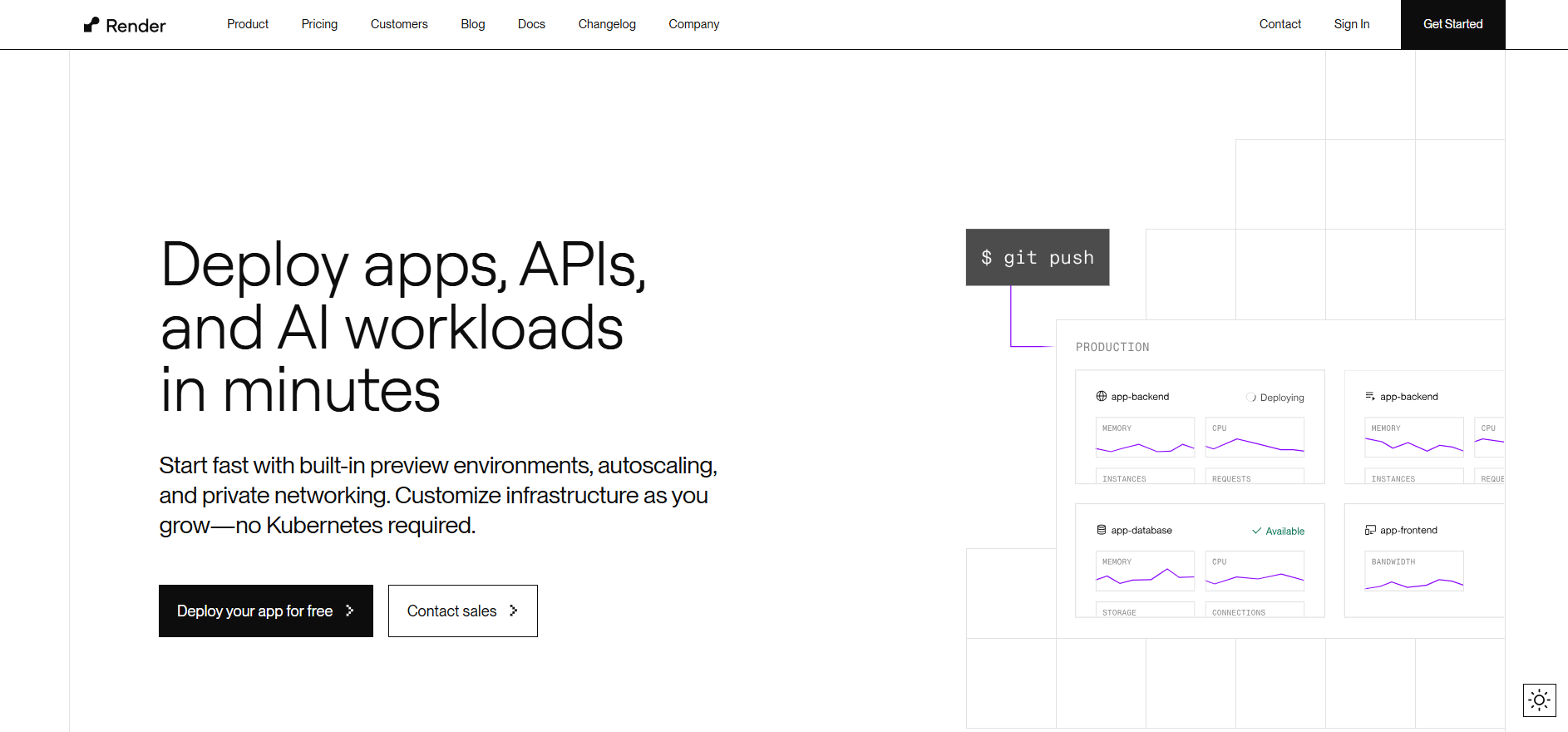
Deployment Experience: Render allows developers to deploy applications by connecting a GitHub or GitLab repository and defining build and start commands in the platform UI. This makes deployment relatively straightforward for small projects. However, when building full-stack applications, developers often need to configure services such as background workers, databases, and environment variables separately, which adds additional setup steps.
**Free Tier Availability:** One advantage Render has over Railway is its free tier, which includes up to 750 hours of usage per month, free static site hosting, and free PostgreSQL databases. This makes it useful for students and developers experimenting with small applications.
However, the free tier comes with several limitations. Free services stop after 15 minutes of inactivity, which causes cold starts when applications receive traffic again. Free PostgreSQL databases are also deleted after 90 days, and custom domains are not supported on the free plan.
**Pricing Model:** Render uses a per-service pricing model, which is more predictable than usage-based billing. Paid plans typically start at around $19 per month, and additional costs depend on the compute resources allocated to each service.
For example, a 2GB RAM with 1 CPU instance costs about $25 per month, while a 4GB RAM with 2 CPUs can cost around $85 per month. While the pricing is transparent, the cost can increase quickly when multiple services such as APIs, workers, and databases are running.
Render is a good choice for developers who want a simple deployment workflow with predictable pricing and built-in support for web services and databases. It works particularly well for smaller applications or early-stage projects, though teams running multiple services may see infrastructure costs grow as their applications scale.
If you're evaluating Render in more detail, check our guide on [best Render alternatives for developers](https://kuberns.com/blogs/best-render-alternatives/)
### 3. Fly.io: Distributed Global Apps Made Simple
Fly.io is another platform developers often consider when searching for a Railway alternative, particularly for applications that need low latency and global performance. The platform focuses on running applications close to users by deploying them across multiple regions using edge infrastructure.
**Deployment Experience:** Unlike platforms that rely on simple Git-based deployment, Fly.io uses a container-based deployment model. Developers typically need to create and configure a Docker container for their application before deploying it. The platform provides a CLI tool to manage deployments, configure machines, and select regions where the application should run.
While this setup provides more flexibility and control, it also means deployment is less straightforward compared to platforms that handle infrastructure automatically.
**Global Edge Infrastructure:** One of Fly.io's biggest strengths is its global edge deployment model. Applications can run in multiple regions around the world, which helps reduce latency for users in different locations. This makes Fly.io attractive for performance-sensitive applications that need faster response times.
However, deploying across regions requires developers to configure machines and infrastructure settings manually.
**Pricing Model:** Fly.io uses a usage-based pricing model, where developers pay for compute resources, storage, and bandwidth based on consumption. While this model can work well for optimized applications, pricing can vary depending on the number of machines running and the regions where the application is deployed.
Another important change is that Fly.io no longer offers a free tier, which means developers need to pay even for smaller projects or experiments.
Fly.io works well for developers who are comfortable working with containers and infrastructure configuration, especially when building applications that benefit from global edge deployment. However, the platform can require more setup and operational knowledge compared to simpler PaaS solutions.
For a deeper comparison between deployment platforms, read our breakdown of [top Fly.io alternatives.](https://kuberns.com/blogs/fly-io-alternatives-2025/)
### 4. Netlify: Front-End Focused, Developer-Friendly PaaS
Netlify is widely known as a deployment platform for static websites and Jamstack applications, which makes it another option developers sometimes explore when looking for a Railway alternative. It is particularly popular among frontend developers building projects with frameworks like React, Next.js, and Vue.
Deployment Experience: Netlify offers a very smooth deployment workflow for frontend applications. Developers can connect their Git repository, and the platform automatically builds and deploys the site whenever changes are pushed. This continuous deployment workflow works well for static sites and frontend projects.
However, when applications require backend functionality, developers often need to rely on serverless functions or external services, which adds additional configuration and complexity compared to full-stack platforms.
**Frontend and Serverless Focus:** Netlify is designed primarily for frontend hosting. It supports serverless functions for backend logic, but these functions have execution limits and timeouts, which may not be suitable for complex backend workloads or long-running processes.
For applications that require databases, background workers, or persistent backend services, developers typically need to integrate external platforms.
**Pricing Model:** Netlify provides a free tier that works well for personal projects and small websites. However, as projects scale, costs can increase due to usage limits on bandwidth, build minutes, and serverless functions.
For teams running larger applications with more backend logic, managing multiple services outside the platform can add both operational complexity and additional costs.
Netlify works best for static sites, frontend applications, and Jamstack workflows where most of the logic runs on the client side. It is less suitable for applications that require full backend infrastructure or complex server-side processes.
If you are considering fullstack deployment platforms, you may also want to explore these [Netlify alternatives for developers](https://kuberns.com/blogs/best-netlify-alternatives/)
### 5. DigitalOcean App Platform: Flexible Cloud Deployment
DigitalOcean App Platform is another option developers consider when exploring a Railway alternative, especially if they want a balance between PaaS convenience and some level of infrastructure control. Built on DigitalOcean's cloud infrastructure, it provides a managed environment where developers can deploy applications directly from a Git repository.
**Deployment Experience:** Deployment on DigitalOcean App Platform typically starts by connecting a GitHub or GitLab repository. The platform detects the framework and builds the application automatically. While this simplifies the initial setup, developers often need to configure services such as databases, environment variables, and scaling settings manually when building full-stack applications.
For teams familiar with cloud environments, this level of control can be useful, but it does require more setup compared to platforms designed for fully automated deployment.
**Infrastructure Flexibility:** One of the advantages of DigitalOcean App Platform is that it provides more flexibility over infrastructure. Developers can choose different instance sizes, configure scaling options, and integrate with other DigitalOcean services such as managed databases and storage.
This flexibility is helpful for teams that want some control over how their application runs, but it also means developers may need to spend more time managing infrastructure decisions.
**Pricing Model:** DigitalOcean App Platform uses a pay-as-you-go pricing model based on the resources allocated to each service. This model can be predictable for teams that understand their infrastructure needs, but costs increase as more services or larger instance sizes are required.
While the platform offers a free tier for basic static sites, most backend services and scalable workloads require paid plans.
DigitalOcean App Platform is well suited for developers who want a managed deployment platform with more infrastructure control than many traditional PaaS solutions. However, teams without DevOps experience may find the additional configuration steps more complex compared to simpler deployment platforms.
For teams comparing cloud deployment platforms, this guide on [DigitalOcean App Platform alternatives](https://kuberns.com/blogs/best-digitalocean-alternatives-in-2025-for-modern-app-deployment/) explains the differences in more detail.
### 6. Northflank: CI/CD and Container Management
Northflank is another platform developers consider when exploring a Railway alternative, especially if they are comfortable working with containers and modern DevOps workflows. The platform focuses on container-based deployments and provides built-in CI/CD pipelines for automating builds and deployments.
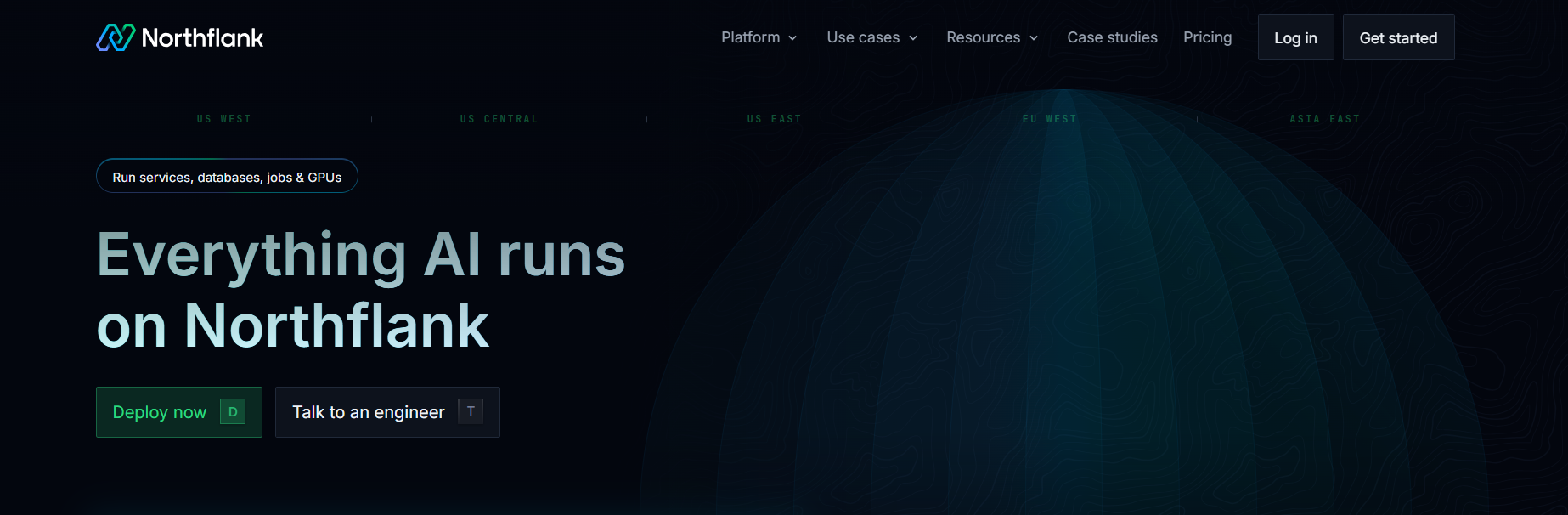
**Deployment Experience:** Deployment on Northflank typically revolves around containerized applications. Developers usually deploy using Docker images or container configurations, which gives them more control over how their applications run. While this approach is powerful, it also means developers need to be familiar with containers and deployment pipelines before getting started.
For teams already using Docker or container workflows, Northflank can integrate smoothly into their development process.
**CI/CD and Environment Management:** One of Northflank's strengths is its built-in CI/CD pipeline system, which allows developers to automate application builds, testing, and deployments. The platform also supports multiple environments, making it easier to manage development, staging, and production workflows.
However, configuring these pipelines and environments requires more setup compared to platforms that focus purely on simplified deployment.
**Pricing Model:** Northflank uses a usage-based pricing model based on the compute resources consumed by containers. This model can work well for teams optimizing container workloads, but infrastructure costs depend heavily on the number of services and resources being used.
Developers running multiple container services may need to monitor resource consumption closely as applications scale.
Northflank works well for teams that already use Docker and container-based workflows and want a platform with built-in CI/CD capabilities. However, developers unfamiliar with containers may find the learning curve steeper compared to simpler PaaS platforms.
If you're comparing container-focused deployment platforms, our comparison of [Northflank and other PaaS alternatives](https://kuberns.com/blogs/top-northflank-alternatives/) can help you evaluate the options.
### 7. Heroku: The Traditional PaaS Platform
Heroku has long been one of the most well-known Platform-as-a-Service (PaaS) platforms and is often mentioned when developers look for a Railway alternative. Before newer deployment platforms became popular, Heroku was the default choice for quickly deploying applications without managing infrastructure.
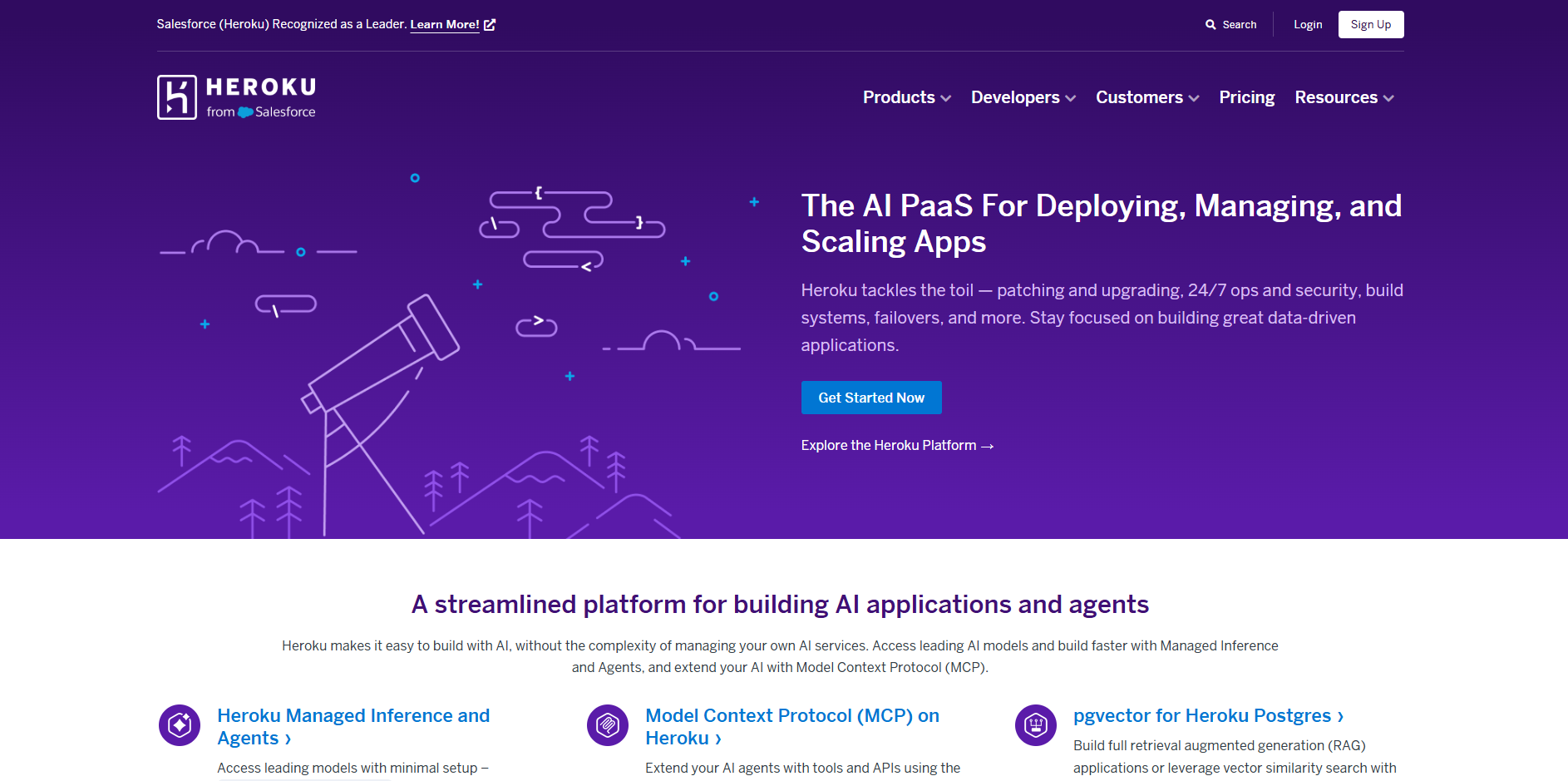
**Deployment Experience:** Heroku uses a Git-based deployment workflow, where developers push their code to the platform and the application is automatically built using buildpacks. These buildpacks detect the programming language and install the required dependencies before launching the application.
This workflow is straightforward for many frameworks, but developers still need to configure services such as environment variables, background workers, and add-ons for databases or caching.
**Add-ons and Ecosystem:** One of Heroku's strengths is its large ecosystem of add-ons. Developers can easily integrate services like PostgreSQL databases, Redis caching, logging tools, and monitoring platforms from the Heroku marketplace.
While this ecosystem provides flexibility, it also means developers often need to manage multiple add-ons and service configurations for a complete application setup.
**Pricing Model:** Heroku uses a dyno-based pricing model, where applications run inside containers called dynos. Developers pay based on the number and size of dynos used to run their application.
After Heroku removed its free tier, even small projects require paid dynos to stay online. As applications grow and require more dynos or add-ons, infrastructure costs can increase significantly.
Heroku works well for developers who want a traditional PaaS workflow with a mature ecosystem of integrations. It remains a reliable platform for many applications, though pricing and add-on costs can become a consideration for smaller teams and startups.
If you're deciding between traditional PaaS platforms vs AI, this detailed comparison of [Heroku alternatives](https://kuberns.com/blogs/the-ultimate-guide-to-heroku-alternatives-in-2025/) explains how these platforms differ.
### 2. Render: Reliable Full-Stack PaaS with Simple Deployment
Render is one of the most commonly mentioned Railway alternatives because it offers a similar Git-based deployment workflow with managed infrastructure. Developers can connect their repository, configure the build and start commands, and deploy web services, static sites, and background workers from a single dashboard.

Deployment Experience: Render allows developers to deploy applications by connecting a GitHub or GitLab repository and defining build and start commands in the platform UI. This makes deployment relatively straightforward for small projects. However, when building full-stack applications, developers often need to configure services such as background workers, databases, and environment variables separately, which adds additional setup steps.
**Free Tier Availability:** One advantage Render has over Railway is its free tier, which includes up to 750 hours of usage per month, free static site hosting, and free PostgreSQL databases. This makes it useful for students and developers experimenting with small applications.
However, the free tier comes with several limitations. Free services stop after 15 minutes of inactivity, which causes cold starts when applications receive traffic again. Free PostgreSQL databases are also deleted after 90 days, and custom domains are not supported on the free plan.
**Pricing Model:** Render uses a per-service pricing model, which is more predictable than usage-based billing. Paid plans typically start at around $19 per month, and additional costs depend on the compute resources allocated to each service.
For example, a 2GB RAM with 1 CPU instance costs about $25 per month, while a 4GB RAM with 2 CPUs can cost around $85 per month. While the pricing is transparent, the cost can increase quickly when multiple services such as APIs, workers, and databases are running.
Render is a good choice for developers who want a simple deployment workflow with predictable pricing and built-in support for web services and databases. It works particularly well for smaller applications or early-stage projects, though teams running multiple services may see infrastructure costs grow as their applications scale.
If you're evaluating Render in more detail, check our guide on [best Render alternatives for developers](https://kuberns.com/blogs/best-render-alternatives/)
### 3. Fly.io: Distributed Global Apps Made Simple
Fly.io is another platform developers often consider when searching for a Railway alternative, particularly for applications that need low latency and global performance. The platform focuses on running applications close to users by deploying them across multiple regions using edge infrastructure.

**Deployment Experience:** Unlike platforms that rely on simple Git-based deployment, Fly.io uses a container-based deployment model. Developers typically need to create and configure a Docker container for their application before deploying it. The platform provides a CLI tool to manage deployments, configure machines, and select regions where the application should run.
While this setup provides more flexibility and control, it also means deployment is less straightforward compared to platforms that handle infrastructure automatically.
**Global Edge Infrastructure:** One of Fly.io's biggest strengths is its global edge deployment model. Applications can run in multiple regions around the world, which helps reduce latency for users in different locations. This makes Fly.io attractive for performance-sensitive applications that need faster response times.
However, deploying across regions requires developers to configure machines and infrastructure settings manually.
**Pricing Model:** Fly.io uses a usage-based pricing model, where developers pay for compute resources, storage, and bandwidth based on consumption. While this model can work well for optimized applications, pricing can vary depending on the number of machines running and the regions where the application is deployed.
Another important change is that Fly.io no longer offers a free tier, which means developers need to pay even for smaller projects or experiments.
Fly.io works well for developers who are comfortable working with containers and infrastructure configuration, especially when building applications that benefit from global edge deployment. However, the platform can require more setup and operational knowledge compared to simpler PaaS solutions.
For a deeper comparison between deployment platforms, read our breakdown of [top Fly.io alternatives.](https://kuberns.com/blogs/fly-io-alternatives-2025/)
### 4. Netlify: Front-End Focused, Developer-Friendly PaaS
Netlify is widely known as a deployment platform for static websites and Jamstack applications, which makes it another option developers sometimes explore when looking for a Railway alternative. It is particularly popular among frontend developers building projects with frameworks like React, Next.js, and Vue.

Deployment Experience: Netlify offers a very smooth deployment workflow for frontend applications. Developers can connect their Git repository, and the platform automatically builds and deploys the site whenever changes are pushed. This continuous deployment workflow works well for static sites and frontend projects.
However, when applications require backend functionality, developers often need to rely on serverless functions or external services, which adds additional configuration and complexity compared to full-stack platforms.
**Frontend and Serverless Focus:** Netlify is designed primarily for frontend hosting. It supports serverless functions for backend logic, but these functions have execution limits and timeouts, which may not be suitable for complex backend workloads or long-running processes.
For applications that require databases, background workers, or persistent backend services, developers typically need to integrate external platforms.
**Pricing Model:** Netlify provides a free tier that works well for personal projects and small websites. However, as projects scale, costs can increase due to usage limits on bandwidth, build minutes, and serverless functions.
For teams running larger applications with more backend logic, managing multiple services outside the platform can add both operational complexity and additional costs.
Netlify works best for static sites, frontend applications, and Jamstack workflows where most of the logic runs on the client side. It is less suitable for applications that require full backend infrastructure or complex server-side processes.
If you are considering fullstack deployment platforms, you may also want to explore these [Netlify alternatives for developers](https://kuberns.com/blogs/best-netlify-alternatives/)
### 5. DigitalOcean App Platform: Flexible Cloud Deployment
DigitalOcean App Platform is another option developers consider when exploring a Railway alternative, especially if they want a balance between PaaS convenience and some level of infrastructure control. Built on DigitalOcean's cloud infrastructure, it provides a managed environment where developers can deploy applications directly from a Git repository.

**Deployment Experience:** Deployment on DigitalOcean App Platform typically starts by connecting a GitHub or GitLab repository. The platform detects the framework and builds the application automatically. While this simplifies the initial setup, developers often need to configure services such as databases, environment variables, and scaling settings manually when building full-stack applications.
For teams familiar with cloud environments, this level of control can be useful, but it does require more setup compared to platforms designed for fully automated deployment.
**Infrastructure Flexibility:** One of the advantages of DigitalOcean App Platform is that it provides more flexibility over infrastructure. Developers can choose different instance sizes, configure scaling options, and integrate with other DigitalOcean services such as managed databases and storage.
This flexibility is helpful for teams that want some control over how their application runs, but it also means developers may need to spend more time managing infrastructure decisions.
**Pricing Model:** DigitalOcean App Platform uses a pay-as-you-go pricing model based on the resources allocated to each service. This model can be predictable for teams that understand their infrastructure needs, but costs increase as more services or larger instance sizes are required.
While the platform offers a free tier for basic static sites, most backend services and scalable workloads require paid plans.
DigitalOcean App Platform is well suited for developers who want a managed deployment platform with more infrastructure control than many traditional PaaS solutions. However, teams without DevOps experience may find the additional configuration steps more complex compared to simpler deployment platforms.
For teams comparing cloud deployment platforms, this guide on [DigitalOcean App Platform alternatives](https://kuberns.com/blogs/best-digitalocean-alternatives-in-2025-for-modern-app-deployment/) explains the differences in more detail.
### 6. Northflank: CI/CD and Container Management
Northflank is another platform developers consider when exploring a Railway alternative, especially if they are comfortable working with containers and modern DevOps workflows. The platform focuses on container-based deployments and provides built-in CI/CD pipelines for automating builds and deployments.

**Deployment Experience:** Deployment on Northflank typically revolves around containerized applications. Developers usually deploy using Docker images or container configurations, which gives them more control over how their applications run. While this approach is powerful, it also means developers need to be familiar with containers and deployment pipelines before getting started.
For teams already using Docker or container workflows, Northflank can integrate smoothly into their development process.
**CI/CD and Environment Management:** One of Northflank's strengths is its built-in CI/CD pipeline system, which allows developers to automate application builds, testing, and deployments. The platform also supports multiple environments, making it easier to manage development, staging, and production workflows.
However, configuring these pipelines and environments requires more setup compared to platforms that focus purely on simplified deployment.
**Pricing Model:** Northflank uses a usage-based pricing model based on the compute resources consumed by containers. This model can work well for teams optimizing container workloads, but infrastructure costs depend heavily on the number of services and resources being used.
Developers running multiple container services may need to monitor resource consumption closely as applications scale.
Northflank works well for teams that already use Docker and container-based workflows and want a platform with built-in CI/CD capabilities. However, developers unfamiliar with containers may find the learning curve steeper compared to simpler PaaS platforms.
If you're comparing container-focused deployment platforms, our comparison of [Northflank and other PaaS alternatives](https://kuberns.com/blogs/top-northflank-alternatives/) can help you evaluate the options.
### 7. Heroku: The Traditional PaaS Platform
Heroku has long been one of the most well-known Platform-as-a-Service (PaaS) platforms and is often mentioned when developers look for a Railway alternative. Before newer deployment platforms became popular, Heroku was the default choice for quickly deploying applications without managing infrastructure.

**Deployment Experience:** Heroku uses a Git-based deployment workflow, where developers push their code to the platform and the application is automatically built using buildpacks. These buildpacks detect the programming language and install the required dependencies before launching the application.
This workflow is straightforward for many frameworks, but developers still need to configure services such as environment variables, background workers, and add-ons for databases or caching.
**Add-ons and Ecosystem:** One of Heroku's strengths is its large ecosystem of add-ons. Developers can easily integrate services like PostgreSQL databases, Redis caching, logging tools, and monitoring platforms from the Heroku marketplace.
While this ecosystem provides flexibility, it also means developers often need to manage multiple add-ons and service configurations for a complete application setup.
**Pricing Model:** Heroku uses a dyno-based pricing model, where applications run inside containers called dynos. Developers pay based on the number and size of dynos used to run their application.
After Heroku removed its free tier, even small projects require paid dynos to stay online. As applications grow and require more dynos or add-ons, infrastructure costs can increase significantly.
Heroku works well for developers who want a traditional PaaS workflow with a mature ecosystem of integrations. It remains a reliable platform for many applications, though pricing and add-on costs can become a consideration for smaller teams and startups.
If you're deciding between traditional PaaS platforms vs AI, this detailed comparison of [Heroku alternatives](https://kuberns.com/blogs/the-ultimate-guide-to-heroku-alternatives-in-2025/) explains how these platforms differ.
 ### Why Developers and Startups Need the Right PaaS Solution?
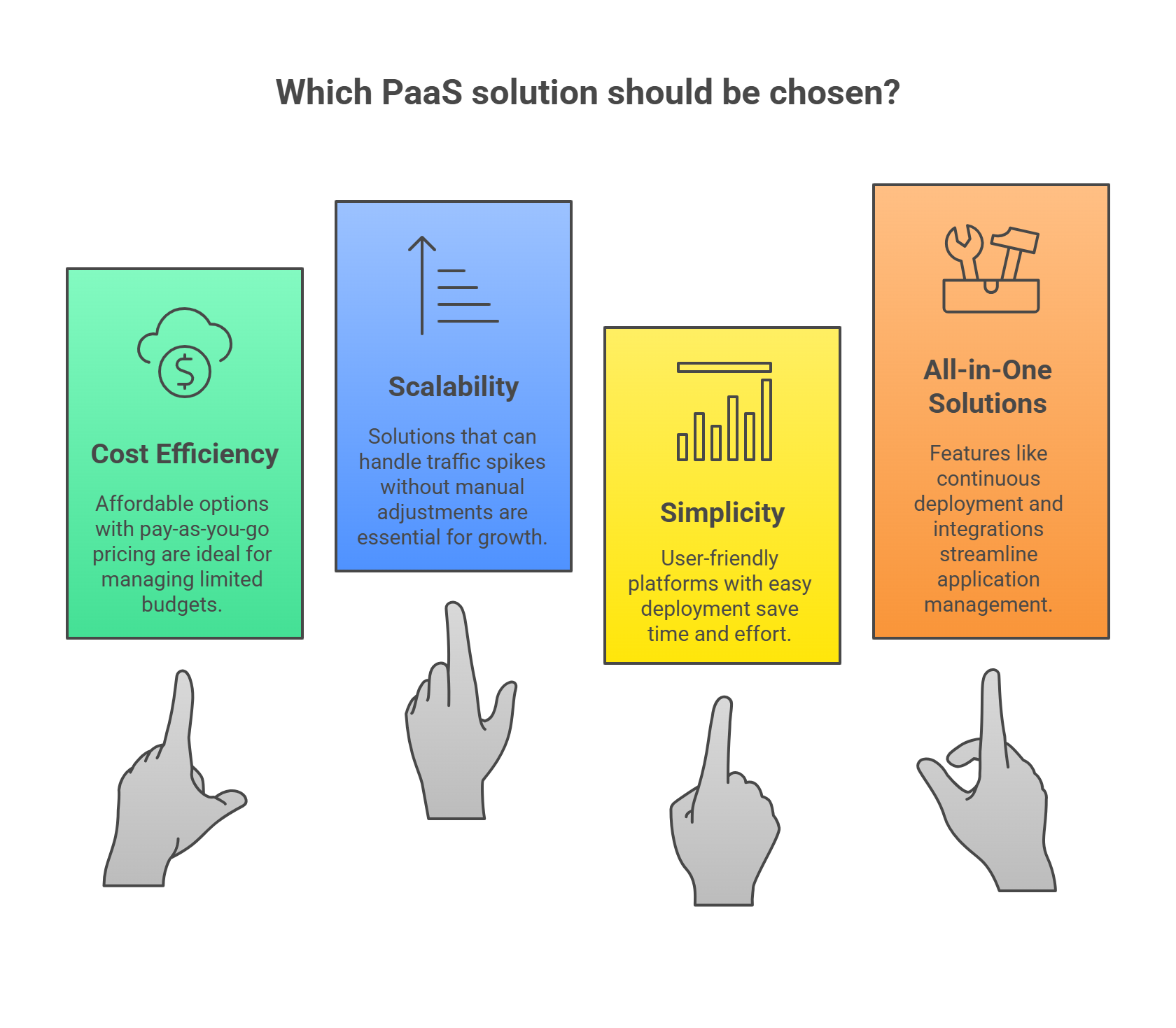
For solo developers and startups, selecting the right Platform-as-a-Service (PaaS) is not just about picking any cloud solution. It's about choosing one that fits the unique challenges they face.
With tight budgets, limited resources, and the need to scale quickly, finding a PaaS that is cost-effective, easy to use, and scalable is essential for long-term success. This is why understanding the specific needs of solo developers and startups is the first step in making an informed decision.
#### Cost Efficiency
One of the biggest hurdles solo developers and startups face is managing limited budgets. Traditional cloud infrastructure can quickly become costly as your project grows, especially when you're using a PaaS that doesn't have a flexible pricing model.
This is why affordable PaaS options are a must. Platforms that offer pay-as-you-go pricing are ideal for projects that need to get off the ground without incurring steep upfront costs.
#### Scalability
Another important consideration is scalability. As a solo developer or startup, you need a PaaS that can grow with your project.
If you suddenly get a spike in traffic, your PaaS solution should be able to handle that without you having to manually adjust configurations or deal with slow, painful migrations. It's not just about scaling your app; it's about scaling it efficiently.
#### Simplicity and Developer-Friendliness
The best PaaS for solo developers and startups should be easy to use. You want to spend your time coding, not worrying about configuring servers or dealing with complex infrastructure.
A developer-friendly platform with clear documentation, easy deployment, and minimal setup time will save you hours (or even days) of work. The platform's intuitive dashboard and easy-to-navigate interface should simplify the deployment process, even for developers who are new to deployment.
#### All-in-One Solutions
Finally, many solo developers and startups require an all-in-one solution that allows them to quickly deploy, manage, and scale their applications. Features like continuous deployment, integrations with GitHub and GitLab, and automatic load balancing are becoming standard in modern PaaS offerings.
These features are essential for making sure that solo developers can deploy their applications smoothly, without wasting time on configurations or downtime. With these core features in mind, it's clear why the right PaaS is so important for solo developers and startups.
> A platform that offers simplicity, scalability, and cost-effectiveness can be the difference between hitting your goals and facing ongoing infrastructure headaches.
## Conclusion
Railway is a convenient platform for getting applications online quickly, but many developers begin exploring alternatives when deployment configuration, credit-based pricing, or infrastructure management starts adding complexity.
Platforms like Render, Fly.io, Netlify, DigitalOcean, Northflank, and Heroku each solve parts of this problem, but most still require developers to configure services, manage infrastructure, or monitor scaling as applications grow.
Kuberns takes a different approach. Instead of managing deployment pipelines and infrastructure manually, developers can connect their repository and deploy with one-click Agentic AI deployment while the platform automatically handles infrastructure, scaling, monitoring, and cost optimisation.
If you're looking for a Railway alternative that simplifies deployment and removes DevOps overhead, Kuberns provides a modern solution designed for developers and startups.
[Deploy your project with one-click AI deployment](https://dashboard.kuberns.com/login)
### Why Developers and Startups Need the Right PaaS Solution?

For solo developers and startups, selecting the right Platform-as-a-Service (PaaS) is not just about picking any cloud solution. It's about choosing one that fits the unique challenges they face.
With tight budgets, limited resources, and the need to scale quickly, finding a PaaS that is cost-effective, easy to use, and scalable is essential for long-term success. This is why understanding the specific needs of solo developers and startups is the first step in making an informed decision.
#### Cost Efficiency
One of the biggest hurdles solo developers and startups face is managing limited budgets. Traditional cloud infrastructure can quickly become costly as your project grows, especially when you're using a PaaS that doesn't have a flexible pricing model.
This is why affordable PaaS options are a must. Platforms that offer pay-as-you-go pricing are ideal for projects that need to get off the ground without incurring steep upfront costs.
#### Scalability
Another important consideration is scalability. As a solo developer or startup, you need a PaaS that can grow with your project.
If you suddenly get a spike in traffic, your PaaS solution should be able to handle that without you having to manually adjust configurations or deal with slow, painful migrations. It's not just about scaling your app; it's about scaling it efficiently.
#### Simplicity and Developer-Friendliness
The best PaaS for solo developers and startups should be easy to use. You want to spend your time coding, not worrying about configuring servers or dealing with complex infrastructure.
A developer-friendly platform with clear documentation, easy deployment, and minimal setup time will save you hours (or even days) of work. The platform's intuitive dashboard and easy-to-navigate interface should simplify the deployment process, even for developers who are new to deployment.
#### All-in-One Solutions
Finally, many solo developers and startups require an all-in-one solution that allows them to quickly deploy, manage, and scale their applications. Features like continuous deployment, integrations with GitHub and GitLab, and automatic load balancing are becoming standard in modern PaaS offerings.
These features are essential for making sure that solo developers can deploy their applications smoothly, without wasting time on configurations or downtime. With these core features in mind, it's clear why the right PaaS is so important for solo developers and startups.
> A platform that offers simplicity, scalability, and cost-effectiveness can be the difference between hitting your goals and facing ongoing infrastructure headaches.
## Conclusion
Railway is a convenient platform for getting applications online quickly, but many developers begin exploring alternatives when deployment configuration, credit-based pricing, or infrastructure management starts adding complexity.
Platforms like Render, Fly.io, Netlify, DigitalOcean, Northflank, and Heroku each solve parts of this problem, but most still require developers to configure services, manage infrastructure, or monitor scaling as applications grow.
Kuberns takes a different approach. Instead of managing deployment pipelines and infrastructure manually, developers can connect their repository and deploy with one-click Agentic AI deployment while the platform automatically handles infrastructure, scaling, monitoring, and cost optimisation.
If you're looking for a Railway alternative that simplifies deployment and removes DevOps overhead, Kuberns provides a modern solution designed for developers and startups.
[Deploy your project with one-click AI deployment](https://dashboard.kuberns.com/login)
 ## Frequently Asked Questions
### 1. What is the best Railway alternative for solo developers?
For solo developers, Kuberns stands out as an ideal Railway alternative. It offers cost-effective, scalable infrastructure management and easy deployment, allowing you to focus on building without worrying about infrastructure.
### 2. How do I choose the right PaaS for my startup?
When choosing a PaaS for your startup, focus on:
* Cost-efficiency: Look for platforms with free tiers or pay-as-you-go models.
* Scalability: Ensure the platform can scale as your business grows (e.g., Kuberns.com, Fly.io).
* Ease of use: Platforms like Netlify and Render simplify deployment, while Kuberns offers more control.
### 3. How does Kuberns compare to other platforms in terms of pricing?
Kuberns.com offers a pay-as-you-go model, making it budget-friendly for solo developers and startups. Unlike flat-rate pricing, you only pay for the resources you use. It's ideal for growing projects without overspending.
### 4. Can I migrate my app from Railway to Kuberns.com?
Yes, migrating from Railway to Kuberns is simple, especially for containerised apps. Kuberns offers an excellent all-in-one deployment platform, making it easy to scale and manage your infrastructure during migration.
---
- [More Alternatives articles](https://kuberns.com/blogs/category/alternatives/1/)
- [All articles](https://kuberns.com/blogs/)
## Frequently Asked Questions
### 1. What is the best Railway alternative for solo developers?
For solo developers, Kuberns stands out as an ideal Railway alternative. It offers cost-effective, scalable infrastructure management and easy deployment, allowing you to focus on building without worrying about infrastructure.
### 2. How do I choose the right PaaS for my startup?
When choosing a PaaS for your startup, focus on:
* Cost-efficiency: Look for platforms with free tiers or pay-as-you-go models.
* Scalability: Ensure the platform can scale as your business grows (e.g., Kuberns.com, Fly.io).
* Ease of use: Platforms like Netlify and Render simplify deployment, while Kuberns offers more control.
### 3. How does Kuberns compare to other platforms in terms of pricing?
Kuberns.com offers a pay-as-you-go model, making it budget-friendly for solo developers and startups. Unlike flat-rate pricing, you only pay for the resources you use. It's ideal for growing projects without overspending.
### 4. Can I migrate my app from Railway to Kuberns.com?
Yes, migrating from Railway to Kuberns is simple, especially for containerised apps. Kuberns offers an excellent all-in-one deployment platform, making it easy to scale and manage your infrastructure during migration.
---
- [More Alternatives articles](https://kuberns.com/blogs/category/alternatives/1/)
- [All articles](https://kuberns.com/blogs/)