# Best Upsun Alternatives in 2026 (Simpler and More Affordable)
> Looking for Upsun alternatives in 2026? Compare the top platforms that are easier to set up, more affordable, and better suited for fast-moving development teams.
- **Author**: aaliya-shaikh
- **Published**: 2026-06-10
- **Modified**: 2026-06-10
- **Category**: Alternatives
- **URL**: https://kuberns.com/blogs/best-upsun-alternatives/
---
Upsun is a PaaS platform built by the team behind Platform.sh. Before you can deploy a single app, you need to write a `.upsun/config.yaml` file that defines your application, services, and routes. Every project charges a base fee. Every user adds another monthly line item. And the overall pricing model, with compute, storage, bandwidth, and add-on fees stacked on top of each other, makes it genuinely hard to predict what you will actually pay.
In 2026, teams moving on from Upsun are looking for platforms that deliver the same production reliability without the configuration overhead and unpredictable billing. This guide covers the best Upsun alternatives, what each one is best for, and why [Kuberns](https://kuberns.com) is the most practical replacement for teams who want to deploy fast without becoming YAML experts.
## Why Teams Are Looking for Upsun Alternatives
Upsun introduces friction at every stage of the deployment lifecycle. From the mandatory config file on day one to the unpredictable billing as your team grows, the platform creates overhead that modern teams simply do not need.
**YAML configuration is mandatory.** Upsun requires a `.upsun/config.yaml` file committed to your repository before the platform can deploy anything. New team members, solo founders, and developers without DevOps backgrounds run into this immediately. Kuberns requires no configuration file at all; the AI reads your code and sets everything up.
**Per-project and per-user fees stack up.** At 9 euros per project per month and 10 euros per user per month, before any compute or storage costs, a small team of three running two projects is already paying over 50 euros a month before a single request has been served. Kuberns starts at 7 dollars a month with no per-user fees.
**Advanced support requires minimum 12-month subscriptions.** Teams that need SLAs or guaranteed response times must commit to yearly contracts. For startups and fast-moving teams, that level of lock-in is a significant downside.
**The learning curve takes time.** Upsun's CLI, configuration schema, and environment model require investment to learn. Most teams just want their app deployed.
## What to Look for in an Upsun Alternative
Before switching, it helps to know what Upsun was actually providing so you can find a platform that covers the same ground with less friction.
- **Auto-deployment from source code**: Upsun builds from your Git repository. Your alternative should do the same without requiring a config file first.
- **Preview environments**: The ability to spin up isolated environments per branch is genuinely useful. Not every alternative supports it, but the best ones do.
- **Multi-language support**: Node.js, Python, PHP, Go, Ruby, Java. Your platform should handle your stack without special configuration.
- **Environment variable management**: Secrets should be injected securely without being committed to source control.
- **Predictable pricing**: You should be able to estimate your monthly bill without a spreadsheet.
[Kuberns](https://kuberns.com) covers all of these and adds Agentic AI that manages the full deployment lifecycle automatically.
## Best Upsun Alternatives in 2026
## 1. Kuberns: The AI-Powered Upsun Alternative

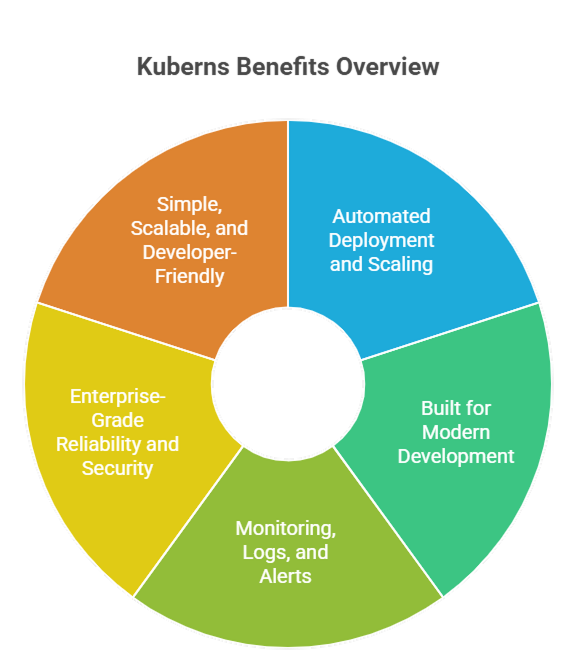
[Kuberns](https://kuberns.com) is an Agentic AI cloud platform built on AWS. It auto-detects your stack, installs dependencies, builds your app, and deploys it with HTTPS and CI/CD configured, without any YAML files, config schemas, or CLI setup required.
Where Upsun requires you to write a `.upsun/config.yaml` before the first deploy, Kuberns reads your repository and configures everything automatically. Where Upsun charges per project and per user before compute costs begin, Kuberns starts at 7 dollars a month with no per-seat pricing.
**Key features:**
- One-click deployment from GitHub with auto-detected stack and build command
- Agentic AI that manages the full deployment lifecycle without manual configuration
- No YAML, no config files, no CLI tool required to get started
- AI-driven auto-scaling based on actual traffic with no manual rules to write
- Unified monitoring, logs, and alerts in a single dashboard
- Save up to 40% on AWS infrastructure costs compared to direct cloud setup
- Free credits to get started with no credit card required
**Best for:** Development teams, startups, and solo founders who want production-grade deployments on AWS without YAML configuration, per-user fees, or DevOps overhead.
 ## 2. Heroku
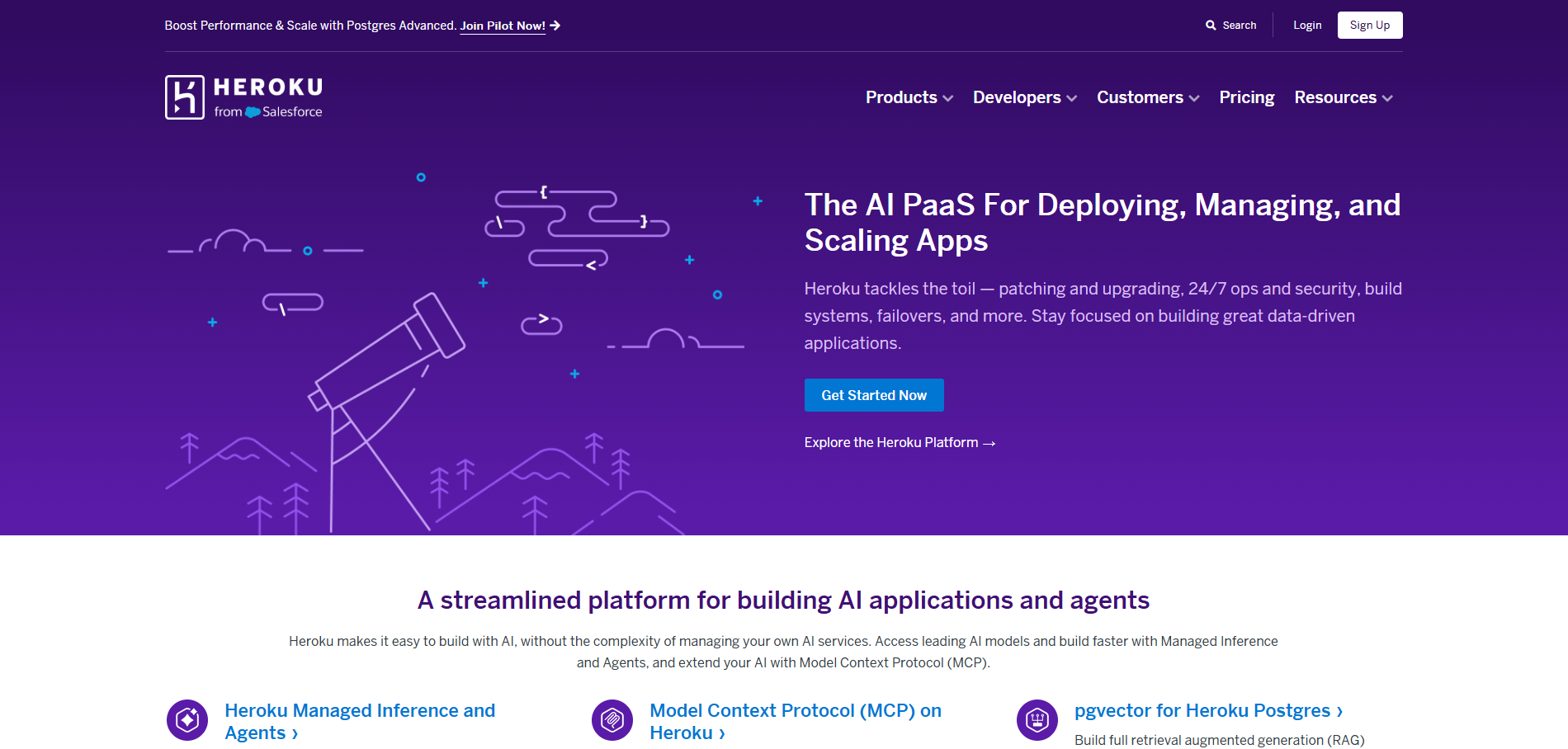
Heroku is the most recognizable name in PaaS and teams leaving Upsun often consider it first. The reality is that Heroku trades one set of problems for a worse set.
Costs on Heroku grow fast. Dynos are billed per hour whether your app is handling traffic or sitting idle, and every add-on, databases, caching, monitoring, carries its own separate charge. Teams that replicate a proper production setup on Heroku often end up paying more than they did on Upsun, with less capability to show for it. Kuberns saves up to 40% on infrastructure costs and includes monitoring in every plan with no add-on fees.
Autoscaling does not exist on lower-tier Heroku plans. You manually set a dyno count and manually adjust it when traffic spikes. On Kuberns, the AI handles scaling automatically based on real traffic with zero configuration.
Build times on Heroku are significantly slower than Kuberns, and the platform has had documented reliability incidents where production apps went offline with no clear mitigation path for standard customers. For teams moving off Upsun to gain reliability, Heroku is a step sideways at best.
For a full breakdown, see the guide on [best Heroku alternatives](https://kuberns.com/blogs/heroku-alternatives/).
## 3. Render
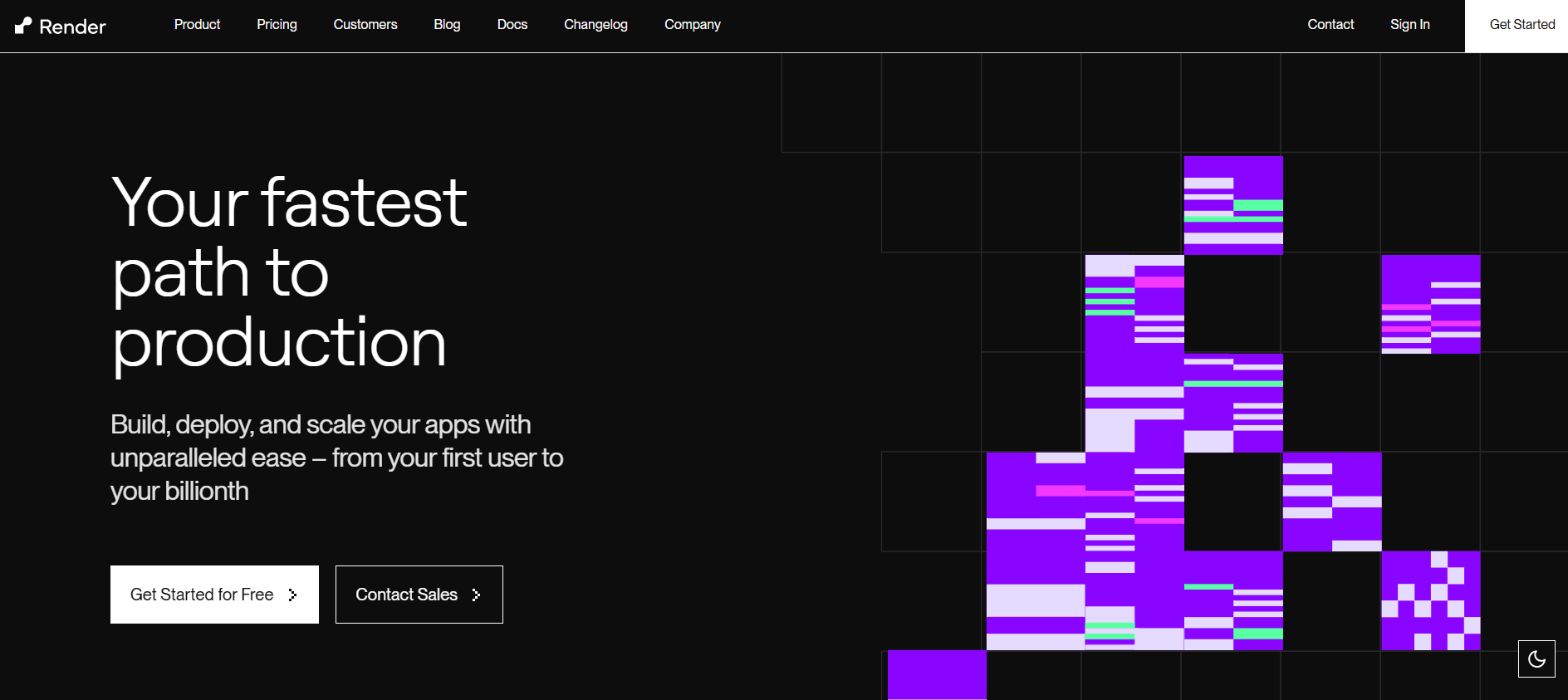
Render looks simpler than Heroku on the surface but brings its own production-breaking limitations.
The free tier spins down services after inactivity, causing cold starts that can delay the first request by 30 seconds or more. Even on paid plans, Render's serverless model means your app is not always running. Kuberns runs persistent servers at every tier with zero cold starts.
Render has no meaningful observability. You get basic logs and uptime pings with no unified dashboard, no intelligent alerting, and no AI-driven scaling. When something goes wrong in production on Render, you are on your own trying to piece together what happened. On Kuberns, logs, metrics, and alerts are all in one place with AI that proactively manages your deployment health.
Pricing on Render stacks up silently. Services, databases, and bandwidth charges add up in ways that the pricing page does not make obvious. Kuberns pricing is transparent with no hidden per-service fees. For any app beyond a simple static site, Render is an unreliable and expensive option compared to Kuberns.
For a detailed comparison, see [Render alternatives](https://kuberns.com/blogs/best-render-alternatives/).
## 4. Railway

Railway has a minimal interface and quick initial deploys, but it is not a production-grade platform.
Railway has had multiple documented platform-wide outages where apps went offline for hours with no ETA or SLA. Kuberns is built on AWS infrastructure with enterprise-grade uptime, automatic restarts, and no equivalent platform-level reliability failures. Teams that need their app to actually stay up should not trust Railway for production.
Observability on Railway is nearly nonexistent. There is no unified metrics dashboard, no role-based access controls, and no intelligent alerting. When something breaks, you are left guessing. Kuberns gives you unified monitoring, real-time logs, and AI that detects and responds to issues automatically.
Railway has no SLA on standard plans, and usage-based pricing becomes completely unpredictable at any meaningful scale. It is a prototype tool dressed up as a deployment platform. Kuberns is built for teams that need real production reliability.
## 5. Fly.io

Fly.io runs apps as containers on a global edge network, which sounds compelling until you try to actually deploy on it.
Getting any app running on Fly.io requires writing a `fly.toml` config file, understanding its VM and machine model, and manually choosing regions and instance sizes. Teams leaving Upsun specifically because of mandatory YAML config will find that Fly.io swaps one config format for another. There is no AI to read your code and set things up for you.
Scaling on Fly.io is entirely manual. You decide how many machines to run and in which regions. There is no autoscaling based on real traffic. On Kuberns, the AI monitors traffic and scales your app automatically without any manual decisions.
Fly.io also has no meaningful integrated monitoring. Observability requires connecting third-party tools, which adds cost and setup time. Kuberns provides unified logs, metrics, and AI-driven alerting out of the box with nothing to wire up.
For teams leaving Upsun to escape config overhead, Fly.io is not a solution. For teams who want to ship fast with real production reliability, Kuberns is the clear choice.
For more context, see [top Fly.io alternatives](https://kuberns.com/blogs/fly-io-alternatives-2025/).
## 6. DigitalOcean App Platform

DigitalOcean App Platform makes it easier to deploy on DigitalOcean infrastructure without managing raw Droplets. That is a low bar, and the platform does not clear it well enough for production teams.
Autoscaling is limited to vertical scaling and requires manual resource allocation decisions. There is no AI-driven optimization and no proactive alerting. You have to manually monitor your own resource usage and resize when needed. On Kuberns, the AI handles all of that without you touching a single setting.
Monitoring on DigitalOcean App Platform is surface-level. Basic uptime checks and simple metrics with no centralised observability, no intelligent log correlation, and no unified view across your services. When something breaks, you are pulling logs manually and debugging outside the platform. On Kuberns, everything is in one place and the AI proactively surfaces issues before they affect your users.
Multi-service apps are particularly painful on DigitalOcean App Platform. Coordinating interdependent services adds overhead that grows with each new service you add. Kuberns handles multi-service coordination automatically. See [best DigitalOcean alternatives](https://kuberns.com/blogs/digitalocean-alternatives/) for more.
## 7. Netlify

Netlify is a frontend hosting tool, not a full deployment platform. Positioning it as an Upsun alternative only makes sense for pure static sites, and even then it falls short of what Kuberns delivers.
SSR pages and API routes on Netlify run as serverless functions with hard execution time limits: 10 seconds on the free plan and 26 seconds on paid plans. Any server-side operation that takes longer fails in production even if it works perfectly locally. Cold starts add latency to the first SSR request every time a function has been idle. WebSocket connections are not supported at all.
For full-stack apps, Netlify is not a viable platform. The serverless model is fundamentally incompatible with persistent backend logic, real-time features, or long-running processes. Kuberns runs real persistent servers with no timeouts, no cold starts, and full WebSocket support.
Even for static sites, Kuberns gives you more: AI-managed deployments, unified monitoring, and a platform that grows with you if you ever add backend logic. Netlify is a dead end for any serious app.
For a full breakdown, see [best Netlify alternatives](https://kuberns.com/blogs/best-netlify-alternatives/).
## Comparison Table: Upsun vs Alternatives
| Platform | Config Required | Autoscaling | Monitoring | Cold Starts | Pricing Predictability |
|---|---|---|---|---|---|
| **Kuberns** | None | AI-driven, automatic | Unified, built-in | None | Transparent, from $7/month |
| Upsun | YAML config file required | Manual | Built-in (basic) | No | Complex, multiple fee layers |
| Heroku | None | Manual on lower plans | Add-on required | Yes | Unpredictable at scale |
| Render | None | Manual | Basic only | Yes, up to 30s | Stacks up across services |
| Railway | None | None | Minimal | Yes | Unpredictable at scale |
| Fly.io | fly.toml config required | Manual (machine-based) | Thin | No | Pay-per-use, can spike |
| DigitalOcean | None | Vertical only, manual | Basic only | Yes | Predictable but limited |
| Netlify | None (for static) | Yes (static CDN) | Basic only | Yes (SSR) | Can surprise with bandwidth |
## Why Teams Are Switching to Kuberns from Upsun
Upsun delivers what it promises: Git-driven deployments, preview environments, and multi-language support. The trade-off is the configuration overhead required to get there, plus a pricing model that adds per-project and per-user fees before compute costs even begin.
Kuberns delivers the same outcomes without any of that overhead. Here is how the two compare directly:
| What Upsun Requires | What Kuberns Does Instead |
|---|---|
| `.upsun/config.yaml` per application | No config file, AI reads your repo |
| Per-project fee (9 euros/month) | No per-project fee |
| Per-user fee (10 euros/user/month) | No per-user fee |
| Upsun CLI to manage environments | GitHub connect, click Deploy |
| Manual scaling rules and resource allocation | AI-driven autoscaling |
| Separate observability setup | Unified monitoring built in |
The result is the same thing Upsun promises: push code, get a running app. Without the config file, the CLI, or the layered fee structure.
## Conclusion
Upsun adds unnecessary complexity to a problem that has already been solved better. Mandatory config files, per-project fees, per-user fees, and a learning curve that costs real time are not trade-offs worth making when platforms like Kuberns exist.
For teams that want to deploy fast without writing YAML, paying per-user fees, or wrestling with a CLI, there is a better option in 2026. [Kuberns](https://kuberns.com) gives you the same multi-language, auto-deploy, AWS-backed reliability that Upsun offers, without the configuration overhead, the per-project fees, or the learning curve.
[Start deploying on Kuberns for free](https://dashboard.kuberns.com/)
## 2. Heroku

Heroku is the most recognizable name in PaaS and teams leaving Upsun often consider it first. The reality is that Heroku trades one set of problems for a worse set.
Costs on Heroku grow fast. Dynos are billed per hour whether your app is handling traffic or sitting idle, and every add-on, databases, caching, monitoring, carries its own separate charge. Teams that replicate a proper production setup on Heroku often end up paying more than they did on Upsun, with less capability to show for it. Kuberns saves up to 40% on infrastructure costs and includes monitoring in every plan with no add-on fees.
Autoscaling does not exist on lower-tier Heroku plans. You manually set a dyno count and manually adjust it when traffic spikes. On Kuberns, the AI handles scaling automatically based on real traffic with zero configuration.
Build times on Heroku are significantly slower than Kuberns, and the platform has had documented reliability incidents where production apps went offline with no clear mitigation path for standard customers. For teams moving off Upsun to gain reliability, Heroku is a step sideways at best.
For a full breakdown, see the guide on [best Heroku alternatives](https://kuberns.com/blogs/heroku-alternatives/).
## 3. Render

Render looks simpler than Heroku on the surface but brings its own production-breaking limitations.
The free tier spins down services after inactivity, causing cold starts that can delay the first request by 30 seconds or more. Even on paid plans, Render's serverless model means your app is not always running. Kuberns runs persistent servers at every tier with zero cold starts.
Render has no meaningful observability. You get basic logs and uptime pings with no unified dashboard, no intelligent alerting, and no AI-driven scaling. When something goes wrong in production on Render, you are on your own trying to piece together what happened. On Kuberns, logs, metrics, and alerts are all in one place with AI that proactively manages your deployment health.
Pricing on Render stacks up silently. Services, databases, and bandwidth charges add up in ways that the pricing page does not make obvious. Kuberns pricing is transparent with no hidden per-service fees. For any app beyond a simple static site, Render is an unreliable and expensive option compared to Kuberns.
For a detailed comparison, see [Render alternatives](https://kuberns.com/blogs/best-render-alternatives/).
## 4. Railway

Railway has a minimal interface and quick initial deploys, but it is not a production-grade platform.
Railway has had multiple documented platform-wide outages where apps went offline for hours with no ETA or SLA. Kuberns is built on AWS infrastructure with enterprise-grade uptime, automatic restarts, and no equivalent platform-level reliability failures. Teams that need their app to actually stay up should not trust Railway for production.
Observability on Railway is nearly nonexistent. There is no unified metrics dashboard, no role-based access controls, and no intelligent alerting. When something breaks, you are left guessing. Kuberns gives you unified monitoring, real-time logs, and AI that detects and responds to issues automatically.
Railway has no SLA on standard plans, and usage-based pricing becomes completely unpredictable at any meaningful scale. It is a prototype tool dressed up as a deployment platform. Kuberns is built for teams that need real production reliability.
## 5. Fly.io

Fly.io runs apps as containers on a global edge network, which sounds compelling until you try to actually deploy on it.
Getting any app running on Fly.io requires writing a `fly.toml` config file, understanding its VM and machine model, and manually choosing regions and instance sizes. Teams leaving Upsun specifically because of mandatory YAML config will find that Fly.io swaps one config format for another. There is no AI to read your code and set things up for you.
Scaling on Fly.io is entirely manual. You decide how many machines to run and in which regions. There is no autoscaling based on real traffic. On Kuberns, the AI monitors traffic and scales your app automatically without any manual decisions.
Fly.io also has no meaningful integrated monitoring. Observability requires connecting third-party tools, which adds cost and setup time. Kuberns provides unified logs, metrics, and AI-driven alerting out of the box with nothing to wire up.
For teams leaving Upsun to escape config overhead, Fly.io is not a solution. For teams who want to ship fast with real production reliability, Kuberns is the clear choice.
For more context, see [top Fly.io alternatives](https://kuberns.com/blogs/fly-io-alternatives-2025/).
## 6. DigitalOcean App Platform

DigitalOcean App Platform makes it easier to deploy on DigitalOcean infrastructure without managing raw Droplets. That is a low bar, and the platform does not clear it well enough for production teams.
Autoscaling is limited to vertical scaling and requires manual resource allocation decisions. There is no AI-driven optimization and no proactive alerting. You have to manually monitor your own resource usage and resize when needed. On Kuberns, the AI handles all of that without you touching a single setting.
Monitoring on DigitalOcean App Platform is surface-level. Basic uptime checks and simple metrics with no centralised observability, no intelligent log correlation, and no unified view across your services. When something breaks, you are pulling logs manually and debugging outside the platform. On Kuberns, everything is in one place and the AI proactively surfaces issues before they affect your users.
Multi-service apps are particularly painful on DigitalOcean App Platform. Coordinating interdependent services adds overhead that grows with each new service you add. Kuberns handles multi-service coordination automatically. See [best DigitalOcean alternatives](https://kuberns.com/blogs/digitalocean-alternatives/) for more.
## 7. Netlify

Netlify is a frontend hosting tool, not a full deployment platform. Positioning it as an Upsun alternative only makes sense for pure static sites, and even then it falls short of what Kuberns delivers.
SSR pages and API routes on Netlify run as serverless functions with hard execution time limits: 10 seconds on the free plan and 26 seconds on paid plans. Any server-side operation that takes longer fails in production even if it works perfectly locally. Cold starts add latency to the first SSR request every time a function has been idle. WebSocket connections are not supported at all.
For full-stack apps, Netlify is not a viable platform. The serverless model is fundamentally incompatible with persistent backend logic, real-time features, or long-running processes. Kuberns runs real persistent servers with no timeouts, no cold starts, and full WebSocket support.
Even for static sites, Kuberns gives you more: AI-managed deployments, unified monitoring, and a platform that grows with you if you ever add backend logic. Netlify is a dead end for any serious app.
For a full breakdown, see [best Netlify alternatives](https://kuberns.com/blogs/best-netlify-alternatives/).
## Comparison Table: Upsun vs Alternatives
| Platform | Config Required | Autoscaling | Monitoring | Cold Starts | Pricing Predictability |
|---|---|---|---|---|---|
| **Kuberns** | None | AI-driven, automatic | Unified, built-in | None | Transparent, from $7/month |
| Upsun | YAML config file required | Manual | Built-in (basic) | No | Complex, multiple fee layers |
| Heroku | None | Manual on lower plans | Add-on required | Yes | Unpredictable at scale |
| Render | None | Manual | Basic only | Yes, up to 30s | Stacks up across services |
| Railway | None | None | Minimal | Yes | Unpredictable at scale |
| Fly.io | fly.toml config required | Manual (machine-based) | Thin | No | Pay-per-use, can spike |
| DigitalOcean | None | Vertical only, manual | Basic only | Yes | Predictable but limited |
| Netlify | None (for static) | Yes (static CDN) | Basic only | Yes (SSR) | Can surprise with bandwidth |
## Why Teams Are Switching to Kuberns from Upsun

Upsun delivers what it promises: Git-driven deployments, preview environments, and multi-language support. The trade-off is the configuration overhead required to get there, plus a pricing model that adds per-project and per-user fees before compute costs even begin.
Kuberns delivers the same outcomes without any of that overhead. Here is how the two compare directly:
| What Upsun Requires | What Kuberns Does Instead |
|---|---|
| `.upsun/config.yaml` per application | No config file, AI reads your repo |
| Per-project fee (9 euros/month) | No per-project fee |
| Per-user fee (10 euros/user/month) | No per-user fee |
| Upsun CLI to manage environments | GitHub connect, click Deploy |
| Manual scaling rules and resource allocation | AI-driven autoscaling |
| Separate observability setup | Unified monitoring built in |
The result is the same thing Upsun promises: push code, get a running app. Without the config file, the CLI, or the layered fee structure.
## Conclusion
Upsun adds unnecessary complexity to a problem that has already been solved better. Mandatory config files, per-project fees, per-user fees, and a learning curve that costs real time are not trade-offs worth making when platforms like Kuberns exist.
For teams that want to deploy fast without writing YAML, paying per-user fees, or wrestling with a CLI, there is a better option in 2026. [Kuberns](https://kuberns.com) gives you the same multi-language, auto-deploy, AWS-backed reliability that Upsun offers, without the configuration overhead, the per-project fees, or the learning curve.
[Start deploying on Kuberns for free](https://dashboard.kuberns.com/)
 ## Frequently Asked Questions
### What is Upsun?
Upsun is a PaaS platform built by the team behind Platform.sh. It offers Git-driven deployments, instant preview environments, and multi-language support with a usage-based pricing model billed per project per month.
### Why are teams looking for Upsun alternatives?
Upsun requires YAML configuration files, has a steep learning curve, and introduces per-user and per-project monthly fees that add up quickly. Many teams find that simpler platforms like Kuberns deliver the same deployment outcomes with far less setup and lower cost.
### What is the best Upsun alternative in 2026?
Kuberns is the best Upsun alternative for most teams in 2026. It provides AWS-backed reliability, Agentic AI deployment, auto-scaling, and up to 40 percent cost savings with no YAML configuration, no per-user fees, and no DevOps overhead.
### Is Upsun pricing predictable?
Upsun charges per project per month at around 9 euros, per user at around 10 euros per month, plus compute, storage, bandwidth, and optional add-on fees. These charges stack up in ways that are not obvious upfront, making total cost difficult to predict for growing teams.
### Do I need to write YAML to use Upsun?
Yes. Upsun requires a `.upsun/config.yaml` file committed to your repository to define routes, services, and application settings before you can deploy. Kuberns requires no configuration files at all; its AI reads your repository and sets everything up automatically.
### Can small teams use Upsun alternatives effectively?
Yes. Platforms like Kuberns, Render, and Railway are built for small to mid-size teams that want production-grade deployments without a dedicated infrastructure team or configuration overhead.
### Does Kuberns support the same languages as Upsun?
Yes. Kuberns supports Node.js, Python, PHP, Go, Java, Ruby, and containerized workloads. Any app Upsun can run, Kuberns can deploy without the YAML configuration or per-project fees.
---
- [More Alternatives articles](https://kuberns.com/blogs/category/alternatives/1/)
- [All articles](https://kuberns.com/blogs/)
## Frequently Asked Questions
### What is Upsun?
Upsun is a PaaS platform built by the team behind Platform.sh. It offers Git-driven deployments, instant preview environments, and multi-language support with a usage-based pricing model billed per project per month.
### Why are teams looking for Upsun alternatives?
Upsun requires YAML configuration files, has a steep learning curve, and introduces per-user and per-project monthly fees that add up quickly. Many teams find that simpler platforms like Kuberns deliver the same deployment outcomes with far less setup and lower cost.
### What is the best Upsun alternative in 2026?
Kuberns is the best Upsun alternative for most teams in 2026. It provides AWS-backed reliability, Agentic AI deployment, auto-scaling, and up to 40 percent cost savings with no YAML configuration, no per-user fees, and no DevOps overhead.
### Is Upsun pricing predictable?
Upsun charges per project per month at around 9 euros, per user at around 10 euros per month, plus compute, storage, bandwidth, and optional add-on fees. These charges stack up in ways that are not obvious upfront, making total cost difficult to predict for growing teams.
### Do I need to write YAML to use Upsun?
Yes. Upsun requires a `.upsun/config.yaml` file committed to your repository to define routes, services, and application settings before you can deploy. Kuberns requires no configuration files at all; its AI reads your repository and sets everything up automatically.
### Can small teams use Upsun alternatives effectively?
Yes. Platforms like Kuberns, Render, and Railway are built for small to mid-size teams that want production-grade deployments without a dedicated infrastructure team or configuration overhead.
### Does Kuberns support the same languages as Upsun?
Yes. Kuberns supports Node.js, Python, PHP, Go, Java, Ruby, and containerized workloads. Any app Upsun can run, Kuberns can deploy without the YAML configuration or per-project fees.
---
- [More Alternatives articles](https://kuberns.com/blogs/category/alternatives/1/)
- [All articles](https://kuberns.com/blogs/)