# 8 Best Coolify Alternatives for Developers in 2026
> Looking for a Coolify alternative? Compare the best 8 options from open-source self-hosted tools like Dokploy and CapRover, to managed platforms like Kuberns.
- **Author**: vamsi-mullapudi
- **Published**: 2025-10-29
- **Modified**: 2026-06-25
- **Category**: Alternatives
- **URL**: https://kuberns.com/blogs/coolify-alternatives/
---
The best Coolify alternatives in 2026 are Kuberns, Dokploy, CapRover, Railway, Render, Heroku, Northflank, and Vercel. Each covers a different reason teams move away from Coolify, whether that is the maintenance overhead of self-hosting, server management time, or the need for a fully managed platform as applications move into production.
Coolify works well for developers who want full control over their infrastructure on a self-managed VPS. But that control comes with a cost in time. Debugging proxy failures, managing updates, and keeping the server healthy becomes a part-time job as complexity grows. As applications grow and teams ship faster, agentic AI platforms like Kuberns are increasingly replacing not just Coolify, but the entire concept of maintaining your own deployment layer.
This guide covers 8 Coolify alternatives across the full spectrum, from open-source self-hosted tools like Dokploy and CapRover, to fully managed AI cloud, so you can pick the right exit ramp for your situation.
Related Read: [Kuberns: The Simplest Agentic AI Way to Build, Deploy, and Scale Full-Stack Apps](https://kuberns.com/blogs/what-is-kuberns-the-simplest-way-to-build-deploy-and-scale-full-stack-apps/)
### TL;DR: What Should You Use Instead of Coolify?
* Building a full-stack app and want zero infrastructure headaches? Try[ Kuberns Agentic AI](https://kuberns.com/)
* Still want self-hosted but tired of patching your own server every week? Dokploy: multi-server support built in, no Swarm configuration needed
* Building APIs or SaaS, want managed deployment? Render (flat monthly per service, background workers included) or Railway (usage-based)
* Frontend-only project? Use Vercel or Netlify
* Running production workloads, want enterprise SLAs? Northflank (Kubernetes-native, BYOC)
## Why Developers Are Leaving Coolify in 2026
### 1. The Security Problem Is Real
In January 2026, Coolify disclosed 11 critical security vulnerabilities across multiple beta versions, with CVSS scores ranging from 9.4 to 10.0. The flaws included authentication bypass, remote code execution, container escape, and full server takeover. One CVE (CVE-2025-64420) exposed the root user's private SSH key to any authenticated user, regardless of permission level.[ (Source: SC Media, January 2026)](https://www.scworld.com/brief/nearly-a-dozen-coolify-flaws-put-servers-at-risk)
At the time of disclosure, approximately 52,890 Coolify instances were exposed on the public internet, the majority in Germany, the US, France, Brazil, and Finland.
When you self-host Coolify, you are the security team. You monitor CVEs, apply patches, verify fixes, and absorb the risk if something slips through. That's a meaningful commitment for production workloads.
### 2. Updates Break Things
A widely-cited GitHub discussion from Coolify's community shows how a routine UI-triggered update can go wrong: clicking the update button multiple times caused the script to run in parallel, overwrote the .env backup, and destroyed a Laravel app's encryption key, all without any warning. The data was unrecoverable.[ (Source: Coolify GitHub Discussion)](https://github.com/coollabsio/coolify/discussions/3687)
Coolify is still in beta (v4.0.0-beta). Its GitHub tracker has 280+ open issues at any time, including recurring breakage in core components like the Traefik reverse proxy after version updates, a bug (#7193) that affected 51 users as recently as November 2025.[ (Source: Coolify GitHub Issues)](https://github.com/coollabsio/coolify/issues)
### 3. The Hidden Cost Is Time
Self-hosting Coolify on a VPS looks cheap, $4 to $10/month for the server. But the real cost is the hours per week you spend on:[ (Source: Edopedia, Coolify Alternatives 2026)](https://www.edopedia.com/blog/coolify-alternatives/)
* Applying OS security patches
* Debugging Docker networking issues
* Troubleshooting failed deployments that worked yesterday
* Testing Coolify updates before applying them to production
* Setting up and validating backup/restore workflows
For a solo developer or small team, those hours compound fast. For a growing startup, they compete directly with shipping products.
### 4. Single-Server Scaling Is a Ceiling
Coolify runs on a single server by default. When traffic spikes, you upgrade the VPS. When you outgrow that, you're configuring a multi-server Docker Swarm manually, which Coolify technically supports but requires significant setup.
At that point, the "simple self-hosting" pitch breaks down. A detailed technical comparison from [MassiveGRID confirms](https://massivegrid.com/blog/dokploy-vs-coolify-vs-caprover/) that Coolify's higher idle resource usage (500-700MB RAM before deploying any apps) also narrows your headroom on smaller instances.
## What to Look for in a Coolify Alternative
When evaluating your next deployment platform, consider these key capabilities:
* Full-Stack Support: Applications with APIs, databases, and background workers need more than static hosting.
* Automation and Scaling: The less manual infrastructure management, the faster your team can move.
* Cost Transparency: Clear pricing helps avoid surprises as traffic grows.
* Security and Reliability: Automated backups, high availability, and secure networking are essential.
* Real-Time Monitoring: Logs and alerts help detect issues before users are affected.
[Kuberns](https://kuberns.com/) provides all of these benefits in one place with a clean workflow that keeps infrastructure complexity hidden.
 ## Coolify vs Alternatives: Full Comparison Table
| Platform | Type | Starting Price | Managed | Best For |
| ---------- | ---------------- | --------------- | ------------------------------- | ----------------------------------- |
| Kuberns | Agentic AI Cloud | $7/mo | Fully Automated with Agentic AI | Startups & teams done with infra |
| Coolify | Self-hosted PaaS | Free + VPS cost | Self | Developers who want full control |
| Dokploy | Self-hosted PaaS | Free + VPS cost | Self | Self-hosted with Docker Compose |
| CapRover | Self-hosted PaaS | Free + VPS cost | Self | Stable self-hosted with templates |
| Railway | Managed PaaS | $5/mo | Fully | Fast MVPs and indie projects |
| Render | Managed PaaS | $7/mo/svc | Fully | Full-stack with predictable billing |
| Heroku | Managed PaaS | \~$5/mo | Fully | Teams needing an add-on ecosystem |
| Northflank | Enterprise PaaS | Free tier | BYOC | Enterprise, compliance, BYOC |
| Vercel | Frontend Cloud | Free / $20/mo | Fully | Frontend-only, Next.js teams |
## Here are the Best Coolify Alternatives in 2026
Below are the platforms that offer a smoother and more automated experience than Coolify.
### 1. Kuberns: Best for Teams Done with Self-Hosting

Starting price:[ $7/month](https://kuberns.com/pricing) (includes $14 in compute credits, \~30 days free) | [See pricing and savings calculator](https://kuberns.com/pricing)
**Best for:** Startups, agencies, and dev teams who want to stop managing infrastructure entirely and deploy production-grade projects from GitHub in minutes.
[Kuberns is an agentic AI cloud platform](https://kuberns.com/) that helps you deploy any projects in one click. Unlike Coolify, where you're managing the platform that manages your apps, Kuberns removes the platform layer entirely. You connect your GitHub repo, set your environment variables, and the AI handles provisioning, deployment, scaling, monitoring, and cost optimization, automatically, continuously, without intervention.
The shift from self-hosted Coolify to Kuberns is the shift from "I maintain my deployment platform" to "my deployment platform maintains itself."
What makes it different from Coolify:
|
| Kuberns | Coolify |
| ------------------ | ---------------------------------------------------------------- | ---------------------------- |
| Server management | Zero (Fully managed by AI) | You manage it manually |
| Security patches | Automated | Manual |
| CI/CD | Infinite CI/CD included | Built-in, basic |
| Multi-service apps | Full-stack: frontend, backend, workers, databases | Docker Compose on one server |
| Monitoring | Real-time logs, alerts, performance insights | Basic |
| Cost | One compute bill, No Per User pricing (Up to 40% lower than AWS) | VPS + your time |
| Uptime | AWS-backed enterprise SLA | Depends on your VPS |
**Pros:**
* One-click Agentic AI deployment: no YAML, no Dockerfile required
* AI automatically scales based on traffic, not manual rules
* Infinite CI/CD pipelines included at no extra cost
* Built-in monitoring, logs, alerts: no third-party tools needed
* No per-user pricing: one flat compute bill
* 100% money-back guarantee, no lock-in
**Bottom line:** If the main reason you used Coolify was to avoid paying Heroku or Railway prices and you now find yourself spending hours on Coolify maintenance, Kuberns gives you the fully managed experience at up to 40% lower cost than AWS, without the self-hosting burden.
[Experience the Agentic AI Cloud](https://dashboard.kuberns.com/login)
### 2. Dokploy: Best Self-Hosted Coolify Alternative

Starting price: Free (self-hosted) | Managed plans available
**Best for:** Developers who want Coolify's self-hosted philosophy with native Docker Compose support and fewer stability issues.
[Dokploy](https://dokploy.com/) is the most direct Coolify replacement in the self-hosted category. It installs on a VPS via a single script, supports native Docker Compose syntax (not Coolify's adapted version), and handles builds, routing, SSL, and database management through a clean UI. Critically, it has multi-server support built in, you can scale across servers without configuring Docker Swarm manually.[ ](https://docs.dokploy.com/docs/core/comparison)
Where Coolify requires 500-700MB of RAM at idle and has an active beta bug tracker, Dokploy runs lighter and has a cleaner, more stable update cadence.[ (Source: MassiveGRID technical comparison)](https://massivegrid.com/blog/dokploy-vs-coolify-vs-caprover/)
**Pros:**
* Native Docker Compose: compose file is the single source of truth
* Multi-server support without manual Swarm configuration
* Lighter resource footprint than Coolify at idle
* Actively maintained with a focused scope
**Cons:**
* You still own and maintain the underlying server
* Smaller community than Coolify
* No managed option, you're the ops team
**Coolify vs Dokploy:** Both are open-source self-hosted PaaS tools, but Dokploy uses native Docker Compose as the single source of truth, runs lighter at idle, and has multi-server support without manual Swarm setup. Coolify has a larger one-click services catalog (280+) and more community resources, but its active beta bug tracker and heavier idle footprint (500–700MB RAM) make Dokploy the more stable choice for new self-hosted setups in 2026.
Even with Dokploy, you're still managing the underlying server. See [how automated deployment eliminates that entirely](https://kuberns.com/blogs/how-to-implement-one-click-automated-software-deployment/)
### 3. CapRover: Best Mature Self-Hosted PaaS

Starting price: Free (self-hosted)
**Best for:** Developers who want a proven, stable self-hosted PaaS with a large one-click app library and Docker Swarm clustering built in.
[CapRover](https://caprover.com/) has been around since 2017 longer than Coolify and its stability shows. It uses Docker Swarm for multi-server clustering out of the box, has a library of 100+ templates (WordPress, PostgreSQL, MongoDB, Redis), and a GUI that, while dated, is reliable. It's the choice for developers who value battle-tested over feature-rich.
**The tradeoff:** [Docker Compose support is limited](https://kloudshift.net/blog/comparing-self-hostable-paas-solutions-caprover-coolify-dokploy-reviewed/) (CapRover uses its own captain-file format), the UI hasn't been modernized, and the development pace has slowed compared to Coolify and Dokploy.[ ](https://kloudshift.net/blog/comparing-self-hostable-paas-solutions-caprover-coolify-dokploy-reviewed/)But it doesn't break on updates the way beta software can.
**Pros:**
* Proven stability, production-tested since 2017
* Built-in Docker Swarm clustering for multi-server deployments
* Active community support
**Cons:**
* Limited native Docker Compose support
* UI is functional but dated
* Slower feature development than Coolify/Dokploy
* Still requires server management
CapRover works until it doesn't, limited Compose support and a stalled roadmap push teams out. See [what CapRover users switch to when they need more](https://kuberns.com/blogs/caprover-alternatives/)
### 4. Railway: Best Managed Platform for Fast Iteration
Starting price: $5/month credit (usage-based beyond)
**Best for:** Indie developers, side-project builders, and early-stage startups who want Heroku-style managed deployments without running their own server.
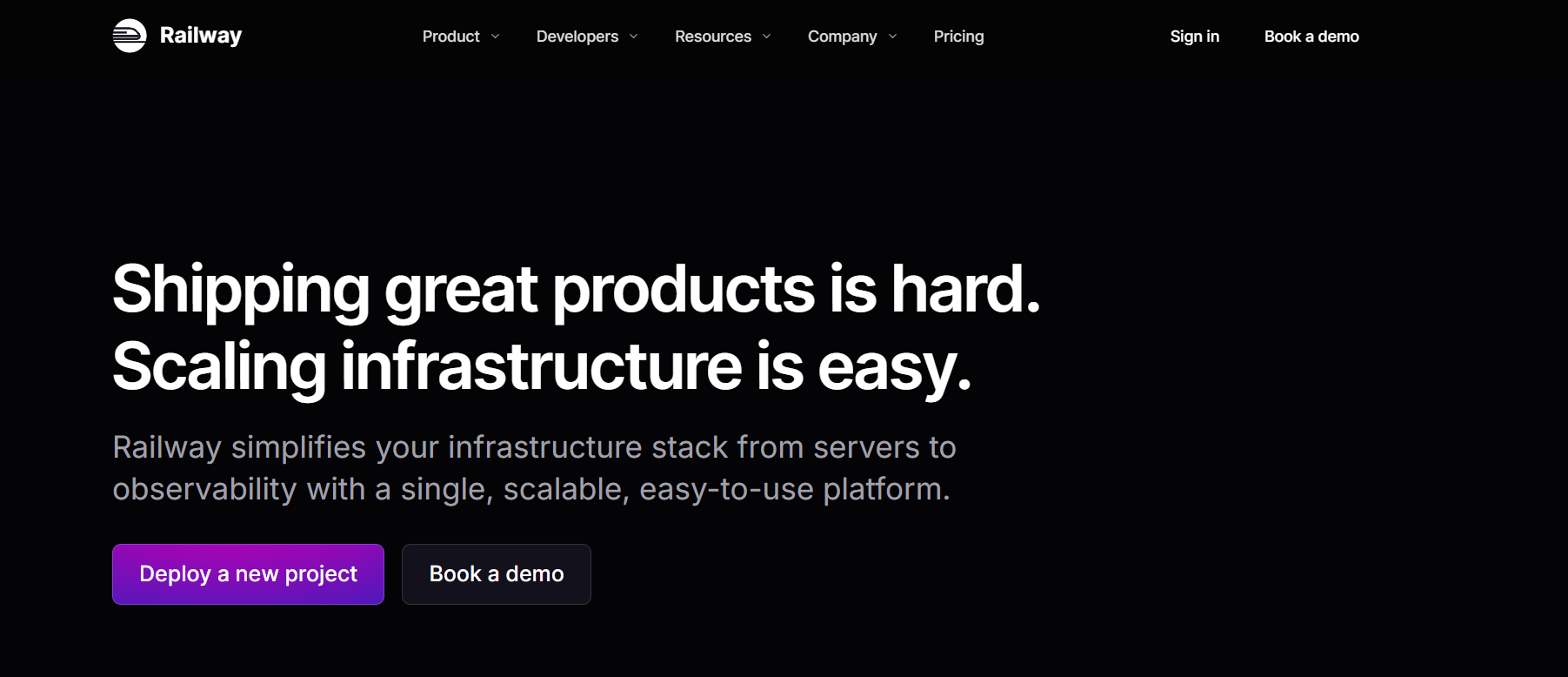
[Railway](https://railway.com/) is what Coolify users graduate to when they want to stop touching servers entirely but aren't ready for enterprise-grade infrastructure. Connect a GitHub repo, deploy, done. Railway handles the runtime, databases, background jobs, and environment management. Its dashboard is one of the cleanest in the managed PaaS space.
**The tradeoff:** pricing is usage-based, which means it can spike unpredictably at scale. And per-service costs add up quickly for multi-service applications.[ ](https://www.edopedia.com/blog/coolify-alternatives/)
**Pros:**
* Extremely fast setup from repo to live in minutes
* Clean dashboard and developer experience
* One-click databases and background workers
* Git-based automatic deploys
**Cons:**
* Usage-based pricing gets expensive for high-traffic apps
* Per-service charges compound in multi-service architectures
* Less automation and observability depth than Kuberns
Already on the railway but hitting unpredictable bills as traffic grows? See [why teams switch away from Railway and what they move to instead ](https://kuberns.com/blogs/best-railway-alternatives/)
## Coolify vs Alternatives: Full Comparison Table
| Platform | Type | Starting Price | Managed | Best For |
| ---------- | ---------------- | --------------- | ------------------------------- | ----------------------------------- |
| Kuberns | Agentic AI Cloud | $7/mo | Fully Automated with Agentic AI | Startups & teams done with infra |
| Coolify | Self-hosted PaaS | Free + VPS cost | Self | Developers who want full control |
| Dokploy | Self-hosted PaaS | Free + VPS cost | Self | Self-hosted with Docker Compose |
| CapRover | Self-hosted PaaS | Free + VPS cost | Self | Stable self-hosted with templates |
| Railway | Managed PaaS | $5/mo | Fully | Fast MVPs and indie projects |
| Render | Managed PaaS | $7/mo/svc | Fully | Full-stack with predictable billing |
| Heroku | Managed PaaS | \~$5/mo | Fully | Teams needing an add-on ecosystem |
| Northflank | Enterprise PaaS | Free tier | BYOC | Enterprise, compliance, BYOC |
| Vercel | Frontend Cloud | Free / $20/mo | Fully | Frontend-only, Next.js teams |
## Here are the Best Coolify Alternatives in 2026
Below are the platforms that offer a smoother and more automated experience than Coolify.
### 1. Kuberns: Best for Teams Done with Self-Hosting

Starting price:[ $7/month](https://kuberns.com/pricing) (includes $14 in compute credits, \~30 days free) | [See pricing and savings calculator](https://kuberns.com/pricing)
**Best for:** Startups, agencies, and dev teams who want to stop managing infrastructure entirely and deploy production-grade projects from GitHub in minutes.
[Kuberns is an agentic AI cloud platform](https://kuberns.com/) that helps you deploy any projects in one click. Unlike Coolify, where you're managing the platform that manages your apps, Kuberns removes the platform layer entirely. You connect your GitHub repo, set your environment variables, and the AI handles provisioning, deployment, scaling, monitoring, and cost optimization, automatically, continuously, without intervention.
The shift from self-hosted Coolify to Kuberns is the shift from "I maintain my deployment platform" to "my deployment platform maintains itself."
What makes it different from Coolify:
|
| Kuberns | Coolify |
| ------------------ | ---------------------------------------------------------------- | ---------------------------- |
| Server management | Zero (Fully managed by AI) | You manage it manually |
| Security patches | Automated | Manual |
| CI/CD | Infinite CI/CD included | Built-in, basic |
| Multi-service apps | Full-stack: frontend, backend, workers, databases | Docker Compose on one server |
| Monitoring | Real-time logs, alerts, performance insights | Basic |
| Cost | One compute bill, No Per User pricing (Up to 40% lower than AWS) | VPS + your time |
| Uptime | AWS-backed enterprise SLA | Depends on your VPS |
**Pros:**
* One-click Agentic AI deployment: no YAML, no Dockerfile required
* AI automatically scales based on traffic, not manual rules
* Infinite CI/CD pipelines included at no extra cost
* Built-in monitoring, logs, alerts: no third-party tools needed
* No per-user pricing: one flat compute bill
* 100% money-back guarantee, no lock-in
**Bottom line:** If the main reason you used Coolify was to avoid paying Heroku or Railway prices and you now find yourself spending hours on Coolify maintenance, Kuberns gives you the fully managed experience at up to 40% lower cost than AWS, without the self-hosting burden.
[Experience the Agentic AI Cloud](https://dashboard.kuberns.com/login)
### 2. Dokploy: Best Self-Hosted Coolify Alternative

Starting price: Free (self-hosted) | Managed plans available
**Best for:** Developers who want Coolify's self-hosted philosophy with native Docker Compose support and fewer stability issues.
[Dokploy](https://dokploy.com/) is the most direct Coolify replacement in the self-hosted category. It installs on a VPS via a single script, supports native Docker Compose syntax (not Coolify's adapted version), and handles builds, routing, SSL, and database management through a clean UI. Critically, it has multi-server support built in, you can scale across servers without configuring Docker Swarm manually.[ ](https://docs.dokploy.com/docs/core/comparison)
Where Coolify requires 500-700MB of RAM at idle and has an active beta bug tracker, Dokploy runs lighter and has a cleaner, more stable update cadence.[ (Source: MassiveGRID technical comparison)](https://massivegrid.com/blog/dokploy-vs-coolify-vs-caprover/)
**Pros:**
* Native Docker Compose: compose file is the single source of truth
* Multi-server support without manual Swarm configuration
* Lighter resource footprint than Coolify at idle
* Actively maintained with a focused scope
**Cons:**
* You still own and maintain the underlying server
* Smaller community than Coolify
* No managed option, you're the ops team
**Coolify vs Dokploy:** Both are open-source self-hosted PaaS tools, but Dokploy uses native Docker Compose as the single source of truth, runs lighter at idle, and has multi-server support without manual Swarm setup. Coolify has a larger one-click services catalog (280+) and more community resources, but its active beta bug tracker and heavier idle footprint (500–700MB RAM) make Dokploy the more stable choice for new self-hosted setups in 2026.
Even with Dokploy, you're still managing the underlying server. See [how automated deployment eliminates that entirely](https://kuberns.com/blogs/how-to-implement-one-click-automated-software-deployment/)
### 3. CapRover: Best Mature Self-Hosted PaaS

Starting price: Free (self-hosted)
**Best for:** Developers who want a proven, stable self-hosted PaaS with a large one-click app library and Docker Swarm clustering built in.
[CapRover](https://caprover.com/) has been around since 2017 longer than Coolify and its stability shows. It uses Docker Swarm for multi-server clustering out of the box, has a library of 100+ templates (WordPress, PostgreSQL, MongoDB, Redis), and a GUI that, while dated, is reliable. It's the choice for developers who value battle-tested over feature-rich.
**The tradeoff:** [Docker Compose support is limited](https://kloudshift.net/blog/comparing-self-hostable-paas-solutions-caprover-coolify-dokploy-reviewed/) (CapRover uses its own captain-file format), the UI hasn't been modernized, and the development pace has slowed compared to Coolify and Dokploy.[ ](https://kloudshift.net/blog/comparing-self-hostable-paas-solutions-caprover-coolify-dokploy-reviewed/)But it doesn't break on updates the way beta software can.
**Pros:**
* Proven stability, production-tested since 2017
* Built-in Docker Swarm clustering for multi-server deployments
* Active community support
**Cons:**
* Limited native Docker Compose support
* UI is functional but dated
* Slower feature development than Coolify/Dokploy
* Still requires server management
CapRover works until it doesn't, limited Compose support and a stalled roadmap push teams out. See [what CapRover users switch to when they need more](https://kuberns.com/blogs/caprover-alternatives/)
### 4. Railway: Best Managed Platform for Fast Iteration

Starting price: $5/month credit (usage-based beyond)
**Best for:** Indie developers, side-project builders, and early-stage startups who want Heroku-style managed deployments without running their own server.
[Railway](https://railway.com/) is what Coolify users graduate to when they want to stop touching servers entirely but aren't ready for enterprise-grade infrastructure. Connect a GitHub repo, deploy, done. Railway handles the runtime, databases, background jobs, and environment management. Its dashboard is one of the cleanest in the managed PaaS space.
**The tradeoff:** pricing is usage-based, which means it can spike unpredictably at scale. And per-service costs add up quickly for multi-service applications.[ ](https://www.edopedia.com/blog/coolify-alternatives/)
**Pros:**
* Extremely fast setup from repo to live in minutes
* Clean dashboard and developer experience
* One-click databases and background workers
* Git-based automatic deploys
**Cons:**
* Usage-based pricing gets expensive for high-traffic apps
* Per-service charges compound in multi-service architectures
* Less automation and observability depth than Kuberns
Already on the railway but hitting unpredictable bills as traffic grows? See [why teams switch away from Railway and what they move to instead ](https://kuberns.com/blogs/best-railway-alternatives/)
 ### 5. Render: Best Managed PaaS for Predictable Pricing
Starting price: $7/month per service
**Best for:** Teams building full-stack apps or SaaS products who want managed deployment with predictable monthly pricing and built-in background workers.
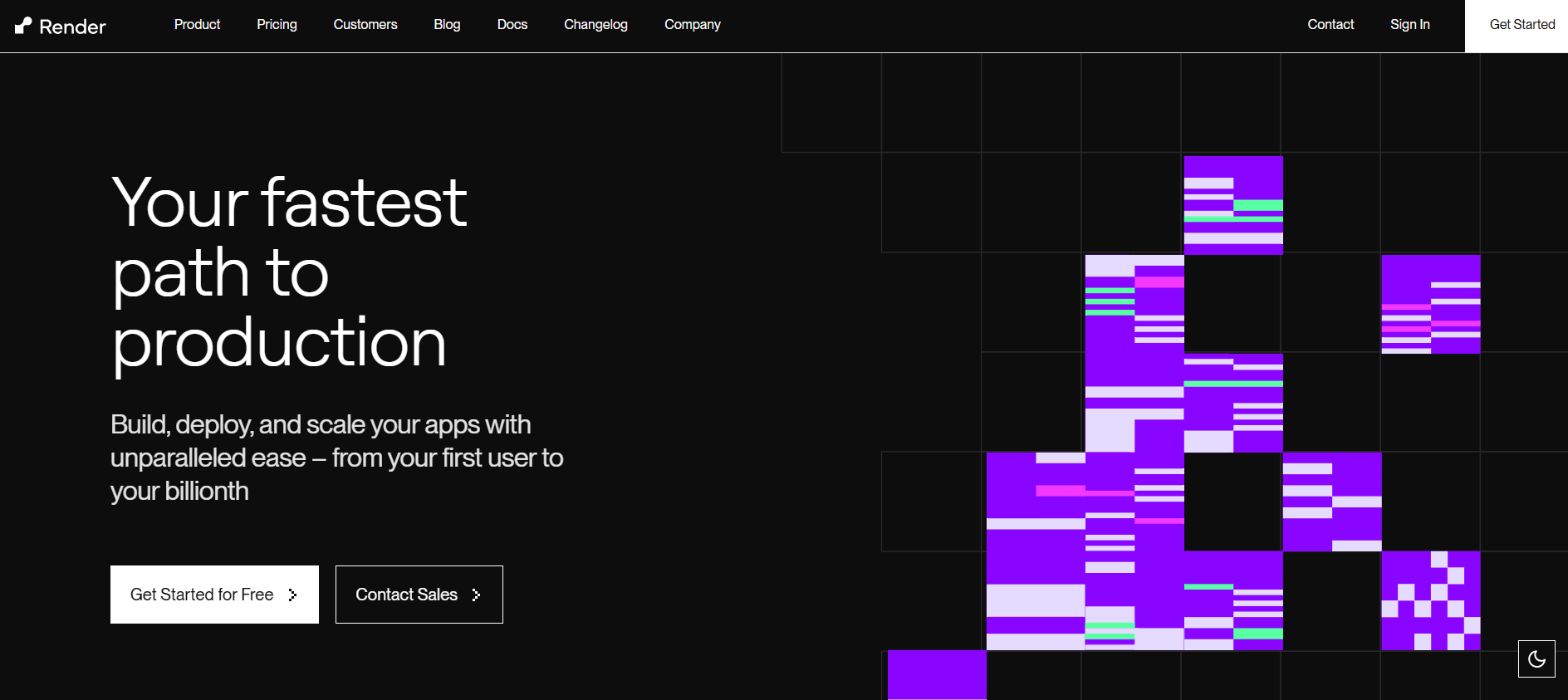
[Render](https://render.com/) sits between Railway (fast, usage-based) and Kuberns (AI-managed, AWS-backed) in the managed PaaS spectrum. It offers Git-driven deploys, automatic SSL, built-in global CDN, managed PostgreSQL, and native background worker support, all without touching a server. Pricing is per-service and monthly, which is more predictable than Railway's usage model.[ ](https://sliplane.io/blog/5-awesome-coolify-alternatives)
**The tradeoff:** Render's automation and observability are solid for standard apps but limited for teams needing real-time AI-driven scaling and deep infrastructure optimization as apps grow.
**Pros:**
* Predictable per-service monthly pricing
* Background workers and cron jobs included
* Automatic deploys from Git with rollback
* Managed PostgreSQL included
**Cons:**
* Per-service pricing adds up for complex architectures
* Monitoring and scaling less sophisticated than Kuberns
* Free tier has cold start delays
Running 4+ services on Render and watching your monthly bill stack up? See the best [Render alternatives](https://kuberns.com/blogs/best-render-alternatives/), most Render migrants land here next.
### 6. Heroku: Best for Teams Who Need a Proven Ecosystem
Starting price: \~$5/month (Eco dynos)
**Best for:** Teams that need a massive add-on ecosystem and don't mind paying a premium for a battle-tested, enterprise-backed managed PaaS.
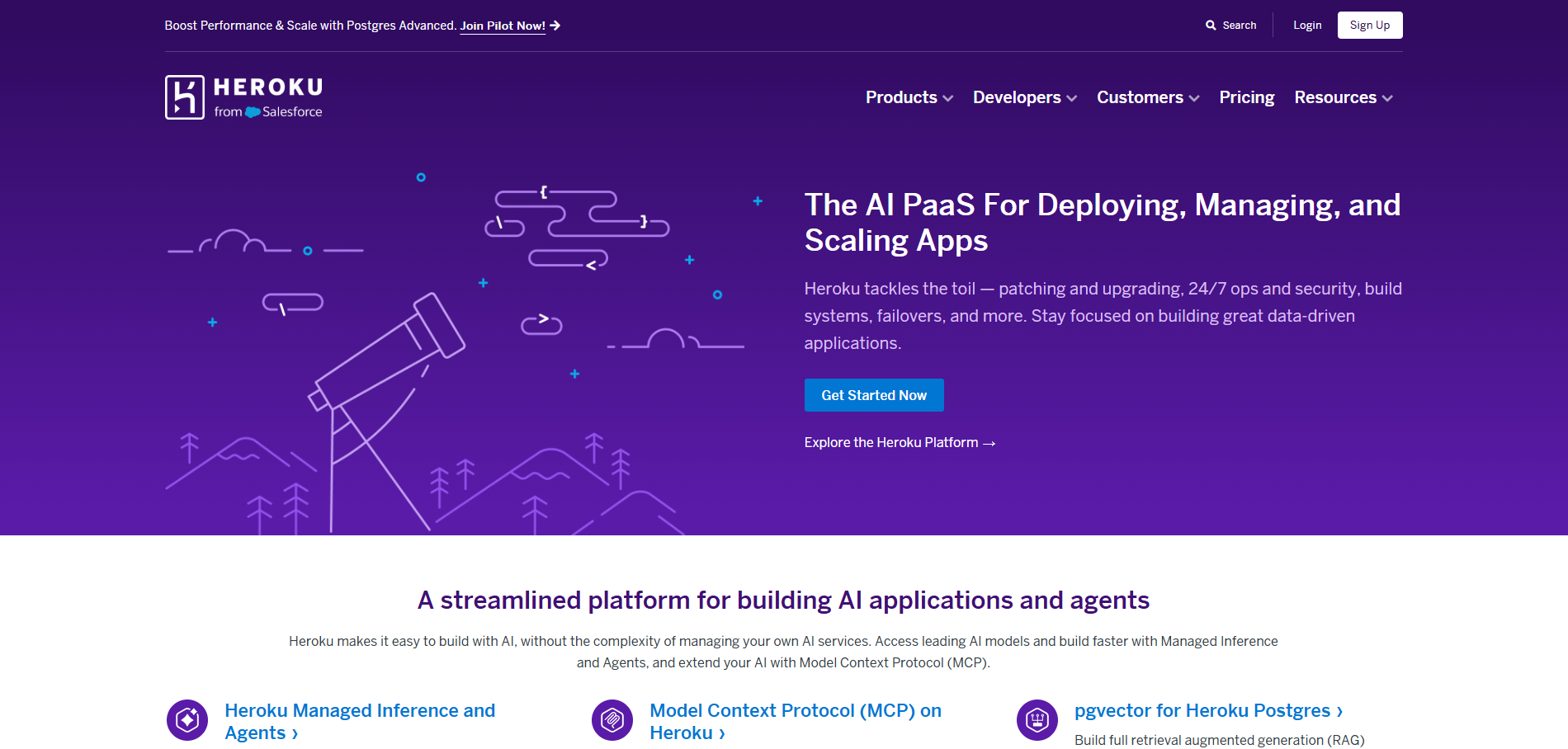
Heroku pioneered Git-push deployments and its model still works. Its add-on marketplace (databases, caches, monitoring, email) is unmatched in breadth - you can compose a full application stack without writing a single infrastructure config. Enterprise support, SLAs, and compliance certifications are also available.
**The tradeoff:** [Heroku removed its free tier in 2022](https://kuberns.com/blogs/heroku-pricing-explained/), scaling is expensive at volume, and it's no longer innovating as fast as newer platforms. Teams that outgrow it typically move to Railway, Render, or Kuberns.
**Pros:**
* Massive add-on ecosystem
* Enterprise SLAs and compliance support available
* Git-push deployment with zero config
* Longest track record in managed PaaS
**Cons:**
* No free tier
* Expensive at scale compared to Kuberns or Railway
* The innovation pace has slowed significantly
Dyno costs are creeping up, and add-on bills are harder to predict every month. See the [best Heroku alternatives developers are switching to in 2026](https://kuberns.com/blogs/heroku-alternatives/)
### 7. Northflank: Best for Enterprise and Kubernetes-Native Teams

Starting price: Free tier available; paid plans scale with usage
**Best for:** Engineering teams at growth-stage startups or enterprises who need Kubernetes-native infrastructure, CI/CD pipelines, preview environments, and BYOC (Bring Your Own Cloud) flexibility.
Northflank is the enterprise-grade option in this list. It provides built-in CI/CD pipelines, container image builds, preview environments per PR, and Kubernetes-native deployments, all from a self-service UI. It also supports BYOC, meaning you can run Northflank's platform on your own AWS, GCP, or Azure account, which matters for teams with compliance requirements.
This is not the right choice for solo developers or small teams. It's built for engineering organizations that need the full production platform stack without assembling it from scratch. For regulated industries, Northflank supports HIPAA and SOC 2 compliance via its BYOC option.
**Pros:**
* Kubernetes-native with BYOC support (AWS, GCP, Azure)
* Built-in CI/CD, preview environments, image builds
* HIPAA and SOC 2 compliance support
* Strong observability and multi-tenant support
**Cons:**
* Overkill for small teams and solo developers
* More configuration required than Kuberns or Railway
* Cost scales with team and infrastructure usage
Northflank's pricing complexity or Kubernetes overhead becoming a bottleneck? See the [best Northflank alternatives for full-stack teams](https://kuberns.com/blogs/top-northflank-alternatives/)
### 8. Vercel: Best for Frontend Teams

Starting price: Free tier; Pro from $20/month per user
**Best for:** Frontend developers building Next.js, React, Svelte, or other modern framework applications who want the best possible deployment experience for frontend workloads.
Vercel built the gold standard for frontend deployment. Automatic Git integration, instant preview environments, global edge network, image optimization, and serverless functions, all wired up without config. For Next.js specifically, Vercel's performance and feature support is unmatched.[ ](https://northflank.com/blog/coolify-alternatives-in-2026)
**The tradeoff:** Vercel is not a backend deployment platform. APIs, background workers, databases, and long-running processes need to live elsewhere. A detailed cost comparison shows that once your monthly Vercel bill consistently exceeds $50-100, self-hosted alternatives or platforms like Kuberns become significantly more cost-effective.
**Pros:**
* Best-in-class frontend deployment experience
* Instant preview environments per branch/PR
* Global edge network with automatic CDN
* Native Next.js, React, Svelte support
**Cons:**
* Not suited for backend-heavy or full-stack workloads
* Per-user pricing gets expensive for larger teams
* Bandwidth overages can spike costs at scale
Vercel bill crossing $50-100/month or hitting backend limitations on a full-stack project? See the [best Vercel alternatives that support both frontend and backend](https://kuberns.com/blogs/best-vercel-alternatives/)
## The Agentic AI Shift: Why Developers Are Leaving Self-Hosting Behind
The self-hosted PaaS, like Coolify, CapRover, and Dokploy, exists because managed platforms used to be too expensive or too rigid.
But Kuberns Agentic AI now handles the entire deployment lifecycle, provisioning, CI/CD, scaling, monitoring, cost optimisation, automatically.
They're not just simpler than Coolify; they're actively working to reduce your infrastructure bill while you sleep. For teams at the MVP-to-growth transition, this is the moment where self-hosting starts costing more in developer time than it saves in server costs
### Kuberns Is the Best Coolify Alternative
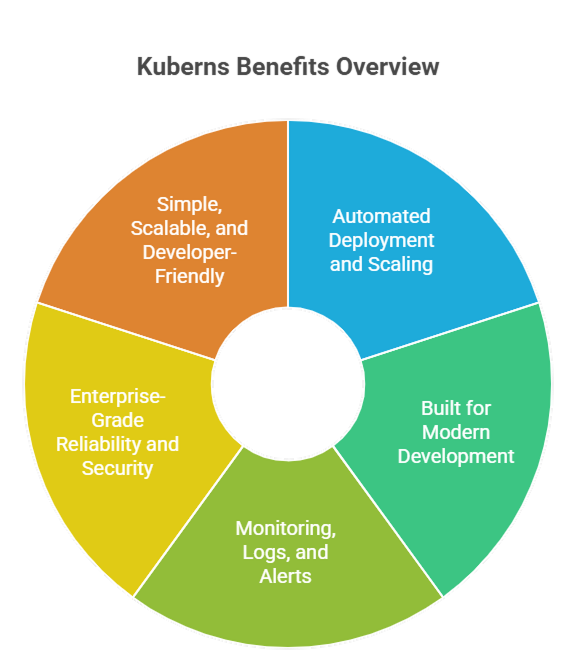
Coolify gives developers the flexibility of self-hosting, but it also hands over the responsibility for server management, security updates, scaling rules, system monitoring, backups, and uptime guarantees. As your application grows, maintaining infrastructure can quickly become a distraction from product development.
Kuberns removes that operational burden entirely by offering a fully managed cloud deployment experience built on AWS, while still giving developers full control over their code, environments, and scaling behaviour.
**Here is how Kuberns goes beyond Coolify:**
* One-click Agentic AI deployment for frontend, backend, and containerised microservices
* Automated scaling that adjusts resources instantly based on real traffic and demand
* Unified monitoring and logging with real-time metrics and proactive alerts
* Save up to 40% on cloud infrastructure costs using Kuberns.
* Enterprise-grade uptime and security backed by a global AWS footprint
* No servers to maintain and no DevOps hiring required
Kuberns gives developers the same freedom to build without limitations, but removes the need for patching servers, fixing deployment issues, or worrying about traffic spikes. This allows teams to launch faster, improve reliability, and allocate more time to innovation rather than maintenance.
In short, Coolify gives you control, and Kuberns gives you control plus automation, scalability, and peace of mind.
## Time to Move On From Coolify
The moment you find yourself debugging a broken Traefik proxy instead of shipping a feature, spending a Sunday afternoon on a failed update that wiped your .env, or lying awake wondering if one of those 11 critical CVEs from January 2026 has left your server exposed, that's not a hosting problem. That's a sign your infrastructure is now working against you.
Self-hosting made sense when control mattered more than speed. But as your product grows, every hour spent on server maintenance is an hour not spent on the thing that actually moves your business forward.
This is exactly the gap Agentic AI by Kuberns is closing in 2026. Instead of you managing a platform that manages your apps, the AI manages everything, deployment, scaling, monitoring, cost optimisation continuously and automatically, without waiting for you to notice something is wrong.
If Coolify has started feeling more like a second job than a tool, it's time to migrate to Kuberns and start deploying with Agentic AI.
[Start a free Trial with Agentic AI Powered Deployment](https://dashboard.kuberns.com/)
### 5. Render: Best Managed PaaS for Predictable Pricing

Starting price: $7/month per service
**Best for:** Teams building full-stack apps or SaaS products who want managed deployment with predictable monthly pricing and built-in background workers.
[Render](https://render.com/) sits between Railway (fast, usage-based) and Kuberns (AI-managed, AWS-backed) in the managed PaaS spectrum. It offers Git-driven deploys, automatic SSL, built-in global CDN, managed PostgreSQL, and native background worker support, all without touching a server. Pricing is per-service and monthly, which is more predictable than Railway's usage model.[ ](https://sliplane.io/blog/5-awesome-coolify-alternatives)
**The tradeoff:** Render's automation and observability are solid for standard apps but limited for teams needing real-time AI-driven scaling and deep infrastructure optimization as apps grow.
**Pros:**
* Predictable per-service monthly pricing
* Background workers and cron jobs included
* Automatic deploys from Git with rollback
* Managed PostgreSQL included
**Cons:**
* Per-service pricing adds up for complex architectures
* Monitoring and scaling less sophisticated than Kuberns
* Free tier has cold start delays
Running 4+ services on Render and watching your monthly bill stack up? See the best [Render alternatives](https://kuberns.com/blogs/best-render-alternatives/), most Render migrants land here next.
### 6. Heroku: Best for Teams Who Need a Proven Ecosystem

Starting price: \~$5/month (Eco dynos)
**Best for:** Teams that need a massive add-on ecosystem and don't mind paying a premium for a battle-tested, enterprise-backed managed PaaS.
Heroku pioneered Git-push deployments and its model still works. Its add-on marketplace (databases, caches, monitoring, email) is unmatched in breadth - you can compose a full application stack without writing a single infrastructure config. Enterprise support, SLAs, and compliance certifications are also available.
**The tradeoff:** [Heroku removed its free tier in 2022](https://kuberns.com/blogs/heroku-pricing-explained/), scaling is expensive at volume, and it's no longer innovating as fast as newer platforms. Teams that outgrow it typically move to Railway, Render, or Kuberns.
**Pros:**
* Massive add-on ecosystem
* Enterprise SLAs and compliance support available
* Git-push deployment with zero config
* Longest track record in managed PaaS
**Cons:**
* No free tier
* Expensive at scale compared to Kuberns or Railway
* The innovation pace has slowed significantly
Dyno costs are creeping up, and add-on bills are harder to predict every month. See the [best Heroku alternatives developers are switching to in 2026](https://kuberns.com/blogs/heroku-alternatives/)
### 7. Northflank: Best for Enterprise and Kubernetes-Native Teams

Starting price: Free tier available; paid plans scale with usage
**Best for:** Engineering teams at growth-stage startups or enterprises who need Kubernetes-native infrastructure, CI/CD pipelines, preview environments, and BYOC (Bring Your Own Cloud) flexibility.
Northflank is the enterprise-grade option in this list. It provides built-in CI/CD pipelines, container image builds, preview environments per PR, and Kubernetes-native deployments, all from a self-service UI. It also supports BYOC, meaning you can run Northflank's platform on your own AWS, GCP, or Azure account, which matters for teams with compliance requirements.
This is not the right choice for solo developers or small teams. It's built for engineering organizations that need the full production platform stack without assembling it from scratch. For regulated industries, Northflank supports HIPAA and SOC 2 compliance via its BYOC option.
**Pros:**
* Kubernetes-native with BYOC support (AWS, GCP, Azure)
* Built-in CI/CD, preview environments, image builds
* HIPAA and SOC 2 compliance support
* Strong observability and multi-tenant support
**Cons:**
* Overkill for small teams and solo developers
* More configuration required than Kuberns or Railway
* Cost scales with team and infrastructure usage
Northflank's pricing complexity or Kubernetes overhead becoming a bottleneck? See the [best Northflank alternatives for full-stack teams](https://kuberns.com/blogs/top-northflank-alternatives/)
### 8. Vercel: Best for Frontend Teams

Starting price: Free tier; Pro from $20/month per user
**Best for:** Frontend developers building Next.js, React, Svelte, or other modern framework applications who want the best possible deployment experience for frontend workloads.
Vercel built the gold standard for frontend deployment. Automatic Git integration, instant preview environments, global edge network, image optimization, and serverless functions, all wired up without config. For Next.js specifically, Vercel's performance and feature support is unmatched.[ ](https://northflank.com/blog/coolify-alternatives-in-2026)
**The tradeoff:** Vercel is not a backend deployment platform. APIs, background workers, databases, and long-running processes need to live elsewhere. A detailed cost comparison shows that once your monthly Vercel bill consistently exceeds $50-100, self-hosted alternatives or platforms like Kuberns become significantly more cost-effective.
**Pros:**
* Best-in-class frontend deployment experience
* Instant preview environments per branch/PR
* Global edge network with automatic CDN
* Native Next.js, React, Svelte support
**Cons:**
* Not suited for backend-heavy or full-stack workloads
* Per-user pricing gets expensive for larger teams
* Bandwidth overages can spike costs at scale
Vercel bill crossing $50-100/month or hitting backend limitations on a full-stack project? See the [best Vercel alternatives that support both frontend and backend](https://kuberns.com/blogs/best-vercel-alternatives/)
## The Agentic AI Shift: Why Developers Are Leaving Self-Hosting Behind
The self-hosted PaaS, like Coolify, CapRover, and Dokploy, exists because managed platforms used to be too expensive or too rigid.
But Kuberns Agentic AI now handles the entire deployment lifecycle, provisioning, CI/CD, scaling, monitoring, cost optimisation, automatically.
They're not just simpler than Coolify; they're actively working to reduce your infrastructure bill while you sleep. For teams at the MVP-to-growth transition, this is the moment where self-hosting starts costing more in developer time than it saves in server costs
### Kuberns Is the Best Coolify Alternative

Coolify gives developers the flexibility of self-hosting, but it also hands over the responsibility for server management, security updates, scaling rules, system monitoring, backups, and uptime guarantees. As your application grows, maintaining infrastructure can quickly become a distraction from product development.
Kuberns removes that operational burden entirely by offering a fully managed cloud deployment experience built on AWS, while still giving developers full control over their code, environments, and scaling behaviour.
**Here is how Kuberns goes beyond Coolify:**
* One-click Agentic AI deployment for frontend, backend, and containerised microservices
* Automated scaling that adjusts resources instantly based on real traffic and demand
* Unified monitoring and logging with real-time metrics and proactive alerts
* Save up to 40% on cloud infrastructure costs using Kuberns.
* Enterprise-grade uptime and security backed by a global AWS footprint
* No servers to maintain and no DevOps hiring required
Kuberns gives developers the same freedom to build without limitations, but removes the need for patching servers, fixing deployment issues, or worrying about traffic spikes. This allows teams to launch faster, improve reliability, and allocate more time to innovation rather than maintenance.
In short, Coolify gives you control, and Kuberns gives you control plus automation, scalability, and peace of mind.
## Time to Move On From Coolify
The moment you find yourself debugging a broken Traefik proxy instead of shipping a feature, spending a Sunday afternoon on a failed update that wiped your .env, or lying awake wondering if one of those 11 critical CVEs from January 2026 has left your server exposed, that's not a hosting problem. That's a sign your infrastructure is now working against you.
Self-hosting made sense when control mattered more than speed. But as your product grows, every hour spent on server maintenance is an hour not spent on the thing that actually moves your business forward.
This is exactly the gap Agentic AI by Kuberns is closing in 2026. Instead of you managing a platform that manages your apps, the AI manages everything, deployment, scaling, monitoring, cost optimisation continuously and automatically, without waiting for you to notice something is wrong.
If Coolify has started feeling more like a second job than a tool, it's time to migrate to Kuberns and start deploying with Agentic AI.
[Start a free Trial with Agentic AI Powered Deployment](https://dashboard.kuberns.com/)
 ## Frequently Asked Questions
### What is the best free Coolify alternative?
Dokploy and CapRover are both free and open-source self-hosted platforms. Kuberns offers $14 in free credits (~30 days) with a 100% money-back guarantee.
### What is the easiest Coolify alternative to set up?
Kuberns is the fastest, under 5 minutes from signup to live deployment for complex full-stack applications, with zero server configuration required.
### Is Coolify still worth using in 2026?
For developers who enjoy infrastructure work and have a single VPS, yes. For production applications where uptime, security, and scaling matter, the maintenance burden and active CVE history increasingly make managed AI alternatives like Kuberns the better choice.
### What is the best self-hosted Coolify alternative?
Dokploy is the best self-hosted Coolify alternative for teams that need native Docker Compose support and multi-server scaling without Swarm configuration. CapRover is the better pick for teams that prioritise proven stability and a large one-click app library over newer features.
### Can Kuberns run the same workloads as Coolify?
Yes. Kuberns supports full-stack apps, containerised microservices, APIs, background workers, cron jobs, and databases, the same workload types Coolify handles, without requiring you to manage a server.
### Is there an open-source Coolify alternative?
Yes. Dokploy, CapRover, and Dokku are all open-source self-hosted alternatives to Coolify. Dokploy is the most actively developed with native Docker Compose support. CapRover has been production-stable since 2017. Coolify itself is also open-source under Apache 2.0.
### Coolify vs Dokploy: which is the better self-hosted PaaS?
Dokploy uses native Docker Compose as its single source of truth and has multi-server support built in without manual Swarm configuration. Coolify has a larger one-click services catalog (280+) and more community resources, but runs heavier at idle (500–700MB RAM) and has an active beta bug tracker. Dokploy is the better choice for new self-hosted setups in 2026.
### Does Coolify support Kubernetes?
No. Coolify does not support Kubernetes. It runs on plain Docker with multi-server support via SSH and Docker Swarm. For Kubernetes-native deployments, Northflank (BYOC on AWS, GCP, or Azure) or Kuberns (fully managed on AWS) are the appropriate alternatives.
### What replaced Heroku and now also Coolify for growing teams?
Platforms like Kuberns and Railway represent the current generation, managed, Git-connected, automatically scaled, with no free-tier removal surprises. Kuberns is positioned as the Agentic AI-native successor for teams who want AWS-grade production infrastructure without AWS complexity.
### Why do developers search for Coolify alternatives?
Developers look for alternatives when they want easier automation, improved scalability, and lower operational workload instead of managing self-hosted infrastructure.
### How does Kuberns compare to Coolify?
Coolify requires manual setup and ongoing server maintenance. Kuberns automates deployment and infrastructure using Agentic AI, giving developers production-grade reliability and global scale without self-hosting.
### Can I migrate from Coolify to Kuberns easily?
Yes. You can connect your GitHub repository, set environment variables, and deploy in minutes. No server configuration or DevOps tools are required.
### Is Kuberns suitable for startups and small teams?
Yes. Kuberns is built for both small teams and enterprises who want to reduce infrastructure complexity and focus on product development. Startups use it for quick MVP launches without DevOps setup.
### Can Kuberns help reduce cloud costs?
Yes. Kuberns uses AI-based optimisation to right-size compute and storage automatically, helping teams save up to 40% on AWS infrastructure costs.
### Does Kuberns include monitoring and logs?
Yes. Kuberns includes a unified dashboard with real-time logs, metrics, and alerts so teams can troubleshoot and optimise performance without needing third-party monitoring tools.
---
- [More Alternatives articles](https://kuberns.com/blogs/category/alternatives/1/)
- [All articles](https://kuberns.com/blogs/)
## Frequently Asked Questions
### What is the best free Coolify alternative?
Dokploy and CapRover are both free and open-source self-hosted platforms. Kuberns offers $14 in free credits (~30 days) with a 100% money-back guarantee.
### What is the easiest Coolify alternative to set up?
Kuberns is the fastest, under 5 minutes from signup to live deployment for complex full-stack applications, with zero server configuration required.
### Is Coolify still worth using in 2026?
For developers who enjoy infrastructure work and have a single VPS, yes. For production applications where uptime, security, and scaling matter, the maintenance burden and active CVE history increasingly make managed AI alternatives like Kuberns the better choice.
### What is the best self-hosted Coolify alternative?
Dokploy is the best self-hosted Coolify alternative for teams that need native Docker Compose support and multi-server scaling without Swarm configuration. CapRover is the better pick for teams that prioritise proven stability and a large one-click app library over newer features.
### Can Kuberns run the same workloads as Coolify?
Yes. Kuberns supports full-stack apps, containerised microservices, APIs, background workers, cron jobs, and databases, the same workload types Coolify handles, without requiring you to manage a server.
### Is there an open-source Coolify alternative?
Yes. Dokploy, CapRover, and Dokku are all open-source self-hosted alternatives to Coolify. Dokploy is the most actively developed with native Docker Compose support. CapRover has been production-stable since 2017. Coolify itself is also open-source under Apache 2.0.
### Coolify vs Dokploy: which is the better self-hosted PaaS?
Dokploy uses native Docker Compose as its single source of truth and has multi-server support built in without manual Swarm configuration. Coolify has a larger one-click services catalog (280+) and more community resources, but runs heavier at idle (500–700MB RAM) and has an active beta bug tracker. Dokploy is the better choice for new self-hosted setups in 2026.
### Does Coolify support Kubernetes?
No. Coolify does not support Kubernetes. It runs on plain Docker with multi-server support via SSH and Docker Swarm. For Kubernetes-native deployments, Northflank (BYOC on AWS, GCP, or Azure) or Kuberns (fully managed on AWS) are the appropriate alternatives.
### What replaced Heroku and now also Coolify for growing teams?
Platforms like Kuberns and Railway represent the current generation, managed, Git-connected, automatically scaled, with no free-tier removal surprises. Kuberns is positioned as the Agentic AI-native successor for teams who want AWS-grade production infrastructure without AWS complexity.
### Why do developers search for Coolify alternatives?
Developers look for alternatives when they want easier automation, improved scalability, and lower operational workload instead of managing self-hosted infrastructure.
### How does Kuberns compare to Coolify?
Coolify requires manual setup and ongoing server maintenance. Kuberns automates deployment and infrastructure using Agentic AI, giving developers production-grade reliability and global scale without self-hosting.
### Can I migrate from Coolify to Kuberns easily?
Yes. You can connect your GitHub repository, set environment variables, and deploy in minutes. No server configuration or DevOps tools are required.
### Is Kuberns suitable for startups and small teams?
Yes. Kuberns is built for both small teams and enterprises who want to reduce infrastructure complexity and focus on product development. Startups use it for quick MVP launches without DevOps setup.
### Can Kuberns help reduce cloud costs?
Yes. Kuberns uses AI-based optimisation to right-size compute and storage automatically, helping teams save up to 40% on AWS infrastructure costs.
### Does Kuberns include monitoring and logs?
Yes. Kuberns includes a unified dashboard with real-time logs, metrics, and alerts so teams can troubleshoot and optimise performance without needing third-party monitoring tools.
---
- [More Alternatives articles](https://kuberns.com/blogs/category/alternatives/1/)
- [All articles](https://kuberns.com/blogs/)