# Cursor vs Codeium: Which AI Coding Tool Should You Choose in 2026?
> Cursor and Codeium both help developers write code faster with AI. But which one should you use? A practical comparison of features, pricing and workflows.
- **Author**: charan-achari
- **Published**: 2026-01-26
- **Modified**: 2026-03-27
- **Category**: AI & DevOps
- **URL**: https://kuberns.com/blogs/cursor-vs-codeium/
---
## TLDR
[Cursor](https://cursor.com) vs [Codeium](https://codeium.com) - Both offer AI-powered coding assistance, but with different approaches:
Cursor:
* Standalone AI-first code editor
* Deep codebase understanding and analysis
* Natural language editing across multiple files
* Subscription-based ($20/month for Pro)
* Best for professional developers and complex projects
Codeium:
* Extension that works in your existing editor
* Fast AI code completion and suggestions
* Free for individual developers forever
* Works in 40+ editors including VS Code, JetBrains, Vim
* Best for budget-conscious developers and those who love their current editor
> For deployment: Regardless of which tool you choose, [Kuberns](https://kuberns.com/) deploys your applications in one click with AI-powered infrastructure management. Build fast with Cursor or Codeium, deploy instantly with Kuberns.
Quick answer: Choose Cursor for advanced features and deep codebase understanding. Choose Codeium for free, solid AI assistance in your current editor. Use Kuberns to deploy from either.
## What is Cursor?
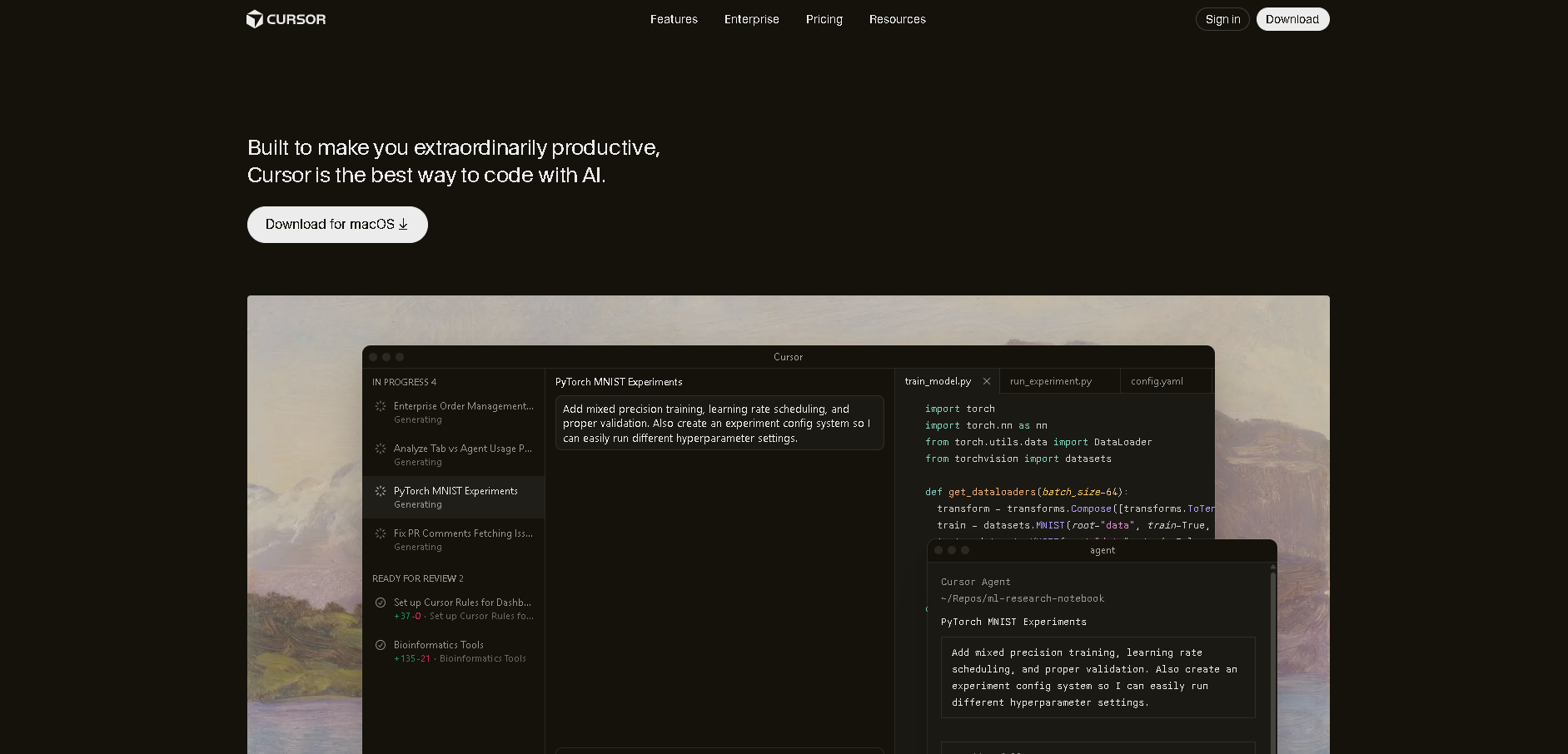
Cursor is an AI-powered code editor built specifically for AI-assisted development. It's a standalone editor based on VS Code but extensively modified to integrate AI capabilities throughout.
**Key features:**
* Complete codebase analysis and understanding
* Natural language code editing
* Multi-file refactoring with AI
* Chat interface for code questions
* Context-aware completions
Cursor replaces your existing editor with an AI-first alternative designed for comprehensive AI assistance.
## What is Codeium?
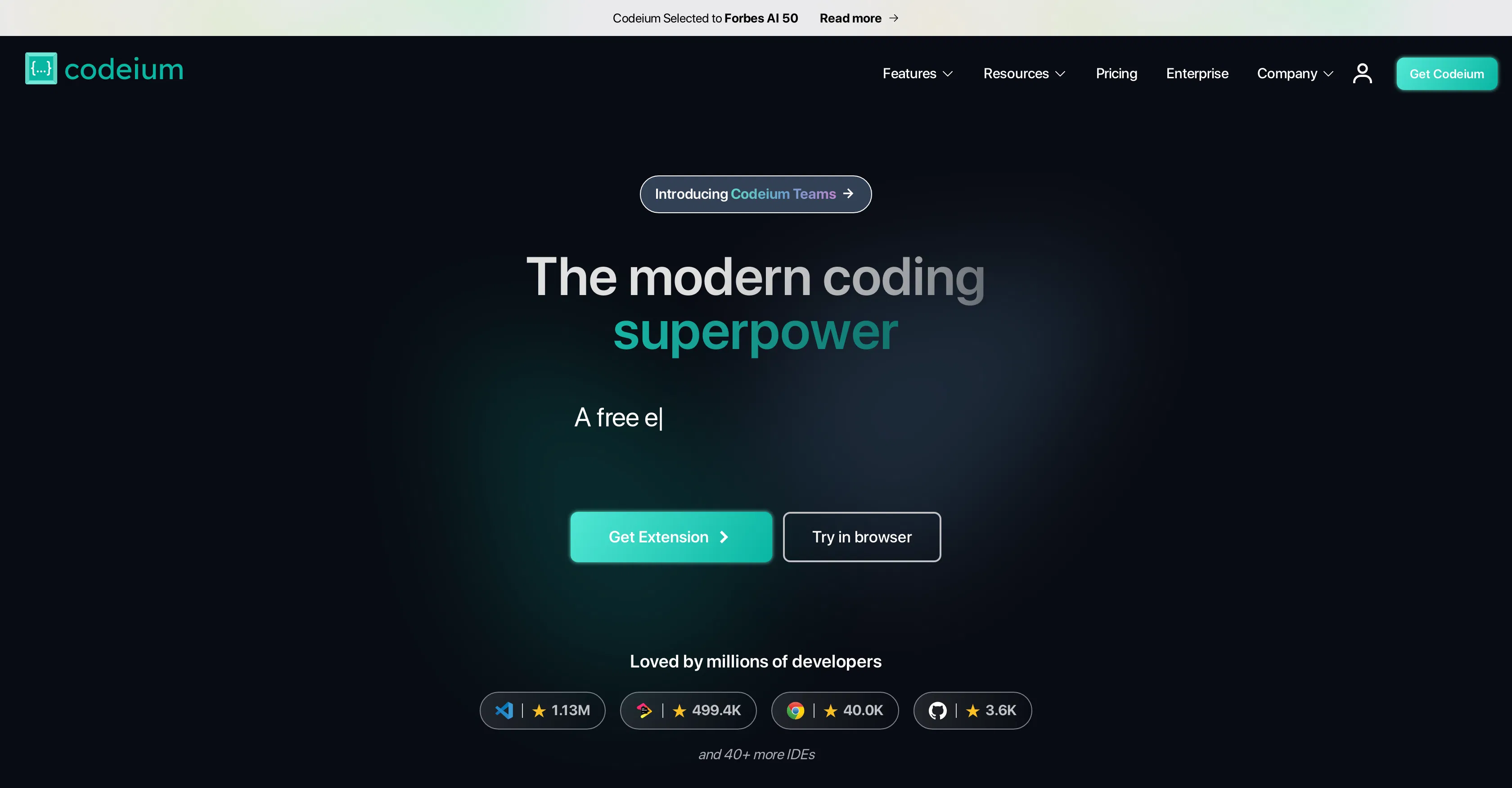
Codeium is a free AI coding assistant that works as an extension in your existing code editor. It provides intelligent code completion and suggestions without requiring you to switch editors.
**Key features:**
* Free forever for individual developers
* Works in 40+ editors (VS Code, JetBrains, Vim, Neovim, etc.)
* Fast AI code completions
* Multi-line suggestions
* 70+ programming language support
* Privacy-focused (doesn't train on your code)
Codeium enhances your current editor rather than replacing it.\\
 ## Key Differences Between Cursor and Codeium
**Cost**
Cursor requires a subscription ($20/month for Pro after free tier). Codeium is completely free for individual developers with unlimited usage.
**Editor Integration**
Cursor is a standalone editor you must switch to. Codeium works as an extension in your existing editor, keeping your familiar setup intact.
**Codebase Understanding**
Cursor analyzes your entire project for deep contextual awareness. Codeium focuses on local context and file-level suggestions for faster performance.
**Feature Depth**
Cursor offers sophisticated features like natural language editing across multiple files and architectural refactoring. Codeium focuses on core code completion and suggestions exceptionally well.
**Setup**
Cursor requires switching editors and learning new interface. Codeium installs in minutes with minimal configuration.
**Bottom line:** Cursor for comprehensive AI features and deep understanding. Codeium for free, fast assistance in your current editor.
## When to Choose Cursor vs Codeium
**Choose Cursor if you:**
* Work on large, complex codebases
* Need sophisticated multi-file refactoring
* Want deep AI understanding of your architecture
* Can afford the subscription cost
* Don't mind switching editors
**Choose Codeium if you:**
* Want to keep your current editor setup
* Need free AI assistance without subscription costs
* Prefer fast, focused code completion
* Use multiple different editors
* Want privacy-focused AI (no training on your code\\
## Feature Comparison
**Code Completion**
**Cursor:** Advanced completions with full project context and architectural awareness.
**Codeium:** Fast, accurate completions based on local context. Competitive with paid tools despite being free.
**Multi-File Operations**
**Cursor:** Excellent at changes spanning many files with natural language commands.
**Codeium:** Handles single-file operations well. Less sophisticated for cross-file changes.
**Editor Compatibility**
**Cursor:** Standalone editor only.
**Codeium:** 40+ editors including VS Code, JetBrains IDEs, Vim, Neovim, Emacs, and more.
**Programming Language Support**
**Cursor:** Strong support for popular languages with framework-specific intelligence.
**Codeium:** 70+ languages with solid performance across all major languages.
## Key Differences Between Cursor and Codeium
**Cost**
Cursor requires a subscription ($20/month for Pro after free tier). Codeium is completely free for individual developers with unlimited usage.
**Editor Integration**
Cursor is a standalone editor you must switch to. Codeium works as an extension in your existing editor, keeping your familiar setup intact.
**Codebase Understanding**
Cursor analyzes your entire project for deep contextual awareness. Codeium focuses on local context and file-level suggestions for faster performance.
**Feature Depth**
Cursor offers sophisticated features like natural language editing across multiple files and architectural refactoring. Codeium focuses on core code completion and suggestions exceptionally well.
**Setup**
Cursor requires switching editors and learning new interface. Codeium installs in minutes with minimal configuration.
**Bottom line:** Cursor for comprehensive AI features and deep understanding. Codeium for free, fast assistance in your current editor.
## When to Choose Cursor vs Codeium
**Choose Cursor if you:**
* Work on large, complex codebases
* Need sophisticated multi-file refactoring
* Want deep AI understanding of your architecture
* Can afford the subscription cost
* Don't mind switching editors
**Choose Codeium if you:**
* Want to keep your current editor setup
* Need free AI assistance without subscription costs
* Prefer fast, focused code completion
* Use multiple different editors
* Want privacy-focused AI (no training on your code\\
## Feature Comparison
**Code Completion**
**Cursor:** Advanced completions with full project context and architectural awareness.
**Codeium:** Fast, accurate completions based on local context. Competitive with paid tools despite being free.
**Multi-File Operations**
**Cursor:** Excellent at changes spanning many files with natural language commands.
**Codeium:** Handles single-file operations well. Less sophisticated for cross-file changes.
**Editor Compatibility**
**Cursor:** Standalone editor only.
**Codeium:** 40+ editors including VS Code, JetBrains IDEs, Vim, Neovim, Emacs, and more.
**Programming Language Support**
**Cursor:** Strong support for popular languages with framework-specific intelligence.
**Codeium:** 70+ languages with solid performance across all major languages.
 ## Deployment: Completing Your Workflow
Both Cursor and Codeium help you build applications quickly with AI assistance. But fast development creates a deployment challenge.
**After building an application with AI help, you still need to:**
* Configure servers and infrastructure
* Set up production environments
* Manage SSL certificates and domains
* Handle scaling and monitoring
This is where [Kuberns](https://kuberns.com/) completes your AI-powered workflow.
## How Kuberns Works with Both Tools
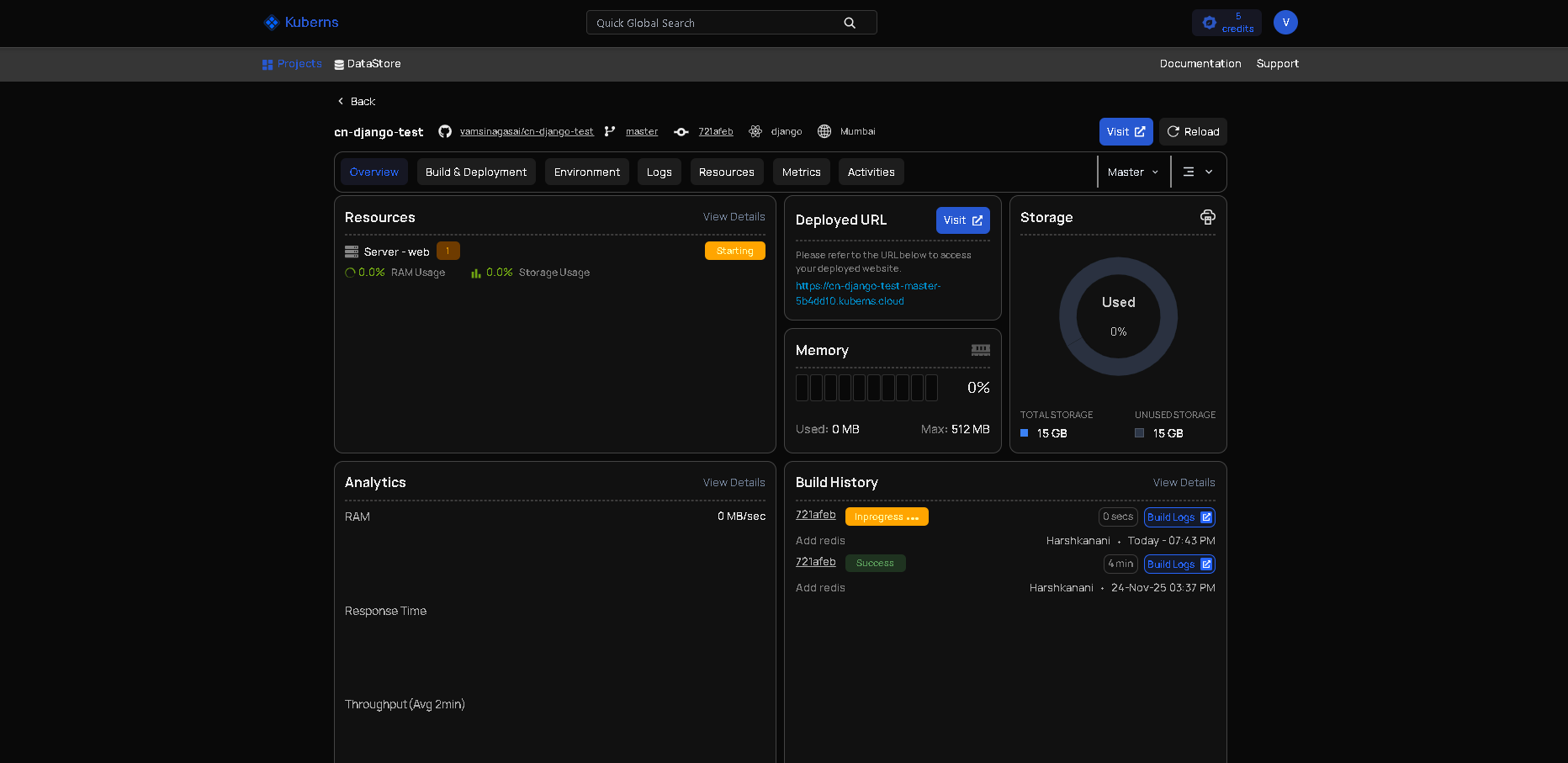
**Whether you code in Cursor or Codeium, [Kuberns](https://kuberns.com/) provides the same one-click deployment:**
1. Build your application with Cursor or Codeium
2. Push your code to Git
3. Connect your repository to Kuberns
4. Click deploy
The AI automatically detects your application type, configures infrastructure, provisions resources, sets up SSL, and deploys to production. No manual configuration, no DevOps knowledge required.
**Why this matters:**
You use AI to build faster. [Kuberns](https://kuberns.com/) uses AI to deploy faster. The entire workflow from idea to production maintains speed and creative momentum.
Whether you're using Cursor's advanced features or Codeium's free assistance, [Kuberns](https://kuberns.com/) ensures deployment doesn't become a bottleneck.
## Making Your Decision
The choice between Cursor and Codeium depends on your priorities and constraints.
**Budget is primary concern:** Codeium's free tier provides excellent AI assistance without any cost.
**Advanced features matter:** Cursor's comprehensive capabilities justify the subscription for complex projects.
**Love your current editor:** Codeium keeps you in your familiar environment with all your existing extensions and configurations.
**Want AI-first experience:** Cursor provides the most deeply integrated AI coding experience available.
**Complete workflow matters:** Both tools build fast. [Kuberns](https://kuberns.com/) deploys fast. Choose based on coding preferences, use Kuberns for deployment.
> Many developers start with Codeium's free tier and upgrade to Cursor when project complexity or budget allows.
## Conclusion
Cursor and Codeium both provide excellent AI coding assistance with different approaches. Cursor offers comprehensive features and deep codebase understanding for a subscription. Codeium provides solid AI assistance completely free in your existing editor.
Your choice depends on budget, feature needs, and whether you're willing to switch editors. Both significantly accelerate development.
Complete your AI-powered workflow with [Kuberns](https://kuberns.com/) for deployment. Build fast with Cursor or Codeium, deploy instantly with Kuberns. Don't let deployment complexity slow down the development velocity AI tools provide.
[Deploy Your Applications with Kuberns](https://kuberns.com/)
## Deployment: Completing Your Workflow
Both Cursor and Codeium help you build applications quickly with AI assistance. But fast development creates a deployment challenge.
**After building an application with AI help, you still need to:**
* Configure servers and infrastructure
* Set up production environments
* Manage SSL certificates and domains
* Handle scaling and monitoring
This is where [Kuberns](https://kuberns.com/) completes your AI-powered workflow.
## How Kuberns Works with Both Tools

**Whether you code in Cursor or Codeium, [Kuberns](https://kuberns.com/) provides the same one-click deployment:**
1. Build your application with Cursor or Codeium
2. Push your code to Git
3. Connect your repository to Kuberns
4. Click deploy
The AI automatically detects your application type, configures infrastructure, provisions resources, sets up SSL, and deploys to production. No manual configuration, no DevOps knowledge required.
**Why this matters:**
You use AI to build faster. [Kuberns](https://kuberns.com/) uses AI to deploy faster. The entire workflow from idea to production maintains speed and creative momentum.
Whether you're using Cursor's advanced features or Codeium's free assistance, [Kuberns](https://kuberns.com/) ensures deployment doesn't become a bottleneck.
## Making Your Decision
The choice between Cursor and Codeium depends on your priorities and constraints.
**Budget is primary concern:** Codeium's free tier provides excellent AI assistance without any cost.
**Advanced features matter:** Cursor's comprehensive capabilities justify the subscription for complex projects.
**Love your current editor:** Codeium keeps you in your familiar environment with all your existing extensions and configurations.
**Want AI-first experience:** Cursor provides the most deeply integrated AI coding experience available.
**Complete workflow matters:** Both tools build fast. [Kuberns](https://kuberns.com/) deploys fast. Choose based on coding preferences, use Kuberns for deployment.
> Many developers start with Codeium's free tier and upgrade to Cursor when project complexity or budget allows.
## Conclusion
Cursor and Codeium both provide excellent AI coding assistance with different approaches. Cursor offers comprehensive features and deep codebase understanding for a subscription. Codeium provides solid AI assistance completely free in your existing editor.
Your choice depends on budget, feature needs, and whether you're willing to switch editors. Both significantly accelerate development.
Complete your AI-powered workflow with [Kuberns](https://kuberns.com/) for deployment. Build fast with Cursor or Codeium, deploy instantly with Kuberns. Don't let deployment complexity slow down the development velocity AI tools provide.
[Deploy Your Applications with Kuberns](https://kuberns.com/)
 ## Frequently Asked Questions
### Can I use Cursor and Codeium in the same project?
Yes. Both Cursor and Codeium generate standard project files, so you can freely switch between them. You might start a project using Codeium inside VS Code and later open the same repository in Cursor without breaking anything. The code remains fully compatible.
### Is Cursor better than Codeium for large codebases?
Cursor generally performs better when working with large or complex codebases. It analyzes the entire project to understand structure and relationships between files, which helps with multi-file changes. Codeium works well for most projects but focuses more on local and file-level context.
### Is Codeium really free for individual developers?
Yes. Codeium is free forever for individual developers. There are no usage limits for personal projects. The company earns revenue from team and enterprise plans, which allows the individual tier to remain free.
### Does Cursor replace VS Code completely?
Cursor is a separate editor built on top of VS Code, not a plugin. While many VS Code extensions work inside Cursor, not all are guaranteed to be compatible. If you rely heavily on a customized VS Code setup, this is something to consider before switching.
### Which tool is better for beginners?
Codeium is usually easier for beginners because it works inside editors they already know. Cursor offers more advanced features but also introduces a new editor and workflow. Many beginners start with Codeium and move to Cursor later as their projects grow.
### Do Cursor or Codeium handle deployment?
No. Both tools focus only on writing and editing code. They do not manage servers, infrastructure, SSL, or production environments. After development, you still need a deployment platform to make your application live.
### Can I deploy apps built with Cursor or Codeium using Kuberns?
Yes. Kuberns works with code created using any editor or AI coding tool. Whether you use Cursor or Codeium, you can connect your Git repository to Kuberns and deploy your application in one click without manual DevOps configuration.
### What is the best workflow for AI coding and deployment?
A common workflow is to use Cursor or Codeium to build applications quickly with AI assistance, then use Kuberns to handle deployment. This keeps the entire process fast, simple, and focused on shipping instead of infrastructure.
---
- [More AI & DevOps articles](https://kuberns.com/blogs/category/ai-devops/1/)
- [All articles](https://kuberns.com/blogs/)
## Frequently Asked Questions
### Can I use Cursor and Codeium in the same project?
Yes. Both Cursor and Codeium generate standard project files, so you can freely switch between them. You might start a project using Codeium inside VS Code and later open the same repository in Cursor without breaking anything. The code remains fully compatible.
### Is Cursor better than Codeium for large codebases?
Cursor generally performs better when working with large or complex codebases. It analyzes the entire project to understand structure and relationships between files, which helps with multi-file changes. Codeium works well for most projects but focuses more on local and file-level context.
### Is Codeium really free for individual developers?
Yes. Codeium is free forever for individual developers. There are no usage limits for personal projects. The company earns revenue from team and enterprise plans, which allows the individual tier to remain free.
### Does Cursor replace VS Code completely?
Cursor is a separate editor built on top of VS Code, not a plugin. While many VS Code extensions work inside Cursor, not all are guaranteed to be compatible. If you rely heavily on a customized VS Code setup, this is something to consider before switching.
### Which tool is better for beginners?
Codeium is usually easier for beginners because it works inside editors they already know. Cursor offers more advanced features but also introduces a new editor and workflow. Many beginners start with Codeium and move to Cursor later as their projects grow.
### Do Cursor or Codeium handle deployment?
No. Both tools focus only on writing and editing code. They do not manage servers, infrastructure, SSL, or production environments. After development, you still need a deployment platform to make your application live.
### Can I deploy apps built with Cursor or Codeium using Kuberns?
Yes. Kuberns works with code created using any editor or AI coding tool. Whether you use Cursor or Codeium, you can connect your Git repository to Kuberns and deploy your application in one click without manual DevOps configuration.
### What is the best workflow for AI coding and deployment?
A common workflow is to use Cursor or Codeium to build applications quickly with AI assistance, then use Kuberns to handle deployment. This keeps the entire process fast, simple, and focused on shipping instead of infrastructure.
---
- [More AI & DevOps articles](https://kuberns.com/blogs/category/ai-devops/1/)
- [All articles](https://kuberns.com/blogs/)