# How to Deploy Nuxt on Netlify (2026) - Complete Guide
> Learn how to deploy a Nuxt app on Netlify in 2026 step by step. Set up the adapter, configure env vars, and see why Kuberns is a faster zero-config alternative.
- **Author**: tom-weston
- **Published**: 2026-06-09
- **Modified**: 2026-06-09
- **Category**: Deployment Guides
- **URL**: https://kuberns.com/blogs/deploy-nuxt-on-netlify/
---
Your Nuxt app works locally. Getting it live on Netlify takes a few specific steps, and skipping any of them causes builds that succeed but apps that do not work correctly in production.
This guide walks you through exactly how to deploy Nuxt on Netlify in 2026, what to watch out for, and why [Kuberns](https://kuberns.com) is a faster alternative that skips all the configuration entirely.
## Prerequisites: Prepare Your Nuxt Project
Get these in order before touching the Netlify dashboard. They prevent the most common deployment failures.
### 1. Confirm Your package.json Scripts
Netlify runs `nuxt build` to compile your app. Make sure your `package.json` has the correct scripts:
```json
{
"scripts": {
"dev": "nuxt dev",
"build": "nuxt build",
"preview": "nuxt preview",
"generate": "nuxt generate"
}
}
```
### 2. Check Your nuxt.config.ts
Nuxt 3 auto-detects the Netlify environment and applies the `netlify` preset automatically when deployed there. You do not need to install a separate adapter.
However, if you have manually set `nitro.preset` in your config, make sure it is either removed or set correctly:
```ts
// nuxt.config.ts
export default defineNuxtConfig({
// Do not set nitro.preset manually unless you have a specific reason
// Nuxt auto-detects Netlify and uses the correct preset
})
```
If you are generating a fully static site with `nuxt generate`, set `ssr: false` or use `nitro.preset: 'static'`. For SSR or hybrid apps, leave the preset to auto-detect.
### 3. Know Your Environment Variables
Nuxt 3 separates environment variables by exposure level:
- `NUXT_PUBLIC_` prefixed variables are exposed to the client via `useRuntimeConfig().public`
- All other variables are server-only, accessible via `useRuntimeConfig()`
Both types must be added in Netlify before the deploy runs.
### 4. Push Your Code to GitHub
```bash
git add .
git commit -m "Prepare for Netlify deployment"
git push origin main
```
That is the full prerequisite list.
 ## How to Deploy Nuxt on Netlify (Step by Step)
### Step 1: Create a Netlify Account
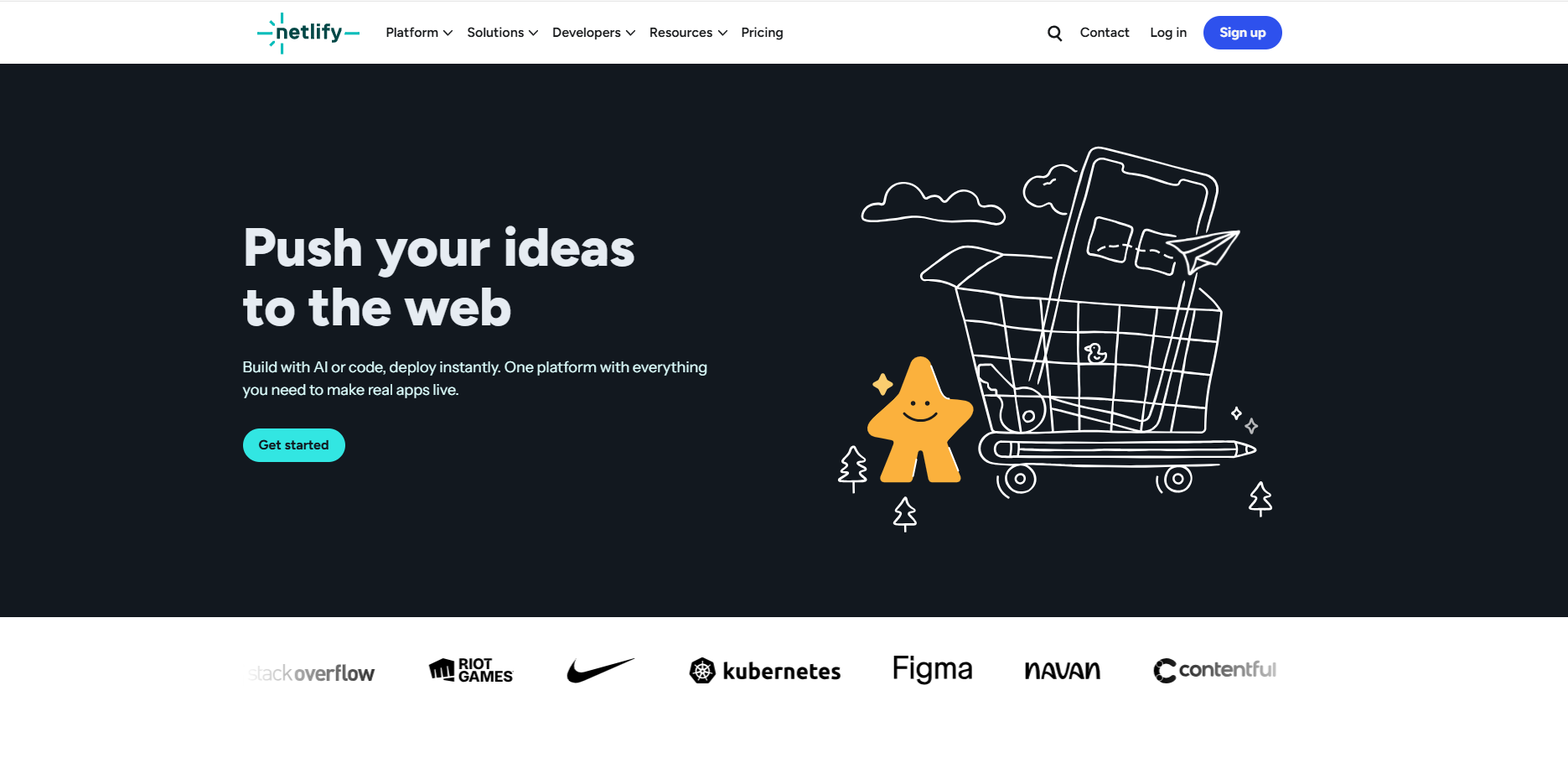
Go to [netlify.com](https://netlify.com) and sign up. Logging in with GitHub makes the next step faster.
### Step 2: Import Your GitHub Repository
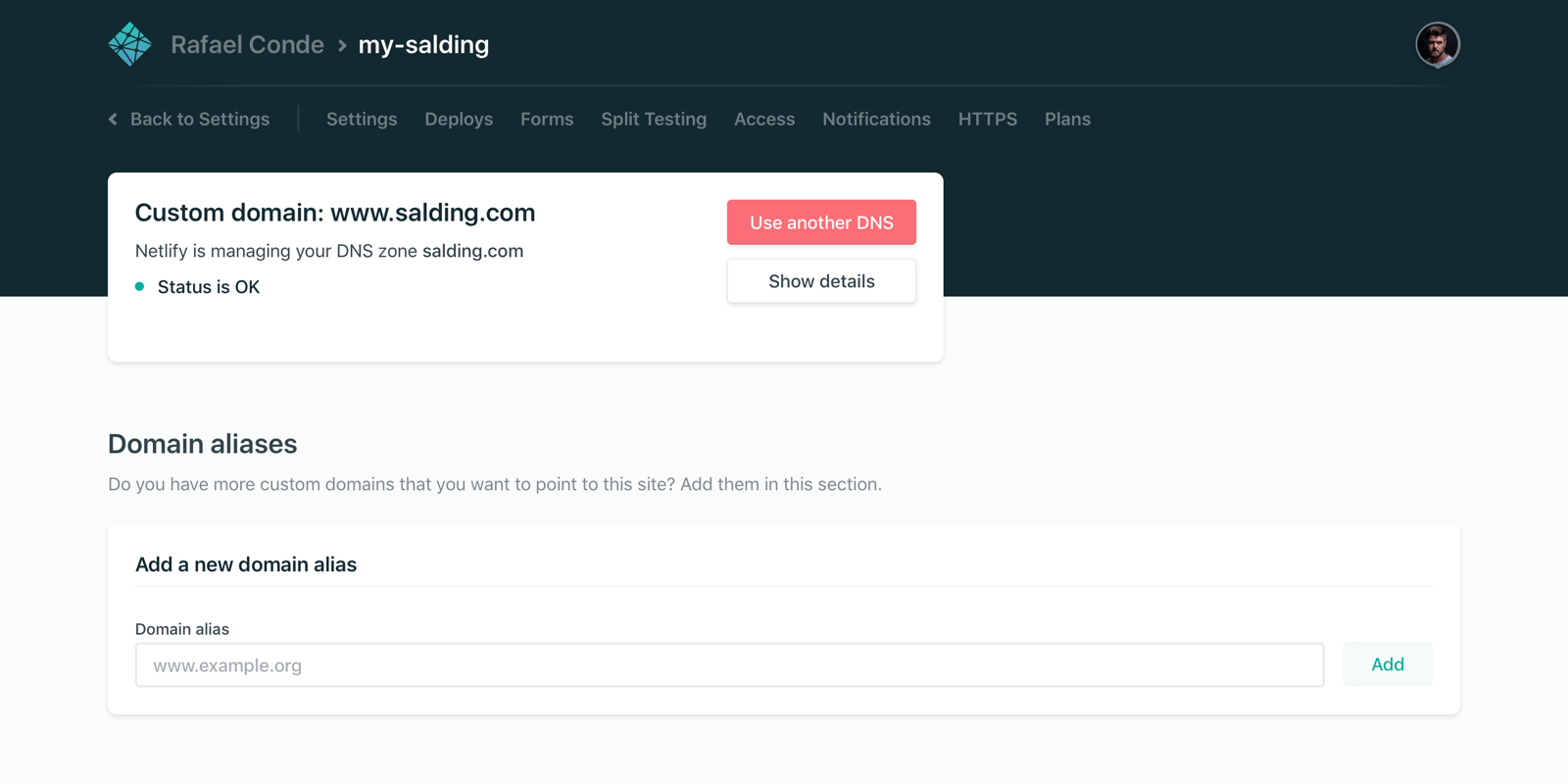
In the Netlify dashboard, click **Add New Site** then **Import an Existing Project**. Choose GitHub as your provider, authorize access, and select your Nuxt repository.
### Step 3: Confirm Build Settings
Netlify auto-detects Nuxt 3 and pre-fills the build settings. Verify these before continuing:
| Setting | Expected Value |
|---|---|
| Build command | `nuxt build` |
| Publish directory | `.output/public` |
| Node version | Set via `NODE_VERSION=20` in environment variables |
For static generation with `nuxt generate`, the publish directory should be `dist` instead of `.output/public`.
### Step 4: Add Environment Variables
In **Site Configuration** then **Environment Variables**, add all the variables your app needs before the first deploy.
For a typical Nuxt 3 app:
```
NUXT_PUBLIC_API_URL=https://api.yoursite.com
DATABASE_URL=postgresql://user:pass@host:5432/db
NUXT_SESSION_SECRET=your_secret_here
NODE_ENV=production
```
Variables added after a build do not take effect until you trigger a new deploy.
### Step 5: Deploy
Click **Deploy Site**. Netlify runs `npm install`, then `nuxt build`, and deploys the output. Your app gets a `netlify.app` subdomain within 2 to 4 minutes.
Every future push to your connected branch triggers an automatic redeploy.
## Where Netlify Falls Short for Nuxt
Netlify handles static Nuxt sites and SSG routes well. For anything with SSR, API routes, or server-side logic, the serverless model creates real limitations.
**SSR pages and API routes run as serverless functions with execution time limits.** Nuxt server routes, `server/api/` endpoints, and SSR pages all run as Netlify Functions with a 10-second timeout on the free plan and 26 seconds on paid plans. Any server-side operation that takes longer fails with a 502 even though it works locally.
**Cold starts slow down your first SSR request.** When a serverless function has not run recently, the first request waits while the function initializes. This is built into the serverless model and affects every SSR page on Netlify after periods of low traffic.
**WebSockets are not supported.** If your Nuxt app uses real-time features via WebSockets, Netlify cannot host them. Persistent connections require a server that stays alive.
**Large Nuxt bundles hit function size limits.** Netlify Functions have a maximum bundle size. Large Nuxt apps with many dependencies can hit this ceiling and require workarounds.
These are not rare edge cases. Cold starts and timeouts affect everyday SSR usage on Netlify.
## How to Deploy Nuxt on Netlify (Step by Step)
### Step 1: Create a Netlify Account

Go to [netlify.com](https://netlify.com) and sign up. Logging in with GitHub makes the next step faster.
### Step 2: Import Your GitHub Repository

In the Netlify dashboard, click **Add New Site** then **Import an Existing Project**. Choose GitHub as your provider, authorize access, and select your Nuxt repository.
### Step 3: Confirm Build Settings
Netlify auto-detects Nuxt 3 and pre-fills the build settings. Verify these before continuing:
| Setting | Expected Value |
|---|---|
| Build command | `nuxt build` |
| Publish directory | `.output/public` |
| Node version | Set via `NODE_VERSION=20` in environment variables |
For static generation with `nuxt generate`, the publish directory should be `dist` instead of `.output/public`.
### Step 4: Add Environment Variables
In **Site Configuration** then **Environment Variables**, add all the variables your app needs before the first deploy.
For a typical Nuxt 3 app:
```
NUXT_PUBLIC_API_URL=https://api.yoursite.com
DATABASE_URL=postgresql://user:pass@host:5432/db
NUXT_SESSION_SECRET=your_secret_here
NODE_ENV=production
```
Variables added after a build do not take effect until you trigger a new deploy.
### Step 5: Deploy
Click **Deploy Site**. Netlify runs `npm install`, then `nuxt build`, and deploys the output. Your app gets a `netlify.app` subdomain within 2 to 4 minutes.
Every future push to your connected branch triggers an automatic redeploy.
## Where Netlify Falls Short for Nuxt
Netlify handles static Nuxt sites and SSG routes well. For anything with SSR, API routes, or server-side logic, the serverless model creates real limitations.
**SSR pages and API routes run as serverless functions with execution time limits.** Nuxt server routes, `server/api/` endpoints, and SSR pages all run as Netlify Functions with a 10-second timeout on the free plan and 26 seconds on paid plans. Any server-side operation that takes longer fails with a 502 even though it works locally.
**Cold starts slow down your first SSR request.** When a serverless function has not run recently, the first request waits while the function initializes. This is built into the serverless model and affects every SSR page on Netlify after periods of low traffic.
**WebSockets are not supported.** If your Nuxt app uses real-time features via WebSockets, Netlify cannot host them. Persistent connections require a server that stays alive.
**Large Nuxt bundles hit function size limits.** Netlify Functions have a maximum bundle size. Large Nuxt apps with many dependencies can hit this ceiling and require workarounds.
These are not rare edge cases. Cold starts and timeouts affect everyday SSR usage on Netlify.
 ## The Faster Way: Deploy Nuxt on Kuberns Without the Config
If the build settings and environment variable timing feel like friction for something that should be simple, [Kuberns](https://kuberns.com) removes all of it. No adapter configuration, no config file, no function timeouts.
| What Netlify Requires | What Kuberns Does Instead |
|---|---|
| Verify `nitro.preset` settings | No config needed |
| Set Node version in env vars | Detected from `engines` field |
| SSR runs as serverless functions | Persistent Node.js server |
| 10s free / 26s paid function timeout | No timeout |
| Cold starts on SSR routes | No cold starts |
| WebSocket support | Yes, full support |
### Step 1: Sign Up on Kuberns
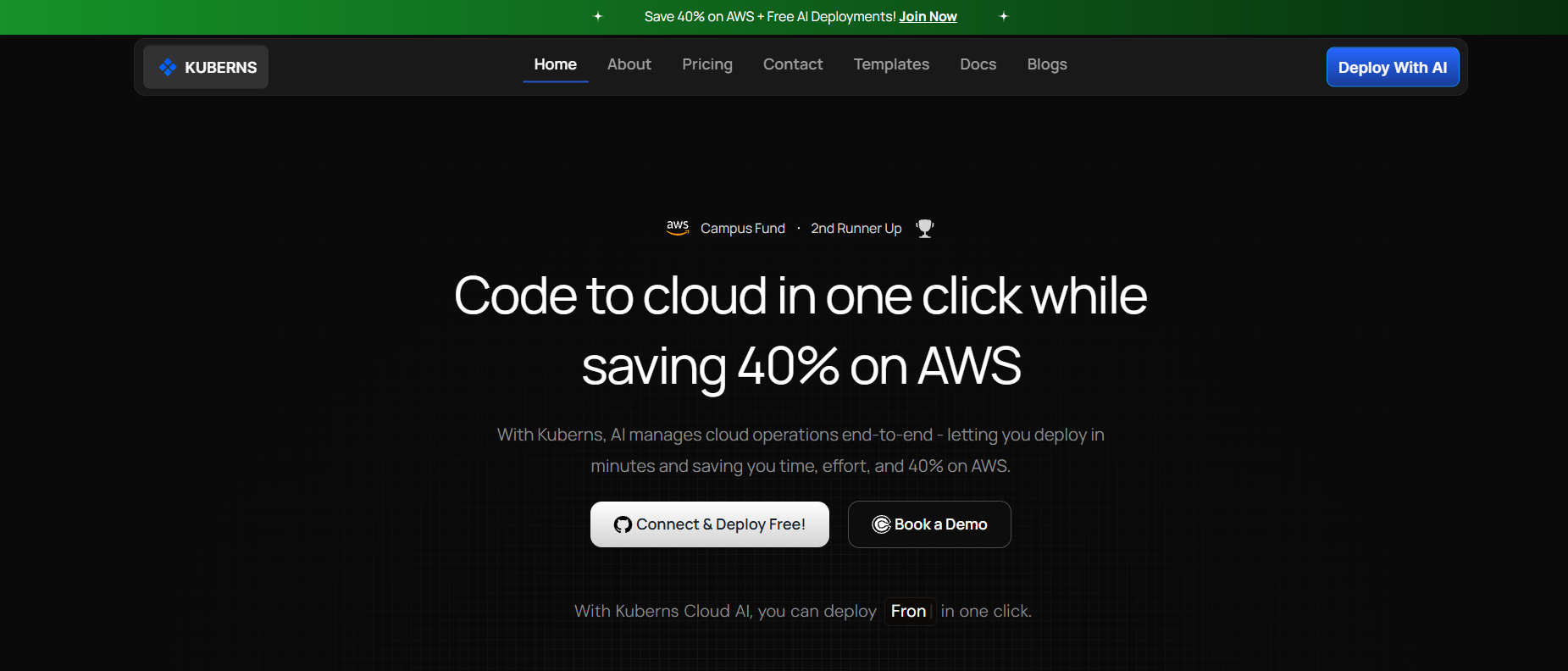
Go to [kuberns.com](https://kuberns.com) and click **Deploy with AI**. Sign up with Google or GitHub. New accounts get free credits with no credit card required.
### Step 2: Connect Your GitHub Repository
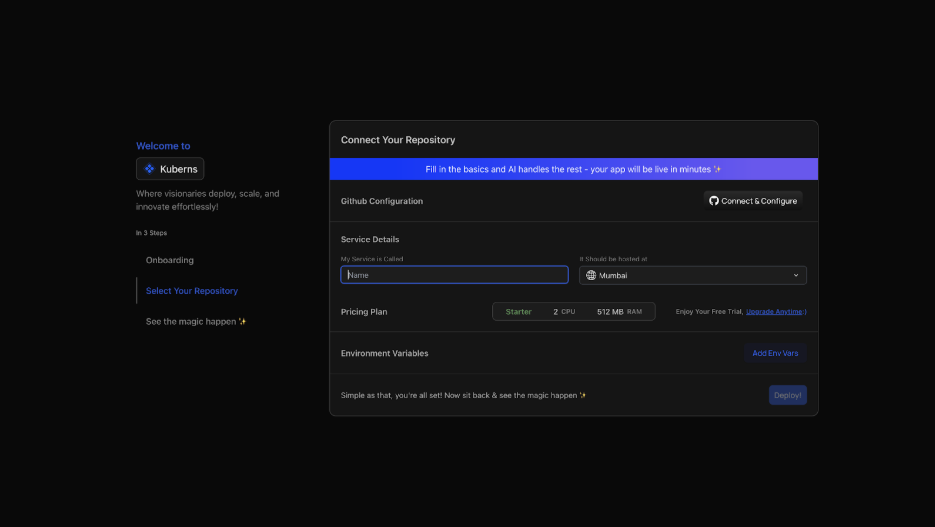
On the **Create Service** page, connect your GitHub account and select your Nuxt repository and branch.
Kuberns AI scans your project and detects the framework, build command, start command, and Node version automatically from your `package.json`. No form to fill in and no config file to write.
### Step 3: Add Environment Variables

Add your environment variables in the Environment tab. Use `NUXT_PUBLIC_` prefix for client-safe values and no prefix for server-only secrets. You can add them one by one or upload your `.env` file directly.
Kuberns encrypts every value and injects them securely at build time and runtime.
### Step 4: Click Deploy
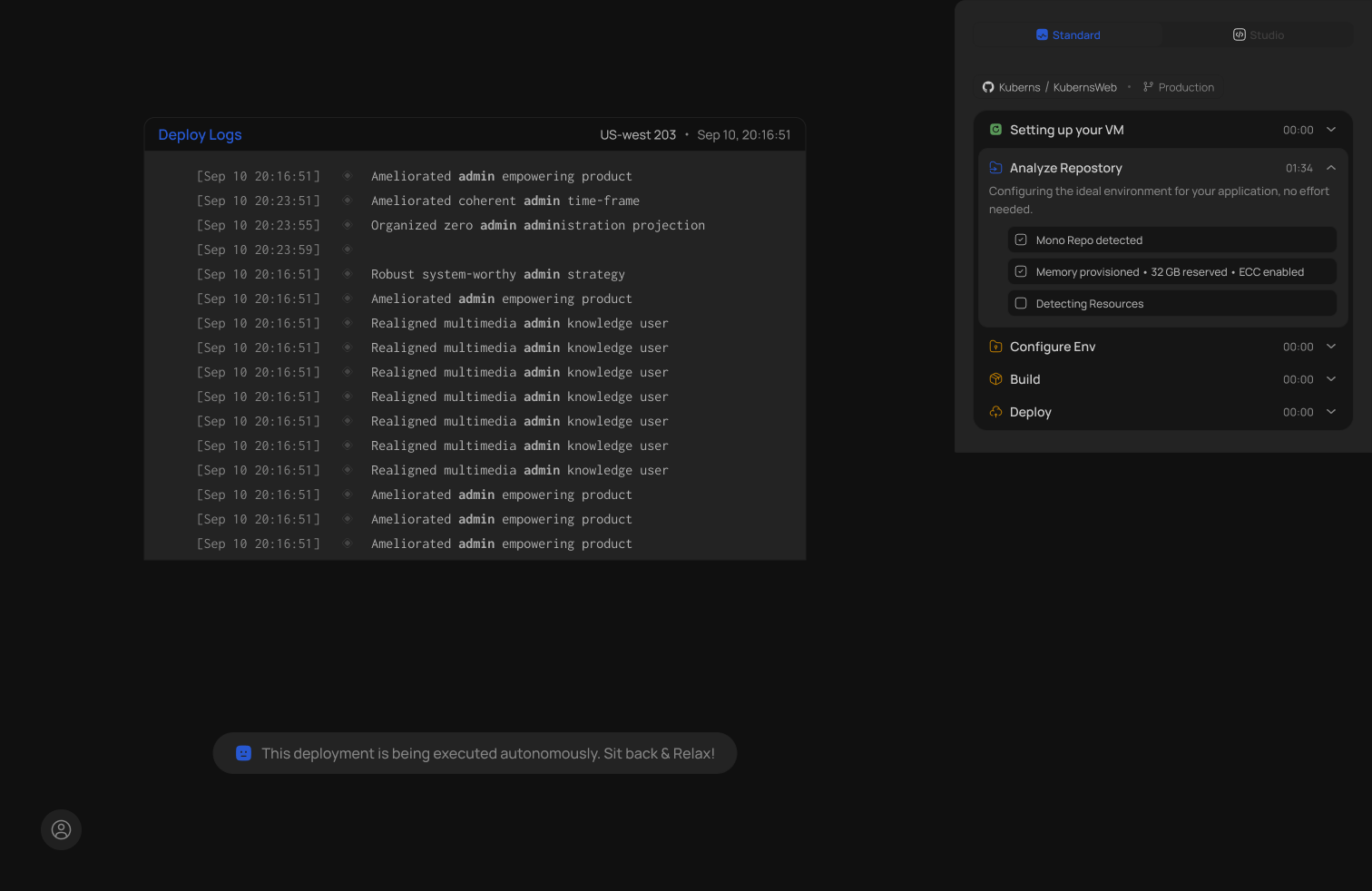
Click **Deploy**. Kuberns Agentic AI takes over:
- Installs all packages from `package.json`
- Runs `nuxt build` to compile your app
- Starts the app as a persistent Node.js server on AWS
- Issues an SSL certificate and assigns a live HTTPS URL
- Configures CI/CD so every future push triggers an automatic redeploy
### Step 5: Your Nuxt App is Live
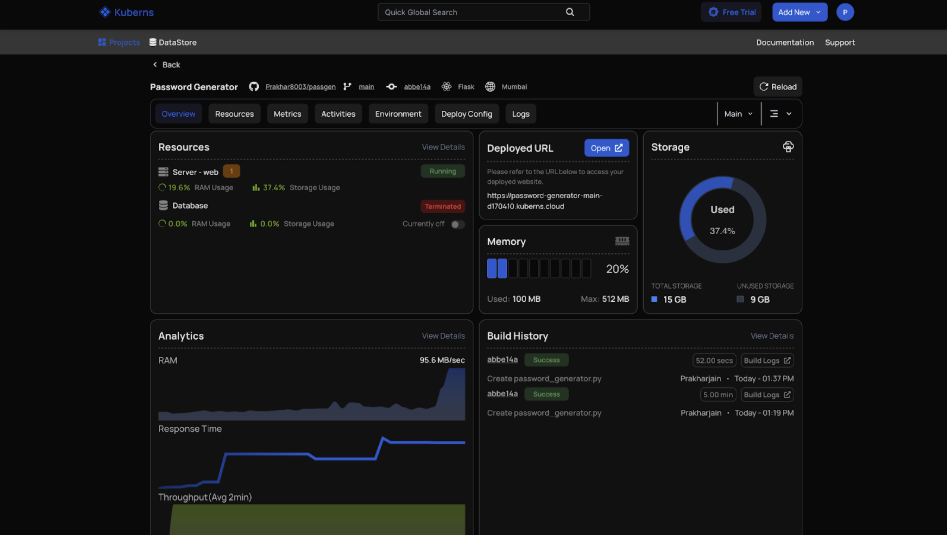
Your app is live in under 5 minutes. SSR, API routes, server-side data fetching, and WebSockets all work as they do locally because Kuberns runs a real persistent server.
## Netlify vs Kuberns for Nuxt: Direct Comparison
| Feature | Netlify | Kuberns |
|---|---|---|
| Adapter / preset config | Manual verification needed | Auto-detected |
| Runtime model | Serverless functions | Persistent Node.js server |
| SSR support | Yes, via serverless | Yes, native |
| Function timeout | 10s free / 26s paid | No timeout |
| Cold starts | Yes | No |
| WebSocket support | No | Yes |
| CI/CD on git push | Yes | Yes |
| Free tier | Yes | Yes, with free credits |
| Custom domains | Yes | Yes |
| Auto-scaling | Yes | Yes, AI-driven |
| Starting price | $19/month per member | $7/month |
For a static Nuxt marketing site or documentation, Netlify is a reasonable choice. For any Nuxt app with SSR, server routes, or real-time features, the persistent server model on Kuberns removes the limitations that surface in production.
For more on how these platforms compare, see the guide on [best Netlify alternatives in 2026](https://kuberns.com/blogs/best-netlify-alternatives/) and the full overview of [how to deploy a Nuxt.js app](https://kuberns.com/blogs/how-to-deploy-nuxtjs-app/).
## Conclusion
Deploying Nuxt on Netlify works for static sites and simple apps. For anything server-rendered, the mandatory function timeout, cold start delays, and lack of WebSocket support become real blockers in production.
[Kuberns](https://kuberns.com) removes all of that. Connect your repo, add environment variables, and your Nuxt app is live on a persistent server in under 5 minutes with auto-scaling, CI/CD, and no config files to manage.
[Deploy your Nuxt app on Kuberns for free](https://dashboard.kuberns.com/)
## The Faster Way: Deploy Nuxt on Kuberns Without the Config
If the build settings and environment variable timing feel like friction for something that should be simple, [Kuberns](https://kuberns.com) removes all of it. No adapter configuration, no config file, no function timeouts.
| What Netlify Requires | What Kuberns Does Instead |
|---|---|
| Verify `nitro.preset` settings | No config needed |
| Set Node version in env vars | Detected from `engines` field |
| SSR runs as serverless functions | Persistent Node.js server |
| 10s free / 26s paid function timeout | No timeout |
| Cold starts on SSR routes | No cold starts |
| WebSocket support | Yes, full support |
### Step 1: Sign Up on Kuberns

Go to [kuberns.com](https://kuberns.com) and click **Deploy with AI**. Sign up with Google or GitHub. New accounts get free credits with no credit card required.
### Step 2: Connect Your GitHub Repository

On the **Create Service** page, connect your GitHub account and select your Nuxt repository and branch.
Kuberns AI scans your project and detects the framework, build command, start command, and Node version automatically from your `package.json`. No form to fill in and no config file to write.
### Step 3: Add Environment Variables

Add your environment variables in the Environment tab. Use `NUXT_PUBLIC_` prefix for client-safe values and no prefix for server-only secrets. You can add them one by one or upload your `.env` file directly.
Kuberns encrypts every value and injects them securely at build time and runtime.
### Step 4: Click Deploy

Click **Deploy**. Kuberns Agentic AI takes over:
- Installs all packages from `package.json`
- Runs `nuxt build` to compile your app
- Starts the app as a persistent Node.js server on AWS
- Issues an SSL certificate and assigns a live HTTPS URL
- Configures CI/CD so every future push triggers an automatic redeploy
### Step 5: Your Nuxt App is Live

Your app is live in under 5 minutes. SSR, API routes, server-side data fetching, and WebSockets all work as they do locally because Kuberns runs a real persistent server.
## Netlify vs Kuberns for Nuxt: Direct Comparison
| Feature | Netlify | Kuberns |
|---|---|---|
| Adapter / preset config | Manual verification needed | Auto-detected |
| Runtime model | Serverless functions | Persistent Node.js server |
| SSR support | Yes, via serverless | Yes, native |
| Function timeout | 10s free / 26s paid | No timeout |
| Cold starts | Yes | No |
| WebSocket support | No | Yes |
| CI/CD on git push | Yes | Yes |
| Free tier | Yes | Yes, with free credits |
| Custom domains | Yes | Yes |
| Auto-scaling | Yes | Yes, AI-driven |
| Starting price | $19/month per member | $7/month |
For a static Nuxt marketing site or documentation, Netlify is a reasonable choice. For any Nuxt app with SSR, server routes, or real-time features, the persistent server model on Kuberns removes the limitations that surface in production.
For more on how these platforms compare, see the guide on [best Netlify alternatives in 2026](https://kuberns.com/blogs/best-netlify-alternatives/) and the full overview of [how to deploy a Nuxt.js app](https://kuberns.com/blogs/how-to-deploy-nuxtjs-app/).
## Conclusion
Deploying Nuxt on Netlify works for static sites and simple apps. For anything server-rendered, the mandatory function timeout, cold start delays, and lack of WebSocket support become real blockers in production.
[Kuberns](https://kuberns.com) removes all of that. Connect your repo, add environment variables, and your Nuxt app is live on a persistent server in under 5 minutes with auto-scaling, CI/CD, and no config files to manage.
[Deploy your Nuxt app on Kuberns for free](https://dashboard.kuberns.com/)
 ## Frequently Asked Questions
### Can I deploy Nuxt 3 on Netlify for free?
Yes. Netlify has a free tier that supports Nuxt 3 deployments. For apps that need persistent SSR with no cold starts or function timeouts, [Kuberns](https://kuberns.com) is a better fit and also offers free credits to get started with no credit card required.
### Does Nuxt SSR work on Netlify?
Yes, but SSR pages and server routes run as Netlify serverless functions with execution time limits of 10 seconds on the free plan and 26 seconds on paid plans. Kuberns runs Nuxt as a persistent Node.js server with no function timeout.
### Do I need to configure a Nuxt adapter for Netlify?
Nuxt 3 auto-detects the Netlify environment and applies the correct preset automatically. You do not need to install a separate adapter. Verify your `nuxt.config.ts` has no conflicting `nitro.preset` settings and you are good to go.
### What is the easiest way to deploy Nuxt in 2026?
Kuberns is the easiest option. Connect your GitHub repo, add environment variables, and click Deploy. No adapter configuration, no config files, and no function timeout to worry about. The AI detects Nuxt automatically and gets your app live in under 5 minutes.
### Why is my Nuxt app slow on Netlify?
Cold starts are the most likely cause. SSR pages on Netlify run as serverless functions, and when a function has not been invoked recently the first request takes longer to respond while the function initializes. This is inherent to the serverless model.
### How do I set environment variables for Nuxt on Netlify?
Go to **Site Configuration** then **Environment Variables** in the Netlify dashboard. Add `NUXT_PUBLIC_` prefixed variables for client-safe values and unprefixed variables for server-only secrets. Variables added after a build do not take effect until you trigger a new deploy.
### Does Netlify support Nuxt API routes?
Yes. Nuxt `server/api/` endpoints run as Netlify Functions. They are subject to a 10-second timeout on the free plan and 26 seconds on paid plans. Operations that take longer will time out in production.
---
- [More Deployment Guides articles](https://kuberns.com/blogs/category/deployment-guides/1/)
- [All articles](https://kuberns.com/blogs/)
## Frequently Asked Questions
### Can I deploy Nuxt 3 on Netlify for free?
Yes. Netlify has a free tier that supports Nuxt 3 deployments. For apps that need persistent SSR with no cold starts or function timeouts, [Kuberns](https://kuberns.com) is a better fit and also offers free credits to get started with no credit card required.
### Does Nuxt SSR work on Netlify?
Yes, but SSR pages and server routes run as Netlify serverless functions with execution time limits of 10 seconds on the free plan and 26 seconds on paid plans. Kuberns runs Nuxt as a persistent Node.js server with no function timeout.
### Do I need to configure a Nuxt adapter for Netlify?
Nuxt 3 auto-detects the Netlify environment and applies the correct preset automatically. You do not need to install a separate adapter. Verify your `nuxt.config.ts` has no conflicting `nitro.preset` settings and you are good to go.
### What is the easiest way to deploy Nuxt in 2026?
Kuberns is the easiest option. Connect your GitHub repo, add environment variables, and click Deploy. No adapter configuration, no config files, and no function timeout to worry about. The AI detects Nuxt automatically and gets your app live in under 5 minutes.
### Why is my Nuxt app slow on Netlify?
Cold starts are the most likely cause. SSR pages on Netlify run as serverless functions, and when a function has not been invoked recently the first request takes longer to respond while the function initializes. This is inherent to the serverless model.
### How do I set environment variables for Nuxt on Netlify?
Go to **Site Configuration** then **Environment Variables** in the Netlify dashboard. Add `NUXT_PUBLIC_` prefixed variables for client-safe values and unprefixed variables for server-only secrets. Variables added after a build do not take effect until you trigger a new deploy.
### Does Netlify support Nuxt API routes?
Yes. Nuxt `server/api/` endpoints run as Netlify Functions. They are subject to a 10-second timeout on the free plan and 26 seconds on paid plans. Operations that take longer will time out in production.
---
- [More Deployment Guides articles](https://kuberns.com/blogs/category/deployment-guides/1/)
- [All articles](https://kuberns.com/blogs/)