# Fastest Way to Deploy a Web App in 2026 With AI
> Which platform deploys your web app fastest in 2026? Compare 6 top platforms on speed, config, cold starts, and AI-powered deployment with real numbers.
- **Author**: vamsi-mullapudi
- **Published**: 2026-04-30
- **Modified**: 2026-04-30
- **Category**: Deployment Guides
- **URL**: https://kuberns.com/blogs/fastest-way-to-deploy-web-app/
---
Every deployment platform in 2026 promises to get your app live in seconds. Most of them are telling the truth about one number: the raw build time after your code is already configured, connected, and ready. What they leave out is everything before that push, the Procfiles, the database provisioning, the migration commands, the static file configuration, and the environment variable wiring that can turn a "60-second deploy" into a 45-minute setup session.
Real deployment speed is total time-to-live: from the moment you decide to ship, to the moment your app is responding to real traffic with a database behind it and HTTPS in front. That number looks very different across platforms.
This guide compares six platforms that developers are actually using in 2026, across three dimensions: how much config they demand before you push, how fast re-deploys go live after every code change, and whether your app sleeps between requests. If you want the short answer, [Kuberns deploys full-stack apps in under 5 minutes with zero config](#the-fastest-full-stack-deploy-in-2026-kuberns) using Agentic AI. For the full breakdown, keep reading.
---
## TL;DR: 6 Platforms Compared at a Glance
| Platform | Config Overhead | Re-Deploy Speed | Cold Starts | Pricing Model |
|---|---|---|---|---|
| **Kuberns** | Zero config | 30 to 60 sec | None on any plan | Flat rate, no per-user fees |
| **Vercel** | Minimal | 15 to 30 sec | Yes (serverless functions) | Per user/seat |
| **Netlify** | Minimal | 20 to 40 sec | Yes (free tier) | Per user/seat |
| **Railway** | Low | 60 to 90 sec | Yes (free tier) | Usage-based |
| **Render** | Medium | 90 to 120 sec | Yes (free tier) | Per service |
| **Heroku** | High | 60 to 90 sec plus manual steps | Yes (Eco dyno) | Per component |
## The 6 Fastest Web App Deployment Platforms in 2026
These six platforms cover every major developer use case in 2026, from static frontend to full-stack apps with databases, AI workloads, and background workers. Each is evaluated on config overhead, re-deploy speed, cold start behaviour, and how much it genuinely gets out of your way.
### 1. Kuberns: Fastest for Full-Stack and AI Apps
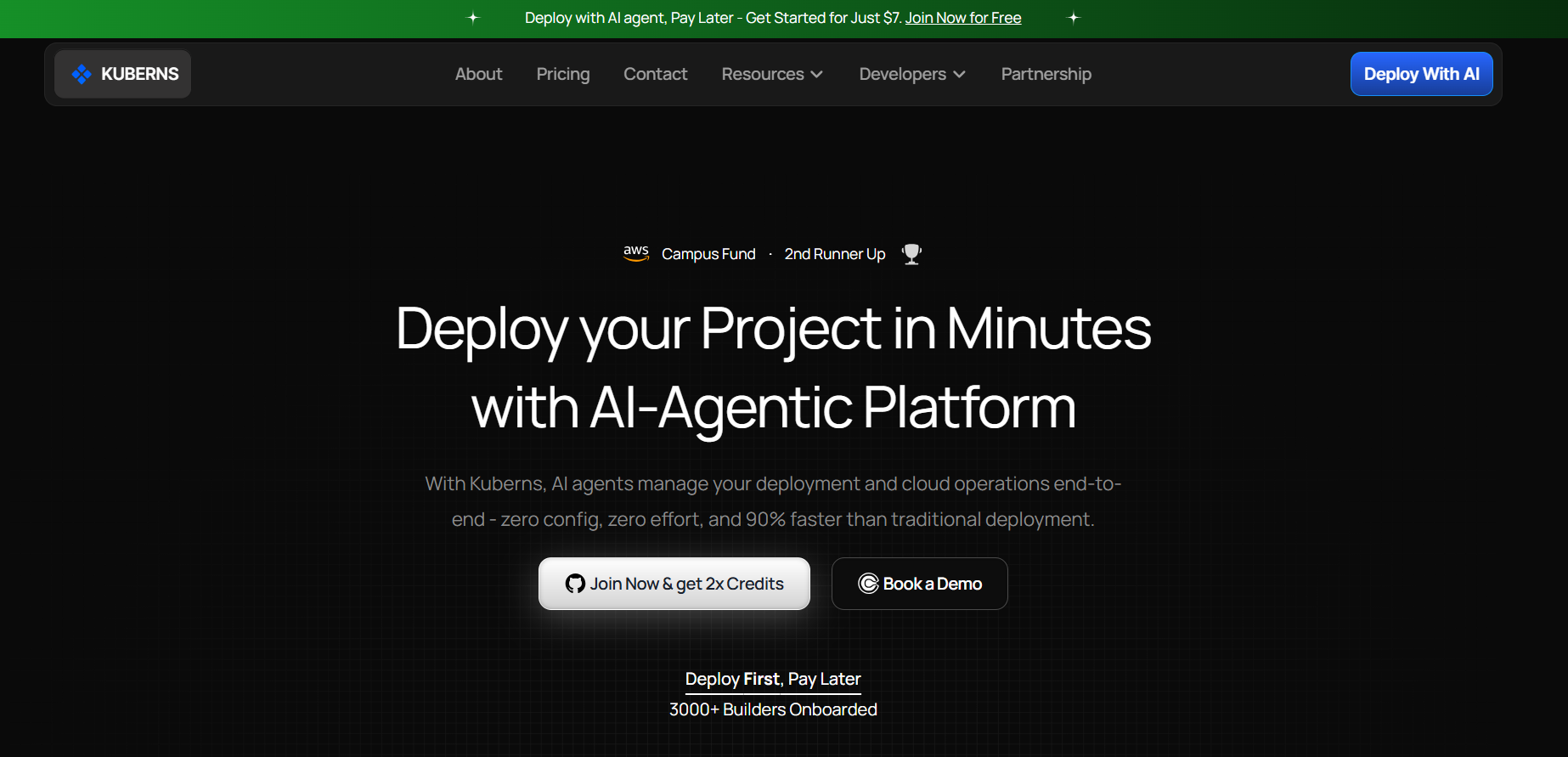 [Kuberns](https://kuberns.com) is an Agentic AI cloud deployment platform built on AWS. It is the only platform on this list where the AI does not just run your deployment steps, it manages the entire deployment lifecycle: stack detection, infrastructure provisioning, database setup, migrations, static file serving, HTTPS, autoscaling, and CI/CD, all without a single config file from you.
**How fast:** A full-stack app with a managed Postgres database, environment variables, and HTTPS is live in under 5 minutes. No Procfile. No CLI. No runtime.txt. No buildpack selection. No post-deploy migration command.
**Agentic AI deployment in practice:**
- Auto-detects your framework and language (Node.js, Python, Django, FastAPI, Go, PHP, Ruby, and more)
- Reads your dependencies and selects the correct runtime and build commands
- Provisions a managed Postgres database automatically if your project needs one
- Runs database migrations on every deploy without any CLI command
- Serves static files without WhiteNoise or manual `collectstatic` configuration
- Sets up HTTPS, CDN, and GitHub push-to-deploy CI/CD out of the box
**No cold starts:** Apps run continuously on all Kuberns plans. There is no spin-down after idle periods, no 10 to 30 second wake-up delays, no users hitting a loading screen because your dyno went to sleep.
**No per-user pricing:** Every other platform on this list charges per seat on paid plans. Kuberns uses flat-rate pricing: one price covers compute, managed database, HTTPS, monitoring, and autoscaling for the whole team regardless of how many people are deploying.
**Re-deploy speed:** 30 to 60 seconds. Migrations run automatically on every push.
**Free credits:** Approximately $14 for 30 days, no credit card required.
**Best for:** Full-stack apps, Django/FastAPI/Node.js backends, AI applications, small-to-mid teams who want zero DevOps overhead.
> Looking to move off Heroku? The [best Heroku alternatives in 2026](https://kuberns.com/blogs/the-ultimate-guide-to-heroku-alternatives-in-2025/) guide covers how Kuberns compares in detail.
---
### 2. Vercel: Fastest for Frontend and Next.js
[Kuberns](https://kuberns.com) is an Agentic AI cloud deployment platform built on AWS. It is the only platform on this list where the AI does not just run your deployment steps, it manages the entire deployment lifecycle: stack detection, infrastructure provisioning, database setup, migrations, static file serving, HTTPS, autoscaling, and CI/CD, all without a single config file from you.
**How fast:** A full-stack app with a managed Postgres database, environment variables, and HTTPS is live in under 5 minutes. No Procfile. No CLI. No runtime.txt. No buildpack selection. No post-deploy migration command.
**Agentic AI deployment in practice:**
- Auto-detects your framework and language (Node.js, Python, Django, FastAPI, Go, PHP, Ruby, and more)
- Reads your dependencies and selects the correct runtime and build commands
- Provisions a managed Postgres database automatically if your project needs one
- Runs database migrations on every deploy without any CLI command
- Serves static files without WhiteNoise or manual `collectstatic` configuration
- Sets up HTTPS, CDN, and GitHub push-to-deploy CI/CD out of the box
**No cold starts:** Apps run continuously on all Kuberns plans. There is no spin-down after idle periods, no 10 to 30 second wake-up delays, no users hitting a loading screen because your dyno went to sleep.
**No per-user pricing:** Every other platform on this list charges per seat on paid plans. Kuberns uses flat-rate pricing: one price covers compute, managed database, HTTPS, monitoring, and autoscaling for the whole team regardless of how many people are deploying.
**Re-deploy speed:** 30 to 60 seconds. Migrations run automatically on every push.
**Free credits:** Approximately $14 for 30 days, no credit card required.
**Best for:** Full-stack apps, Django/FastAPI/Node.js backends, AI applications, small-to-mid teams who want zero DevOps overhead.
> Looking to move off Heroku? The [best Heroku alternatives in 2026](https://kuberns.com/blogs/the-ultimate-guide-to-heroku-alternatives-in-2025/) guide covers how Kuberns compares in detail.
---
### 2. Vercel: Fastest for Frontend and Next.js
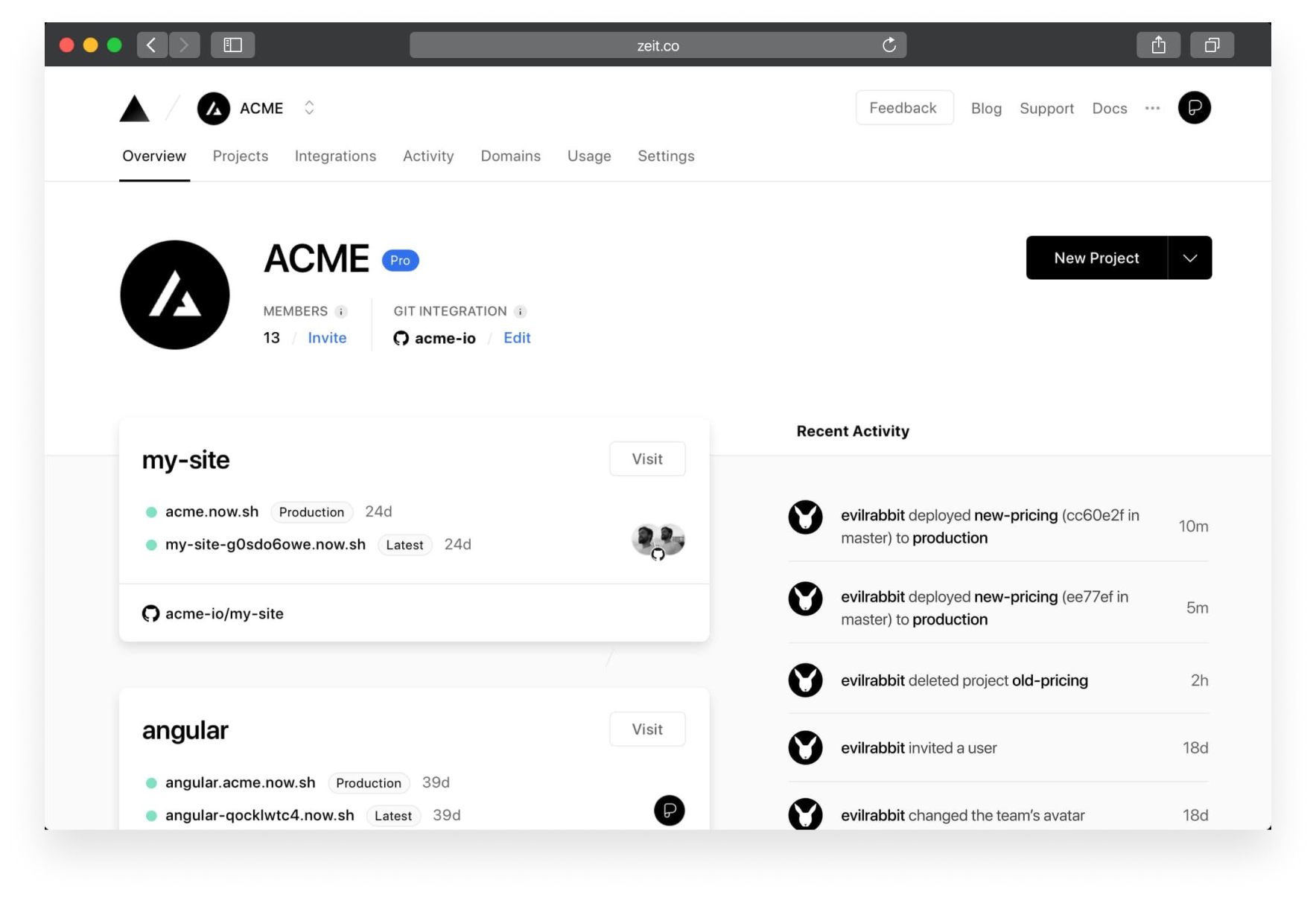 [Vercel](https://vercel.com) built the modern deployment experience and in 2026 it remains the benchmark for frontend speed. The company was founded by the creators of Next.js, and that deep integration shows: deploying a Next.js project to Vercel is the smoothest frontend deployment available.
**How fast:** First deploy for a Next.js project completes in 45 to 60 seconds. Every pull request automatically generates a preview deployment with a unique URL. Re-deploys are 15 to 30 seconds with cached builds.
**Strengths:**
- Native Next.js optimisation including automatic CDN, image optimisation, and ISR support
- Edge functions with global distribution across 70+ locations
- Instant rollbacks to any previous deployment
- Preview deployments on every PR with automatic PR comments
**Limitations:** Full-stack apps with a database require workarounds. Vercel is serverless-first, which means backend logic runs as functions with 100 to 500ms cold starts per invocation. Per-user pricing ($20/month Pro per seat) makes team costs add up quickly. Not ideal for long-running processes or background workers.
**Best for:** Frontend teams, Next.js projects, Jamstack apps, marketing sites that need global edge performance.
> Not sure Vercel is the right fit? The [best Vercel alternatives](https://kuberns.com/blogs/best-vercel-alternatives/) breakdown covers what each competing platform does differently.
---
### 3. Netlify: Fastest for Static Sites and Jamstack
[Vercel](https://vercel.com) built the modern deployment experience and in 2026 it remains the benchmark for frontend speed. The company was founded by the creators of Next.js, and that deep integration shows: deploying a Next.js project to Vercel is the smoothest frontend deployment available.
**How fast:** First deploy for a Next.js project completes in 45 to 60 seconds. Every pull request automatically generates a preview deployment with a unique URL. Re-deploys are 15 to 30 seconds with cached builds.
**Strengths:**
- Native Next.js optimisation including automatic CDN, image optimisation, and ISR support
- Edge functions with global distribution across 70+ locations
- Instant rollbacks to any previous deployment
- Preview deployments on every PR with automatic PR comments
**Limitations:** Full-stack apps with a database require workarounds. Vercel is serverless-first, which means backend logic runs as functions with 100 to 500ms cold starts per invocation. Per-user pricing ($20/month Pro per seat) makes team costs add up quickly. Not ideal for long-running processes or background workers.
**Best for:** Frontend teams, Next.js projects, Jamstack apps, marketing sites that need global edge performance.
> Not sure Vercel is the right fit? The [best Vercel alternatives](https://kuberns.com/blogs/best-vercel-alternatives/) breakdown covers what each competing platform does differently.
---
### 3. Netlify: Fastest for Static Sites and Jamstack
 [Netlify](https://netlify.com) pioneered git-based static deployment and still sets the standard for static and Jamstack build speeds in 2026.
**How fast:** Static site builds complete in 30 to 60 seconds. Re-deploys average 20 to 40 seconds with excellent build caching. For SSR or full-stack deployments, config overhead increases and build times extend significantly.
**Strengths:**
- Fastest static build times on the list
- Built-in form handling, A/B testing, branch deploys, and serverless functions
- 100GB bandwidth on the free tier for static sites
- Excellent developer experience for content-driven sites
**Limitations:** Full-stack and server-side rendering require additional configuration. Free serverless functions have cold starts. Pro plan is $19/month per user. Bandwidth overages can become expensive under high traffic.
**Best for:** Marketing sites, documentation, static sites, Jamstack projects without a heavy backend requirement.
> Need more than static? The [best Netlify alternatives](https://kuberns.com/blogs/best-netlify-alternatives/) guide covers platforms that handle SSR and full-stack more natively.
---
### 4. Railway: Best for Backend APIs with Databases
[Netlify](https://netlify.com) pioneered git-based static deployment and still sets the standard for static and Jamstack build speeds in 2026.
**How fast:** Static site builds complete in 30 to 60 seconds. Re-deploys average 20 to 40 seconds with excellent build caching. For SSR or full-stack deployments, config overhead increases and build times extend significantly.
**Strengths:**
- Fastest static build times on the list
- Built-in form handling, A/B testing, branch deploys, and serverless functions
- 100GB bandwidth on the free tier for static sites
- Excellent developer experience for content-driven sites
**Limitations:** Full-stack and server-side rendering require additional configuration. Free serverless functions have cold starts. Pro plan is $19/month per user. Bandwidth overages can become expensive under high traffic.
**Best for:** Marketing sites, documentation, static sites, Jamstack projects without a heavy backend requirement.
> Need more than static? The [best Netlify alternatives](https://kuberns.com/blogs/best-netlify-alternatives/) guide covers platforms that handle SSR and full-stack more natively.
---
### 4. Railway: Best for Backend APIs with Databases
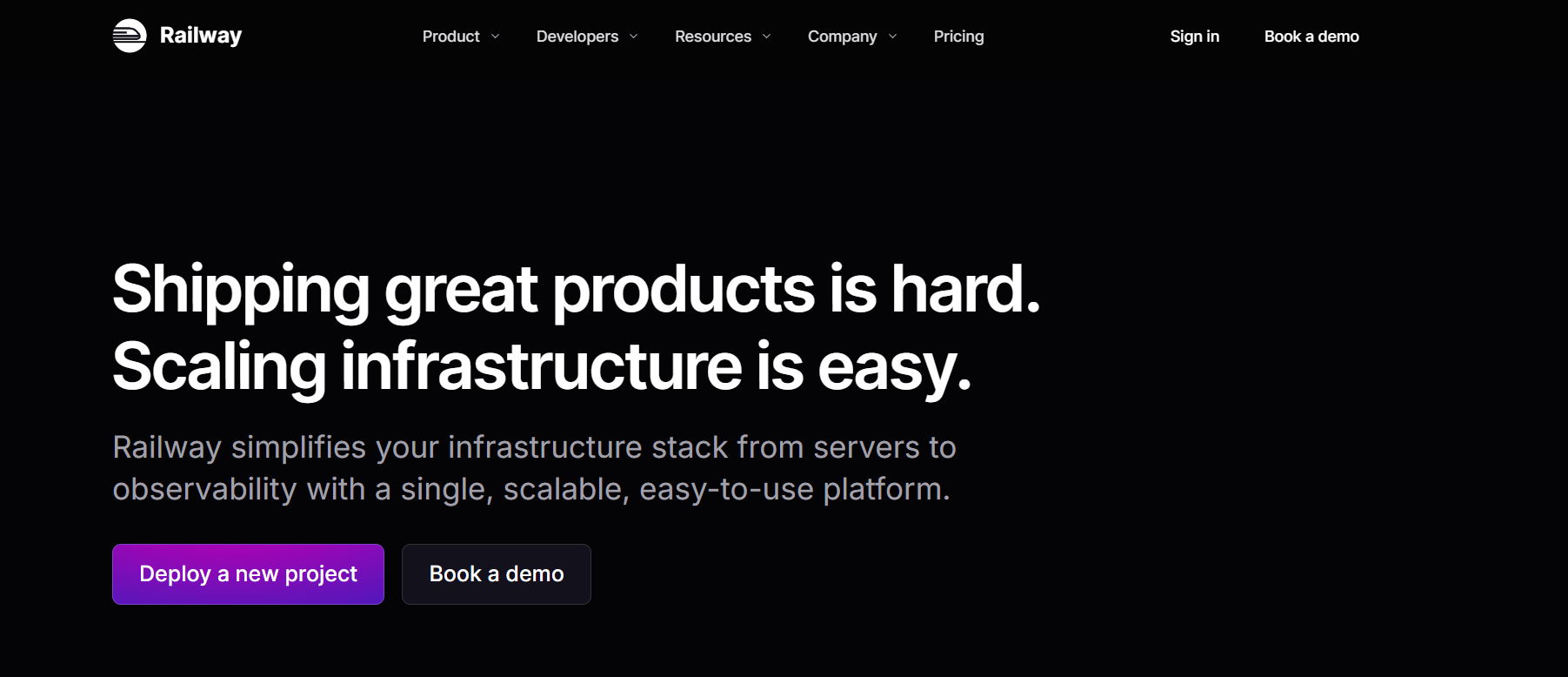 [Railway](https://railway.app) positioned itself as the modern Heroku replacement and largely delivered on that promise. It is simpler, faster, and more developer-focused than Heroku, with a genuinely good one-click database provisioning experience.
**How fast:** First deploy takes 2 to 4 minutes. Railway auto-detects most stacks without a Procfile and database provisioning is a single click. Re-deploys average 60 to 90 seconds.
**Strengths:**
- Excellent developer experience and clean dashboard
- One-click Postgres, MySQL, MongoDB, and Redis provisioning
- GitHub integration with automatic deploys on push
- Usage-based pricing is fair for low-traffic projects
**Limitations:** The free tier is a one-time $5 credit, not a recurring free plan. Cold starts occur on the free tier when apps are idle. Usage-based pricing can spike unexpectedly during traffic spikes. Less suited for complex multi-service apps.
**Best for:** Backend APIs, hobby projects, small SaaS apps that need a database quickly, teams migrating off Heroku.
> Comparing Railway to other options? The [best Railway alternatives](https://kuberns.com/blogs/best-railway-alternatives/) guide covers platforms with better free tiers and more predictable pricing.
---
### 5. Render: Reliable Full-Stack with Background Workers
[Railway](https://railway.app) positioned itself as the modern Heroku replacement and largely delivered on that promise. It is simpler, faster, and more developer-focused than Heroku, with a genuinely good one-click database provisioning experience.
**How fast:** First deploy takes 2 to 4 minutes. Railway auto-detects most stacks without a Procfile and database provisioning is a single click. Re-deploys average 60 to 90 seconds.
**Strengths:**
- Excellent developer experience and clean dashboard
- One-click Postgres, MySQL, MongoDB, and Redis provisioning
- GitHub integration with automatic deploys on push
- Usage-based pricing is fair for low-traffic projects
**Limitations:** The free tier is a one-time $5 credit, not a recurring free plan. Cold starts occur on the free tier when apps are idle. Usage-based pricing can spike unexpectedly during traffic spikes. Less suited for complex multi-service apps.
**Best for:** Backend APIs, hobby projects, small SaaS apps that need a database quickly, teams migrating off Heroku.
> Comparing Railway to other options? The [best Railway alternatives](https://kuberns.com/blogs/best-railway-alternatives/) guide covers platforms with better free tiers and more predictable pricing.
---
### 5. Render: Reliable Full-Stack with Background Workers
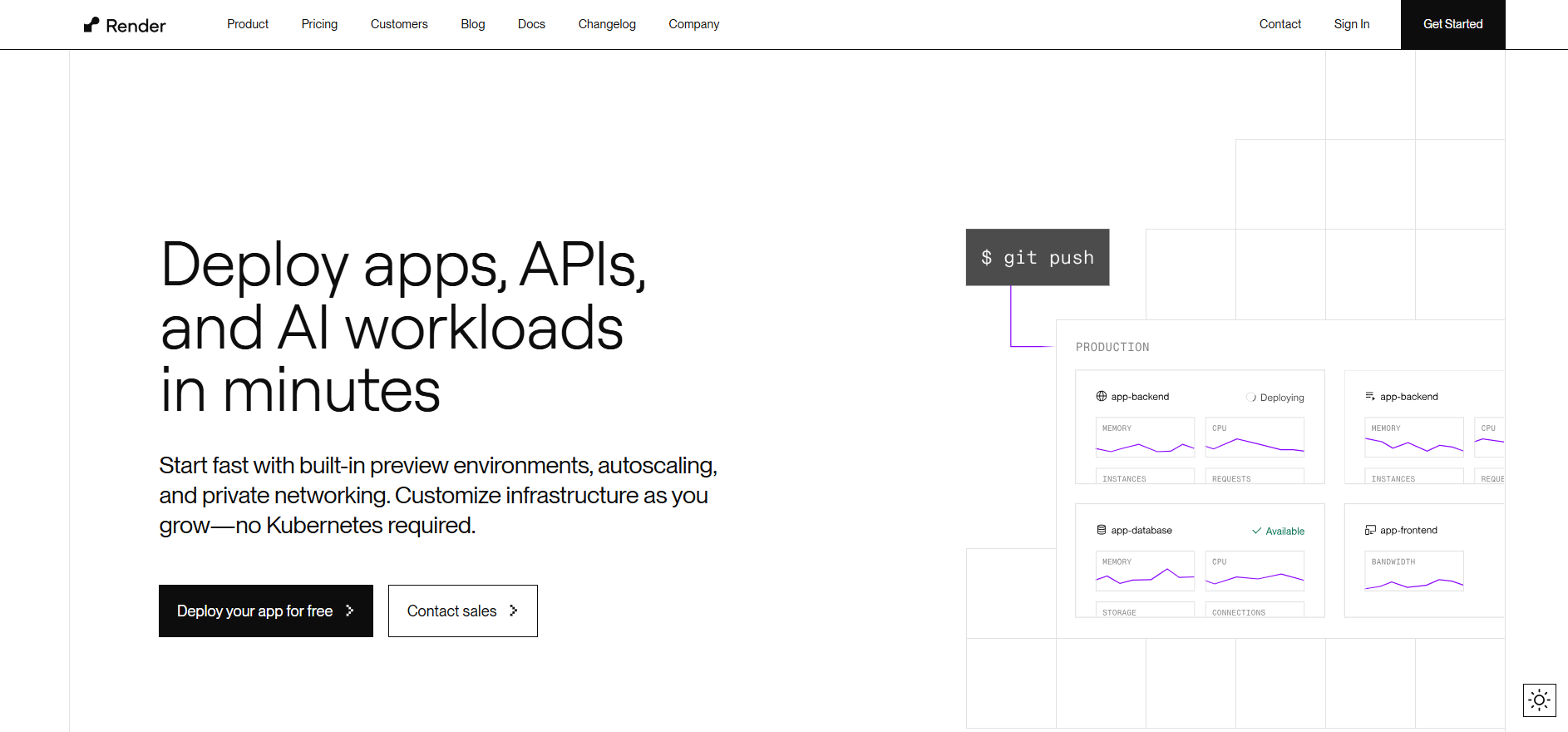 [Render](https://render.com) is the most balanced Heroku alternative on this list. It supports web services, background workers, cron jobs, and managed databases in a clean, unified platform without the complexity of Kubernetes or the limitations of serverless-only platforms.
**How fast:** First deploy takes 3 to 5 minutes. Render's build pipeline is slower than Railway's but is known for consistency. Re-deploys average 90 to 120 seconds, the slowest on this list.
**Strengths:**
- Background workers and cron jobs are first-class citizens
- Managed Postgres included without add-on billing
- Preview environments for pull requests
- Straightforward, predictable pricing by service type
**Limitations:** Free tier services spin down after 15 minutes of inactivity, causing cold starts up to 30 seconds. Re-deploys are slower than every other platform on this list. No automatic migration support, migrations must be run manually after each deploy.
**Best for:** Full-stack apps that need background job processing, teams moving off Heroku who need workers and cron jobs, REST APIs with managed Postgres.
> Outgrowing Render? The [best Render alternatives](https://kuberns.com/blogs/best-render-alternatives/) guide covers platforms with faster re-deploys and no cold start penalties.
---
### 6. Heroku: Established but Slowest in 2026
[Render](https://render.com) is the most balanced Heroku alternative on this list. It supports web services, background workers, cron jobs, and managed databases in a clean, unified platform without the complexity of Kubernetes or the limitations of serverless-only platforms.
**How fast:** First deploy takes 3 to 5 minutes. Render's build pipeline is slower than Railway's but is known for consistency. Re-deploys average 90 to 120 seconds, the slowest on this list.
**Strengths:**
- Background workers and cron jobs are first-class citizens
- Managed Postgres included without add-on billing
- Preview environments for pull requests
- Straightforward, predictable pricing by service type
**Limitations:** Free tier services spin down after 15 minutes of inactivity, causing cold starts up to 30 seconds. Re-deploys are slower than every other platform on this list. No automatic migration support, migrations must be run manually after each deploy.
**Best for:** Full-stack apps that need background job processing, teams moving off Heroku who need workers and cron jobs, REST APIs with managed Postgres.
> Outgrowing Render? The [best Render alternatives](https://kuberns.com/blogs/best-render-alternatives/) guide covers platforms with faster re-deploys and no cold start penalties.
---
### 6. Heroku: Established but Slowest in 2026
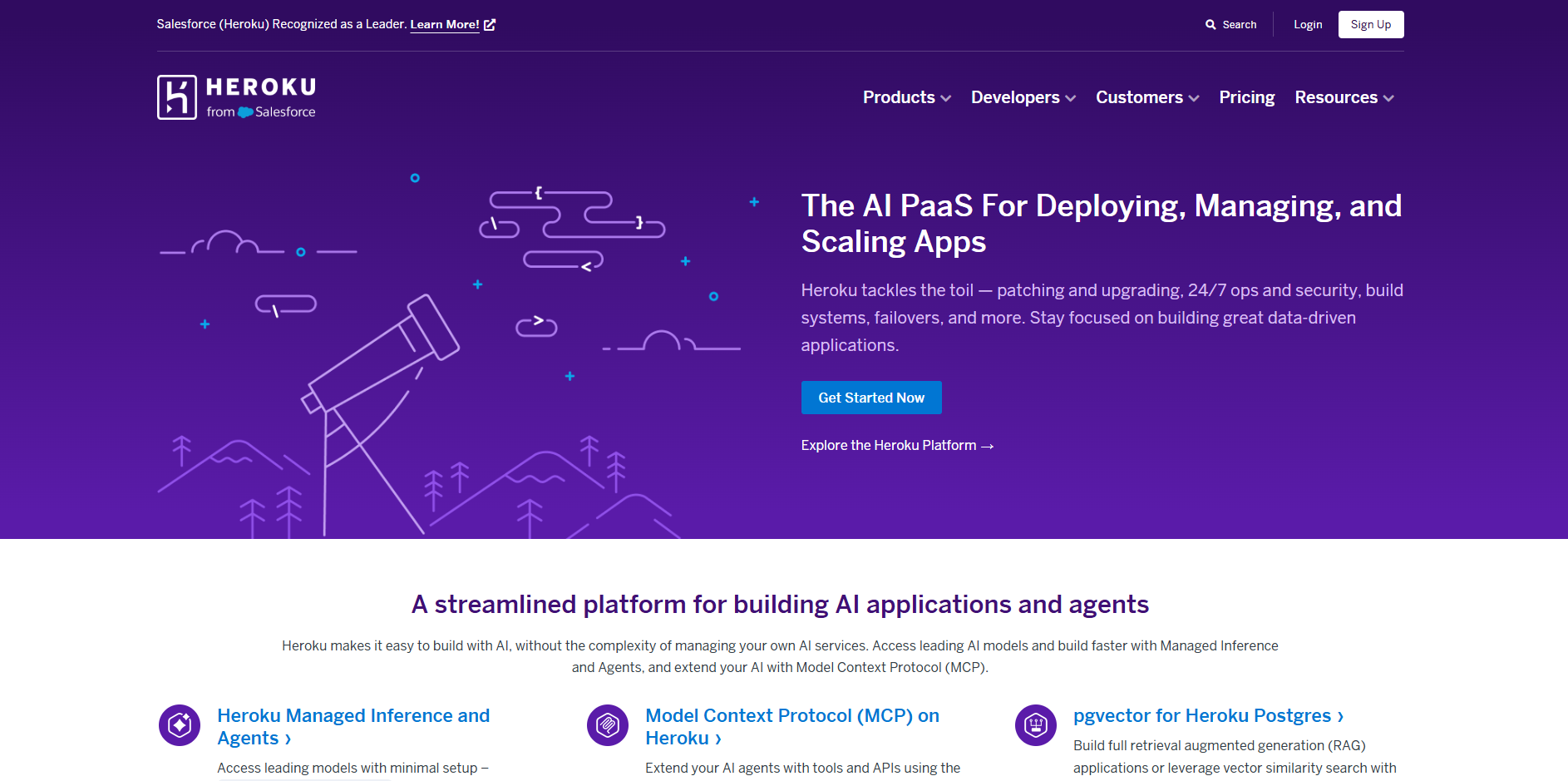 [Heroku](https://heroku.com) created the git-push-to-deploy model that every platform on this list copied. In 2026, it remains a reliable and well-understood choice but it is the slowest and most expensive option for new projects.
**How fast:** First deploy takes 5 to 8 minutes. The mandatory Procfile, runtime.txt, manual Postgres provisioning via CLI, WhiteNoise configuration for static files, and a manual migration command after every push add significant time before and after deployment. Re-deploys take 60 to 90 seconds but every deploy requires a separate `heroku run python manage.py migrate` command to apply database changes.
**Strengths:**
- Massive add-on ecosystem (Sendgrid, Papertrail, Rollbar, and hundreds more)
- Battle-tested stability and a decade of production use
- Familiar workflow for teams that built on Heroku years ago
**Limitations:** No free tier since November 2022. Eco dynos sleep after 30 minutes of inactivity, causing 10 to 30 second cold starts. Every component billed separately: dyno + Postgres + logging + SSL can reach $30 to $50/month for a basic app. Migrations are never automatic.
**Best for:** Teams already on Heroku with existing add-on dependencies who have not yet migrated. Not recommended for new projects in 2026.
> Want the full cost breakdown? The [Heroku pricing explained](https://kuberns.com/blogs/heroku-pricing-explained/) guide covers exactly what you are paying for in 2026.
## Speed Comparison: All 6 Platforms Side by Side
| Platform | Config Overhead | Re-Deploy Speed | Cold Starts | Pricing Model | Best For |
|---|---|---|---|---|---|
| **Kuberns** | Zero config | 30 to 60 sec | None | Flat rate | Full-stack, AI apps, backends |
| **Vercel** | Minimal | 15 to 30 sec | Yes (serverless) | Per user | Frontend, Next.js |
| **Netlify** | Minimal | 20 to 40 sec | Yes (free tier) | Per user | Static, Jamstack |
| **Railway** | Low | 60 to 90 sec | Yes (free tier) | Usage-based | Backend APIs |
| **Render** | Medium | 90 to 120 sec | Yes (free tier) | Per service | Full-stack with workers |
| **Heroku** | High | 60 to 90 sec plus manual migrate | Yes (Eco dyno) | Per component | Legacy apps |
Vercel and Netlify lead on raw re-deploy speed for frontend and static projects. But for full-stack apps where first deploy includes database provisioning, static file setup, and migration configuration, those build times become irrelevant if you spend 20 minutes on manual config first. Kuberns removes that entire layer. Zero config means the clock starts from repo connect, not from when you finally finish setting everything up.
---
## The Fastest Full-Stack Deploy in 2026: Kuberns
[Heroku](https://heroku.com) created the git-push-to-deploy model that every platform on this list copied. In 2026, it remains a reliable and well-understood choice but it is the slowest and most expensive option for new projects.
**How fast:** First deploy takes 5 to 8 minutes. The mandatory Procfile, runtime.txt, manual Postgres provisioning via CLI, WhiteNoise configuration for static files, and a manual migration command after every push add significant time before and after deployment. Re-deploys take 60 to 90 seconds but every deploy requires a separate `heroku run python manage.py migrate` command to apply database changes.
**Strengths:**
- Massive add-on ecosystem (Sendgrid, Papertrail, Rollbar, and hundreds more)
- Battle-tested stability and a decade of production use
- Familiar workflow for teams that built on Heroku years ago
**Limitations:** No free tier since November 2022. Eco dynos sleep after 30 minutes of inactivity, causing 10 to 30 second cold starts. Every component billed separately: dyno + Postgres + logging + SSL can reach $30 to $50/month for a basic app. Migrations are never automatic.
**Best for:** Teams already on Heroku with existing add-on dependencies who have not yet migrated. Not recommended for new projects in 2026.
> Want the full cost breakdown? The [Heroku pricing explained](https://kuberns.com/blogs/heroku-pricing-explained/) guide covers exactly what you are paying for in 2026.
## Speed Comparison: All 6 Platforms Side by Side
| Platform | Config Overhead | Re-Deploy Speed | Cold Starts | Pricing Model | Best For |
|---|---|---|---|---|---|
| **Kuberns** | Zero config | 30 to 60 sec | None | Flat rate | Full-stack, AI apps, backends |
| **Vercel** | Minimal | 15 to 30 sec | Yes (serverless) | Per user | Frontend, Next.js |
| **Netlify** | Minimal | 20 to 40 sec | Yes (free tier) | Per user | Static, Jamstack |
| **Railway** | Low | 60 to 90 sec | Yes (free tier) | Usage-based | Backend APIs |
| **Render** | Medium | 90 to 120 sec | Yes (free tier) | Per service | Full-stack with workers |
| **Heroku** | High | 60 to 90 sec plus manual migrate | Yes (Eco dyno) | Per component | Legacy apps |
Vercel and Netlify lead on raw re-deploy speed for frontend and static projects. But for full-stack apps where first deploy includes database provisioning, static file setup, and migration configuration, those build times become irrelevant if you spend 20 minutes on manual config first. Kuberns removes that entire layer. Zero config means the clock starts from repo connect, not from when you finally finish setting everything up.
---
## The Fastest Full-Stack Deploy in 2026: Kuberns
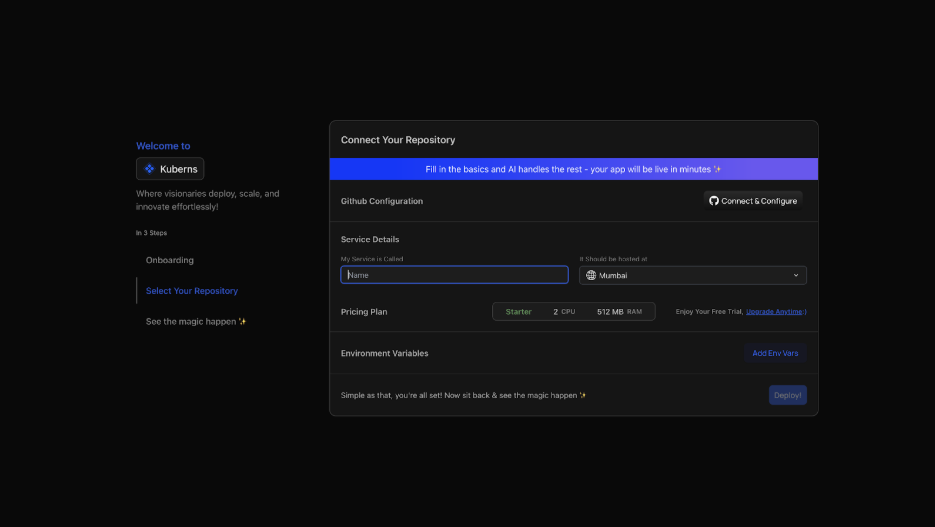 [Kuberns](https://kuberns.com) is not just fast at building your app. It is fast at everything before the build too, and that is where most platforms lose time.
### What Agentic AI Does the Moment You Connect Your Repo
[Kuberns](https://kuberns.com) is not just fast at building your app. It is fast at everything before the build too, and that is where most platforms lose time.
### What Agentic AI Does the Moment You Connect Your Repo
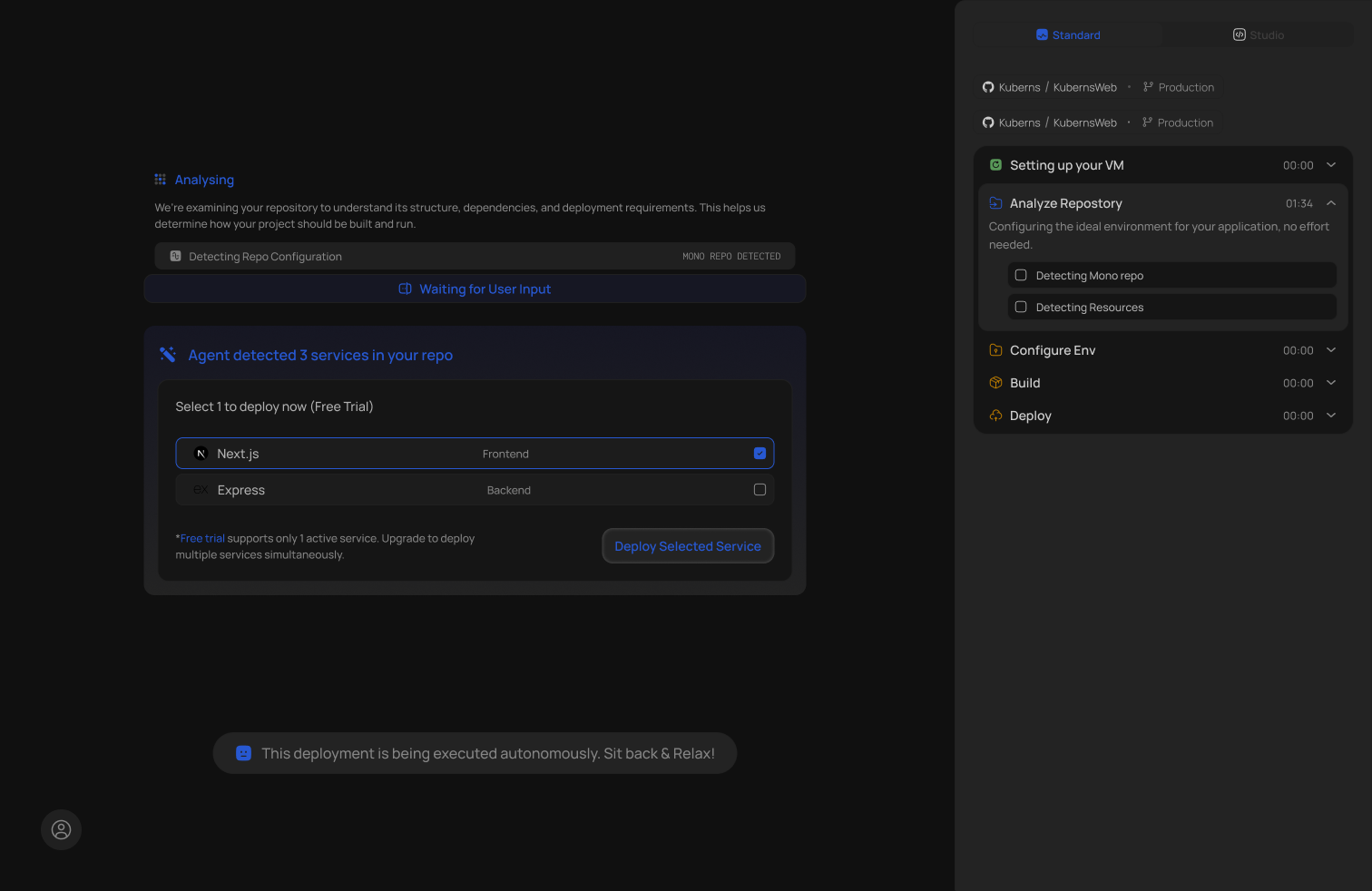 When you connect a GitHub repository to Kuberns, the Agentic AI immediately scans your codebase and:
- Identifies your framework and language automatically (Django, FastAPI, Node.js, React, Go, PHP, Ruby, and more)
- Selects the correct runtime version, build command, and start command based on your actual project files
- Detects database dependencies in your requirements.txt or package.json and provisions a managed Postgres or Redis instance
- Configures HTTPS with an automatically issued SSL certificate
- Sets up a CI/CD pipeline tied to your main branch; every push from this point forward triggers an automatic deploy
- Wires environment variables through to your app securely at runtime
All of this happens before you click Deploy. By the time you hit that button, the infrastructure is already provisioned and waiting.
### Step-by-Step: Deploy a Full-Stack App on Kuberns in Under 5 Minutes
**Step 1: Sign in to your Kuberns dashboard**
Go to [dashboard.kuberns.com](https://dashboard.kuberns.com) and sign in. No CLI to install. No SSH keys to configure.
**Step 2: Connect your GitHub account and select your repo**
Click New Project, connect your GitHub account, and select the repository you want to deploy. Kuberns immediately begins scanning the codebase.
**Step 3: Review the AI-detected config (no edits needed)**
Kuberns displays the detected stack: framework, runtime version, build command, start command, and any services it plans to provision (database, Redis, etc.). For most projects you do not need to change anything.
**Step 4: Add environment variables**
In the Environment tab, add any environment variables your app needs: SECRET_KEY, API keys, third-party service credentials. These are injected securely at runtime on every deploy.
**Step 5: Click Deploy**
Kuberns provisions the database, runs the build, applies database migrations automatically, and serves your app at a live HTTPS URL. Total time for a full-stack Django or Node.js app: under 5 minutes.
### Every Re-Deploy Is Automatic Too
From this point forward, every push to your connected GitHub branch triggers a new deployment automatically. You do not run any commands after pushing. Kuberns runs database migrations on every deploy without a separate CLI step. Static files are served without WhiteNoise configuration. Your app stays live during re-deploys with zero downtime rolling updates.
> Want to understand the full CI/CD setup? The [auto-deploy from GitHub guide](https://kuberns.com/blogs/how-to-auto-deploy-your-apps-from-github-in-one-click/) covers exactly what happens under the hood.
### No Per-User Pricing: Why It Matters for Teams
When you connect a GitHub repository to Kuberns, the Agentic AI immediately scans your codebase and:
- Identifies your framework and language automatically (Django, FastAPI, Node.js, React, Go, PHP, Ruby, and more)
- Selects the correct runtime version, build command, and start command based on your actual project files
- Detects database dependencies in your requirements.txt or package.json and provisions a managed Postgres or Redis instance
- Configures HTTPS with an automatically issued SSL certificate
- Sets up a CI/CD pipeline tied to your main branch; every push from this point forward triggers an automatic deploy
- Wires environment variables through to your app securely at runtime
All of this happens before you click Deploy. By the time you hit that button, the infrastructure is already provisioned and waiting.
### Step-by-Step: Deploy a Full-Stack App on Kuberns in Under 5 Minutes
**Step 1: Sign in to your Kuberns dashboard**
Go to [dashboard.kuberns.com](https://dashboard.kuberns.com) and sign in. No CLI to install. No SSH keys to configure.
**Step 2: Connect your GitHub account and select your repo**
Click New Project, connect your GitHub account, and select the repository you want to deploy. Kuberns immediately begins scanning the codebase.
**Step 3: Review the AI-detected config (no edits needed)**
Kuberns displays the detected stack: framework, runtime version, build command, start command, and any services it plans to provision (database, Redis, etc.). For most projects you do not need to change anything.
**Step 4: Add environment variables**
In the Environment tab, add any environment variables your app needs: SECRET_KEY, API keys, third-party service credentials. These are injected securely at runtime on every deploy.
**Step 5: Click Deploy**
Kuberns provisions the database, runs the build, applies database migrations automatically, and serves your app at a live HTTPS URL. Total time for a full-stack Django or Node.js app: under 5 minutes.
### Every Re-Deploy Is Automatic Too
From this point forward, every push to your connected GitHub branch triggers a new deployment automatically. You do not run any commands after pushing. Kuberns runs database migrations on every deploy without a separate CLI step. Static files are served without WhiteNoise configuration. Your app stays live during re-deploys with zero downtime rolling updates.
> Want to understand the full CI/CD setup? The [auto-deploy from GitHub guide](https://kuberns.com/blogs/how-to-auto-deploy-your-apps-from-github-in-one-click/) covers exactly what happens under the hood.
### No Per-User Pricing: Why It Matters for Teams
 Most platforms charge per seat the moment you add a second developer:
| Platform | Pro Plan Cost per User |
|---|---|
| Vercel | $20/month per user |
| Netlify | $19/month per user |
| A 5-person team on Vercel | $100/month before compute |
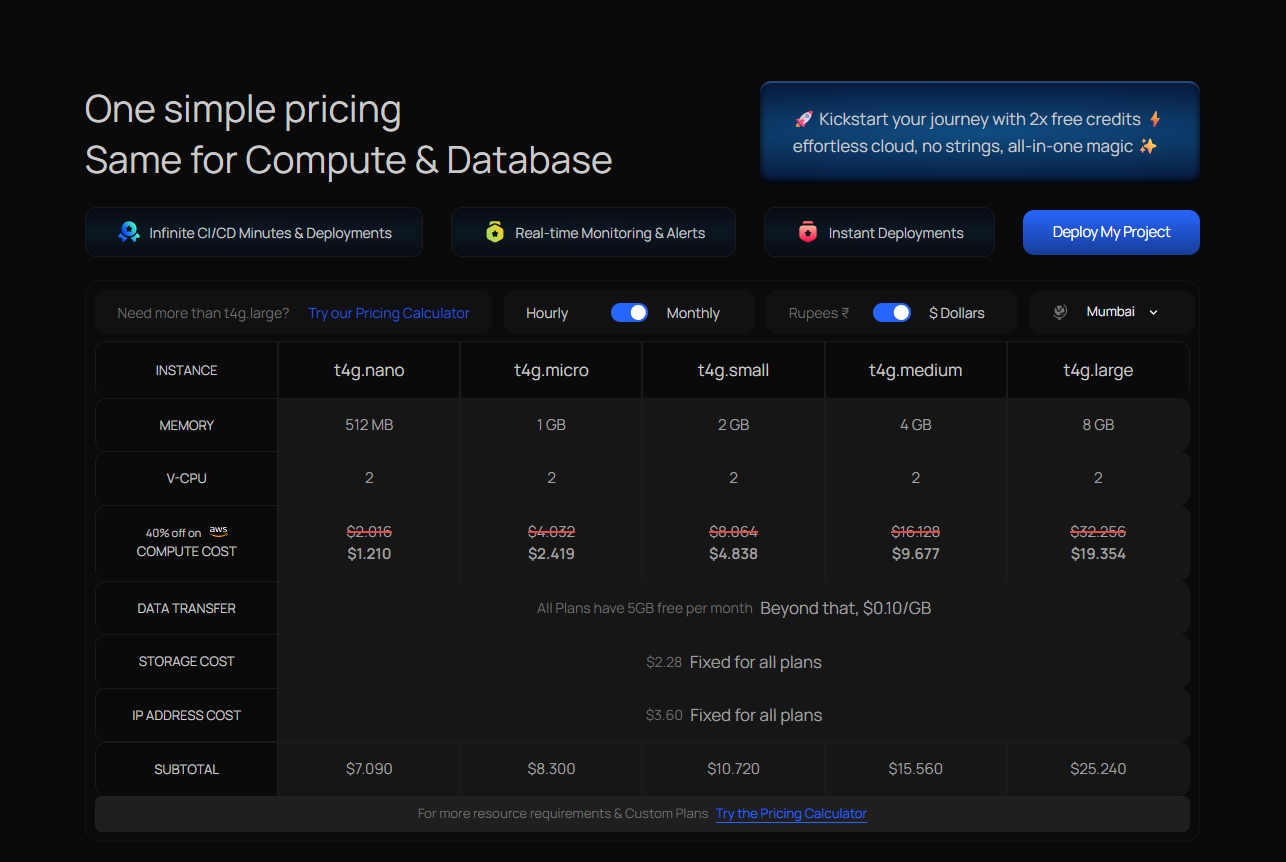
Kuberns uses flat-rate pricing. The entire team deploys under one plan. Compute, managed database, HTTPS, monitoring, and autoscaling are all included. No per-user charges, no per-component add-on billing, no bandwidth overage surprises.
Free credits of approximately $14 for 30 days let you deploy and test with no credit card required.
> Comparing options for your team size? The [best deployment platform for small dev teams](https://kuberns.com/blogs/best-deployment-platform-small-dev-teams/) guide covers how Kuberns fits different team sizes and budget ranges.
Most platforms charge per seat the moment you add a second developer:
| Platform | Pro Plan Cost per User |
|---|---|
| Vercel | $20/month per user |
| Netlify | $19/month per user |
| A 5-person team on Vercel | $100/month before compute |
Kuberns uses flat-rate pricing. The entire team deploys under one plan. Compute, managed database, HTTPS, monitoring, and autoscaling are all included. No per-user charges, no per-component add-on billing, no bandwidth overage surprises.
Free credits of approximately $14 for 30 days let you deploy and test with no credit card required.
> Comparing options for your team size? The [best deployment platform for small dev teams](https://kuberns.com/blogs/best-deployment-platform-small-dev-teams/) guide covers how Kuberns fits different team sizes and budget ranges.
 ---
## Conclusion
Deployment speed in 2026 is not just build minutes. It is the total time from idea to a live app responding to real traffic with a database, HTTPS, and CI/CD in place. A platform that builds in 30 seconds but requires 30 minutes of manual setup before you push is not fast in any meaningful sense.
For frontend-only projects, Vercel and Netlify remain the fastest options with near-instant builds and global CDN delivery. For full-stack apps, backends, Django projects, Node.js APIs, and AI applications, Kuberns wins on total time-to-live because Agentic AI removes the entire configuration layer. Connect your repo, set your environment variables, and click Deploy. Everything else is handled for you.
[Deploy your web app on Kuberns in under 5 minutes](https://dashboard.kuberns.com/)
---
## Conclusion
Deployment speed in 2026 is not just build minutes. It is the total time from idea to a live app responding to real traffic with a database, HTTPS, and CI/CD in place. A platform that builds in 30 seconds but requires 30 minutes of manual setup before you push is not fast in any meaningful sense.
For frontend-only projects, Vercel and Netlify remain the fastest options with near-instant builds and global CDN delivery. For full-stack apps, backends, Django projects, Node.js APIs, and AI applications, Kuberns wins on total time-to-live because Agentic AI removes the entire configuration layer. Connect your repo, set your environment variables, and click Deploy. Everything else is handled for you.
[Deploy your web app on Kuberns in under 5 minutes](https://dashboard.kuberns.com/)
 ---
## Frequently Asked Questions
### Q: What is the fastest way to deploy a web app in 2026?
The fastest way to deploy a web app in 2026 is to use a zero-config platform that auto-detects your stack. [Kuberns](https://kuberns.com) deploys full-stack apps including database provisioning and HTTPS in under 5 minutes with no Procfile, no CLI, and no manual migration steps. For frontend-only projects, Vercel and Netlify offer builds under 60 seconds.
### Q: Which deployment platform has the fastest build times?
Vercel and Netlify have the fastest raw build times for frontend and static projects, typically 15 to 60 seconds for re-deploys. For full-stack apps that include a database, Kuberns is fastest overall because zero configuration removes the manual setup time that other platforms require before you can even push your first commit.
### Q: What is a cold start and how does it affect my app?
A cold start is the delay that occurs when your app has been idle and needs to wake up to handle the first incoming request. On Heroku Eco dynos this can be 10 to 30 seconds. On Render and Railway free tiers, apps spin down after 15 minutes of inactivity. Serverless functions on Vercel and Netlify have cold starts of 100 to 500ms per invocation. Kuberns has no cold starts on any plan, keeping apps continuously live.
### Q: Is Vercel faster than Railway for full-stack apps?
Vercel is faster for frontend and Next.js deployments, with re-deploys completing in 15 to 30 seconds. For full-stack apps that include a backend and a database, Railway is more capable but takes 2 to 4 minutes for first deploy. Kuberns outperforms both for full-stack because it auto-provisions the database and runs migrations automatically with no manual steps at any point.
### Q: Can I deploy from GitHub automatically without any CLI?
Yes. Kuberns, Vercel, Netlify, Railway, and Render all support automatic GitHub deployments. Connect your repository and every push to your main branch triggers a new deployment automatically. Kuberns requires no CLI at any point, including for database setup, migrations, and environment configuration.
### Q: Why is Kuberns faster than Heroku for full-stack deployment?
Heroku requires a Procfile, runtime.txt, manual Postgres provisioning via CLI, WhiteNoise configuration for static files, and a manual migration command after every deploy. Each of these steps adds time before and after deployment. Kuberns eliminates all of them with Agentic AI that auto-detects your stack, provisions infrastructure, and runs migrations automatically on every push.
> See the full platform comparison in the [best PaaS providers guide](https://kuberns.com/blogs/best-paas-providers/).
---
- [More Deployment Guides articles](https://kuberns.com/blogs/category/deployment-guides/1/)
- [All articles](https://kuberns.com/blogs/)
---
## Frequently Asked Questions
### Q: What is the fastest way to deploy a web app in 2026?
The fastest way to deploy a web app in 2026 is to use a zero-config platform that auto-detects your stack. [Kuberns](https://kuberns.com) deploys full-stack apps including database provisioning and HTTPS in under 5 minutes with no Procfile, no CLI, and no manual migration steps. For frontend-only projects, Vercel and Netlify offer builds under 60 seconds.
### Q: Which deployment platform has the fastest build times?
Vercel and Netlify have the fastest raw build times for frontend and static projects, typically 15 to 60 seconds for re-deploys. For full-stack apps that include a database, Kuberns is fastest overall because zero configuration removes the manual setup time that other platforms require before you can even push your first commit.
### Q: What is a cold start and how does it affect my app?
A cold start is the delay that occurs when your app has been idle and needs to wake up to handle the first incoming request. On Heroku Eco dynos this can be 10 to 30 seconds. On Render and Railway free tiers, apps spin down after 15 minutes of inactivity. Serverless functions on Vercel and Netlify have cold starts of 100 to 500ms per invocation. Kuberns has no cold starts on any plan, keeping apps continuously live.
### Q: Is Vercel faster than Railway for full-stack apps?
Vercel is faster for frontend and Next.js deployments, with re-deploys completing in 15 to 30 seconds. For full-stack apps that include a backend and a database, Railway is more capable but takes 2 to 4 minutes for first deploy. Kuberns outperforms both for full-stack because it auto-provisions the database and runs migrations automatically with no manual steps at any point.
### Q: Can I deploy from GitHub automatically without any CLI?
Yes. Kuberns, Vercel, Netlify, Railway, and Render all support automatic GitHub deployments. Connect your repository and every push to your main branch triggers a new deployment automatically. Kuberns requires no CLI at any point, including for database setup, migrations, and environment configuration.
### Q: Why is Kuberns faster than Heroku for full-stack deployment?
Heroku requires a Procfile, runtime.txt, manual Postgres provisioning via CLI, WhiteNoise configuration for static files, and a manual migration command after every deploy. Each of these steps adds time before and after deployment. Kuberns eliminates all of them with Agentic AI that auto-detects your stack, provisions infrastructure, and runs migrations automatically on every push.
> See the full platform comparison in the [best PaaS providers guide](https://kuberns.com/blogs/best-paas-providers/).
---
- [More Deployment Guides articles](https://kuberns.com/blogs/category/deployment-guides/1/)
- [All articles](https://kuberns.com/blogs/)