# MySQL on Heroku Is Complicated. Here Is What Actually Works in 2026
> Heroku does not support MySQL natively. Here is how to use MySQL, MongoDB, SQLite, and other databases on Heroku, plus what actually works better in 2026.
- **Author**: noah-dubois
- **Published**: 2026-05-05
- **Modified**: 2026-05-05
- **Category**: Deployment Guides
- **URL**: https://kuberns.com/blogs/heroku-database-options/
---
Heroku does not support MySQL natively. If your app uses MySQL, you need a third-party add-on from the Heroku Elements Marketplace, and each option comes with its own pricing, limitations, and setup quirks. The same applies to MongoDB, SQLite, MariaDB, and most other databases.
This is one of the most common surprises developers hit when moving from local development to a Heroku deployment. You build your app with MySQL, push to Heroku, and suddenly realise the platform you chose only supports PostgreSQL out of the box. You then spend an hour comparing JawsDB, ClearDB, and Stackhero before provisioning an add-on that may be deprecated next year.
If you want to skip all of that, [Kuberns](https://kuberns.com/) is the faster path. It detects your database stack automatically and provisions MySQL, PostgreSQL, or MongoDB alongside your app in a single deploy. No add-on hunting, no manual connection string wiring, no fragmented billing.
This guide covers every database option available on Heroku in 2026, what each one costs, how to set it up, where the add-on model breaks down, and what actually works better.
> **Does Heroku support MySQL?**
> Heroku does not include MySQL natively. To use MySQL on Heroku, you add a third-party add-on such as JawsDB MySQL or Stackhero for MySQL through the Heroku Elements Marketplace. These add-ons provision a managed MySQL database and inject the connection string as a `JAWSDB_URL` environment variable into your app automatically.
## What Databases Does Heroku Support Natively?

Heroku natively supports exactly two database types out of the box.
**PostgreSQL** via the Heroku Postgres add-on. This is the only relational database Heroku manages directly. Plans range from the Essential tier (starting at $5/month) up to Shield-tier plans for compliance-heavy applications. Setup is one command and the `DATABASE_URL` env var is injected automatically.
**Redis** via the Heroku Key-Value Store add-on (formerly Heroku Redis). This covers caching, queues, and session storage. It follows the same one-click provisioning model as Postgres.
Everything else requires either a third-party add-on from the Heroku marketplace or an external managed service you connect manually.
| Database | Native on Heroku | How to Use |
|---|---|---|
| PostgreSQL | Yes | Heroku Postgres add-on |
| Redis | Yes | Heroku Key-Value Store add-on |
| MySQL | No | JawsDB, ClearDB, or Stackhero add-on |
| MongoDB | No | MongoDB Atlas (external) |
| MariaDB | No | JawsDB MariaDB plan |
| SQLite | No | Not supported in production |
| MSSQL | No | External Azure SQL or self-managed |
| DynamoDB | No | AWS SDK + external connection |
> Want the full breakdown on what Heroku's native databases actually cost? Here is everything you need: [Heroku Postgres Plans and Pricing Explained](https://kuberns.com/blogs/heroku-postgres/)
> Already using Redis on Heroku and wondering if you are overpaying? Read this first: [Heroku Redis: Plans, Setup, and What It Costs](https://kuberns.com/blogs/heroku-redis/)
## How to Use MySQL on Heroku

There are three add-ons that work reliably for MySQL on Heroku in 2026. Here is what each one does and when to use it.
### JawsDB MySQL
JawsDB is the most widely used MySQL add-on on Heroku. It provisions a fully managed MySQL or MariaDB database and injects the connection string as `JAWSDB_URL` into your app config automatically.
**Plans:** Free Kitefin Shared plan (5MB limit, credit card required) up to Basking at $6,000/month for large enterprise deployments. Most production apps run on the Leopard ($10/month) or Blacktip ($24/month) shared plans.
**Provision via CLI:**
```bash
heroku addons:create jawsdb
```
**Access the connection string:**
```bash
heroku config:get JAWSDB_URL
# returns: mysql://username:password@hostname:port/default_schema
```
**Connect in Node.js:**
```js
const mysql = require('mysql2');
const connection = mysql.createConnection(process.env.JAWSDB_URL);
```
**Connect in Python (SQLAlchemy):**
```python
import os
from sqlalchemy import create_engine
engine = create_engine(os.environ['JAWSDB_URL'])
```
JawsDB also supports MariaDB via a separate plan. Provisioning uses `JAWSDB_MARIA_URL` instead of `JAWSDB_URL`.
### ClearDB MySQL
ClearDB is an older MySQL add-on that still functions on Heroku but is less actively maintained than JawsDB. It injects `CLEARDB_DATABASE_URL` as the connection string.
```bash
heroku addons:create cleardb:ignite
heroku config:get CLEARDB_DATABASE_URL
```
ClearDB works for development and small projects. For anything production-grade, JawsDB or Stackhero is a better choice.
### Stackhero for MySQL
Stackhero provisions MySQL on a fully dedicated VM rather than a shared server. It includes TLS encryption, phpMyAdmin access, automatic daily backups, and one-click version upgrades. This is the right choice when you need isolation, compliance, or predictable performance.
```bash
heroku addons:create ah-mysql-stackhero --app your-app-name
```
Config vars injected: `STACKHERO_MYSQL_HOST`, `STACKHERO_MYSQL_PORT`, `STACKHERO_MYSQL_ROOT_PASSWORD`, `STACKHERO_MYSQL_DATABASE_URL`.
### JawsDB vs ClearDB vs Stackhero
| | JawsDB | ClearDB | Stackhero |
|---|---|---|---|
| Free plan | Yes (5MB) | Yes (5MB) | No |
| Shared or dedicated | Both | Shared only | Dedicated only |
| MariaDB support | Yes | No | No |
| phpMyAdmin | No | No | Yes |
| TLS/SSL | Yes | Yes | Yes |
| Best for | Most use cases | Dev/testing | Production, compliance |
| Starts at | Free | Free | Paid plans only |
> Confused by how Heroku add-on costs stack up against your dyno bill? This breaks it all down: [Heroku Pricing Explained: What You Are Actually Paying in 2026](https://kuberns.com/blogs/heroku-pricing-explained/)
## How to Connect MongoDB to a Heroku App

Heroku no longer has an official MongoDB add-on. The last major option, mLab, was acquired by MongoDB and shut down in November 2020. Any tutorial you find referencing mLab is outdated.
The current standard path is **MongoDB Atlas**, MongoDB's own managed cloud database service. You create a cluster on Atlas, whitelist Heroku's outbound IPs, and connect via a `MONGODB_URI` environment variable.
**Step-by-step setup:**
1. Create a free cluster at [cloud.mongodb.com](https://cloud.mongodb.com)
2. Under Network Access, add `0.0.0.0/0` to allow all IPs (Heroku uses dynamic IPs)
3. Create a database user under Database Access
4. Copy the connection string from the Connect menu
5. Add it to your Heroku app:
```bash
heroku config:set MONGODB_URI="mongodb+srv://username:password@cluster.mongodb.net/dbname"
```
6. In your app code:
```js
const mongoose = require('mongoose');
mongoose.connect(process.env.MONGODB_URI);
```
This works for MERN stack apps, Express APIs, and any Node.js app using Mongoose or the native MongoDB driver.
> Deploying a Node.js app on Heroku for the first time? Here is the exact step-by-step walkthrough: [How to Deploy a Node.js App on Heroku in 2026](https://kuberns.com/blogs/heroku-nodejs-deploy/)
> Tired of wiring up MongoDB manually every single time? Here is what developers are using instead: [The Best Heroku Alternatives That Support Full-Stack Apps](https://kuberns.com/blogs/heroku-alternatives/)
## Kuberns Handles All of This Without Add-ons
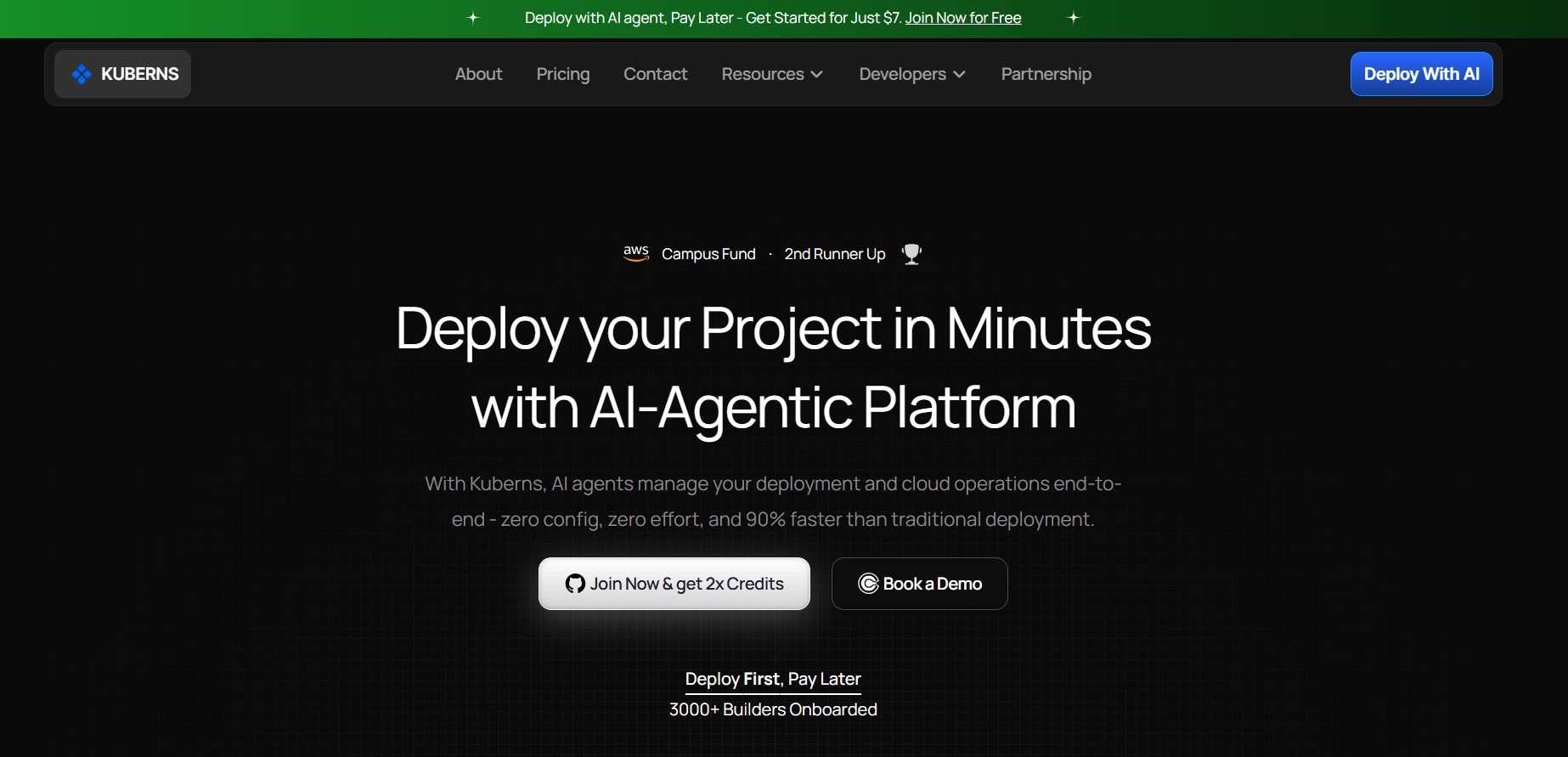
The add-on model works, but it creates friction at every layer.
You pick a database add-on separately from your app deployment. You get a separate bill for each add-on. The environment variable names differ between add-ons (`JAWSDB_URL` vs `CLEARDB_DATABASE_URL` vs `MONGODB_URI`), so swapping databases means code changes. When add-on providers change pricing or deprecate plans (as ClearDB and mLab both did), you migrate on their timeline, not yours.
[Kuberns](https://kuberns.com/) removes this entirely. When you connect your GitHub repo and click Deploy, Kuberns reads your stack automatically. If your app uses MySQL, PostgreSQL, or MongoDB, it provisions the right database alongside your deployment in a single workflow. No marketplace, no separate billing, no manual env var wiring.
**What Kuberns does differently:**
- Auto-detects your database type from your project dependencies
- Provisions database and app together in one deploy
- Injects connection credentials automatically as environment variables
- Scales your database with your app, no separate scaling steps
- Unified billing across app and database
- Free credits to deploy your first project with no credit card required
 ## Other Heroku Database Options: SQLite, MariaDB, MSSQL, DynamoDB
### SQLite
SQLite does not work on Heroku in production. Heroku uses an ephemeral filesystem that resets every time a dyno restarts or a new deploy runs. Any `.db` file written to disk is wiped. Your app will appear to work locally and then silently lose all data in production.
Use Heroku Postgres for a free PostgreSQL option, or JawsDB for MySQL projects.
> Not sure why Heroku wipes your files on every restart? This explains exactly how Heroku works under the hood: [What Is Heroku and How Does It Actually Work](https://kuberns.com/blogs/what-is-heroku/)
### MariaDB
JawsDB supports MariaDB natively through its MariaDB plan. Provisioning is the same process as MySQL but uses `JAWSDB_MARIA_URL` as the connection string variable. MariaDB is a drop-in replacement for MySQL, so most MySQL client libraries connect without code changes.
### MSSQL / SQL Server
There is no official Microsoft SQL Server add-on on Heroku. If your app requires MSSQL, you connect to an external SQL Server instance, such as Azure SQL Database, via a standard connection string stored as a Heroku config var.
```bash
heroku config:set DATABASE_URL="Server=your-server.database.windows.net;Database=yourdb;User Id=youruser;Password=yourpassword;"
```
### DynamoDB
DynamoDB is an AWS-native service. You connect to it from a Heroku app using the AWS SDK and environment variables for your credentials and region.
```bash
heroku config:set AWS_ACCESS_KEY_ID=your-key
heroku config:set AWS_SECRET_ACCESS_KEY=your-secret
heroku config:set AWS_REGION=ap-south-1
```
DynamoDB works from Heroku but adds latency if your Heroku app runs in a different region from your DynamoDB table.
### Quick Reference
| Database | Heroku Support | Recommended Approach |
|---|---|---|
| SQLite | Not supported | Use Heroku Postgres instead |
| MariaDB | Via JawsDB MariaDB plan | `heroku addons:create jawsdb` (MariaDB plan) |
| MSSQL | External only | Azure SQL + connection string config var |
| DynamoDB | External only | AWS SDK + `AWS_ACCESS_KEY_ID` config vars |
| NoSQL (general) | Redis native, MongoDB external | Atlas for MongoDB, Key-Value Store for Redis |
## Heroku vs Kuberns: Database Management Compared
| | Heroku | Kuberns |
|---|---|---|
| PostgreSQL | Native Heroku Postgres add-on | Auto-provisioned with deployment |
| MySQL | JawsDB, ClearDB, or Stackhero add-on | Auto-detected, provisioned with app |
| MongoDB | External Atlas setup (manual) | Auto-detected, provisioned with app |
| MariaDB | JawsDB MariaDB plan | Auto-detected |
| SQLite | Not supported | Persistent DB provisioned instead |
| Add-on billing | Separate per add-on | Unified with app |
| Env var setup | Manual per add-on | Injected automatically |
| DB and app in one deploy | No | Yes |
| Migrate when add-on deprecated | Your problem | Not applicable |
| AWS cost savings | None | Up to 40% |
The core difference is workflow. On Heroku you deploy your app, then provision a database, then wire the two together manually. On Kuberns the entire stack goes live together.
> Wondering what you are really paying for with Heroku hosting? This is the honest breakdown: [Heroku Hosting Explained: What It Is, How It Works and Alternatives](https://kuberns.com/blogs/heroku-hosting-explained/)
> Is your Heroku GitHub integration broken or slow? Here is why it keeps failing and what to use instead: [Heroku GitHub Integration: Why It Breaks and What to Do](https://kuberns.com/blogs/heroku-github-integration/)
## Conclusion
If you are already on Heroku and your app needs MySQL, JawsDB is the most reliable path in 2026. For MongoDB, MongoDB Atlas connected via `MONGODB_URI` is the only officially supported option since mLab was shut down. Skip SQLite entirely for any Heroku deployment.
If you are starting a new project or tired of managing database add-ons separately from your app, Kuberns removes that entire layer. Your database, your app, your SSL certificate, and your deployment pipeline all come up together in a single workflow.
[Start deploying for free on Kuberns](https://dashboard.kuberns.com/)
## Other Heroku Database Options: SQLite, MariaDB, MSSQL, DynamoDB
### SQLite
SQLite does not work on Heroku in production. Heroku uses an ephemeral filesystem that resets every time a dyno restarts or a new deploy runs. Any `.db` file written to disk is wiped. Your app will appear to work locally and then silently lose all data in production.
Use Heroku Postgres for a free PostgreSQL option, or JawsDB for MySQL projects.
> Not sure why Heroku wipes your files on every restart? This explains exactly how Heroku works under the hood: [What Is Heroku and How Does It Actually Work](https://kuberns.com/blogs/what-is-heroku/)
### MariaDB
JawsDB supports MariaDB natively through its MariaDB plan. Provisioning is the same process as MySQL but uses `JAWSDB_MARIA_URL` as the connection string variable. MariaDB is a drop-in replacement for MySQL, so most MySQL client libraries connect without code changes.
### MSSQL / SQL Server
There is no official Microsoft SQL Server add-on on Heroku. If your app requires MSSQL, you connect to an external SQL Server instance, such as Azure SQL Database, via a standard connection string stored as a Heroku config var.
```bash
heroku config:set DATABASE_URL="Server=your-server.database.windows.net;Database=yourdb;User Id=youruser;Password=yourpassword;"
```
### DynamoDB
DynamoDB is an AWS-native service. You connect to it from a Heroku app using the AWS SDK and environment variables for your credentials and region.
```bash
heroku config:set AWS_ACCESS_KEY_ID=your-key
heroku config:set AWS_SECRET_ACCESS_KEY=your-secret
heroku config:set AWS_REGION=ap-south-1
```
DynamoDB works from Heroku but adds latency if your Heroku app runs in a different region from your DynamoDB table.
### Quick Reference
| Database | Heroku Support | Recommended Approach |
|---|---|---|
| SQLite | Not supported | Use Heroku Postgres instead |
| MariaDB | Via JawsDB MariaDB plan | `heroku addons:create jawsdb` (MariaDB plan) |
| MSSQL | External only | Azure SQL + connection string config var |
| DynamoDB | External only | AWS SDK + `AWS_ACCESS_KEY_ID` config vars |
| NoSQL (general) | Redis native, MongoDB external | Atlas for MongoDB, Key-Value Store for Redis |
## Heroku vs Kuberns: Database Management Compared
| | Heroku | Kuberns |
|---|---|---|
| PostgreSQL | Native Heroku Postgres add-on | Auto-provisioned with deployment |
| MySQL | JawsDB, ClearDB, or Stackhero add-on | Auto-detected, provisioned with app |
| MongoDB | External Atlas setup (manual) | Auto-detected, provisioned with app |
| MariaDB | JawsDB MariaDB plan | Auto-detected |
| SQLite | Not supported | Persistent DB provisioned instead |
| Add-on billing | Separate per add-on | Unified with app |
| Env var setup | Manual per add-on | Injected automatically |
| DB and app in one deploy | No | Yes |
| Migrate when add-on deprecated | Your problem | Not applicable |
| AWS cost savings | None | Up to 40% |
The core difference is workflow. On Heroku you deploy your app, then provision a database, then wire the two together manually. On Kuberns the entire stack goes live together.
> Wondering what you are really paying for with Heroku hosting? This is the honest breakdown: [Heroku Hosting Explained: What It Is, How It Works and Alternatives](https://kuberns.com/blogs/heroku-hosting-explained/)
> Is your Heroku GitHub integration broken or slow? Here is why it keeps failing and what to use instead: [Heroku GitHub Integration: Why It Breaks and What to Do](https://kuberns.com/blogs/heroku-github-integration/)
## Conclusion
If you are already on Heroku and your app needs MySQL, JawsDB is the most reliable path in 2026. For MongoDB, MongoDB Atlas connected via `MONGODB_URI` is the only officially supported option since mLab was shut down. Skip SQLite entirely for any Heroku deployment.
If you are starting a new project or tired of managing database add-ons separately from your app, Kuberns removes that entire layer. Your database, your app, your SSL certificate, and your deployment pipeline all come up together in a single workflow.
[Start deploying for free on Kuberns](https://dashboard.kuberns.com/)
 ## FAQ
### Q: Does Heroku support MySQL natively?
No. Heroku only supports PostgreSQL natively through its own Heroku Postgres add-on. To use MySQL on Heroku you need a third-party add-on such as JawsDB MySQL or Stackhero for MySQL from the Heroku Elements Marketplace.
### Q: Is JawsDB free on Heroku?
JawsDB offers a free Kitefin Shared plan with a 5MB storage limit. A credit card is required to provision it even on the free plan. Paid plans start at around $10 per month for the Leopard Shared tier.
### Q: What happened to mLab on Heroku?
mLab was acquired by MongoDB and shut down in November 2020. All mLab users were migrated to MongoDB Atlas. If you find references to mLab in older Heroku tutorials, MongoDB Atlas is the current replacement.
### Q: Can I use SQLite on Heroku?
No, not in production. Heroku uses an ephemeral filesystem that resets on every dyno restart or deploy. Any SQLite database file written to disk will be wiped. Use Heroku Postgres or JawsDB instead.
### Q: Does Heroku support MongoDB natively?
No. Heroku removed its official MongoDB add-on after mLab was discontinued. The recommended approach is to use MongoDB Atlas as an external managed service and connect it to your Heroku app via the `MONGODB_URI` environment variable.
### Q: What is the best database add-on for Heroku?
For PostgreSQL, use Heroku Postgres (native). For MySQL, JawsDB is the most widely used add-on with plans from free to enterprise. For MongoDB, MongoDB Atlas connected externally is the standard path in 2026.
### Q: Can Kuberns replace Heroku for database-backed apps?
Yes. [Kuberns](https://kuberns.com/) detects your stack automatically and provisions the right database alongside your deployment in a single workflow. There are no separate add-ons to manage, no manual environment variable wiring, and no fragmented billing across multiple services.
---
- [More Deployment Guides articles](https://kuberns.com/blogs/category/deployment-guides/1/)
- [All articles](https://kuberns.com/blogs/)
## FAQ
### Q: Does Heroku support MySQL natively?
No. Heroku only supports PostgreSQL natively through its own Heroku Postgres add-on. To use MySQL on Heroku you need a third-party add-on such as JawsDB MySQL or Stackhero for MySQL from the Heroku Elements Marketplace.
### Q: Is JawsDB free on Heroku?
JawsDB offers a free Kitefin Shared plan with a 5MB storage limit. A credit card is required to provision it even on the free plan. Paid plans start at around $10 per month for the Leopard Shared tier.
### Q: What happened to mLab on Heroku?
mLab was acquired by MongoDB and shut down in November 2020. All mLab users were migrated to MongoDB Atlas. If you find references to mLab in older Heroku tutorials, MongoDB Atlas is the current replacement.
### Q: Can I use SQLite on Heroku?
No, not in production. Heroku uses an ephemeral filesystem that resets on every dyno restart or deploy. Any SQLite database file written to disk will be wiped. Use Heroku Postgres or JawsDB instead.
### Q: Does Heroku support MongoDB natively?
No. Heroku removed its official MongoDB add-on after mLab was discontinued. The recommended approach is to use MongoDB Atlas as an external managed service and connect it to your Heroku app via the `MONGODB_URI` environment variable.
### Q: What is the best database add-on for Heroku?
For PostgreSQL, use Heroku Postgres (native). For MySQL, JawsDB is the most widely used add-on with plans from free to enterprise. For MongoDB, MongoDB Atlas connected externally is the standard path in 2026.
### Q: Can Kuberns replace Heroku for database-backed apps?
Yes. [Kuberns](https://kuberns.com/) detects your stack automatically and provisions the right database alongside your deployment in a single workflow. There are no separate add-ons to manage, no manual environment variable wiring, and no fragmented billing across multiple services.
---
- [More Deployment Guides articles](https://kuberns.com/blogs/category/deployment-guides/1/)
- [All articles](https://kuberns.com/blogs/)