# Heroku Java Deploy in 2026: Is It Still Worth It?
> Deploy a Java app on Heroku in 2026 using Maven, Gradle, and Spring Boot. Covers CLI setup, Procfile, common errors, real costs, and a faster alternative.
- **Author**: harsh-kanani
- **Published**: 2026-05-14
- **Modified**: 2026-05-14
- **Category**: Deployment Guides
- **URL**: https://kuberns.com/blogs/heroku-java-deploy/
---
You built a Java app. It runs perfectly on your machine. Now you want it live on Heroku. The process works, but there are more moving parts than a Node or Python deployment: a `system.properties` file to set your Java version, a `Procfile` to define the start command, JVM flags to prevent memory crashes, and a dyno size that actually fits a JVM workload.
This guide covers the full process for deploying a Java app on Heroku in 2026, using the CLI with Maven, Gradle builds, and Spring Boot. It also covers the real cost of running Java on Heroku, the errors that hit Java developers hardest, and why those errors increasingly point Java teams toward a different platform entirely.
## What You Need Before Deploying Java on Heroku
Before running a single Heroku command, four things need to be in place in your project. Skip any of them and the deployment fails silently or crashes on startup.
**Heroku CLI and Git installed.** Heroku deploys through Git. Install the [Heroku CLI](https://devcenter.heroku.com/articles/heroku-cli) and confirm Git is available. Run `heroku --version` and `git --version` to verify both are on your PATH.
**A `system.properties` file at your project root.** Without this file, Heroku defaults to Java 8, regardless of what your `pom.xml` or `build.gradle` specifies. Create this file in your project root and set `java.runtime.version=21`. Heroku supports Java 11, 17, and 21 on the Cedar generation. Java 21 is the recommended choice for new deployments in 2026.
**A `Procfile` at your project root.** The Procfile tells Heroku how to start your application. It needs to bind to the `$PORT` environment variable that Heroku injects at runtime. Apps that hardcode a port number build successfully and crash immediately at launch because nothing is listening on the port Heroku expects.
**Your app packaged and ready.** Build your JAR locally before pushing to confirm the build is clean. Maven outputs to `target/`, Gradle outputs to `build/libs/`. The Procfile must point to the correct path.
*> Already evaluating your options? [See how Heroku alternatives compare for Java deployments](https://kuberns.com/blogs/heroku-alternatives/) before committing to a platform.*
## How to Deploy a Java App on Heroku Using the CLI (Maven)
The standard Heroku deployment flow has four stages: log in, create the app, push your code, and open the live URL.
### Step 1: Log In and Create the App
Open your terminal, log in to Heroku with your account credentials, then create a new app. Heroku registers it on your account and sets up a Git remote called `heroku` pointing to it. You can name the app or leave it blank and Heroku assigns a random name.
### Step 2: Set Your Environment Variables
Before deploying, add the environment variables your app needs to run: database connection strings, API keys, and profile settings. These are set through the Heroku dashboard under your app settings, or via the CLI. They are injected at runtime and never stored in your codebase.
### Step 3: Push Your Code
Commit your latest changes and push to the Heroku remote. Heroku detects `pom.xml`, installs the Java buildpack, runs `mvn clean install`, and starts the app using your `Procfile`. The build log streams in your terminal and ends with a live URL when successful.
### Step 4: Open and Verify
Once the build finishes, open the live URL. If the app does not load, check the runtime logs from the Heroku dashboard or CLI. The most common culprit for Java apps is a memory crash on startup before the first request is served.
### Option: Deploy Using the Heroku Maven Plugin
Instead of the Git push flow, the Heroku Maven Plugin lets you build and deploy in a single step directly from your Maven project. Add the plugin to your `pom.xml` with your app name configured, then run one Maven command to trigger the full build and release. This approach suits CI pipelines where managing a separate Git remote adds unnecessary overhead.
## How to Deploy a Java App on Heroku Using Gradle
Gradle deployments on Heroku require one extra step compared to Maven: the Procfile must point to the exact output JAR path that Gradle produces, and Heroku needs to know which Gradle task to run.
### Step 1: Build a Fat JAR
Gradle does not produce a single deployable JAR by default. Add the Shadow plugin to your `build.gradle` to create a fat JAR that bundles all dependencies. Configure it with your main class and run `./gradlew shadowJar`. The output lands in `build/libs/`.
### Step 2: Update Your Procfile
Point the Procfile to the exact path and filename of the Gradle output JAR. Include the `$PORT` binding and `$JAVA_OPTS`. The filename must match exactly what Gradle outputs, including the version number if present. A mismatch here is the most common reason Gradle-based Java apps fail to start on Heroku.
### Step 3: Set the Gradle Task if Needed
If Heroku does not automatically detect the correct build task, set it explicitly in your app's environment variables through the Heroku dashboard. Point it to `shadowJar` or whichever task produces your deployable JAR. Then push your code as normal and watch the build logs.
*> Considering other platforms before committing? [Here is how Heroku vs Railway vs Kuberns compare for Java teams.](https://kuberns.com/blogs/heroku-vs-railway-vs-kuberns/)*
## Heroku Java Pricing in 2026: What It Actually Costs
Heroku pricing looks straightforward until you factor in the JVM. Java applications consume significantly more memory than equivalent Node.js or Python apps at startup. A standard Spring Boot application with a handful of dependencies typically uses 300 to 500MB of RAM before it handles a single request. That number matters because Heroku bills by dyno size, and dyno sizes are defined by RAM.
**The JVM tax in practice:**
| App type | Minimum viable dyno | Dyno cost | Addons | Total per month |
|---|---|---|---|---|
| Hello World Spring Boot | Basic (512MB) | $7 | None | $7+ |
| Spring Boot + Postgres | Standard-1X (512MB) | $25 | Postgres Mini ($9) | $34+ |
| Spring Boot + Redis + background worker | Standard-2X (1GB) x2 | $100 | Redis + Postgres | $150-200+ |
| Production app with real traffic | Performance-M (2.5GB) | $250 | Full addon stack | $350+ |
The Basic dyno at $7 per month has 512MB of RAM. A Spring Boot app with Spring Security, JPA, and a database connection pool comfortably exceeds that at startup. The result is an R14 memory error and a crashed dyno before your first user arrives.
Most Java teams end up on Standard-1X ($25/month per dyno) at minimum. Add a managed Postgres database, any background job worker, and a Redis instance, and a single-service Spring Boot app costs $80 to $150 per month before you have significant traffic.
For comparison, the same Spring Boot app on [Kuberns](https://kuberns.com) starts on free credits and scales on actual compute usage with JVM memory sized automatically per instance.
*> Read the full cost breakdown: [Heroku pricing in 2026 explained](https://kuberns.com/blogs/heroku-pricing-explained/).*
## The Faster Alternative: Deploy Your Java App on Kuberns
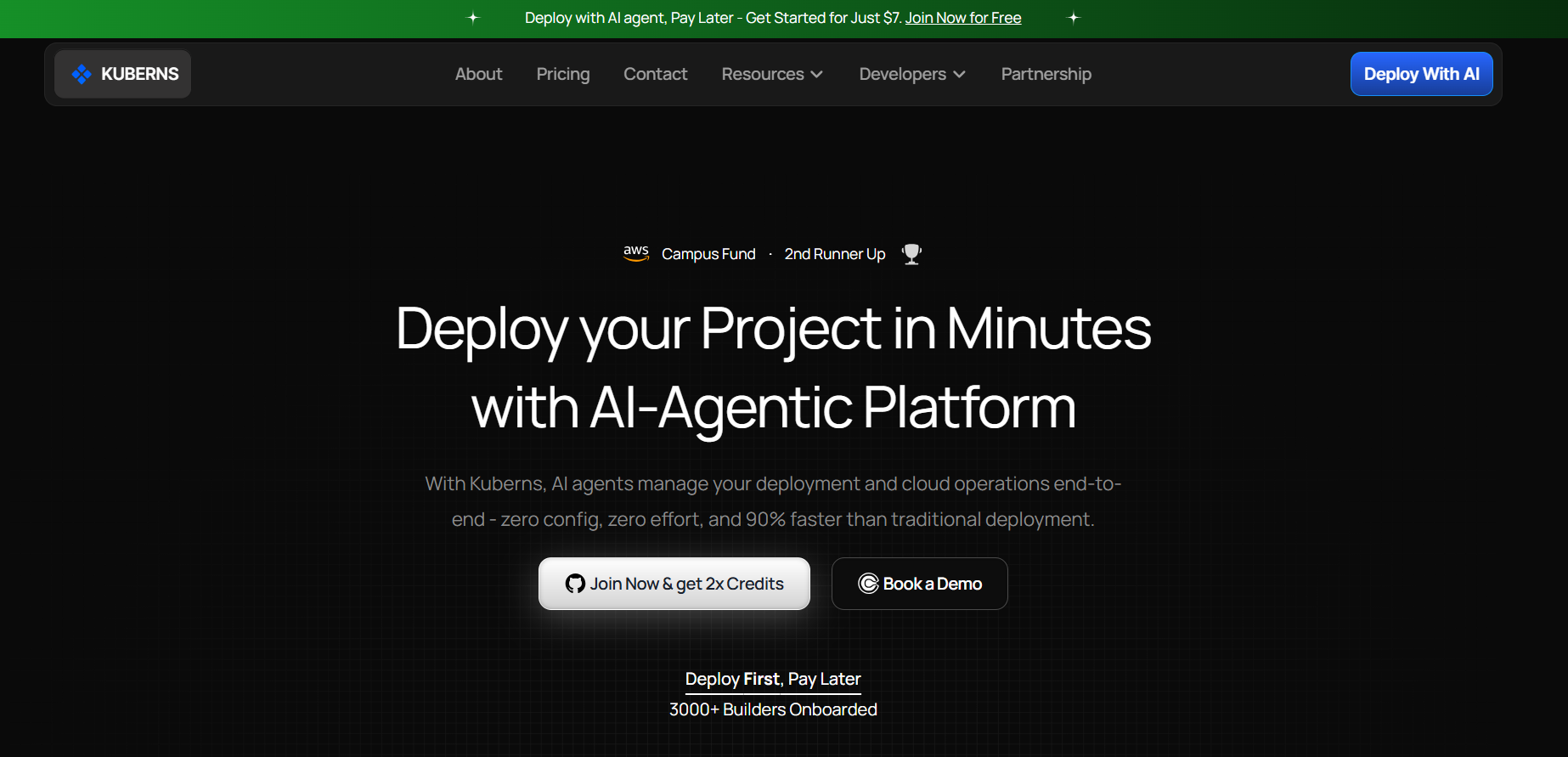
Before spending time configuring dynos and Procfiles, here is a platform that removes all of it.
[Kuberns](https://kuberns.com) is an Agentic AI cloud deployment platform built on AWS. It reads your Java project, detects `pom.xml` or `build.gradle` automatically, runs the correct Maven or Gradle build command, sizes the JVM heap for the instance, and deploys your app with HTTPS and CI/CD enabled. No Procfile. No `system.properties`. No Dockerfile. No dyno type to choose.
**Step 1: Connect your GitHub repo to Kuberns.**
Go to [kuberns.com](https://kuberns.com), sign up with GitHub or Google, and connect your Java repository. The Agentic AI immediately scans your project. It detects whether you are using Maven or Gradle, reads your build configuration, identifies your Java version from `pom.xml` or `build.gradle`, and selects the correct build command automatically. You do not configure anything.
**Step 2: Add your environment variables.**
Paste in your database URL, API keys, and any secrets your app needs at runtime. Kuberns encrypts them and injects them at both build time and runtime. No `heroku config:set` commands. No manually exporting variables. The AI ensures your app has everything it needs before the first deploy fires.
**Step 3: Click Deploy.**
The Agentic AI takes over completely. It runs your Maven or Gradle build, packages the JAR, sizes the JVM heap based on your instance tier, starts your app with production-ready settings, provisions an HTTPS certificate, maps your domain, and enables CI/CD so every future push to your connected branch triggers an automatic zero-downtime redeploy. Your app is live in under 5 minutes.
From that point on, you push code. Kuberns ships it. JVM memory, scaling, SSL renewal, and deployment orchestration are all managed by the AI agent with no manual steps required.
 *> See what makes the platform different: [what Kuberns is and how it works.](https://kuberns.com/blogs/what-is-kuberns-the-simplest-way-to-build-deploy-and-scale-full-stack-apps/)*
## Common Java Deployment Problems on Heroku (And Why They Point to a Better Platform)
Every error below has a config-level workaround on Heroku. But the pattern is consistent: each one is a symptom of a platform that was not built with JVM workloads in mind. The real fix is not a flag or a file. It is a platform that handles these concerns by default.
### R14: Memory Quota Exceeded
This is the most common Java error on Heroku. The dyno runs out of RAM, starts swapping to disk, slows to a crawl, and eventually crashes. Root cause: Spring Boot applications routinely use 300 to 500MB at startup. Basic and Eco dynos have 512MB total. There is no headroom.
The Heroku workaround is upgrading to a Standard-1X or Standard-2X dyno and adding `-Xmx` flags to cap the heap. The actual fix is a platform that reads your app, measures its memory profile, and sizes the instance correctly from the start. Kuberns does this automatically.
### H10: App Crashed
The app process exited immediately after starting. In Java deployments, this almost always means the app is not binding to `$PORT`. Spring Boot defaults to port 8080. Heroku injects a different port at runtime via the `PORT` environment variable. If the Procfile does not include `-Dserver.port=$PORT`, the app starts on 8080, Heroku sees nothing listening on the assigned port, and kills the dyno.
The Heroku workaround is adding `$PORT` to the Procfile manually and remembering it on every new project. On Kuberns, port binding is handled automatically. You do not write a Procfile.
### Error: Could Not Find or Load Main Class
The Procfile points to a JAR path that does not exist or has the wrong filename. This happens when the Maven build outputs a versioned JAR (`my-app-1.0.0.jar`) but the Procfile uses a wildcard (`target/*.jar`) that matches multiple files, or when the Gradle shadow JAR lands in a different directory than expected.
The Heroku workaround is hardcoding the exact filename in the Procfile and updating it every time the version number changes. Kuberns reads `pom.xml` or `build.gradle` directly and locates the output JAR automatically.
### Detected Java 8 but Expected 17 or 21
Heroku defaults to Java 8 unless `system.properties` is present in the repo root. Developers coming from other platforms or following tutorials that predate the `system.properties` requirement hit this immediately. The fix on Heroku is adding the file. The problem is remembering it exists and that it is separate from anything in your build file.
On Kuberns, the AI reads your `pom.xml` or `build.gradle`, detects the Java version from the source configuration, and uses it. No extra files needed.
### Slow Cold Starts
Heroku Basic and Eco dynos sleep after 30 minutes of inactivity. When a request arrives, the dyno wakes from sleep, starts the JVM, initialises the Spring context, runs connection pool setup, and then serves the request. For a typical Spring Boot app, this takes 5 to 20 seconds. Users experience a timeout or a white screen.
The Heroku workaround is upgrading to a Standard dyno (no sleep) at $25 per month minimum. On Kuberns, apps run on AWS infrastructure with zero cold starts across all tiers.
### Build Timeouts on Large JARs
Heroku has a 15-minute build timeout and a 500MB slug size limit. Spring Boot apps with many dependencies produce large JARs. Add assets, multiple modules, or a fat JAR with bundled frontend resources and you approach these limits. When the slug exceeds 500MB, Heroku refuses to deploy.
Kuberns has no slug size restriction and no arbitrary build timeout. Builds run until they complete.
*> See how the platforms stack up in detail: [Heroku vs AWS for Java teams.](https://kuberns.com/blogs/heroku-vs-aws-which-platform-is-best-for-developers/)*
## Conclusion
Deploying a Java app on Heroku in 2026 works. The CLI path is straightforward, Maven integration is mature, and Gradle deploys are manageable once the JAR path is correct. But the platform was not designed for JVM workloads. The memory requirements of Spring Boot push you into expensive dynos from the first real deployment, cold starts remain a problem on lower tiers, and every Java-specific error has a workaround that adds another config file to maintain.
If you are deploying Java for the first time or evaluating whether Heroku is the right long-term home for your app, the answer in 2026 is increasingly no. The JVM tax compounds as your app grows, and the operational overhead compounds with it.
Kuberns removes all of it. Connect your GitHub repo, add your environment variables, and click Deploy. The Agentic AI detects your Maven or Gradle project, runs the build, sizes the JVM correctly, and keeps your app running as traffic grows. No Procfile. No `system.properties`. No dyno upgrades. No cold starts.
[Deploy Your Java App With AI Agent](https://dashboard.kuberns.com/login)
*> See what makes the platform different: [what Kuberns is and how it works.](https://kuberns.com/blogs/what-is-kuberns-the-simplest-way-to-build-deploy-and-scale-full-stack-apps/)*
## Common Java Deployment Problems on Heroku (And Why They Point to a Better Platform)
Every error below has a config-level workaround on Heroku. But the pattern is consistent: each one is a symptom of a platform that was not built with JVM workloads in mind. The real fix is not a flag or a file. It is a platform that handles these concerns by default.
### R14: Memory Quota Exceeded
This is the most common Java error on Heroku. The dyno runs out of RAM, starts swapping to disk, slows to a crawl, and eventually crashes. Root cause: Spring Boot applications routinely use 300 to 500MB at startup. Basic and Eco dynos have 512MB total. There is no headroom.
The Heroku workaround is upgrading to a Standard-1X or Standard-2X dyno and adding `-Xmx` flags to cap the heap. The actual fix is a platform that reads your app, measures its memory profile, and sizes the instance correctly from the start. Kuberns does this automatically.
### H10: App Crashed
The app process exited immediately after starting. In Java deployments, this almost always means the app is not binding to `$PORT`. Spring Boot defaults to port 8080. Heroku injects a different port at runtime via the `PORT` environment variable. If the Procfile does not include `-Dserver.port=$PORT`, the app starts on 8080, Heroku sees nothing listening on the assigned port, and kills the dyno.
The Heroku workaround is adding `$PORT` to the Procfile manually and remembering it on every new project. On Kuberns, port binding is handled automatically. You do not write a Procfile.
### Error: Could Not Find or Load Main Class
The Procfile points to a JAR path that does not exist or has the wrong filename. This happens when the Maven build outputs a versioned JAR (`my-app-1.0.0.jar`) but the Procfile uses a wildcard (`target/*.jar`) that matches multiple files, or when the Gradle shadow JAR lands in a different directory than expected.
The Heroku workaround is hardcoding the exact filename in the Procfile and updating it every time the version number changes. Kuberns reads `pom.xml` or `build.gradle` directly and locates the output JAR automatically.
### Detected Java 8 but Expected 17 or 21
Heroku defaults to Java 8 unless `system.properties` is present in the repo root. Developers coming from other platforms or following tutorials that predate the `system.properties` requirement hit this immediately. The fix on Heroku is adding the file. The problem is remembering it exists and that it is separate from anything in your build file.
On Kuberns, the AI reads your `pom.xml` or `build.gradle`, detects the Java version from the source configuration, and uses it. No extra files needed.
### Slow Cold Starts
Heroku Basic and Eco dynos sleep after 30 minutes of inactivity. When a request arrives, the dyno wakes from sleep, starts the JVM, initialises the Spring context, runs connection pool setup, and then serves the request. For a typical Spring Boot app, this takes 5 to 20 seconds. Users experience a timeout or a white screen.
The Heroku workaround is upgrading to a Standard dyno (no sleep) at $25 per month minimum. On Kuberns, apps run on AWS infrastructure with zero cold starts across all tiers.
### Build Timeouts on Large JARs
Heroku has a 15-minute build timeout and a 500MB slug size limit. Spring Boot apps with many dependencies produce large JARs. Add assets, multiple modules, or a fat JAR with bundled frontend resources and you approach these limits. When the slug exceeds 500MB, Heroku refuses to deploy.
Kuberns has no slug size restriction and no arbitrary build timeout. Builds run until they complete.
*> See how the platforms stack up in detail: [Heroku vs AWS for Java teams.](https://kuberns.com/blogs/heroku-vs-aws-which-platform-is-best-for-developers/)*
## Conclusion
Deploying a Java app on Heroku in 2026 works. The CLI path is straightforward, Maven integration is mature, and Gradle deploys are manageable once the JAR path is correct. But the platform was not designed for JVM workloads. The memory requirements of Spring Boot push you into expensive dynos from the first real deployment, cold starts remain a problem on lower tiers, and every Java-specific error has a workaround that adds another config file to maintain.
If you are deploying Java for the first time or evaluating whether Heroku is the right long-term home for your app, the answer in 2026 is increasingly no. The JVM tax compounds as your app grows, and the operational overhead compounds with it.
Kuberns removes all of it. Connect your GitHub repo, add your environment variables, and click Deploy. The Agentic AI detects your Maven or Gradle project, runs the build, sizes the JVM correctly, and keeps your app running as traffic grows. No Procfile. No `system.properties`. No dyno upgrades. No cold starts.
[Deploy Your Java App With AI Agent](https://dashboard.kuberns.com/login)
 ## Frequently Asked Questions
### Can you deploy a Java app on Heroku for free in 2026?
No. Heroku removed its free tier in November 2022. The cheapest option is the Basic dyno at $7 per month, but most Spring Boot applications exceed the 512MB RAM limit on Basic dynos and require a Standard-1X dyno at $25 per month or higher. For a zero-cost start, Kuberns offers free credits worth approximately $14 on signup.
### Does Heroku support Java 17 and Java 21?
Yes. Heroku supports Java 17 and Java 21 on the Cedar generation. Specify the version by adding a `system.properties` file to your project root containing `java.runtime.version=21`. Without this file, Heroku defaults to Java 8 regardless of what your build file specifies.
### Why does my Java app crash on Heroku with R14?
R14 means your dyno exceeded its memory quota. Spring Boot applications typically consume 300 to 500MB at startup alone, which pushes Basic and Eco dynos past their 512MB limit immediately. The workaround on Heroku is upgrading to a more expensive dyno tier. On Kuberns, JVM memory is sized automatically per instance with no manual configuration.
### What is the difference between deploying with Maven vs Gradle on Heroku?
Maven deployment on Heroku is more straightforward. Heroku detects `pom.xml` automatically, runs `mvn clean install`, and the Heroku Maven Plugin adds a direct `mvn clean heroku:deploy` option. Gradle deployment requires a Procfile pointing to the shadow JAR path and may need `heroku config:set GRADLE_TASK=shadowJar` if Heroku does not detect the correct build task automatically.
### What is the best Heroku alternative for Java and Spring Boot apps?
Kuberns is the best alternative for Java and Spring Boot apps in 2026. It auto-detects `pom.xml` or `build.gradle`, runs the Maven or Gradle build automatically, sizes the JVM heap for the instance, and deploys with HTTPS and CI/CD enabled. No Procfile, no `system.properties`, no Dockerfile. New accounts start with free credits.
### How do I deploy a Spring Boot app without a Procfile?
On Heroku, a Procfile is required to tell the platform how to start your JAR. Without it, the deployment fails. On Kuberns, no Procfile is needed. The Agentic AI reads your `pom.xml` or `build.gradle`, locates the Spring Boot JAR, and starts the app with production JVM settings automatically.
---
- [More Deployment Guides articles](https://kuberns.com/blogs/category/deployment-guides/1/)
- [All articles](https://kuberns.com/blogs/)
## Frequently Asked Questions
### Can you deploy a Java app on Heroku for free in 2026?
No. Heroku removed its free tier in November 2022. The cheapest option is the Basic dyno at $7 per month, but most Spring Boot applications exceed the 512MB RAM limit on Basic dynos and require a Standard-1X dyno at $25 per month or higher. For a zero-cost start, Kuberns offers free credits worth approximately $14 on signup.
### Does Heroku support Java 17 and Java 21?
Yes. Heroku supports Java 17 and Java 21 on the Cedar generation. Specify the version by adding a `system.properties` file to your project root containing `java.runtime.version=21`. Without this file, Heroku defaults to Java 8 regardless of what your build file specifies.
### Why does my Java app crash on Heroku with R14?
R14 means your dyno exceeded its memory quota. Spring Boot applications typically consume 300 to 500MB at startup alone, which pushes Basic and Eco dynos past their 512MB limit immediately. The workaround on Heroku is upgrading to a more expensive dyno tier. On Kuberns, JVM memory is sized automatically per instance with no manual configuration.
### What is the difference between deploying with Maven vs Gradle on Heroku?
Maven deployment on Heroku is more straightforward. Heroku detects `pom.xml` automatically, runs `mvn clean install`, and the Heroku Maven Plugin adds a direct `mvn clean heroku:deploy` option. Gradle deployment requires a Procfile pointing to the shadow JAR path and may need `heroku config:set GRADLE_TASK=shadowJar` if Heroku does not detect the correct build task automatically.
### What is the best Heroku alternative for Java and Spring Boot apps?
Kuberns is the best alternative for Java and Spring Boot apps in 2026. It auto-detects `pom.xml` or `build.gradle`, runs the Maven or Gradle build automatically, sizes the JVM heap for the instance, and deploys with HTTPS and CI/CD enabled. No Procfile, no `system.properties`, no Dockerfile. New accounts start with free credits.
### How do I deploy a Spring Boot app without a Procfile?
On Heroku, a Procfile is required to tell the platform how to start your JAR. Without it, the deployment fails. On Kuberns, no Procfile is needed. The Agentic AI reads your `pom.xml` or `build.gradle`, locates the Spring Boot JAR, and starts the app with production JVM settings automatically.
---
- [More Deployment Guides articles](https://kuberns.com/blogs/category/deployment-guides/1/)
- [All articles](https://kuberns.com/blogs/)