# How to Deploy Laravel on Heroku (2026 Guide)
> Deploy Laravel on Heroku in 2026. Covers Procfile, env vars, database config, and why teams switch to Kuberns for one-click zero-config deployment.
- **Author**: charan-achari
- **Published**: 2026-05-07
- **Modified**: 2026-05-07
- **Category**: Deployment Guides
- **URL**: https://kuberns.com/blogs/how-to-deploy-laravel-on-heroku/
---
Deploying a Laravel app on Heroku takes about 15 to 20 minutes if you follow the right steps. The short version: create a Procfile pointing Apache to your `public/` directory, push via Git, set your environment variables as Heroku Config Vars, add a database addon, and run migrations via a one-off dyno. Your app is live.
But that is only half the story. Most Laravel deployment guides stop at "it works on localhost" and skip the parts that actually matter in production: queue workers that need their own dyno, a filesystem that wipes itself on every deploy, a scheduler that cannot run every minute, and a MySQL workaround that involves a third-party addon with a 5MB free tier.
This guide covers all eight steps to get Laravel running on Heroku with Laravel 11 and 12, including the configuration most tutorials skip. It also covers what breaks in production, what it costs when you add it all up, and why a growing number of Laravel developers are moving to platforms that handle this setup automatically. By the end you will know exactly what Heroku requires for a real production Laravel app, and whether it is the right call for your project.
## Prerequisites
Before you start, make sure you have the following in place:
- **PHP 8.2 or higher** and **Composer** installed on your local machine
- **Laravel 11 or 12** project set up and running locally
- A **Heroku account** (sign up at heroku.com if you do not have one)
- **Heroku CLI** installed. Run `heroku --version` to confirm
- **Git** initialized inside your Laravel project root
## Here Is the Step-by-Step Guide to Deploy Laravel on Heroku

### Step 1: Create a Procfile
By default, Heroku serves files from the root directory of your project. Laravel's entry point is the `public/` subdirectory, not the root. Without a Procfile, Heroku will try to serve the wrong directory and your app will not load.
Create a file named `Procfile` (no extension) in your Laravel project root:
```
web: vendor/bin/heroku-php-apache2 public/
```
If you prefer Nginx over Apache:
```
web: vendor/bin/heroku-php-nginx public/
```
Both work. Apache is the safer default since it is what Heroku's PHP buildpack uses out of the box. Add the Procfile to Git before you deploy:
```bash
git add Procfile
git commit -m "add Procfile for Heroku"
```
### Step 2: Create the Heroku App and Set Environment Variables
Create your Heroku app from the CLI:
```bash
heroku create your-app-name
```
Heroku will generate a URL like `https://your-app-name.herokuapp.com` and add a Git remote named `heroku` to your project automatically.
Next, generate your Laravel APP_KEY locally and set it as a Config Var on Heroku:
```bash
php artisan key:generate --show
heroku config:set APP_KEY=base64:your-generated-key-here
```
Set the other required environment variables:
```bash
heroku config:set APP_ENV=production
heroku config:set APP_DEBUG=false
heroku config:set APP_URL=https://your-app-name.herokuapp.com
```
Your `.env` file is gitignored and never pushed to Heroku. Config Vars are the Heroku equivalent. They inject into the environment at runtime just like `.env` does locally. Any variable your Laravel app reads from `.env` in production needs to be set as a Config Var.
### Step 3: Set Up Your Database
Heroku does not include a database by default. You need to add one as an addon.
> Still manually wiring up databases, config vars, and buildpacks? There is a faster way. [Deploy your Laravel app with an AI agent on Kuberns](https://kuberns.com/blogs/how-to-deploy-a-website/) and skip the setup entirely.
**PostgreSQL (recommended)**
Heroku Postgres is the native option and the most reliable. Add the Mini plan:
```bash
heroku addons:create heroku-postgresql:essential-0
```
This sets a `DATABASE_URL` Config Var automatically. Update your `config/database.php` to parse it:
```php
'pgsql' => [
'driver' => 'pgsql',
'url' => env('DATABASE_URL'),
'host' => env('DB_HOST', '127.0.0.1'),
'port' => env('DB_PORT', '5432'),
'database' => env('DB_DATABASE', 'forge'),
'username' => env('DB_USERNAME', 'forge'),
'password' => env('DB_PASSWORD', ''),
'sslmode' => 'require',
],
```
Set `DB_CONNECTION=pgsql` as a Config Var:
```bash
heroku config:set DB_CONNECTION=pgsql
```
**MySQL (via ClearDB)**
If your app is built on MySQL:
```bash
heroku addons:create cleardb:ignite
```
Heroku sets a `CLEARDB_DATABASE_URL` Config Var. Parse it manually and set individual DB vars:
```bash
heroku config:set DB_CONNECTION=mysql
heroku config:set DB_HOST=your-cleardb-host
heroku config:set DB_DATABASE=your-cleardb-db
heroku config:set DB_USERNAME=your-cleardb-user
heroku config:set DB_PASSWORD=your-cleardb-password
```
**Which to choose:** Postgres is native to Heroku and has proper plan tiers with reliable connection pooling. ClearDB's free Ignite plan caps at 5MB, which is enough for a demo but not a real app. The paid ClearDB plans are also more expensive than equivalent Heroku Postgres plans for the same storage.
### Step 4: Deploy via Git
Push your code to Heroku:
```bash
git add .
git commit -m "heroku deployment config"
git push heroku main
```
During the build you will see Heroku detect the PHP buildpack, run `composer install`, parse your Procfile, and start the dyno. The output ends with a URL when successful.
Open the app:
```bash
heroku open
```
If you see a Laravel welcome screen or your app's homepage, the deployment worked.
### Step 5: Run Migrations
Your database exists but has no tables yet. Run migrations via a one-off dyno:
```bash
heroku run php artisan migrate --force
```
The `--force` flag is required. Heroku sets `APP_ENV=production` and Laravel's Artisan will refuse to run migrations in production without explicit confirmation. The `--force` flag provides that confirmation non-interactively.
Run seeders if your app needs them:
```bash
heroku run php artisan db:seed --force
```
 ### Step 6: Handle Queue Workers (Most Tutorials Skip This)
> If this is starting to feel like a lot of manual work just to get a Laravel app running properly, that is because it is. [See how Kuberns automates Laravel deployment on AWS](https://kuberns.com/blogs/how-to-deploy-a-website/) so queues, storage, and cron just work out of the box.
If your Laravel app uses queues (`Mail::queue`, `dispatch()`, jobs, notifications), they will not process on Heroku without a dedicated worker process. The web dyno handles HTTP requests only. It does not run `queue:work` in the background.
Add a worker process type to your Procfile:
```
web: vendor/bin/heroku-php-apache2 public/
worker: php artisan queue:work --sleep=3 --tries=3 --timeout=90
```
Scale the worker dyno:
```bash
heroku ps:scale worker=1
```
Every dyno is billed separately. Adding a worker dyno at the Basic level adds $7/month on top of your web dyno. Standard dynos cost more. If you are running both a web and a worker dyno, factor that into your cost planning from the start.
### Step 7: Handle File Storage (The Ephemeral Filesystem Problem)
This is the most common production issue with Laravel on Heroku and most tutorials do not cover it.
Heroku dynos use an ephemeral filesystem. Every time your dyno restarts (which happens on every deploy, every restart, and roughly once a day during routine cycling), the local filesystem is wiped back to the state of your last Git push. Any files written to `storage/app/` after deploy are gone.
This affects:
- User-uploaded files
- Generated PDFs or exports
- Cached responses written to disk
- The `storage:link` symlink (recreated, but any files it pointed to are gone)
The fix is to move file storage off the dyno entirely. Configure Laravel to use S3 or Cloudflare R2:
```bash
heroku config:set FILESYSTEM_DISK=s3
heroku config:set AWS_ACCESS_KEY_ID=your-key
heroku config:set AWS_SECRET_ACCESS_KEY=your-secret
heroku config:set AWS_DEFAULT_REGION=ap-south-1
heroku config:set AWS_BUCKET=your-bucket-name
```
Install the AWS SDK:
```bash
composer require league/flysystem-aws-s3-v3
```
Now `Storage::put()` and file uploads write to S3 instead of the local disk.
### Step 8: Set Up Laravel Scheduler
Laravel's task scheduler expects to run `php artisan schedule:run` every minute via a system cron. Heroku does not give you a cron daemon. The workaround is the Heroku Scheduler addon.
Add it from the dashboard or CLI:
```bash
heroku addons:create scheduler:standard
heroku addons:open scheduler
```
In the Scheduler dashboard, create a job:
- **Command:** `php artisan schedule:run`
- **Frequency:** Every 10 minutes (the minimum Heroku supports)
The limitation here is real: Laravel's scheduler is designed for minute-level precision. On Heroku you get 10-minute polling at best. Any scheduled job that needs to fire every minute will not work correctly.
If your app depends on precise scheduling, the alternative is to run `php artisan schedule:work` as a third Procfile process type. It is a persistent process that checks the schedule every minute. This costs another dyno.
> Already running Laravel in production and tired of managing dynos, addons, and S3 workarounds? See how developers are [deploying Laravel apps with an AI agent](https://kuberns.com/blogs/how-to-deploy-a-website/) and going live on AWS without the manual config.
## Why Heroku Is Not Ideal for Laravel in Production

The steps above will get a Laravel app live on Heroku. The problem is not getting it live. The real issue is what happens when you try to run it properly in production.
**Ephemeral filesystem forces extra infrastructure**
Every file your app writes to disk is gone on the next deploy or dyno restart. File uploads, generated exports, cached views, storage symlinks. All of it disappears. You have to route everything through S3 or an equivalent, which means additional AWS setup, additional credentials to manage, and additional monthly cost before your app does anything meaningful.
**Queue workers cost extra by design**
A Laravel background worker is a persistent process. On Heroku, every persistent process needs its own dyno. That is a separate billing line every month just to run `queue:work`. Most Laravel apps beyond a basic CRUD need queues: emails, notifications, imports, anything async. On Heroku, that feature costs extra by default.
**The scheduler is approximate, not exact**
Laravel's task scheduler is built on the assumption that `schedule:run` fires every minute. Heroku Scheduler's minimum interval is 10 minutes. Any job that needs minute-level precision will not work. The workaround (a `schedule:work` process dyno) is another paid dyno.
**MySQL requires a third-party addon with a useless free tier**
Heroku's native database is PostgreSQL. If your existing Laravel app runs on MySQL, you need ClearDB or JawsDB, both third-party addons. ClearDB's free plan gives you 5MB of storage. That fills up the moment you have real data. The first paid tier starts at $9.99/month for something still limited.
**No zero-downtime deploys on entry-level dynos**
A standard `git push heroku main` takes the web dyno offline briefly during the build and release phase. Zero-downtime rolling deploys require the Preboot feature, which is only available on Standard dynos, which are a more expensive tier than Basic.
**Cost compounds faster than you expect**
Start at $12/month (Basic web dyno + Postgres Mini). Add a queue worker dyno: $19. Add Heroku Scheduler for precise cron (process dyno): $26. Add Redis for queue backend: $29. Add S3 costs for file storage. Add a paid ClearDB plan if you need MySQL. You reach $60-80/month for a Laravel app that has not had a single user yet, and none of that includes monitoring, CDN, or SSL management beyond the basics.
> These are not edge cases. They are the standard requirements for any Laravel app that handles real users. Here is a full breakdown of [why developers are switching away from Heroku](https://kuberns.com/blogs/heroku-alternatives/) and what platforms they are using instead.
## Deploy Your Laravel App in One Click with Kuberns
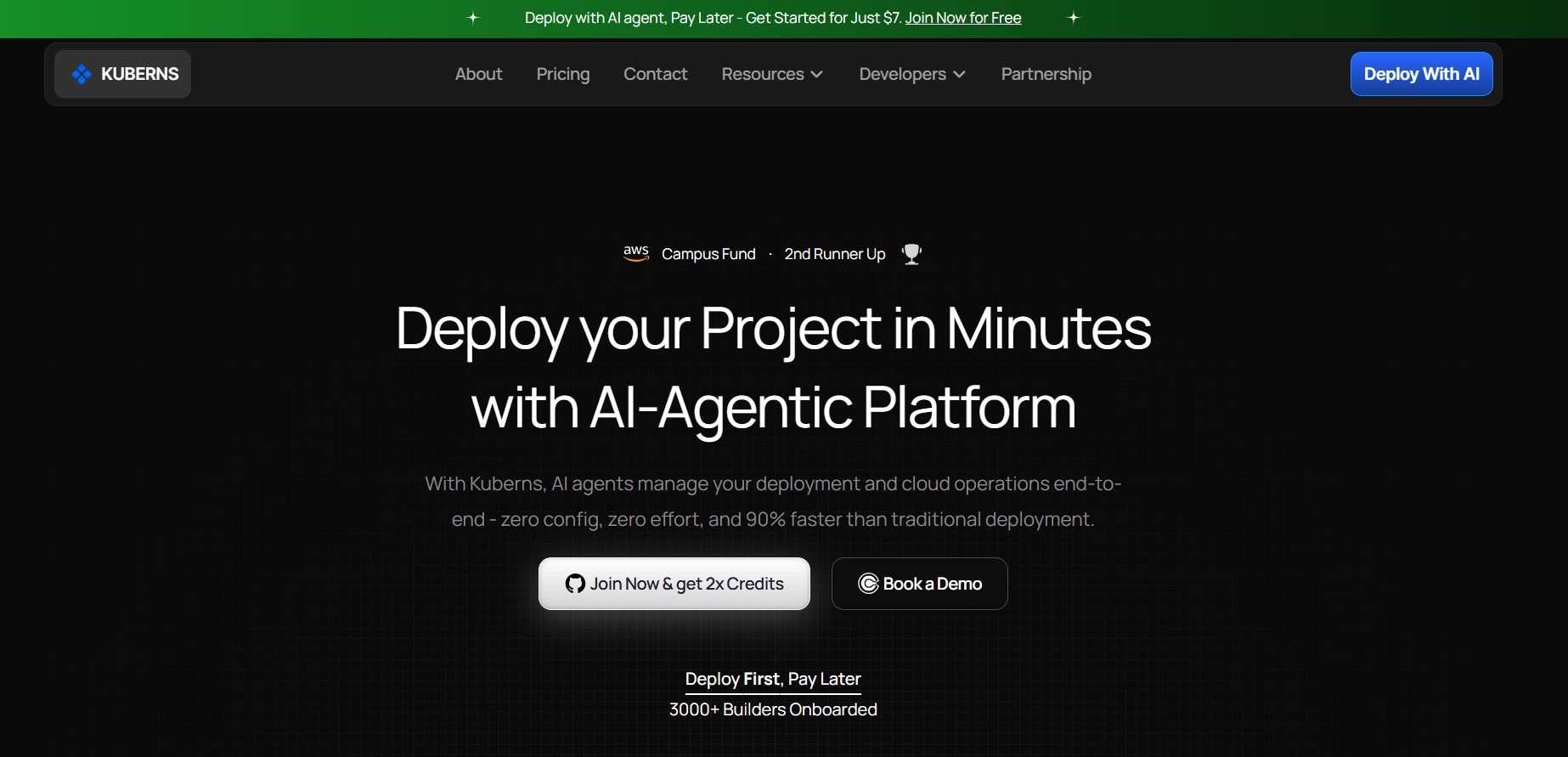
[Kuberns](https://kuberns.com/) is an agentic AI cloud platform that deploys and manages Laravel apps on AWS infrastructure. It handles everything Heroku makes you configure manually.
Here is what the process looks like:
**Connect your GitHub repo.** Kuberns detects your Laravel app automatically. No Procfile. No buildpack selection. No dyno type to choose.
**The AI agent handles provisioning.** It sets up the server, PHP runtime, web server config, environment variables, and database on AWS in the background. You do not touch infrastructure.
**Persistent storage is built in.** Files your app writes to storage are preserved across deploys. No S3 setup required unless you specifically want cloud object storage.
**Queue workers run automatically.** Kuberns detects that your app uses queues and provisions the worker process as part of deployment. No separate billing line. No Procfile entry to remember.
**True cron scheduling.** Laravel Scheduler runs every minute as it is designed to. Not the approximate 10-minute polling Heroku offers.
**Zero-downtime deploys by default.** Every push to your GitHub repo triggers a rolling deploy. Your app stays live during the update.
**Up to 40% lower cost than raw AWS** because Kuberns optimizes resource allocation automatically. You get AWS-grade infrastructure without the AWS-grade setup time or bill.
For Laravel developers, this means: push to GitHub, your app is live on AWS, queues work, storage works, cron works, and you did not spend an afternoon configuring dynos and addons.
> Skip the Procfile, the dyno config, and the S3 workaround. [Deploy your Laravel app with an AI agent](https://kuberns.com/blogs/how-to-deploy-a-website/) and go live on AWS in minutes.
## Conclusion
Deploying Laravel on Heroku works, and the eight steps above will get you there. But the real cost of using Heroku for Laravel only becomes visible in production: the ephemeral filesystem, the extra worker dyno, the approximate scheduler, and the MySQL addon workaround each add complexity and monthly cost that were not obvious at the start.
For a side project or a quick demo, Heroku at $12/month is reasonable. For a Laravel app handling real users, you will hit the production friction points quickly and spend time solving problems that other platforms handle by default.
If you want to compare your options before committing, the [complete guide to Heroku alternatives in 2026](https://kuberns.com/blogs/heroku-alternatives/) covers every platform worth considering.
### Step 6: Handle Queue Workers (Most Tutorials Skip This)
> If this is starting to feel like a lot of manual work just to get a Laravel app running properly, that is because it is. [See how Kuberns automates Laravel deployment on AWS](https://kuberns.com/blogs/how-to-deploy-a-website/) so queues, storage, and cron just work out of the box.
If your Laravel app uses queues (`Mail::queue`, `dispatch()`, jobs, notifications), they will not process on Heroku without a dedicated worker process. The web dyno handles HTTP requests only. It does not run `queue:work` in the background.
Add a worker process type to your Procfile:
```
web: vendor/bin/heroku-php-apache2 public/
worker: php artisan queue:work --sleep=3 --tries=3 --timeout=90
```
Scale the worker dyno:
```bash
heroku ps:scale worker=1
```
Every dyno is billed separately. Adding a worker dyno at the Basic level adds $7/month on top of your web dyno. Standard dynos cost more. If you are running both a web and a worker dyno, factor that into your cost planning from the start.
### Step 7: Handle File Storage (The Ephemeral Filesystem Problem)
This is the most common production issue with Laravel on Heroku and most tutorials do not cover it.
Heroku dynos use an ephemeral filesystem. Every time your dyno restarts (which happens on every deploy, every restart, and roughly once a day during routine cycling), the local filesystem is wiped back to the state of your last Git push. Any files written to `storage/app/` after deploy are gone.
This affects:
- User-uploaded files
- Generated PDFs or exports
- Cached responses written to disk
- The `storage:link` symlink (recreated, but any files it pointed to are gone)
The fix is to move file storage off the dyno entirely. Configure Laravel to use S3 or Cloudflare R2:
```bash
heroku config:set FILESYSTEM_DISK=s3
heroku config:set AWS_ACCESS_KEY_ID=your-key
heroku config:set AWS_SECRET_ACCESS_KEY=your-secret
heroku config:set AWS_DEFAULT_REGION=ap-south-1
heroku config:set AWS_BUCKET=your-bucket-name
```
Install the AWS SDK:
```bash
composer require league/flysystem-aws-s3-v3
```
Now `Storage::put()` and file uploads write to S3 instead of the local disk.
### Step 8: Set Up Laravel Scheduler
Laravel's task scheduler expects to run `php artisan schedule:run` every minute via a system cron. Heroku does not give you a cron daemon. The workaround is the Heroku Scheduler addon.
Add it from the dashboard or CLI:
```bash
heroku addons:create scheduler:standard
heroku addons:open scheduler
```
In the Scheduler dashboard, create a job:
- **Command:** `php artisan schedule:run`
- **Frequency:** Every 10 minutes (the minimum Heroku supports)
The limitation here is real: Laravel's scheduler is designed for minute-level precision. On Heroku you get 10-minute polling at best. Any scheduled job that needs to fire every minute will not work correctly.
If your app depends on precise scheduling, the alternative is to run `php artisan schedule:work` as a third Procfile process type. It is a persistent process that checks the schedule every minute. This costs another dyno.
> Already running Laravel in production and tired of managing dynos, addons, and S3 workarounds? See how developers are [deploying Laravel apps with an AI agent](https://kuberns.com/blogs/how-to-deploy-a-website/) and going live on AWS without the manual config.
## Why Heroku Is Not Ideal for Laravel in Production

The steps above will get a Laravel app live on Heroku. The problem is not getting it live. The real issue is what happens when you try to run it properly in production.
**Ephemeral filesystem forces extra infrastructure**
Every file your app writes to disk is gone on the next deploy or dyno restart. File uploads, generated exports, cached views, storage symlinks. All of it disappears. You have to route everything through S3 or an equivalent, which means additional AWS setup, additional credentials to manage, and additional monthly cost before your app does anything meaningful.
**Queue workers cost extra by design**
A Laravel background worker is a persistent process. On Heroku, every persistent process needs its own dyno. That is a separate billing line every month just to run `queue:work`. Most Laravel apps beyond a basic CRUD need queues: emails, notifications, imports, anything async. On Heroku, that feature costs extra by default.
**The scheduler is approximate, not exact**
Laravel's task scheduler is built on the assumption that `schedule:run` fires every minute. Heroku Scheduler's minimum interval is 10 minutes. Any job that needs minute-level precision will not work. The workaround (a `schedule:work` process dyno) is another paid dyno.
**MySQL requires a third-party addon with a useless free tier**
Heroku's native database is PostgreSQL. If your existing Laravel app runs on MySQL, you need ClearDB or JawsDB, both third-party addons. ClearDB's free plan gives you 5MB of storage. That fills up the moment you have real data. The first paid tier starts at $9.99/month for something still limited.
**No zero-downtime deploys on entry-level dynos**
A standard `git push heroku main` takes the web dyno offline briefly during the build and release phase. Zero-downtime rolling deploys require the Preboot feature, which is only available on Standard dynos, which are a more expensive tier than Basic.
**Cost compounds faster than you expect**
Start at $12/month (Basic web dyno + Postgres Mini). Add a queue worker dyno: $19. Add Heroku Scheduler for precise cron (process dyno): $26. Add Redis for queue backend: $29. Add S3 costs for file storage. Add a paid ClearDB plan if you need MySQL. You reach $60-80/month for a Laravel app that has not had a single user yet, and none of that includes monitoring, CDN, or SSL management beyond the basics.
> These are not edge cases. They are the standard requirements for any Laravel app that handles real users. Here is a full breakdown of [why developers are switching away from Heroku](https://kuberns.com/blogs/heroku-alternatives/) and what platforms they are using instead.
## Deploy Your Laravel App in One Click with Kuberns

[Kuberns](https://kuberns.com/) is an agentic AI cloud platform that deploys and manages Laravel apps on AWS infrastructure. It handles everything Heroku makes you configure manually.
Here is what the process looks like:
**Connect your GitHub repo.** Kuberns detects your Laravel app automatically. No Procfile. No buildpack selection. No dyno type to choose.
**The AI agent handles provisioning.** It sets up the server, PHP runtime, web server config, environment variables, and database on AWS in the background. You do not touch infrastructure.
**Persistent storage is built in.** Files your app writes to storage are preserved across deploys. No S3 setup required unless you specifically want cloud object storage.
**Queue workers run automatically.** Kuberns detects that your app uses queues and provisions the worker process as part of deployment. No separate billing line. No Procfile entry to remember.
**True cron scheduling.** Laravel Scheduler runs every minute as it is designed to. Not the approximate 10-minute polling Heroku offers.
**Zero-downtime deploys by default.** Every push to your GitHub repo triggers a rolling deploy. Your app stays live during the update.
**Up to 40% lower cost than raw AWS** because Kuberns optimizes resource allocation automatically. You get AWS-grade infrastructure without the AWS-grade setup time or bill.
For Laravel developers, this means: push to GitHub, your app is live on AWS, queues work, storage works, cron works, and you did not spend an afternoon configuring dynos and addons.
> Skip the Procfile, the dyno config, and the S3 workaround. [Deploy your Laravel app with an AI agent](https://kuberns.com/blogs/how-to-deploy-a-website/) and go live on AWS in minutes.
## Conclusion
Deploying Laravel on Heroku works, and the eight steps above will get you there. But the real cost of using Heroku for Laravel only becomes visible in production: the ephemeral filesystem, the extra worker dyno, the approximate scheduler, and the MySQL addon workaround each add complexity and monthly cost that were not obvious at the start.
For a side project or a quick demo, Heroku at $12/month is reasonable. For a Laravel app handling real users, you will hit the production friction points quickly and spend time solving problems that other platforms handle by default.
If you want to compare your options before committing, the [complete guide to Heroku alternatives in 2026](https://kuberns.com/blogs/heroku-alternatives/) covers every platform worth considering.
 ## FAQ
**Can I use MySQL with Laravel on Heroku?**
Yes, via the ClearDB or JawsDB addon. The free ClearDB plan caps at 5MB which is not usable for production. The paid Ignite plan starts at $9.99/month. If you have the option, switching to Heroku Postgres is simpler and better supported natively.
**Does `php artisan storage:link` work on Heroku?**
The command runs but the symlink is wiped on every deploy because of the ephemeral filesystem. Any files that symlink pointed to are also gone. Use S3 or Cloudflare R2 as the filesystem driver and set `FILESYSTEM_DISK=s3` as a Config Var.
**How do I run migrations on Heroku?**
Run `heroku run php artisan migrate --force`. The `--force` flag is required because Heroku sets `APP_ENV=production` and Artisan will block migrations in production without explicit confirmation.
**Is Heroku free for Laravel?**
No. Heroku removed its free tier in November 2022. The cheapest working setup is a Basic dyno plus Heroku Postgres Mini, which costs $12/month.
**What PHP version does Heroku support in 2026?**
Heroku supports PHP 8.1, 8.2, and 8.3 on the heroku-22 and heroku-24 stacks. You can specify the version in your `composer.json` under the `require` block: `"php": "^8.2"`.
**What is the Procfile for Laravel on Heroku?**
`web: vendor/bin/heroku-php-apache2 public/` -- this tells Heroku to run Apache with the document root pointed at Laravel's `public/` directory instead of the project root. Without it, Heroku serves from the wrong directory and the app fails to load.
---
- [More Deployment Guides articles](https://kuberns.com/blogs/category/deployment-guides/1/)
- [All articles](https://kuberns.com/blogs/)
## FAQ
**Can I use MySQL with Laravel on Heroku?**
Yes, via the ClearDB or JawsDB addon. The free ClearDB plan caps at 5MB which is not usable for production. The paid Ignite plan starts at $9.99/month. If you have the option, switching to Heroku Postgres is simpler and better supported natively.
**Does `php artisan storage:link` work on Heroku?**
The command runs but the symlink is wiped on every deploy because of the ephemeral filesystem. Any files that symlink pointed to are also gone. Use S3 or Cloudflare R2 as the filesystem driver and set `FILESYSTEM_DISK=s3` as a Config Var.
**How do I run migrations on Heroku?**
Run `heroku run php artisan migrate --force`. The `--force` flag is required because Heroku sets `APP_ENV=production` and Artisan will block migrations in production without explicit confirmation.
**Is Heroku free for Laravel?**
No. Heroku removed its free tier in November 2022. The cheapest working setup is a Basic dyno plus Heroku Postgres Mini, which costs $12/month.
**What PHP version does Heroku support in 2026?**
Heroku supports PHP 8.1, 8.2, and 8.3 on the heroku-22 and heroku-24 stacks. You can specify the version in your `composer.json` under the `require` block: `"php": "^8.2"`.
**What is the Procfile for Laravel on Heroku?**
`web: vendor/bin/heroku-php-apache2 public/` -- this tells Heroku to run Apache with the document root pointed at Laravel's `public/` directory instead of the project root. Without it, Heroku serves from the wrong directory and the app fails to load.
---
- [More Deployment Guides articles](https://kuberns.com/blogs/category/deployment-guides/1/)
- [All articles](https://kuberns.com/blogs/)