# Choosing the Right Cloud Model: IaaS, PaaS, or SaaS?
> Not sure whether IaaS, PaaS, or SaaS is right for your team? This guide explains each cloud model clearly with real examples and helps you choose the right one.
- **Author**: ananya-bose
- **Published**: 2026-06-12
- **Modified**: 2026-06-12
- **Category**: AI & DevOps
- **URL**: https://kuberns.com/blogs/iaas-vs-paas-vs-saas/
---
If you are building or deploying software in 2026, you will encounter three cloud service models constantly: IaaS, PaaS, and SaaS. Every cloud provider, deployment guide, and infrastructure conversation uses these terms, often interchangeably and sometimes incorrectly.
This guide explains what each model actually means, where the boundaries are, and how to figure out which one your team should be using.
## The Short Version
Before going deeper, here is the core distinction:
- **IaaS (Infrastructure as a Service):** You get raw infrastructure. You manage everything above it.
- **PaaS (Platform as a Service):** You get a managed platform. You focus on code.
- **SaaS (Software as a Service):** You get a finished product. You just use it.
The three models represent different points on a spectrum between full control and full abstraction. The more you move toward SaaS, the less you manage. The more you move toward IaaS, the more you own.
## What Is IaaS?

IaaS gives you virtualised computing resources over the internet. You get virtual machines, storage volumes, and networking that you can provision and configure on demand. The cloud provider manages the physical hardware and data centre. You manage everything else.
With IaaS, you are responsible for:
- Choosing and configuring the operating system
- Installing and maintaining runtimes and dependencies
- Configuring firewalls, networking, and load balancers
- Managing security patches and OS updates
- Setting up monitoring and logging
- Handling backups and disaster recovery
**Common IaaS providers and products:**
| Provider | IaaS Product |
|---|---|
| Amazon Web Services | EC2, VPC, EBS |
| Google Cloud | Compute Engine |
| Microsoft Azure | Virtual Machines |
| DigitalOcean | Droplets |
| Hetzner | Cloud Servers |
**When IaaS makes sense:**
IaaS is the right choice when you need deep control over the environment. That means teams running specialised workloads with specific OS dependencies, applications that cannot run on a shared runtime environment, compliance requirements that mandate infrastructure-level isolation, or organisations with a dedicated DevOps team to own the infrastructure layer.
**What IaaS costs in practice:**
The compute bill on IaaS is typically low per unit. AWS EC2 starts well under $10 per month for small instances. The real cost is the engineering time spent provisioning, configuring, securing, and maintaining every layer above the bare VM. For teams without dedicated infrastructure engineers, that hidden cost often exceeds the compute bill itself.
## What Is PaaS?

PaaS gives you a managed platform to build and deploy applications. The provider handles the infrastructure layer, the operating system, the runtime environment, and most of the server-level configuration. You bring your code and the platform takes care of the rest.
With PaaS, the provider manages:
- Virtual machines and underlying infrastructure
- Operating system and runtime installation
- Server configuration and security patching
- SSL certificate provisioning
- Load balancing and basic autoscaling
You are responsible for:
- Your application code
- Dependencies and build configuration
- Environment variables and secrets
- Application-level monitoring
**Common PaaS providers:**
| Provider | Key Differentiator |
|---|---|
| Kuberns | Agentic AI deployment, zero config, AWS-backed |
| Heroku | Pioneer of Git-push deploy, add-on marketplace |
| Render | Flat per-service pricing, background workers |
| Railway | Usage-based billing, fast setup |
| Google App Engine | Deeply integrated with GCP services |
**When PaaS makes sense:**
PaaS is the right choice for most development teams deploying web applications, APIs, and full-stack projects. It removes the infrastructure overhead without giving up the flexibility to choose your framework, runtime, database, or deployment workflow. You do not need a DevOps engineer to deploy to PaaS, which is a significant cost advantage for teams of any size.
## What Is SaaS?
SaaS is software delivered as a finished product over the internet.
 There is no infrastructure to configure, no code to deploy, and no runtime to manage. You access the application through a browser or API and use it.
With SaaS, the provider manages everything:
- Infrastructure, platform, and application code
- Updates, patches, and feature releases
- Security and compliance at every layer
- Uptime and reliability
You are responsible for:
- Configuring the application to your needs (users, settings, integrations)
- Your data within the application
**Common SaaS examples:**
| Category | Examples |
|---|---|
| Communication | Slack, Gmail, Zoom |
| Project management | Notion, Jira, Linear |
| CRM | Salesforce, HubSpot |
| Code hosting | GitHub, GitLab |
| Design | Figma |
**When SaaS makes sense:**
SaaS is right for tooling and business functions where you do not need to customise the underlying software. If you need a project management tool, a CRM, or a communication platform, buying a SaaS product is faster and cheaper than building or self-hosting an equivalent. SaaS is not the right model when you are building the application itself.
## IaaS vs PaaS vs SaaS: Side-by-Side Comparison

| | **IaaS** | **PaaS** | **SaaS** |
|---|---|---|---|
| What you manage | OS, runtime, app, data | App code and data | Just your data and settings |
| What provider manages | Physical hardware | Hardware and OS | Everything |
| Technical skill required | High (Linux, networking, DevOps) | Medium to Low | Low |
| Flexibility | Maximum | High | Limited to features provided |
| Speed to first deploy | Slow (hours to days) | Fast (minutes) | Immediate |
| Best for | Teams needing full control | Teams shipping applications | Teams using finished tools |
| Examples | AWS EC2, DigitalOcean Droplets | Kuberns, Heroku, Render | Slack, Salesforce, Notion |
| Cost transparency | Variable, hard to predict | Clearer, per-service or compute | Fixed subscription |
## Where the Lines Blur
In practice, the boundaries between models are not always clean.
AWS is primarily IaaS, but products like RDS and Lambda are closer to PaaS. Google Cloud offers Compute Engine as IaaS and App Engine as PaaS on the same platform. A Heroku add-on marketplace lets you attach a managed Redis instance, which is a SaaS component inside a PaaS workflow.
Most production environments end up using elements from all three:
- **IaaS** for specialised compute or compliance-driven workloads
- **PaaS** for application deployment and managed databases
- **SaaS** for internal tooling, analytics, and communication
The question is not which model to use exclusively. It is which model is right for each component of your stack.
 ## Why Most Developer Teams Are Moving Away from IaaS

The appeal of IaaS is control. The cost is maintenance.
When a team provisions an EC2 instance or a DigitalOcean Droplet to run their application, they take ownership of everything above the hypervisor. Security patches, OS upgrades, runtime version management, log rotation, backup configuration, monitoring setup, and scaling policies all become ongoing responsibilities.
For a team with a dedicated DevOps or platform engineer, this trade-off can be worth it. For most development teams, it is not. The engineering hours spent maintaining infrastructure are hours not spent building the product.
The shift toward PaaS has been accelerating for this reason. Teams that previously managed their own EC2 instances are moving to managed deployment platforms that handle the infrastructure layer automatically. The control they give up is control over things they did not want to be managing in the first place.
In 2026, that shift has gone further. Agentic AI deployment platforms do not just manage the server layer. They detect your stack, configure your build pipeline, provision your database, set up CI/CD, and scale your app based on real traffic patterns. The developer interacts with a deployment flow that feels closer to pushing code than configuring infrastructure.
## Kuberns: PaaS Built for the Way Teams Ship in 2026
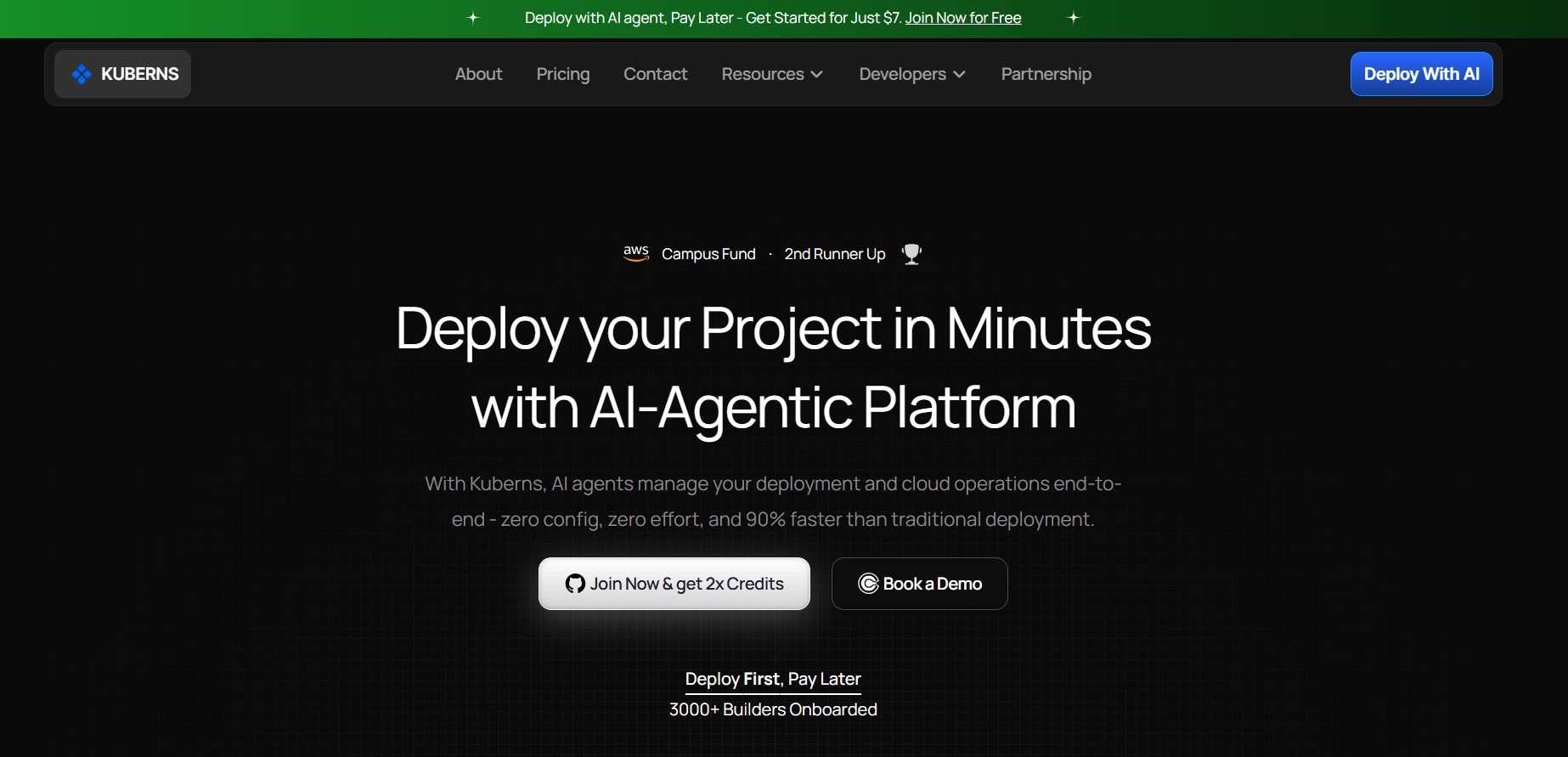
[Kuberns](https://kuberns.com) is a PaaS platform built on AWS infrastructure with an Agentic AI at the core of the deployment workflow. It occupies a specific position in the IaaS vs PaaS spectrum: all the infrastructure benefits of running on AWS, with none of the configuration overhead that IaaS requires.
When you connect a GitHub repository to Kuberns, the Agentic AI scans your codebase, detects your framework and runtime, determines your build command and start command, and configures the entire deployment pipeline without requiring a single configuration file.
**What Kuberns handles automatically:**
- Stack detection for Node.js, Python, Go, Ruby, PHP, Java, and more
- SSL certificate provisioning and auto-renewal
- Autoscaling based on real traffic patterns
- CI/CD pipeline wired to your GitHub branch
- Environment variable management with encrypted storage
- Managed databases provisioned with one click
- Monitoring, logging, and uptime tracking
- Custom domain setup with DNS guidance
**What you do:**
Connect your repository, add environment variables, and click Deploy.
For teams evaluating their cloud model, Kuberns answers the question that sits between IaaS and traditional PaaS: how do you get AWS-grade infrastructure without the AWS configuration overhead? The answer in 2026 is Agentic AI that handles the infrastructure layer on your behalf.
> If you are comparing specific PaaS platforms, see the [best PaaS providers in 2026](https://kuberns.com/blogs/best-paas-providers/) for a full side-by-side breakdown.
## How to Deploy on Kuberns
### Step 1: Sign Up and Create a Project

Go to [dashboard.kuberns.com](https://dashboard.kuberns.com) and create a free account. Free credits cover approximately 30 days of running a full-stack app with no credit card required. Click **New Project** to begin.
### Step 2: Connect Your GitHub Repository

Select GitHub as your deployment source and authorise Kuberns to access your repositories. Choose your repo and select the branch you want to deploy.
The Agentic AI scans your project immediately and detects your framework, runtime version, build command, and start command automatically.
### Step 3: Add Your Environment Variables

Add every variable your app reads at runtime in the Environment tab. Kuberns encrypts all values and injects them securely at build time and runtime. If your app needs a managed PostgreSQL database, provision one directly from the dashboard.
### Step 4: Click Deploy

Click **Deploy**. The Agentic AI installs dependencies, runs your build command, containerises your app, deploys to AWS infrastructure, provisions SSL, and wires CI/CD for every future push to your branch.
### Step 5: Your App Is Live

Your app is live on a Kuberns HTTPS URL within minutes. SSL is active, autoscaling is on, and every push to your connected branch triggers an automatic redeploy.
### Step 6: Add Your Custom Domain

Go to the **Domains** section of your project and enter your custom domain. Kuberns generates the DNS records to add at your registrar. Once DNS propagates, your app is live on your own domain with HTTPS on every request.
## Why Most Developer Teams Are Moving Away from IaaS

The appeal of IaaS is control. The cost is maintenance.
When a team provisions an EC2 instance or a DigitalOcean Droplet to run their application, they take ownership of everything above the hypervisor. Security patches, OS upgrades, runtime version management, log rotation, backup configuration, monitoring setup, and scaling policies all become ongoing responsibilities.
For a team with a dedicated DevOps or platform engineer, this trade-off can be worth it. For most development teams, it is not. The engineering hours spent maintaining infrastructure are hours not spent building the product.
The shift toward PaaS has been accelerating for this reason. Teams that previously managed their own EC2 instances are moving to managed deployment platforms that handle the infrastructure layer automatically. The control they give up is control over things they did not want to be managing in the first place.
In 2026, that shift has gone further. Agentic AI deployment platforms do not just manage the server layer. They detect your stack, configure your build pipeline, provision your database, set up CI/CD, and scale your app based on real traffic patterns. The developer interacts with a deployment flow that feels closer to pushing code than configuring infrastructure.
## Kuberns: PaaS Built for the Way Teams Ship in 2026

[Kuberns](https://kuberns.com) is a PaaS platform built on AWS infrastructure with an Agentic AI at the core of the deployment workflow. It occupies a specific position in the IaaS vs PaaS spectrum: all the infrastructure benefits of running on AWS, with none of the configuration overhead that IaaS requires.
When you connect a GitHub repository to Kuberns, the Agentic AI scans your codebase, detects your framework and runtime, determines your build command and start command, and configures the entire deployment pipeline without requiring a single configuration file.
**What Kuberns handles automatically:**
- Stack detection for Node.js, Python, Go, Ruby, PHP, Java, and more
- SSL certificate provisioning and auto-renewal
- Autoscaling based on real traffic patterns
- CI/CD pipeline wired to your GitHub branch
- Environment variable management with encrypted storage
- Managed databases provisioned with one click
- Monitoring, logging, and uptime tracking
- Custom domain setup with DNS guidance
**What you do:**
Connect your repository, add environment variables, and click Deploy.
For teams evaluating their cloud model, Kuberns answers the question that sits between IaaS and traditional PaaS: how do you get AWS-grade infrastructure without the AWS configuration overhead? The answer in 2026 is Agentic AI that handles the infrastructure layer on your behalf.
> If you are comparing specific PaaS platforms, see the [best PaaS providers in 2026](https://kuberns.com/blogs/best-paas-providers/) for a full side-by-side breakdown.
## How to Deploy on Kuberns
### Step 1: Sign Up and Create a Project

Go to [dashboard.kuberns.com](https://dashboard.kuberns.com) and create a free account. Free credits cover approximately 30 days of running a full-stack app with no credit card required. Click **New Project** to begin.
### Step 2: Connect Your GitHub Repository

Select GitHub as your deployment source and authorise Kuberns to access your repositories. Choose your repo and select the branch you want to deploy.
The Agentic AI scans your project immediately and detects your framework, runtime version, build command, and start command automatically.
### Step 3: Add Your Environment Variables

Add every variable your app reads at runtime in the Environment tab. Kuberns encrypts all values and injects them securely at build time and runtime. If your app needs a managed PostgreSQL database, provision one directly from the dashboard.
### Step 4: Click Deploy

Click **Deploy**. The Agentic AI installs dependencies, runs your build command, containerises your app, deploys to AWS infrastructure, provisions SSL, and wires CI/CD for every future push to your branch.
### Step 5: Your App Is Live

Your app is live on a Kuberns HTTPS URL within minutes. SSL is active, autoscaling is on, and every push to your connected branch triggers an automatic redeploy.
### Step 6: Add Your Custom Domain

Go to the **Domains** section of your project and enter your custom domain. Kuberns generates the DNS records to add at your registrar. Once DNS propagates, your app is live on your own domain with HTTPS on every request.
 ## Which Cloud Model Should You Choose?
Use this to make the decision quickly:
**Choose IaaS if:**
- You have a dedicated DevOps or infrastructure team
- Your workload has specific OS or runtime requirements that managed platforms cannot meet
- You have compliance requirements mandating infrastructure-level isolation
- You are running specialised compute workloads like GPU instances or bare metal
**Choose PaaS if:**
- You are building and deploying web applications, APIs, or full-stack projects
- You want to ship without managing servers, OS patches, or infrastructure configuration
- Your team does not have a dedicated DevOps engineer
- You want CI/CD, autoscaling, SSL, and monitoring handled automatically
**Choose SaaS if:**
- You need a tool, not an application you are building
- The function is standard enough that a finished product covers your needs
- You do not need to customise the underlying software or data model
For most development teams building and shipping products in 2026, PaaS is the right default. The infrastructure control that IaaS offers is not worth the engineering overhead for teams whose core job is writing application code.
[Start deploying on Kuberns](https://dashboard.kuberns.com) and get your app to production on AWS in under 5 minutes.
## Frequently Asked Questions
**What is the difference between IaaS, PaaS, and SaaS?**
IaaS gives you raw infrastructure like virtual machines and storage that you configure yourself. PaaS gives you a managed platform where you deploy code without managing servers. SaaS gives you a ready-to-use application you access through a browser or API with no infrastructure or deployment involved.
**Is AWS IaaS or PaaS?**
AWS offers both. EC2 and VPC are IaaS products where you manage virtual machines and networking. Elastic Beanstalk, RDS, and Lambda are closer to PaaS or managed services where AWS handles more of the infrastructure layer.
**Which cloud model is best for a startup?**
PaaS is the best starting point for most startups. It removes infrastructure management overhead so your team can focus on the product. Kuberns is particularly well suited for startups in 2026: connect your GitHub repo, add environment variables, and your app is live on AWS in under 5 minutes with autoscaling and CI/CD configured automatically.
**What are the advantages of PaaS over IaaS?**
PaaS removes the need to provision, configure, patch, and maintain servers. It handles SSL, scaling, and deployment pipelines automatically. Teams deploy faster, spend less engineering time on infrastructure, and do not need dedicated DevOps expertise to run production applications.
**Can I use more than one cloud model at the same time?**
Yes. Most production environments combine models. A team might use PaaS for application deployment, IaaS for a specific GPU compute workload, and SaaS for internal tooling like Slack and Notion. The models are not mutually exclusive.
**What is the easiest PaaS platform to deploy on?**
Kuberns is the easiest PaaS platform for most teams in 2026. The Agentic AI detects your stack automatically, handles all infrastructure configuration, and gets your app live on AWS without requiring a Dockerfile, YAML, or DevOps knowledge.
---
- [More AI & DevOps articles](https://kuberns.com/blogs/category/ai-devops/1/)
- [All articles](https://kuberns.com/blogs/)
## Which Cloud Model Should You Choose?
Use this to make the decision quickly:
**Choose IaaS if:**
- You have a dedicated DevOps or infrastructure team
- Your workload has specific OS or runtime requirements that managed platforms cannot meet
- You have compliance requirements mandating infrastructure-level isolation
- You are running specialised compute workloads like GPU instances or bare metal
**Choose PaaS if:**
- You are building and deploying web applications, APIs, or full-stack projects
- You want to ship without managing servers, OS patches, or infrastructure configuration
- Your team does not have a dedicated DevOps engineer
- You want CI/CD, autoscaling, SSL, and monitoring handled automatically
**Choose SaaS if:**
- You need a tool, not an application you are building
- The function is standard enough that a finished product covers your needs
- You do not need to customise the underlying software or data model
For most development teams building and shipping products in 2026, PaaS is the right default. The infrastructure control that IaaS offers is not worth the engineering overhead for teams whose core job is writing application code.
[Start deploying on Kuberns](https://dashboard.kuberns.com) and get your app to production on AWS in under 5 minutes.
## Frequently Asked Questions
**What is the difference between IaaS, PaaS, and SaaS?**
IaaS gives you raw infrastructure like virtual machines and storage that you configure yourself. PaaS gives you a managed platform where you deploy code without managing servers. SaaS gives you a ready-to-use application you access through a browser or API with no infrastructure or deployment involved.
**Is AWS IaaS or PaaS?**
AWS offers both. EC2 and VPC are IaaS products where you manage virtual machines and networking. Elastic Beanstalk, RDS, and Lambda are closer to PaaS or managed services where AWS handles more of the infrastructure layer.
**Which cloud model is best for a startup?**
PaaS is the best starting point for most startups. It removes infrastructure management overhead so your team can focus on the product. Kuberns is particularly well suited for startups in 2026: connect your GitHub repo, add environment variables, and your app is live on AWS in under 5 minutes with autoscaling and CI/CD configured automatically.
**What are the advantages of PaaS over IaaS?**
PaaS removes the need to provision, configure, patch, and maintain servers. It handles SSL, scaling, and deployment pipelines automatically. Teams deploy faster, spend less engineering time on infrastructure, and do not need dedicated DevOps expertise to run production applications.
**Can I use more than one cloud model at the same time?**
Yes. Most production environments combine models. A team might use PaaS for application deployment, IaaS for a specific GPU compute workload, and SaaS for internal tooling like Slack and Notion. The models are not mutually exclusive.
**What is the easiest PaaS platform to deploy on?**
Kuberns is the easiest PaaS platform for most teams in 2026. The Agentic AI detects your stack automatically, handles all infrastructure configuration, and gets your app live on AWS without requiring a Dockerfile, YAML, or DevOps knowledge.
---
- [More AI & DevOps articles](https://kuberns.com/blogs/category/ai-devops/1/)
- [All articles](https://kuberns.com/blogs/)