# Is Render Reliable for Production Workloads in 2026?
> Is Render good for production in 2026? We cover real incident data, uptime stats, SLA gaps, cold start limits, and why teams switch to a better platform.
- **Author**: vamsi-mullapudi
- **Published**: 2026-06-12
- **Modified**: 2026-06-12
- **Category**: Deployment Guides
- **URL**: https://kuberns.com/blogs/is-render-good-for-production/
---
Render is not reliably production-ready out of the box. On paid plans it can be, but only after you manually configure multi-instance redundancy, health checks, and external monitoring yourself. On the free tier, Render's own documentation explicitly says: do not use free instances for production. And even on paid plans, third-party monitoring recorded 58.3% uptime in the first 12 days of June 2026, with no contractual SLA below Enterprise to back you up when it goes down.
If you want a platform that handles all of that automatically, [Kuberns](https://dashboard.kuberns.com) deploys your app on AWS-backed infrastructure with AI-managed autoscaling, zero cold starts, and no reliability checklist to run through yourself.
If you are still evaluating Render, here is the full picture: real incident data, free tier limits, paid plan gaps, and what you are responsible for configuring yourself.
### TL;DR
- Render recorded 58.3% uptime in June 2026 and 80.6% in May 2026 based on third-party monitoring
- Free tier services sleep after 15 minutes. Cold starts take 30 to 60 seconds
- No contractual SLA on Hobby or Pro plans. Enterprise only
- Autoscaling requires the Pro plan at $25/month workspace fee
- Production-readiness on Render requires manual setup: multiple instances, health checks, external monitoring, retry logic
- Most teams switching off Render cite their first production incident as the trigger
## Recent Issues Found on Render

Third-party uptime trackers measure Render's status daily across all platform components: web services, deploys, databases, and the dashboard. Any day with a non-operational status counts as a day with issues. Here is what that data shows across the last three months.
### June 2026, 58.3% Uptime, Stuck Deploys, Platform Latency
In the first 12 days of June 2026, Render recorded 58.3% uptime with 5 days flagged as having issues.
The most visible incident started on June 11 with platform-wide latency affecting builds, deploys, and webhooks. Within hours, a follow-on incident emerged: deploys were getting stuck in queue and could not be cancelled through normal means. Render's workaround required users to manually change their workspace deploy policy to Override, trigger a new deploy to force-cancel the stuck one, then revert the policy back. That is not a minor inconvenience. That is manual intervention required on a live production pipeline.
A separate issue the same day involved services failing to respond, with a fix implemented and monitoring ongoing before the day closed.
### May 2026, 80.6% Uptime, SSL Failures, Database Instance Outages
May 2026 logged 6 days with issues across 31 days tracked.
On May 8, Let's Encrypt paused all SSL certificate issuance due to an ongoing incident on their end. Render's wildcard domains were the primary affected group, with some non-wildcard custom domains also impacted. Certificate renewals and new domain setups stalled entirely until the upstream provider resolved the issue.
On May 7, database instances across the fleet went into an Unready state. Render identified the issue and brought affected instances back online, though some databases continued showing stale status indicators after recovery. For any app that depends on a managed database, that window meant failed queries and error responses to users.
On May 22, another upstream provider issue caused gradual platform degradation before recovery.
### April 2026, 83.3% Uptime, 5 Days With Reported Issues
April logged 5 days with issues across 30 days tracked. While specific incident details from April are not fully surfaced in public data, the pattern is consistent: multiple non-operational days per month across the Oregon, Frankfurt, and Ohio regions.
### What This Pattern Means for Your Production App
Three months of data, three months of meaningful downtime. Not catastrophic multi-day outages, but regular degraded periods that affect builds, deploys, databases, and live services simultaneously.
The risk for a production app is not just the downtime itself. It is the unpredictability. You cannot schedule around an incident that starts at 2:37 PM on a Tuesday with no warning. And without an SLA, you have no contractual ground to stand on when it happens.
> Before you commit to Render, [see how its incident record compares to Railway and see which platform actually holds up under real production pressure](https://kuberns.com/blogs/railway-vs-render-vs-kuberns/).
## Is Render's Free Tier Good for Production?

Render's own documentation answers this directly: "Do not use free instances for production applications." That sentence is in their docs. It is not buried. Most teams ignore it anyway because the free tier feels functional during development. Here is what you hit when real users arrive.
### Services Sleep After 15 Minutes, Cold Starts Take 30 to 60 Seconds
Free web services on Render spin down after 15 consecutive minutes with no incoming traffic. When the next request arrives, Render restarts the container from scratch. For a typical Node.js or Python app, that restart takes 30 to 60 seconds before the service responds.
For your first user after any quiet period: they wait. For an API client with a default timeout under 30 seconds: the request fails. For a scheduled job that pings your service at a specific time: it hits a sleeping container and gets an error.
If you are [deploying Node.js on Render](https://kuberns.com/blogs/deploy-nodejs-on-render/) and wondering why your first request of the morning takes forever, this is why.
### Free PostgreSQL is Permanently Deleted at 90 Days
Render's free PostgreSQL instances are deleted permanently 90 days after creation. All data is gone. There is no automatic export, no grace period, and no recovery after deletion.
Teams that build and ship on the free database without migrating to a paid instance lose everything at day 91. The notification email arrives, but if your team misses it, there is nothing Render can do after the deletion runs.
This is not a minor limitation. It is a data loss timebomb for any team treating the free tier as a low-cost production option. [Here is what Render's database pricing actually looks like once the free tier expires](https://kuberns.com/blogs/render-postgres-pricing-setup-limits/), and why most teams underestimate the real cost.
### No Persistent Filesystem, Files Lost on Every Redeploy
Render web services run in ephemeral containers. Any file your app writes to the local filesystem at runtime, uploaded images, generated PDFs, local caches, temporary files, is deleted when the container redeploys, restarts, or spins down on the free tier.
Free services cannot attach a persistent disk. Paid services can, but it is an additional cost. Any app handling file uploads on the free tier silently loses all uploaded files on every deploy. No error. No warning. Just gone.
### 750 Instance Hours Shared, Services Suspended When the Limit Hits
Render grants 750 free instance hours per workspace per calendar month. That sounds like a lot. One free web service running continuously uses all 750 hours in about 31 days. Add a second service and you hit the limit in 15 days. When the hours run out, Render suspends all free services until the next month starts.
If you have multiple services on a free workspace, an API, a background worker, a separate frontend, your monthly runway shrinks fast. Hours do not roll over. There is no warning until the suspension hits.
> If you are surprised by the free tier limits, [the full Render pricing breakdown shows what each plan actually unlocks and what it still leaves out](https://kuberns.com/blogs/render-pricing/).
## Render's Production Limitations on Paid Plans

Upgrading to a paid plan on Render solves the free tier problems: services stay awake, PostgreSQL does not expire, and you can attach persistent storage. But paid plans have their own ceiling, and it matters before you build a production architecture around the platform.
### No SLA Below Enterprise, No Contractual Guarantee on Hobby or Pro
Render does not offer a contractual uptime SLA on the Hobby or Pro plans. There is a public status page and incident history at status.render.com, but no written guarantee of availability and no financial remedy if the platform has an outage.
Contractual SLAs only exist at the Enterprise tier, which has custom pricing. On Hobby and Pro, if Render goes down and your production app goes with it, you have no SLA mechanism, no compensation, and no escalation path beyond filing a support ticket.
Given the incident pattern from the last three months, multiple degraded days every month, that absence of a guarantee is not theoretical. It is a real operational risk.
### Autoscaling Locked to Pro at $25 Per Month Workspace Fee
Horizontal autoscaling is not available on the Hobby plan. A single instance handles all traffic. When load spikes, that one container queues requests, response times climb, and users experience degradation or timeouts.
To unlock autoscaling, you need the Pro workspace at $25 per month, plus compute costs on top. For a small team running multiple services, the workspace fee adds up before you reach meaningful scale. And even on Pro, autoscaling is a feature you configure, not something the platform manages intelligently based on your traffic patterns.
### Single Region Per Service, No Automatic Failover
Each Render service runs in one region: Oregon, Frankfurt, or Ohio. If that region has an incident, your service is affected. Render does not automatically failover to another region. Multi-region redundancy requires you to deploy separate service instances per region and manage traffic routing yourself.
For most teams, this means choosing a region and accepting single-region risk. The June and May incidents affected specific components across regions independently, meaning your exposure depends on which region you are in when an incident hits.
### Persistent Disk Services Have Downtime During Maintenance
Stateless services on Render handle maintenance and deploys with zero downtime. Services that attach a persistent disk do not. During infrastructure maintenance, OS upgrades, node replacements, Render spins down disk-attached services completely before spinning up replacements. That process takes a few minutes. For a production database or a service that writes to a persistent disk, that is real downtime on a schedule you do not control.
Render sends email notifications ahead of maintenance windows. You can plan around them. But you cannot skip them.
> If the paid plan limitations are already pushing you toward switching, [here are the platforms developers are actively moving to instead of Render in 2026](https://kuberns.com/blogs/best-render-alternatives/).
 ## What You Have to Configure Yourself to Make Render Production-Ready

Render's own uptime best practices documentation tells you exactly what you need to do after deploying to reach production-grade reliability. Read that document and you realise: none of it is automatic.
**Run more than one instance:** Render's docs recommend running multiple instances of your service so that if one node goes down, another keeps serving traffic. Render does move affected services to new instances automatically, but it can take a few minutes. During that window, a single-instance service is down. Setting this up is your responsibility.
**Configure health checks:** Render supports configurable HTTP health check paths. If your service becomes unresponsive, Render restarts it, but only if you have defined a health check endpoint. Without one, Render has no way to detect an unresponsive service that is technically still running. You have to build the endpoint and configure it in the dashboard.
**Set up external monitoring:** Render's docs explicitly recommend using a third-party monitoring provider to simulate real user traffic from outside Render. Their own status page tells you about platform-level incidents. It does not tell you if your specific service is responding correctly. You need Checkly, Better Stack, or similar, set up and maintained by you.
**Add retry logic for long-lived connections:** Render routes connections to specific instances. When a deploy or maintenance event replaces an instance, existing connections to it are terminated. If your app uses WebSocket connections or persistent HTTP connections, you need to implement retry logic yourself so clients reconnect automatically. This is not handled by the platform.
**Test your data backups:** Render provides database backups, but their docs tell you to verify them periodically. A backup that was never tested is not a backup you can rely on.
The pattern is clear: Render gives you the infrastructure. Making it production-safe is a checklist you execute manually.
> [See what a full backend deployment on Render actually involves](https://kuberns.com/blogs/render-backend-deployment/) before you discover the gaps after go-live.
## What Developers Use Instead of Render for Production
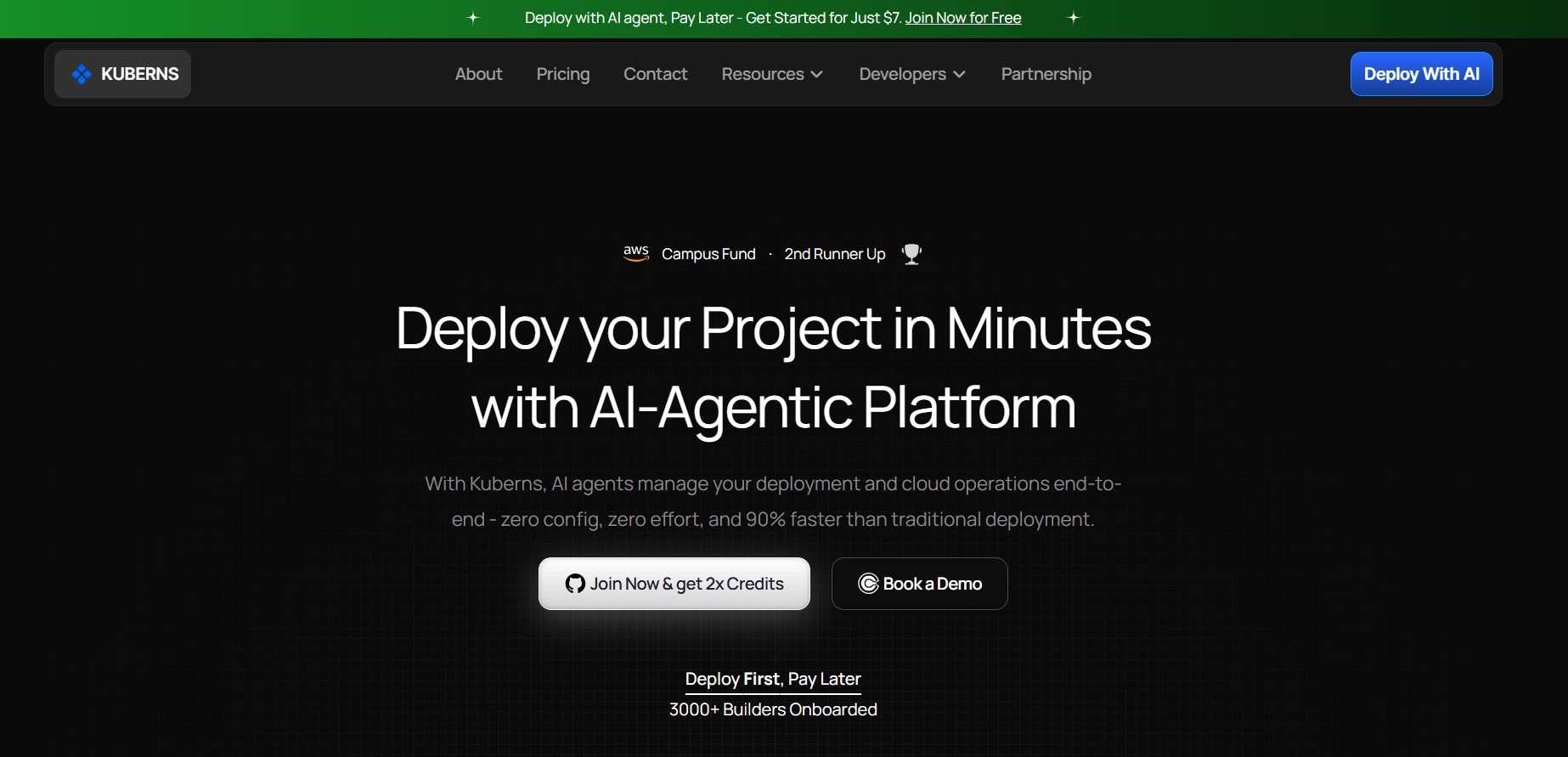
Most teams that move off Render do not plan to. They ship on Render, hit their first production incident, spend time debugging a platform problem instead of a product problem, and start looking for something that handles the reliability layer automatically.
### Why Teams Switch After the First Incident
The trigger is usually one of three things: a free tier cold start that embarrassed them in a demo or cost them a user, a stuck deploy during a critical release, or a platform degradation event during high-traffic hours they could not explain or fix.
What they want on the other side is not just uptime. It is a platform where production-readiness is the default, not a configuration checklist. Where autoscaling is not a tier upgrade. Where the infrastructure adjusts to their traffic, not the other way around.
[Kuberns is built around that model.](https://kuberns.com/blogs/what-is-kuberns-the-simplest-way-to-build-deploy-and-scale-full-stack-apps/) Its Agentic AI engine handles deployment, scaling, and infrastructure decisions automatically so developers ship features instead of managing platform config.
### How Kuberns Handles What Render Makes You Set Up Manually
**No cold starts, ever:** Kuberns has no sleep behaviour on any plan. Your app is running when the first request arrives, whether that is the first request of the day or the first request after a weekend.
**AI-managed autoscaling on every plan:** You do not configure scaling on Kuberns. The Agentic AI engine monitors traffic and resource usage in real time and scales instances up and down automatically. Not on Pro. Not as an add-on. On every plan from day one.
**No manual reliability checklist:** Health checks, multi-instance redundancy, and traffic routing are handled at the platform level. You deploy. The platform handles the rest.
**Predictable pricing from $5/month:** No usage-based billing surprises. No workspace tier fee to unlock autoscaling. Start at $5 and get $14 in credits for the first 30 days.
**Managed PostgreSQL in one click:** Connect a database from the Kuberns dashboard and the connection string is injected into your environment automatically. No 90-day expiry. No manual backup testing required.
> Want to see how Kuberns holds up against Render in an actual production comparison? [Read the Heroku vs Render vs Kuberns breakdown with real deployment differences](https://kuberns.com/blogs/heroku-vs-render-vs-kuberns/).
## Render vs Kuberns for Production, Side by Side
| | Render (Pro) | Kuberns |
|---|---|---|
| Uptime SLA | Enterprise only | Included |
| Cold starts | None (paid only) | None (all plans) |
| Autoscaling | Pro plan ($25/mo fee) | All plans, AI-managed |
| Health checks | Manual setup | Automatic |
| Multi-instance redundancy | Manual setup | Automatic |
| External monitoring | You set it up | Platform-level |
| Persistent storage | Paid disk addon | Built in |
| Managed PostgreSQL | Paid, 90-day free limit | One-click, no expiry |
| Pricing model | Plan fee + compute | From $5/month flat |
| Free trial | No | 7-day free trial |
> Want a faster path to a stable production deploy? [See how teams are deploying on Kuberns without the manual configuration Render requires](https://kuberns.com/blogs/render-deployment-to-one-click-ai-deployment/).
## Conclusion
Render is a capable platform. The infrastructure is solid, the deployment workflow is clean, and for teams on paid plans who invest in proper configuration, production workloads can run on it.
But capability and reliability are different things. Three months of third-party monitoring data shows Render with consistent degraded periods every month. No SLA covers you when it happens on Hobby or Pro. And reaching actual production-readiness requires a manual checklist that no other platform puts on you by default.
If you are building something with paying users, uptime requirements, or a team that cannot afford unplanned downtime, the question is not whether Render can run your app. It is whether you want to be the one responsible for making it production-safe.
[Deploy on Kuberns](https://dashboard.kuberns.com) and get a live HTTPS URL in under five minutes, with autoscaling, health monitoring, and persistent storage handled from day one.
## What You Have to Configure Yourself to Make Render Production-Ready

Render's own uptime best practices documentation tells you exactly what you need to do after deploying to reach production-grade reliability. Read that document and you realise: none of it is automatic.
**Run more than one instance:** Render's docs recommend running multiple instances of your service so that if one node goes down, another keeps serving traffic. Render does move affected services to new instances automatically, but it can take a few minutes. During that window, a single-instance service is down. Setting this up is your responsibility.
**Configure health checks:** Render supports configurable HTTP health check paths. If your service becomes unresponsive, Render restarts it, but only if you have defined a health check endpoint. Without one, Render has no way to detect an unresponsive service that is technically still running. You have to build the endpoint and configure it in the dashboard.
**Set up external monitoring:** Render's docs explicitly recommend using a third-party monitoring provider to simulate real user traffic from outside Render. Their own status page tells you about platform-level incidents. It does not tell you if your specific service is responding correctly. You need Checkly, Better Stack, or similar, set up and maintained by you.
**Add retry logic for long-lived connections:** Render routes connections to specific instances. When a deploy or maintenance event replaces an instance, existing connections to it are terminated. If your app uses WebSocket connections or persistent HTTP connections, you need to implement retry logic yourself so clients reconnect automatically. This is not handled by the platform.
**Test your data backups:** Render provides database backups, but their docs tell you to verify them periodically. A backup that was never tested is not a backup you can rely on.
The pattern is clear: Render gives you the infrastructure. Making it production-safe is a checklist you execute manually.
> [See what a full backend deployment on Render actually involves](https://kuberns.com/blogs/render-backend-deployment/) before you discover the gaps after go-live.
## What Developers Use Instead of Render for Production

Most teams that move off Render do not plan to. They ship on Render, hit their first production incident, spend time debugging a platform problem instead of a product problem, and start looking for something that handles the reliability layer automatically.
### Why Teams Switch After the First Incident
The trigger is usually one of three things: a free tier cold start that embarrassed them in a demo or cost them a user, a stuck deploy during a critical release, or a platform degradation event during high-traffic hours they could not explain or fix.
What they want on the other side is not just uptime. It is a platform where production-readiness is the default, not a configuration checklist. Where autoscaling is not a tier upgrade. Where the infrastructure adjusts to their traffic, not the other way around.
[Kuberns is built around that model.](https://kuberns.com/blogs/what-is-kuberns-the-simplest-way-to-build-deploy-and-scale-full-stack-apps/) Its Agentic AI engine handles deployment, scaling, and infrastructure decisions automatically so developers ship features instead of managing platform config.
### How Kuberns Handles What Render Makes You Set Up Manually
**No cold starts, ever:** Kuberns has no sleep behaviour on any plan. Your app is running when the first request arrives, whether that is the first request of the day or the first request after a weekend.
**AI-managed autoscaling on every plan:** You do not configure scaling on Kuberns. The Agentic AI engine monitors traffic and resource usage in real time and scales instances up and down automatically. Not on Pro. Not as an add-on. On every plan from day one.
**No manual reliability checklist:** Health checks, multi-instance redundancy, and traffic routing are handled at the platform level. You deploy. The platform handles the rest.
**Predictable pricing from $5/month:** No usage-based billing surprises. No workspace tier fee to unlock autoscaling. Start at $5 and get $14 in credits for the first 30 days.
**Managed PostgreSQL in one click:** Connect a database from the Kuberns dashboard and the connection string is injected into your environment automatically. No 90-day expiry. No manual backup testing required.
> Want to see how Kuberns holds up against Render in an actual production comparison? [Read the Heroku vs Render vs Kuberns breakdown with real deployment differences](https://kuberns.com/blogs/heroku-vs-render-vs-kuberns/).
## Render vs Kuberns for Production, Side by Side
| | Render (Pro) | Kuberns |
|---|---|---|
| Uptime SLA | Enterprise only | Included |
| Cold starts | None (paid only) | None (all plans) |
| Autoscaling | Pro plan ($25/mo fee) | All plans, AI-managed |
| Health checks | Manual setup | Automatic |
| Multi-instance redundancy | Manual setup | Automatic |
| External monitoring | You set it up | Platform-level |
| Persistent storage | Paid disk addon | Built in |
| Managed PostgreSQL | Paid, 90-day free limit | One-click, no expiry |
| Pricing model | Plan fee + compute | From $5/month flat |
| Free trial | No | 7-day free trial |
> Want a faster path to a stable production deploy? [See how teams are deploying on Kuberns without the manual configuration Render requires](https://kuberns.com/blogs/render-deployment-to-one-click-ai-deployment/).
## Conclusion
Render is a capable platform. The infrastructure is solid, the deployment workflow is clean, and for teams on paid plans who invest in proper configuration, production workloads can run on it.
But capability and reliability are different things. Three months of third-party monitoring data shows Render with consistent degraded periods every month. No SLA covers you when it happens on Hobby or Pro. And reaching actual production-readiness requires a manual checklist that no other platform puts on you by default.
If you are building something with paying users, uptime requirements, or a team that cannot afford unplanned downtime, the question is not whether Render can run your app. It is whether you want to be the one responsible for making it production-safe.
[Deploy on Kuberns](https://dashboard.kuberns.com) and get a live HTTPS URL in under five minutes, with autoscaling, health monitoring, and persistent storage handled from day one.
 ## Frequently Asked Questions
**Is Render reliable for production?**
Render is production-capable on paid plans. On the free tier, it is not. Render's own documentation explicitly states free instances should not be used for production. Paid services stay awake continuously, support zero-downtime deploys, and have health check monitoring. However, no SLA is offered below the Enterprise tier, and the platform recorded 58.3% uptime in June 2026 based on third-party monitoring data.
**Does Render have an uptime SLA?**
Contractual uptime SLAs are only available on Render's Enterprise plan. Hobby and Pro plans have no written SLA. Render publishes a public status page at status.render.com, but there is no financial remedy or contractual commitment for non-Enterprise customers when the platform goes down.
**What is Render's cold start time?**
On the free tier, Render spins down web services after 15 minutes of inactivity. When the next request arrives, the cold start takes 30 to 60 seconds for most Node.js or Python apps. This only affects free tier services. Paid instances stay running continuously and have no cold start delay.
**Does Render have zero-downtime deploys?**
Yes. Render supports zero-downtime deploys for all stateless web services on any paid plan. The new container starts and passes health checks before the old one is shut down. Services with a persistent disk attached do experience a brief restart during deploys and maintenance windows.
**Does Render autoscale?**
Horizontal autoscaling on Render requires the Pro plan at $25 per month workspace fee. The Hobby plan does not include autoscaling. A single instance handles all traffic on Hobby, which becomes a bottleneck during traffic spikes.
**Is the Render free tier good for production?**
No. Render's own documentation explicitly says free instances are not for production. Free services sleep after 15 minutes of inactivity, have 750 shared monthly instance hours, and free PostgreSQL databases are permanently deleted at 90 days with no data recovery option.
**What is Render's uptime in 2026?**
Based on third-party monitoring data, Render recorded 58.3% uptime in June 2026 (12 days tracked, 5 days with issues), 80.6% in May 2026 (6 days with issues), and 83.3% in April 2026 (5 days with issues). These figures are from daily worst-status snapshots where any non-operational day counts as a day with issues.
**What is the best Render alternative for production?**
Kuberns is built specifically for production deployments. It runs on AWS-backed Kubernetes infrastructure with no cold starts, AI-managed autoscaling on every plan, built-in persistent storage, and predictable pricing from $5 per month. Unlike Render, production-readiness does not require manual configuration of health checks, multi-instance setup, or external monitoring probes.
**Is Render better than Heroku for production?**
Render is generally more modern and cost-effective than Heroku for production workloads on paid plans. Render's Pro plan includes autoscaling and private networking at a lower price point than equivalent Heroku plans. Both platforms lack contractual SLAs below their enterprise tiers.
**How does Render handle crashes and restarts?**
Render runs configurable health checks on deployed services and automatically restarts a service if the check fails repeatedly. If a service crashes unexpectedly, Render restarts it automatically. If a deploy fails its health check, Render keeps the previous version live. However, for production resilience, Render's own documentation recommends running multiple instances, setting up external monitoring probes, and adding retry logic. None of which are configured automatically.
---
- [More Deployment Guides articles](https://kuberns.com/blogs/category/deployment-guides/1/)
- [All articles](https://kuberns.com/blogs/)
## Frequently Asked Questions
**Is Render reliable for production?**
Render is production-capable on paid plans. On the free tier, it is not. Render's own documentation explicitly states free instances should not be used for production. Paid services stay awake continuously, support zero-downtime deploys, and have health check monitoring. However, no SLA is offered below the Enterprise tier, and the platform recorded 58.3% uptime in June 2026 based on third-party monitoring data.
**Does Render have an uptime SLA?**
Contractual uptime SLAs are only available on Render's Enterprise plan. Hobby and Pro plans have no written SLA. Render publishes a public status page at status.render.com, but there is no financial remedy or contractual commitment for non-Enterprise customers when the platform goes down.
**What is Render's cold start time?**
On the free tier, Render spins down web services after 15 minutes of inactivity. When the next request arrives, the cold start takes 30 to 60 seconds for most Node.js or Python apps. This only affects free tier services. Paid instances stay running continuously and have no cold start delay.
**Does Render have zero-downtime deploys?**
Yes. Render supports zero-downtime deploys for all stateless web services on any paid plan. The new container starts and passes health checks before the old one is shut down. Services with a persistent disk attached do experience a brief restart during deploys and maintenance windows.
**Does Render autoscale?**
Horizontal autoscaling on Render requires the Pro plan at $25 per month workspace fee. The Hobby plan does not include autoscaling. A single instance handles all traffic on Hobby, which becomes a bottleneck during traffic spikes.
**Is the Render free tier good for production?**
No. Render's own documentation explicitly says free instances are not for production. Free services sleep after 15 minutes of inactivity, have 750 shared monthly instance hours, and free PostgreSQL databases are permanently deleted at 90 days with no data recovery option.
**What is Render's uptime in 2026?**
Based on third-party monitoring data, Render recorded 58.3% uptime in June 2026 (12 days tracked, 5 days with issues), 80.6% in May 2026 (6 days with issues), and 83.3% in April 2026 (5 days with issues). These figures are from daily worst-status snapshots where any non-operational day counts as a day with issues.
**What is the best Render alternative for production?**
Kuberns is built specifically for production deployments. It runs on AWS-backed Kubernetes infrastructure with no cold starts, AI-managed autoscaling on every plan, built-in persistent storage, and predictable pricing from $5 per month. Unlike Render, production-readiness does not require manual configuration of health checks, multi-instance setup, or external monitoring probes.
**Is Render better than Heroku for production?**
Render is generally more modern and cost-effective than Heroku for production workloads on paid plans. Render's Pro plan includes autoscaling and private networking at a lower price point than equivalent Heroku plans. Both platforms lack contractual SLAs below their enterprise tiers.
**How does Render handle crashes and restarts?**
Render runs configurable health checks on deployed services and automatically restarts a service if the check fails repeatedly. If a service crashes unexpectedly, Render restarts it automatically. If a deploy fails its health check, Render keeps the previous version live. However, for production resilience, Render's own documentation recommends running multiple instances, setting up external monitoring probes, and adding retry logic. None of which are configured automatically.
---
- [More Deployment Guides articles](https://kuberns.com/blogs/category/deployment-guides/1/)
- [All articles](https://kuberns.com/blogs/)