# Render Postgres 2026: Pricing, Free Tier Limits and What Devs Hit
> Render Postgres free tier deletes data after 30 days. No connection pooling at any tier. Pricing breakdown, real limits, and why developers are switching.
- **Author**: riddhi-dudhatra
- **Published**: 2026-04-29
- **Modified**: 2026-04-29
- **Category**: Alternatives
- **URL**: https://kuberns.com/blogs/render-postgres-pricing-setup-limits/
---
Render Postgres looks like the obvious database choice when you are already deploying on Render. Same dashboard, same billing, private network connection to your services. Simple.
Then you actually use it in production and the real picture emerges. Your free database gets deleted after 30 days with no warning. Storage that autoscales cannot scale back down. High availability is locked behind a tier that costs $85 per month. Connection pooling is not included at any tier. And if you need to move to a different region later, your database name and username are permanent.
This guide covers what Render Postgres actually costs in 2026, the limits you will hit, and where it makes sense versus when you should look at alternatives like [Kuberns](https://kuberns.com/) paired with Neon or Supabase.
## Render Postgres Pricing at a Glance
Render Postgres is billed per instance type with separate charges for storage above what is included. If you are evaluating whether it is the right fit for your stack, [Kuberns](https://kuberns.com/) offers a different model entirely: AI-managed deployment on AWS where you bring your own Postgres provider via a single environment variable, giving you more flexibility at lower cost.
> **Note on pricing:** Render updated its Postgres instance type naming in 2025. The prices below reflect the current available tiers at time of writing. Always verify current pricing at [render.com/pricing](https://render.com/pricing) before making decisions.
| Instance | RAM | vCPU | Storage included | Price per month |
|---|---|---|---|---|
| Free | 256 MB | Shared | 1 GB | $0 (expires in 30 days) |
| Basic-256MB | 256 MB | Shared | 1 GB | ~$7 |
| Basic-1GB | 1 GB | Shared | 10 GB | ~$20 |
| Pro-1GB | 1 GB | 1 dedicated | 10 GB | ~$45 |
| Pro-4GB | 4 GB | 2 dedicated | 50 GB | ~$97 |
Storage beyond the included amount costs $0.30 per GB per month. Storage can only be increased, never decreased. Plan your initial allocation carefully before enabling autoscaling.
**Important:** Which features you get (PITR window, HA, read replicas) depends not just on your database instance type but also on your **Render workspace plan** (Hobby, Pro, Scale). See the features section below.
## How to Create a Render Postgres Database
Setting up is quick. The decisions you make here, however, are not all reversible.
1. Go to your Render dashboard, click **New**, and select **Postgres**
2. Give your database a name (changeable later)
3. Set the database name and username (these cannot be changed after creation)
4. Choose a region that matches your other Render services to minimise latency
5. Select a PostgreSQL version (Render supports versions 13 through 16)
6. Choose your instance type
7. Set initial storage in gigabytes (1 GB or any multiple of 5 GB)
8. Optionally enable Storage Autoscaling
9. Click **Create Database**
Your database is ready in under a minute. You get both an internal and external connection URL immediately.
One thing to lock in before clicking create: the database name and the username cannot be changed after creation. If you are setting up for production, name them carefully.
If you are not yet committed to Render as your deployment platform, it is worth knowing that [Kuberns](https://kuberns.com/) deploys your app from GitHub with zero config and connects to any Postgres provider via `DATABASE_URL`. You are not locked into a single platform's database product.
## The Free Tier: What Nobody Tells You
Render offers a free Postgres instance. But the terms are different from what most developers expect.
**It deletes your data after 30 days.**
When a free Render Postgres database expires, Render permanently deletes it along with every row in it. There is no grace period, no automatic migration, and no option to freeze it in place. You get 30 days, then it is gone.
Before expiry, export your data:
```bash
pg_dump -h YOUR_EXTERNAL_HOST -U YOUR_USER -d YOUR_DB > backup.sql
```
Find the external connection details in the Connect menu on your database's page in the Render dashboard.
Beyond the expiry, the free tier also has:
- **No backups.** No point-in-time recovery, no logical exports. A corrupted table on a free instance is unrecoverable.
- **No high availability.** Single node, no standby. Any downtime takes your database offline.
- **256 MB RAM.** Enough for light development. Not enough for anything real.
The free tier is fine for evaluating Render or running a throwaway project. It is not suitable for anything you intend to keep.
If you need a permanent free database, [Neon](https://neon.tech) keeps free Postgres instances running indefinitely. And if you want to pair that with zero-config AI deployment for your app, [Kuberns](https://kuberns.com/) connects to any external Postgres via a single `DATABASE_URL` environment variable.
## Instance Tiers and Workspace Plans: What You Actually Get
The features you unlock depend on two things: your **database instance type** (which determines RAM, CPU, and compute price) and your **Render workspace plan** (Hobby, Pro, or Scale), which controls PITR recovery windows, HA availability, and read replicas.
| Feature | Hobby workspace | Pro workspace | Scale workspace |
|---|---|---|---|
| Point-in-time recovery | 3-day window | 7-day window | 7-day window |
| Logical backup export | Yes (paid instances) | Yes | Yes |
| Read replicas | Yes (Basic-1GB instance or higher, min 10 GB storage) | Yes | Yes |
| High availability | Yes (Pro or Accelerated instance type required) | Yes | Yes |
| Free database expires | 30 days | 30 days | 30 days |
A critical point most developers miss: **PITR is tied to your workspace plan, not your database instance.** You can run an expensive Pro-4GB database instance and still only get a 3-day recovery window if you are on the free Hobby workspace plan. To get 7-day PITR, you need to upgrade your workspace to Pro at $25 per user per month.
Teams running their apps on [Kuberns](https://kuberns.com/) sidestep this entirely by pairing with Neon or Supabase, which offer high availability at a fraction of the cost and include connection pooling built in.
## The Storage Rules That Catch Developers Off Guard
Render Postgres storage has two behaviours that are easy to overlook and expensive to hit.
**You cannot decrease storage.** Once storage is allocated, it stays allocated. Render bills for the full amount whether you are using it or not. If you set 50 GB and only use 10 GB, you pay for 50 GB.
**Autoscaling triggers at 90% and adds 50%.** When your database hits 90% of its allocated storage, Render automatically increases it by 50%, rounded up to the nearest 5 GB. This is useful for avoiding outages. But since storage cannot be decreased, that expansion is permanent and your monthly bill goes up immediately.
Before enabling autoscaling, understand your data growth rate. If you are storing logs, user uploads, or event data that grows fast, autoscaling can double your storage bill within a month with no way to roll it back.
This is one of the reasons teams moving to [Kuberns](https://kuberns.com/) typically pair with Neon or Supabase instead of Render Postgres. Both providers let you scale storage up and down, and both include connection pooling that Render Postgres lacks entirely.
 ## Backups and Point-in-Time Recovery
| Workspace plan | PITR window | Logical export |
|---|---|---|
| Free (Hobby workspace, free instance) | None | No |
| Paid instance on Hobby workspace | 3 days | Yes |
| Paid instance on Pro workspace | 7 days | Yes |
| Paid instance on Scale workspace | 7 days | Yes |
The recovery window is controlled by your **workspace billing plan**, not your database instance size. A large Pro-4GB database on a Hobby workspace still only gets 3-day PITR. To extend to 7 days, upgrade the workspace to Pro ($25 per user per month).
On paid instances, you can restore your database to any state within the recovery window. Render spins up a new database instance at the specified point in time, which you validate before switching your services over to it.
To create a logical export on a paid instance, go to your database page in the Render dashboard, open the **Recovery** page, and click **Create export**. Render generates a compressed file you can download directly. Logical backups are retained for 7 days after creation regardless of workspace plan.
If your compliance requirements need longer retention than 7 days, supplement with scheduled `pg_dump` exports to an S3 bucket. Render's own docs include a guide for automating this with a cron job.
## High Availability and Read Replicas
Both are features available on qualifying instance types, but **access to them depends on your workspace plan**.
**High Availability** provisions a standby instance in a different zone within the same region. If your primary becomes unavailable for 30 seconds, Render automatically fails over to the standby. The standby becomes the new primary at the same URL. Existing connections drop and reconnect automatically.
Enabling HA means paying for two instances since the standby is billed at the same rate as the primary.
**Read replicas** are available on **Basic-1GB instance type or higher** with at least 10 GB of storage allocated. You can add up to 5 read replicas per database. Each replica is billed at the same per-instance rate as the primary.
**HA requires a Pro or Accelerated instance type.** Read replicas have a lower bar: Basic-1GB or higher. These are separate requirements. A Basic-1GB database can have read replicas but cannot enable HA. Neither feature is available on the Free instance.
## Internal vs External Connections
Every Render Postgres database has two connection URLs.
The **internal URL** is for connections from other Render services in the same region. It routes traffic over the private network, which means lower latency and no exposure to the public internet. Always use this from your Render web services and background workers.
The **external URL** is for connections from outside Render, such as your local development machine, a database client, or a migration tool running on your laptop. It travels over the public internet and is slower.
If your Render web service and your Postgres database are in different regions, the internal URL does not work and you are forced onto the external URL with higher latency. Deploy services and databases in the same region.
## What a Real Production Setup Costs on Render
Here is a realistic cost estimate for a typical production app using Render Postgres. Note that actual database instance pricing varies - check [render.com/pricing](https://render.com/pricing) for current rates.
| Resource | Spec | Monthly cost |
|---|---|---|
| Render web service | Starter, 512 MB | $7 |
| Render Postgres | Basic-1GB, 10 GB storage | ~$20 |
| Workspace plan (for 7-day PITR) | Pro workspace | $25/user |
| Extra storage (if you exceed included) | per GB over | $0.30/GB |
| **Total without Pro workspace** | Hobby plan, 3-day PITR | **~$27/month** |
| **Total with Pro workspace** | 7-day PITR, HA available | **~$52/month+** |
The workspace plan is a cost that many developers forget to factor in. If you need 7-day PITR or want HA available, you are paying $25 per user per month on top of the database instance cost.
A comparable setup on [Kuberns](https://kuberns.com/) with Neon as the database provider costs significantly less. Kuberns handles the app layer with AI-driven auto-scaling and zero config. Neon handles Postgres with built-in connection pooling, HA, and a permanent free tier.
## Backups and Point-in-Time Recovery
| Workspace plan | PITR window | Logical export |
|---|---|---|
| Free (Hobby workspace, free instance) | None | No |
| Paid instance on Hobby workspace | 3 days | Yes |
| Paid instance on Pro workspace | 7 days | Yes |
| Paid instance on Scale workspace | 7 days | Yes |
The recovery window is controlled by your **workspace billing plan**, not your database instance size. A large Pro-4GB database on a Hobby workspace still only gets 3-day PITR. To extend to 7 days, upgrade the workspace to Pro ($25 per user per month).
On paid instances, you can restore your database to any state within the recovery window. Render spins up a new database instance at the specified point in time, which you validate before switching your services over to it.
To create a logical export on a paid instance, go to your database page in the Render dashboard, open the **Recovery** page, and click **Create export**. Render generates a compressed file you can download directly. Logical backups are retained for 7 days after creation regardless of workspace plan.
If your compliance requirements need longer retention than 7 days, supplement with scheduled `pg_dump` exports to an S3 bucket. Render's own docs include a guide for automating this with a cron job.
## High Availability and Read Replicas
Both are features available on qualifying instance types, but **access to them depends on your workspace plan**.
**High Availability** provisions a standby instance in a different zone within the same region. If your primary becomes unavailable for 30 seconds, Render automatically fails over to the standby. The standby becomes the new primary at the same URL. Existing connections drop and reconnect automatically.
Enabling HA means paying for two instances since the standby is billed at the same rate as the primary.
**Read replicas** are available on **Basic-1GB instance type or higher** with at least 10 GB of storage allocated. You can add up to 5 read replicas per database. Each replica is billed at the same per-instance rate as the primary.
**HA requires a Pro or Accelerated instance type.** Read replicas have a lower bar: Basic-1GB or higher. These are separate requirements. A Basic-1GB database can have read replicas but cannot enable HA. Neither feature is available on the Free instance.
## Internal vs External Connections
Every Render Postgres database has two connection URLs.
The **internal URL** is for connections from other Render services in the same region. It routes traffic over the private network, which means lower latency and no exposure to the public internet. Always use this from your Render web services and background workers.
The **external URL** is for connections from outside Render, such as your local development machine, a database client, or a migration tool running on your laptop. It travels over the public internet and is slower.
If your Render web service and your Postgres database are in different regions, the internal URL does not work and you are forced onto the external URL with higher latency. Deploy services and databases in the same region.
## What a Real Production Setup Costs on Render
Here is a realistic cost estimate for a typical production app using Render Postgres. Note that actual database instance pricing varies - check [render.com/pricing](https://render.com/pricing) for current rates.
| Resource | Spec | Monthly cost |
|---|---|---|
| Render web service | Starter, 512 MB | $7 |
| Render Postgres | Basic-1GB, 10 GB storage | ~$20 |
| Workspace plan (for 7-day PITR) | Pro workspace | $25/user |
| Extra storage (if you exceed included) | per GB over | $0.30/GB |
| **Total without Pro workspace** | Hobby plan, 3-day PITR | **~$27/month** |
| **Total with Pro workspace** | 7-day PITR, HA available | **~$52/month+** |
The workspace plan is a cost that many developers forget to factor in. If you need 7-day PITR or want HA available, you are paying $25 per user per month on top of the database instance cost.
A comparable setup on [Kuberns](https://kuberns.com/) with Neon as the database provider costs significantly less. Kuberns handles the app layer with AI-driven auto-scaling and zero config. Neon handles Postgres with built-in connection pooling, HA, and a permanent free tier.
 ## The Hidden Limitations of Render Postgres
### No Connection Pooling Built In
Render Postgres does not include PgBouncer or any connection pooler out of the box. PostgreSQL has a hard limit on simultaneous connections based on available memory. An app with many short-lived connections (serverless functions, high-concurrency APIs, or background jobs firing frequently) will exhaust the connection limit and start returning errors.
To work around this, you need to set up an external PgBouncer instance or move to a Postgres provider that includes connection pooling natively. Neon and Supabase both do. On [Kuberns](https://kuberns.com/), pairing with either of those takes one environment variable and no additional infrastructure.
### Storage Cannot Be Reduced
Once you allocate or autoscale storage, it is permanent. This makes Render Postgres expensive for databases that grow temporarily and then shrink, for example during a migration, a data import, or a batch job. Whatever storage peak you hit, you pay for it forever.
### HA and Read Replicas Have Different Instance Requirements
High availability requires a **Pro or Accelerated instance type**. Read replicas only require **Basic-1GB or higher** with at least 10 GB of storage. These are separate thresholds. A Basic-1GB instance can have up to 5 read replicas but cannot enable HA. If you need both, you need a Pro or Accelerated instance.
### Free Tier Deletes Your Data
Unlike competitors such as Neon and Supabase that keep free databases running indefinitely, Render deletes free Postgres instances after 30 days. Developers who set up a project and come back a month later will find their database gone.
## Render Postgres vs Alternatives
| Provider | Free tier | Connection pooling | HA | Starting price | Best for |
|---|---|---|---|---|---|
| Render Postgres | 30 days then deleted | No built-in | $85/month (Pro only) | $7/month | Teams fully on Render |
| **Kuberns + Neon** | **Permanent (Neon free tier)** | **Built-in PgBouncer** | **Available** | **$7/month** | **Teams wanting AI deployment + managed Postgres** |
| Neon | Permanent free tier | Built-in PgBouncer | Available on paid | Free | Serverless, edge, high-concurrency apps |
| Supabase | Permanent free tier | Built-in | Available on paid | Free | Apps needing auth and storage alongside Postgres |
| AWS RDS | No | Separate RDS Proxy | Available | ~$15/month | Enterprise, AWS-native stacks |
For most teams, the Kuberns + Neon combination wins on all fronts: permanent free database, connection pooling included, HA without a $85/month floor, and AI-managed app deployment with zero config files. The case for sticking with Render Postgres is specific: your entire stack is already on Render and you want a single dashboard.
## When Render Postgres Makes Sense
Render Postgres is a reasonable choice in one specific scenario: your entire stack already lives on Render, you are on a paid instance type (Basic-1GB or above), and you want one bill and one dashboard.
The internal networking genuinely helps. Connecting a Render web service to a Render Postgres database over the private network is fast, simple, and low-latency compared to external providers.
It makes sense when:
- You are on a paid instance type (logical exports and PITR are included)
- You do not need HA, or you can justify upgrading to a Pro or Accelerated instance for it
- Your database fits within the allocated storage without frequent autoscaling events
- You prefer platform consolidation over individual product optimisation
## When to Look Elsewhere
Move away from Render Postgres when:
- Your free database is expiring and you want a permanent free tier
- You need high availability but do not want to pay for a Pro or Accelerated instance type
- Your app has high connection concurrency and you need pooling
- Your storage is growing unpredictably and you cannot afford the permanent autoscale lock-in
- You are migrating away from Render entirely
## Why Teams Choose Kuberns Over Render
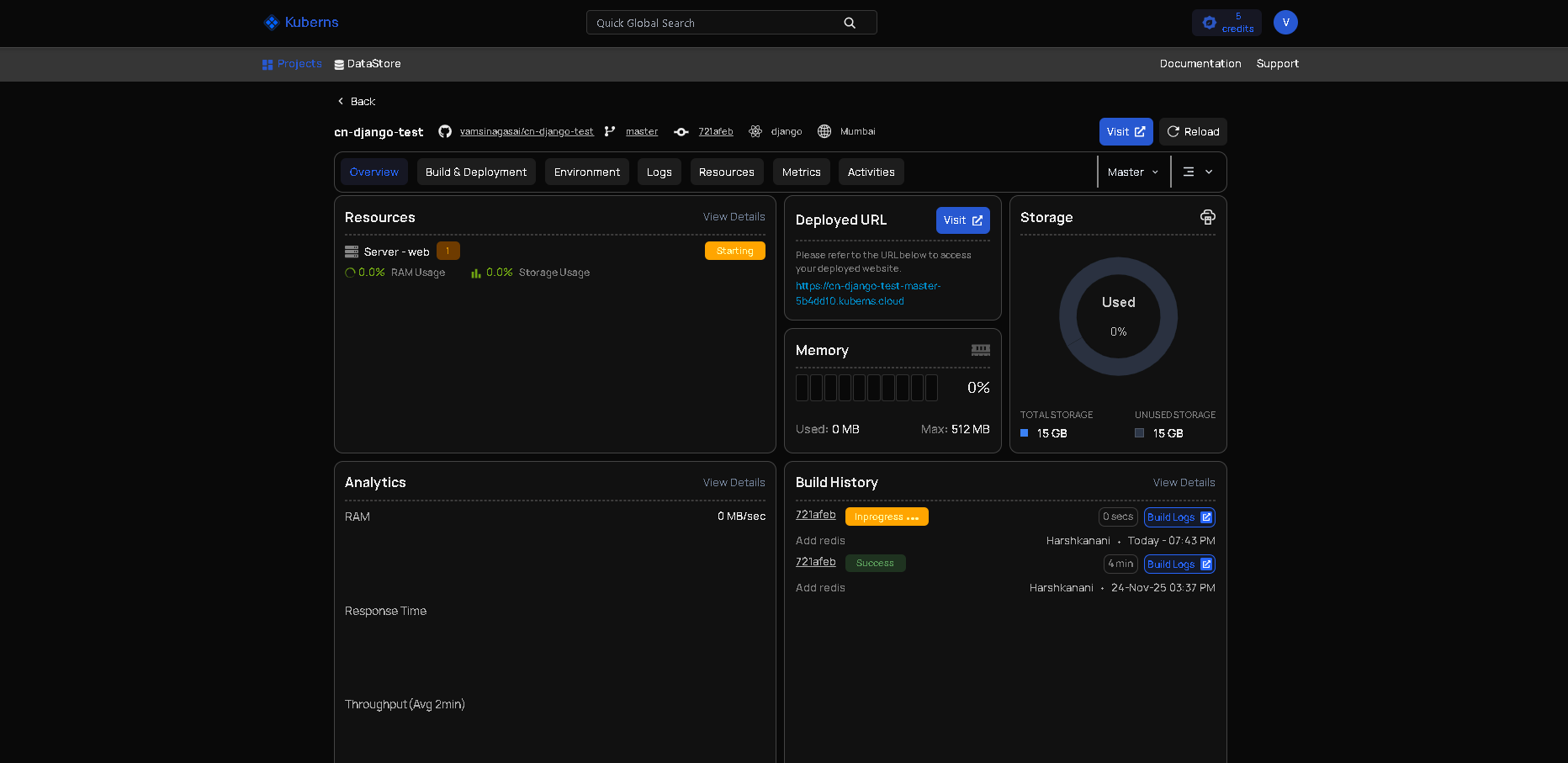
[Kuberns](https://kuberns.com/) is an agentic AI deployment platform built on AWS. You connect your GitHub repository and click Deploy. The agentic AI detects your stack, provisions infrastructure, handles SSL, and manages auto-scaling automatically. No config files. No render.yaml.
For the database layer, Kuberns works seamlessly with Neon or Supabase via `DATABASE_URL`. You get a purpose-built managed Postgres with connection pooling built in and a permanent free tier, paired with AI-managed compute for your app.
| Feature | Render (app + Postgres) | Kuberns + Neon |
|---|---|---|
| App deployment | Render web service | Kuberns agentic AI on AWS |
| Database | Render Postgres | Neon managed Postgres |
| Connection pooling | Not included | Built-in PgBouncer |
| Free database tier | 30 days then deleted | Permanent |
| High availability | $85/month (Pro only) | Available at lower cost |
| Auto-scaling | Manual rules | AI-driven, automatic |
| Config required | Yes (render.yaml) | None |
| CI/CD | GitHub integration | Built-in, triggers on every push |
| Cold starts | Yes (free tier) | No cold starts |
The teams that move off Render typically hit one of three points: the free database gets deleted, HA becomes necessary but $85 per month is too steep, or connection pooling failures start hitting production. Kuberns removes all three of those constraints.
- **No config files.** Push to GitHub and your app is live. No render.yaml, no Procfile, no Dockerfile needed.
- **AI-driven auto-scaling.** Traffic spikes are handled automatically. No manual rules or plan upgrades.
- **40% lower cost than direct AWS.** Kuberns runs on AWS infrastructure, priced more efficiently than raw EC2.
- **Free credits on signup.** Deploy your first app without a credit card.
For teams looking to move off Render, the [Render alternatives guide](https://kuberns.com/blogs/best-render-alternatives/) covers the full comparison. The [Render vs Railway vs Kuberns breakdown](https://kuberns.com/blogs/railway-vs-render-vs-kuberns/) goes deeper on cost and features side by side.
[Start deploying on Kuberns for free](https://dashboard.kuberns.com/)
## Frequently Asked Questions
### Is Render Postgres free?
Render offers a free Postgres instance, but it expires 30 days after creation. After expiry, Render permanently deletes your database and all its data. Free instances have no backups, no point-in-time recovery, and no high availability.
### How much does Render Postgres cost?
Render Postgres starts at approximately $7 per month for the Basic-256MB instance. A Basic-1GB instance (1 GB RAM, 10 GB storage) is around $20 per month. Storage beyond the included amount costs $0.30 per GB per month. HA requires a Pro or Accelerated instance type; the standby is billed at the same rate as the primary, so enabling HA doubles your database instance cost. Check [render.com/pricing](https://render.com/pricing) for current rates.
### What happens when the Render Postgres free tier expires?
After 30 days, Render permanently deletes your free database and all its data. There is no grace period, no automatic upgrade, and no recovery option after deletion. Export your data using `pg_dump` with the external connection URL before the expiry date.
### Does Render Postgres support read replicas?
Yes. Read replicas are available on Basic-1GB instance type or higher with at least 10 GB of storage allocated. You can add up to 5 read replicas per database. Each replica is billed at the same per-instance rate as the primary. Note that read replicas and HA have different minimum instance requirements: HA requires a Pro or Accelerated instance, while read replicas only require Basic-1GB or above.
### Can I decrease storage on Render Postgres?
No. Storage can only be increased. Once you expand storage manually or via autoscaling, the allocation is permanent and you are billed for the full amount regardless of actual usage.
### What is the difference between internal and external Render Postgres URLs?
The internal URL is for connections from other Render services in the same region. It uses the private network with lower latency and no public internet exposure. The external URL is for connections from outside Render. Always use the internal URL from your Render web services.
### Does Render Postgres include connection pooling?
No. Render Postgres does not include PgBouncer or any built-in connection pooler. Applications with high connection concurrency need to set up an external pooler or move to a provider like Neon that includes pooling natively.
---
- [More Alternatives articles](https://kuberns.com/blogs/category/alternatives/1/)
- [All articles](https://kuberns.com/blogs/)
## The Hidden Limitations of Render Postgres
### No Connection Pooling Built In
Render Postgres does not include PgBouncer or any connection pooler out of the box. PostgreSQL has a hard limit on simultaneous connections based on available memory. An app with many short-lived connections (serverless functions, high-concurrency APIs, or background jobs firing frequently) will exhaust the connection limit and start returning errors.
To work around this, you need to set up an external PgBouncer instance or move to a Postgres provider that includes connection pooling natively. Neon and Supabase both do. On [Kuberns](https://kuberns.com/), pairing with either of those takes one environment variable and no additional infrastructure.
### Storage Cannot Be Reduced
Once you allocate or autoscale storage, it is permanent. This makes Render Postgres expensive for databases that grow temporarily and then shrink, for example during a migration, a data import, or a batch job. Whatever storage peak you hit, you pay for it forever.
### HA and Read Replicas Have Different Instance Requirements
High availability requires a **Pro or Accelerated instance type**. Read replicas only require **Basic-1GB or higher** with at least 10 GB of storage. These are separate thresholds. A Basic-1GB instance can have up to 5 read replicas but cannot enable HA. If you need both, you need a Pro or Accelerated instance.
### Free Tier Deletes Your Data
Unlike competitors such as Neon and Supabase that keep free databases running indefinitely, Render deletes free Postgres instances after 30 days. Developers who set up a project and come back a month later will find their database gone.
## Render Postgres vs Alternatives
| Provider | Free tier | Connection pooling | HA | Starting price | Best for |
|---|---|---|---|---|---|
| Render Postgres | 30 days then deleted | No built-in | $85/month (Pro only) | $7/month | Teams fully on Render |
| **Kuberns + Neon** | **Permanent (Neon free tier)** | **Built-in PgBouncer** | **Available** | **$7/month** | **Teams wanting AI deployment + managed Postgres** |
| Neon | Permanent free tier | Built-in PgBouncer | Available on paid | Free | Serverless, edge, high-concurrency apps |
| Supabase | Permanent free tier | Built-in | Available on paid | Free | Apps needing auth and storage alongside Postgres |
| AWS RDS | No | Separate RDS Proxy | Available | ~$15/month | Enterprise, AWS-native stacks |
For most teams, the Kuberns + Neon combination wins on all fronts: permanent free database, connection pooling included, HA without a $85/month floor, and AI-managed app deployment with zero config files. The case for sticking with Render Postgres is specific: your entire stack is already on Render and you want a single dashboard.
## When Render Postgres Makes Sense
Render Postgres is a reasonable choice in one specific scenario: your entire stack already lives on Render, you are on a paid instance type (Basic-1GB or above), and you want one bill and one dashboard.
The internal networking genuinely helps. Connecting a Render web service to a Render Postgres database over the private network is fast, simple, and low-latency compared to external providers.
It makes sense when:
- You are on a paid instance type (logical exports and PITR are included)
- You do not need HA, or you can justify upgrading to a Pro or Accelerated instance for it
- Your database fits within the allocated storage without frequent autoscaling events
- You prefer platform consolidation over individual product optimisation
## When to Look Elsewhere
Move away from Render Postgres when:
- Your free database is expiring and you want a permanent free tier
- You need high availability but do not want to pay for a Pro or Accelerated instance type
- Your app has high connection concurrency and you need pooling
- Your storage is growing unpredictably and you cannot afford the permanent autoscale lock-in
- You are migrating away from Render entirely
## Why Teams Choose Kuberns Over Render

[Kuberns](https://kuberns.com/) is an agentic AI deployment platform built on AWS. You connect your GitHub repository and click Deploy. The agentic AI detects your stack, provisions infrastructure, handles SSL, and manages auto-scaling automatically. No config files. No render.yaml.
For the database layer, Kuberns works seamlessly with Neon or Supabase via `DATABASE_URL`. You get a purpose-built managed Postgres with connection pooling built in and a permanent free tier, paired with AI-managed compute for your app.
| Feature | Render (app + Postgres) | Kuberns + Neon |
|---|---|---|
| App deployment | Render web service | Kuberns agentic AI on AWS |
| Database | Render Postgres | Neon managed Postgres |
| Connection pooling | Not included | Built-in PgBouncer |
| Free database tier | 30 days then deleted | Permanent |
| High availability | $85/month (Pro only) | Available at lower cost |
| Auto-scaling | Manual rules | AI-driven, automatic |
| Config required | Yes (render.yaml) | None |
| CI/CD | GitHub integration | Built-in, triggers on every push |
| Cold starts | Yes (free tier) | No cold starts |
The teams that move off Render typically hit one of three points: the free database gets deleted, HA becomes necessary but $85 per month is too steep, or connection pooling failures start hitting production. Kuberns removes all three of those constraints.
- **No config files.** Push to GitHub and your app is live. No render.yaml, no Procfile, no Dockerfile needed.
- **AI-driven auto-scaling.** Traffic spikes are handled automatically. No manual rules or plan upgrades.
- **40% lower cost than direct AWS.** Kuberns runs on AWS infrastructure, priced more efficiently than raw EC2.
- **Free credits on signup.** Deploy your first app without a credit card.
For teams looking to move off Render, the [Render alternatives guide](https://kuberns.com/blogs/best-render-alternatives/) covers the full comparison. The [Render vs Railway vs Kuberns breakdown](https://kuberns.com/blogs/railway-vs-render-vs-kuberns/) goes deeper on cost and features side by side.
[Start deploying on Kuberns for free](https://dashboard.kuberns.com/)
## Frequently Asked Questions
### Is Render Postgres free?
Render offers a free Postgres instance, but it expires 30 days after creation. After expiry, Render permanently deletes your database and all its data. Free instances have no backups, no point-in-time recovery, and no high availability.
### How much does Render Postgres cost?
Render Postgres starts at approximately $7 per month for the Basic-256MB instance. A Basic-1GB instance (1 GB RAM, 10 GB storage) is around $20 per month. Storage beyond the included amount costs $0.30 per GB per month. HA requires a Pro or Accelerated instance type; the standby is billed at the same rate as the primary, so enabling HA doubles your database instance cost. Check [render.com/pricing](https://render.com/pricing) for current rates.
### What happens when the Render Postgres free tier expires?
After 30 days, Render permanently deletes your free database and all its data. There is no grace period, no automatic upgrade, and no recovery option after deletion. Export your data using `pg_dump` with the external connection URL before the expiry date.
### Does Render Postgres support read replicas?
Yes. Read replicas are available on Basic-1GB instance type or higher with at least 10 GB of storage allocated. You can add up to 5 read replicas per database. Each replica is billed at the same per-instance rate as the primary. Note that read replicas and HA have different minimum instance requirements: HA requires a Pro or Accelerated instance, while read replicas only require Basic-1GB or above.
### Can I decrease storage on Render Postgres?
No. Storage can only be increased. Once you expand storage manually or via autoscaling, the allocation is permanent and you are billed for the full amount regardless of actual usage.
### What is the difference between internal and external Render Postgres URLs?
The internal URL is for connections from other Render services in the same region. It uses the private network with lower latency and no public internet exposure. The external URL is for connections from outside Render. Always use the internal URL from your Render web services.
### Does Render Postgres include connection pooling?
No. Render Postgres does not include PgBouncer or any built-in connection pooler. Applications with high connection concurrency need to set up an external pooler or move to a provider like Neon that includes pooling natively.
---
- [More Alternatives articles](https://kuberns.com/blogs/category/alternatives/1/)
- [All articles](https://kuberns.com/blogs/)