# The Complete Guide to DigitalOcean for Cloud Hosting [2026]
> Learn what DigitalOcean is, how Droplets, App Platform, and Spaces work, pricing breakdown, and whether it is the right cloud hosting choice for your team.
- **Author**: harsh-kanani
- **Published**: 2026-06-10
- **Modified**: 2026-06-10
- **Category**: Deployment Guides
- **URL**: https://kuberns.com/blogs/what-is-digitalocean/
---
DigitalOcean is a cloud infrastructure platform built for developers, startups, and small to mid-size teams who want reliable cloud hosting without the complexity of AWS or Google Cloud. It offers virtual machines called Droplets, a managed app deployment platform, object storage, Kubernetes, databases, and serverless functions, all behind a clean interface and predictable flat pricing.
Founded in 2012 and headquartered in New York, DigitalOcean has grown to serve over 600,000 customers across 185 countries. It occupies a distinct position in the cloud market: more capable than shared hosting, more approachable than hyperscalers. This guide covers everything you need to know about DigitalOcean cloud hosting, its products, pricing, and where it fits in 2026.
### TL;DR
- DigitalOcean is a developer-focused cloud platform known for simple pricing and easy VPS hosting via Droplets
- Core products include Droplets (VMs), App Platform (PaaS), Spaces (object storage), Kubernetes, and Databases
- Droplets start at $4/mo with per-second billing introduced in January 2026
- DigitalOcean is best for developers comfortable with Linux server management
- For teams who want zero server config and AI-managed deployment, [Kuberns](https://kuberns.com) is a stronger fit
## What Is DigitalOcean?

DigitalOcean is a cloud computing platform designed with developers as the primary user. Where AWS and Google Cloud are built around enterprise sales motions and hundreds of services, DigitalOcean focuses on a smaller, cleaner product surface that covers what most developers and small teams actually need.
The company positions itself as a "business-ready cloud" that sits between basic shared hosting and hyperscale enterprise infrastructure. IDC has described it as a robust alternative to hyperscalers for growing companies that need to scale sustainably without building a dedicated cloud operations team.
DigitalOcean's core differentiators are three things: a simple interface that does not require a certification to navigate, pricing that is transparent and monthly-capped rather than metered in ways that produce surprise bills, and documentation and tutorials that are genuinely useful for developers getting started.
> DigitalOcean competes directly with platforms like Render, Heroku, and Fly.io on the simplicity end, and with AWS and Hetzner on the infrastructure end. For a full breakdown, see [DigitalOcean vs AWS: which cloud platform should you choose](https://kuberns.com/blogs/best-cloud-platform-digitalocean-vs-aws/).
## What Are the DigitalOcean Products?

DigitalOcean's product suite covers compute, storage, networking, databases, and application hosting. Here is what each product does and when you would use it.
### What Is a DigitalOcean Droplet?
A Droplet is DigitalOcean's virtual machine. It is a cloud server you spin up in under a minute, choose a Linux OS for, and manage yourself via SSH or the DigitalOcean control panel. Droplets are the foundation of DigitalOcean hosting and the product most people think of when they hear the platform name.
Droplets run on local SSDs for fast I/O and come with a 99.99% uptime SLA. You can resize a Droplet vertically as your resource needs grow. Basic Droplets start at $4 per month for 512 MiB RAM and 1 vCPU. Premium CPU-optimized and memory-optimized plans are available for more demanding workloads.
From January 2026, DigitalOcean switched Droplets to per-second billing with a minimum charge of 60 seconds or $0.01, whichever is higher. This is useful for short-lived workloads like batch jobs and automated testing where hourly billing previously wasted budget.
### What Is DigitalOcean App Platform?
DigitalOcean App Platform is a platform-as-a-service (PaaS) that connects directly to your GitHub or GitLab repository. When you push code, App Platform automatically builds and deploys your application without requiring you to manage a server.
It supports Node.js, Python, Ruby, Go, PHP, and static sites. App Platform handles SSL certificates, custom domains, environment variables, and basic auto-scaling. The free tier includes three static sites. Paid plans for dynamic apps start at $5 per month.
App Platform is the closest DigitalOcean gets to a fully managed deployment experience. It removes Droplet management for most web application use cases, though framework support is narrower than some alternatives.
### What Is DigitalOcean Spaces?
DigitalOcean Spaces is an S3-compatible object storage service for storing and serving large amounts of data. It is designed for images, videos, backups, log files, and static assets that your application needs to store and access reliably.
Spaces includes a built-in CDN that caches your content at edge locations to reduce load times for users globally. It is fully compatible with the AWS S3 API, meaning tools and libraries built for S3 work with Spaces without code changes. Spaces starts at $21 per month for 250 GiB of storage and 1 TiB of outbound transfer.
### What Is DigitalOcean Managed Kubernetes?
DigitalOcean Kubernetes (DOKS) is a managed Kubernetes service for teams running containerized workloads. DOKS handles the Kubernetes control plane for free; you only pay for the worker nodes you provision. A basic cluster starts at $12 per month.
DOKS is a good fit for teams that have already adopted containers and want to run Kubernetes without managing the control plane themselves. It integrates with DigitalOcean's load balancers, block storage, and container registry.
### What Are DigitalOcean Managed Databases?
DigitalOcean Managed Databases is a fully managed database service supporting PostgreSQL, MySQL, Redis, MongoDB, and Kafka. DigitalOcean handles provisioning, patching, backups, and failover. Basic plans start at $15 per month for a single-node PostgreSQL instance.
For teams that want a production database without managing a database server on a Droplet, Managed Databases removes that operational overhead while keeping costs lower than equivalent AWS RDS configurations.
### What Is DigitalOcean Functions?
DigitalOcean Functions is a serverless compute service for running code in response to events without provisioning a server. It supports Node.js, Python, Go, and PHP. Functions are billed based on execution time and memory, with 90,000 GiB-seconds per month included in the free tier at no cost.
Functions are a fit for event-driven tasks: webhooks, scheduled jobs, image resizing, and API integrations that do not need a persistent server running continuously.
## How Does DigitalOcean Pricing Work?
DigitalOcean is known for pricing that is straightforward to predict. All plans have monthly caps so your bill does not spiral from unexpected traffic. Here is a summary of entry-level pricing across the main products:
| Product | Starting Price | Free Tier |
|---|---|---|
| Droplets (Basic) | $4/mo (1 vCPU, 512 MiB RAM) | No |
| App Platform (Static) | Free | 3 static sites |
| App Platform (Dynamic) | $5/mo | No |
| Spaces Object Storage | $21/mo (250 GiB + 1 TiB transfer) | No |
| Managed Kubernetes | $12/mo (worker nodes) | Control plane free |
| Managed Databases | $15/mo (PostgreSQL basic) | No |
| Functions | Pay-per-use | 90,000 GiB-sec/mo |
| DNS Management | Free | Yes |
| Cloud Firewalls | Free | Yes |
| Container Registry | Free (1 repo, 500 MiB) | Yes |
A Forrester Total Economic Impact study found that organizations using DigitalOcean achieved an ROI of 186% over three years, with payback in under six months. New accounts receive $200 in free credits for the first 60 days.
> DigitalOcean's pricing is competitive for simple workloads, but costs can add up as you layer products. See how it compares in a full [DigitalOcean vs Hetzner analysis](https://kuberns.com/blogs/hetzner-vs-digitalocean-vs-kuberns-ai/) for teams evaluating European alternatives.
 ## How Does DigitalOcean Deployment Work?

DigitalOcean offers two main deployment paths: manual server deployment via Droplets, and managed deployment via App Platform. The right path depends on how much control and complexity your team is comfortable with.
### Droplet Deployment Flow
Deploying on a Droplet is a manual process. You create a Droplet, choose an OS, connect via SSH, install your runtime and dependencies, configure environment variables, set up a process manager like PM2 or systemd, configure Nginx or Caddy as a reverse proxy, and handle SSL setup. You are responsible for keeping the server updated, monitoring it, and managing scaling.
This gives you full control but requires Linux experience and ongoing maintenance. Teams without a dedicated DevOps engineer often find Droplet management adds overhead that slows down shipping.
### App Platform Deployment Flow
App Platform is simpler. You connect your GitHub or GitLab repository, choose your runtime, set environment variables in the UI, and App Platform handles the build and deploy automatically every time you push code. SSL is provisioned automatically and custom domains are configured through the dashboard.
The trade-off is that App Platform supports a narrower set of frameworks and runtimes compared to a raw Droplet. Complex multi-service architectures or custom build steps can hit the edges of what App Platform supports.
> The gap between a working local app and a deployed production app is where most teams lose time. See the full breakdown of [software deployment tools](https://kuberns.com/blogs/best-software-deployment-tools/) that cover what DigitalOcean leaves manual.
## Where DigitalOcean Falls Short in 2026

DigitalOcean is a solid platform for what it does, but it has meaningful gaps that matter depending on what you are building.
**Manual Droplet configuration is still required for most workloads:** App Platform covers basic apps, but any non-standard framework, multi-container setup, or custom build pipeline pushes you back to managing a Droplet manually. That means SSH, Linux configuration, and server maintenance.
**App Platform has limited language and framework support:** Node.js, Python, Go, Ruby, and PHP are supported. Anything outside that list requires a Droplet, which reintroduces manual server management.
**There is no AI-native deployment layer:** DigitalOcean does not auto-detect your stack, suggest configurations, or adapt to your application's behaviour. Every configuration decision is made by you. In 2026, when AI-native deployment platforms handle stack detection, environment setup, and scaling automatically, this is a meaningful gap.
**Scaling still requires human decisions:** App Platform has basic horizontal scaling, but setting thresholds, managing resource limits, and responding to traffic spikes intelligently requires manual configuration. Auto-scaling on Droplets does not exist natively; you need to build it with load balancers and custom scripts.
> If you are hitting these walls with DigitalOcean, the [best DigitalOcean alternatives](https://kuberns.com/blogs/digitalocean-alternatives/) cover every option in detail, from simple PaaS platforms to AI-managed deployment.
## What Are the Best DigitalOcean Alternatives?
For teams that outgrow DigitalOcean or want a different trade-off between control and simplicity, several alternatives are worth knowing.
**[Kuberns](https://kuberns.com)** is the alternative for teams who want deployment fully handled by AI. No server management, no YAML, no Dockerfile required. Connect your repo and Kuberns deploys your app automatically.
**Render** is the closest like-for-like alternative: a PaaS with Git-based deploys, a generous free tier, and less manual config than Droplets. See a full [Render vs DigitalOcean comparison](https://kuberns.com/blogs/render-vs-digitalocean/) for specifics.
**Heroku** is the original PaaS and still used by teams that want a familiar workflow, though pricing has become less competitive since ending its free tier. See [Heroku vs DigitalOcean](https://kuberns.com/blogs/heroku-vs-digitalocean/) for the trade-offs.
**Hetzner** is significantly cheaper than DigitalOcean for raw VPS compute, based in Europe, and a strong option for cost-sensitive teams comfortable managing servers. See the [DigitalOcean vs Hetzner breakdown](https://kuberns.com/blogs/hetzner-vs-digitalocean-vs-kuberns-ai/).
**Fly.io** is built for low-latency edge deployment and runs your containers close to your users globally. See [Fly.io vs DigitalOcean](https://kuberns.com/blogs/flyio-vs-digitalocean-vs-kuberns-ai/) if latency and geographic distribution are priorities.
**Linode (Akamai Cloud)** and **Vultr** are infrastructure-focused alternatives with competitive VPS pricing. See [DigitalOcean vs Linode](https://kuberns.com/blogs/linode-vs-digitalocean/) and [DigitalOcean vs Vultr](https://kuberns.com/blogs/digitalocean-vs-vultr/) for side-by-side comparisons.
## How Kuberns Compares to DigitalOcean
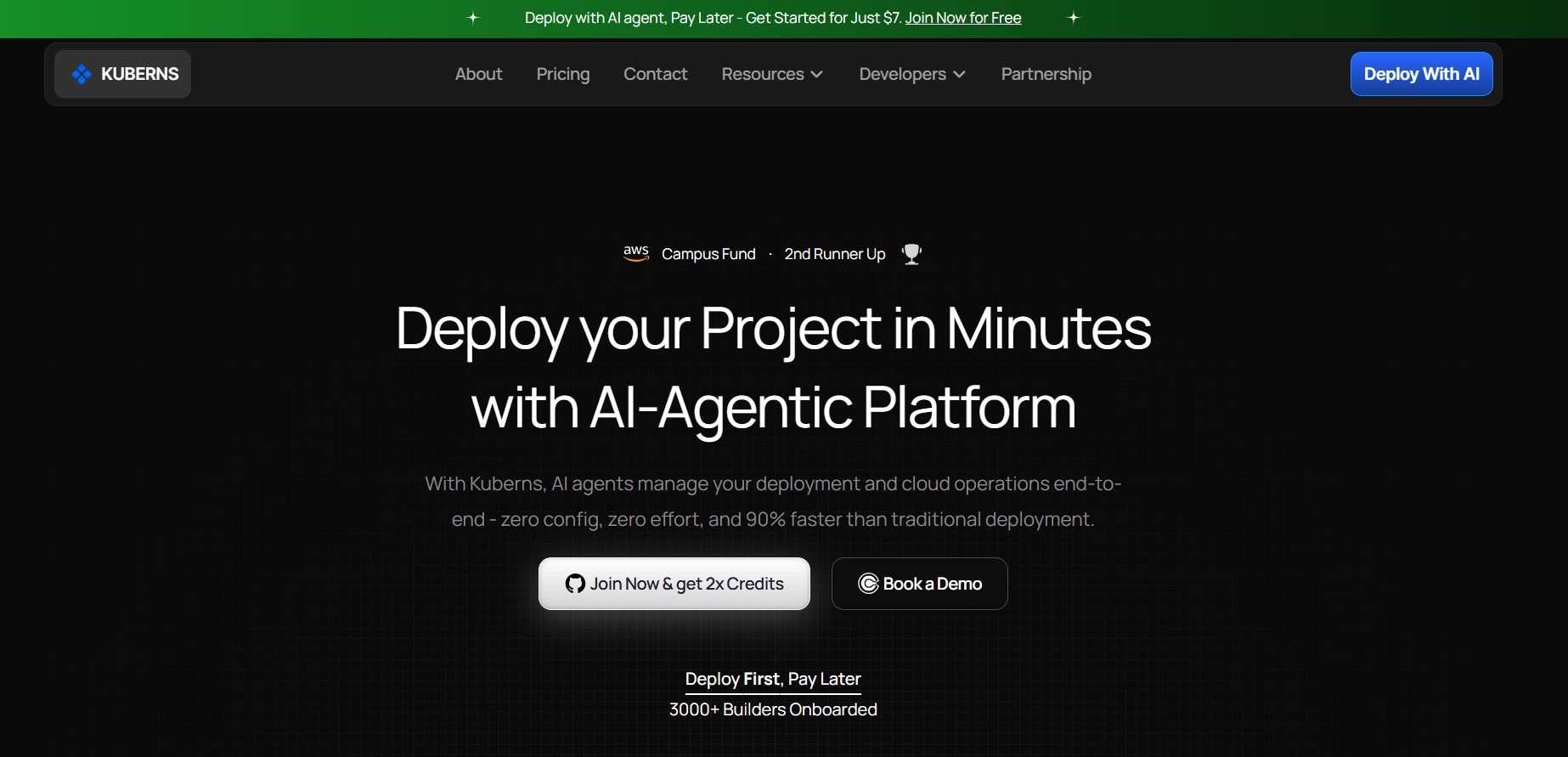
[Kuberns](https://kuberns.com) is an Agentic AI cloud deployment platform that handles what DigitalOcean still leaves manual.
Where a DigitalOcean Droplet requires you to SSH in, install dependencies, configure a reverse proxy, set up SSL, and manage scaling rules, Kuberns does all of that automatically. You connect your GitHub repository, push code, and Kuberns detects your stack, builds your application, configures the environment, provisions SSL, and gets your app live. No YAML files, no Dockerfiles, no server configuration.
Here is how the two platforms compare on the things that matter most for shipping fast:
| | DigitalOcean | Kuberns |
|---|---|---|
| Deployment setup | Manual (SSH, Nginx, PM2) | Automatic (AI detects stack) |
| YAML / config files | Required for App Platform | None required |
| Auto-scaling | Manual threshold config | AI-managed, real-time |
| SSL | Manual or App Platform | Automatic on every deploy |
| Infrastructure | DigitalOcean data centers | AWS (enterprise-grade) |
| Pricing model | From $4/mo Droplet | Comparable, up to 40% savings vs direct AWS |
| AI deployment layer | None | Agentic AI end-to-end |
Kuberns is built on AWS infrastructure, which means better underlying reliability and global coverage, at pricing that is comparable to DigitalOcean for most use cases. Teams that have moved from DigitalOcean to Kuberns report eliminating the server management overhead that was slowing down their release cycles.
> For a deeper look at how [cloud deployment models](https://kuberns.com/blogs/cloud-deployment-models/) have evolved and where AI-native platforms fit, that guide covers the full landscape.
[Deploy your first app with zero server config on Kuberns](https://dashboard.kuberns.com)
## How Does DigitalOcean Deployment Work?

DigitalOcean offers two main deployment paths: manual server deployment via Droplets, and managed deployment via App Platform. The right path depends on how much control and complexity your team is comfortable with.
### Droplet Deployment Flow
Deploying on a Droplet is a manual process. You create a Droplet, choose an OS, connect via SSH, install your runtime and dependencies, configure environment variables, set up a process manager like PM2 or systemd, configure Nginx or Caddy as a reverse proxy, and handle SSL setup. You are responsible for keeping the server updated, monitoring it, and managing scaling.
This gives you full control but requires Linux experience and ongoing maintenance. Teams without a dedicated DevOps engineer often find Droplet management adds overhead that slows down shipping.
### App Platform Deployment Flow
App Platform is simpler. You connect your GitHub or GitLab repository, choose your runtime, set environment variables in the UI, and App Platform handles the build and deploy automatically every time you push code. SSL is provisioned automatically and custom domains are configured through the dashboard.
The trade-off is that App Platform supports a narrower set of frameworks and runtimes compared to a raw Droplet. Complex multi-service architectures or custom build steps can hit the edges of what App Platform supports.
> The gap between a working local app and a deployed production app is where most teams lose time. See the full breakdown of [software deployment tools](https://kuberns.com/blogs/best-software-deployment-tools/) that cover what DigitalOcean leaves manual.
## Where DigitalOcean Falls Short in 2026

DigitalOcean is a solid platform for what it does, but it has meaningful gaps that matter depending on what you are building.
**Manual Droplet configuration is still required for most workloads:** App Platform covers basic apps, but any non-standard framework, multi-container setup, or custom build pipeline pushes you back to managing a Droplet manually. That means SSH, Linux configuration, and server maintenance.
**App Platform has limited language and framework support:** Node.js, Python, Go, Ruby, and PHP are supported. Anything outside that list requires a Droplet, which reintroduces manual server management.
**There is no AI-native deployment layer:** DigitalOcean does not auto-detect your stack, suggest configurations, or adapt to your application's behaviour. Every configuration decision is made by you. In 2026, when AI-native deployment platforms handle stack detection, environment setup, and scaling automatically, this is a meaningful gap.
**Scaling still requires human decisions:** App Platform has basic horizontal scaling, but setting thresholds, managing resource limits, and responding to traffic spikes intelligently requires manual configuration. Auto-scaling on Droplets does not exist natively; you need to build it with load balancers and custom scripts.
> If you are hitting these walls with DigitalOcean, the [best DigitalOcean alternatives](https://kuberns.com/blogs/digitalocean-alternatives/) cover every option in detail, from simple PaaS platforms to AI-managed deployment.
## What Are the Best DigitalOcean Alternatives?
For teams that outgrow DigitalOcean or want a different trade-off between control and simplicity, several alternatives are worth knowing.
**[Kuberns](https://kuberns.com)** is the alternative for teams who want deployment fully handled by AI. No server management, no YAML, no Dockerfile required. Connect your repo and Kuberns deploys your app automatically.
**Render** is the closest like-for-like alternative: a PaaS with Git-based deploys, a generous free tier, and less manual config than Droplets. See a full [Render vs DigitalOcean comparison](https://kuberns.com/blogs/render-vs-digitalocean/) for specifics.
**Heroku** is the original PaaS and still used by teams that want a familiar workflow, though pricing has become less competitive since ending its free tier. See [Heroku vs DigitalOcean](https://kuberns.com/blogs/heroku-vs-digitalocean/) for the trade-offs.
**Hetzner** is significantly cheaper than DigitalOcean for raw VPS compute, based in Europe, and a strong option for cost-sensitive teams comfortable managing servers. See the [DigitalOcean vs Hetzner breakdown](https://kuberns.com/blogs/hetzner-vs-digitalocean-vs-kuberns-ai/).
**Fly.io** is built for low-latency edge deployment and runs your containers close to your users globally. See [Fly.io vs DigitalOcean](https://kuberns.com/blogs/flyio-vs-digitalocean-vs-kuberns-ai/) if latency and geographic distribution are priorities.
**Linode (Akamai Cloud)** and **Vultr** are infrastructure-focused alternatives with competitive VPS pricing. See [DigitalOcean vs Linode](https://kuberns.com/blogs/linode-vs-digitalocean/) and [DigitalOcean vs Vultr](https://kuberns.com/blogs/digitalocean-vs-vultr/) for side-by-side comparisons.
## How Kuberns Compares to DigitalOcean

[Kuberns](https://kuberns.com) is an Agentic AI cloud deployment platform that handles what DigitalOcean still leaves manual.
Where a DigitalOcean Droplet requires you to SSH in, install dependencies, configure a reverse proxy, set up SSL, and manage scaling rules, Kuberns does all of that automatically. You connect your GitHub repository, push code, and Kuberns detects your stack, builds your application, configures the environment, provisions SSL, and gets your app live. No YAML files, no Dockerfiles, no server configuration.
Here is how the two platforms compare on the things that matter most for shipping fast:
| | DigitalOcean | Kuberns |
|---|---|---|
| Deployment setup | Manual (SSH, Nginx, PM2) | Automatic (AI detects stack) |
| YAML / config files | Required for App Platform | None required |
| Auto-scaling | Manual threshold config | AI-managed, real-time |
| SSL | Manual or App Platform | Automatic on every deploy |
| Infrastructure | DigitalOcean data centers | AWS (enterprise-grade) |
| Pricing model | From $4/mo Droplet | Comparable, up to 40% savings vs direct AWS |
| AI deployment layer | None | Agentic AI end-to-end |
Kuberns is built on AWS infrastructure, which means better underlying reliability and global coverage, at pricing that is comparable to DigitalOcean for most use cases. Teams that have moved from DigitalOcean to Kuberns report eliminating the server management overhead that was slowing down their release cycles.
> For a deeper look at how [cloud deployment models](https://kuberns.com/blogs/cloud-deployment-models/) have evolved and where AI-native platforms fit, that guide covers the full landscape.
[Deploy your first app with zero server config on Kuberns](https://dashboard.kuberns.com)
 ## Conclusion
DigitalOcean is a well-built cloud platform that earns its reputation for simplicity and predictable pricing. Droplets give developers clean, affordable Linux VMs. App Platform removes server management for standard web apps. Spaces, Managed Databases, and DOKS cover the supporting infrastructure most teams need.
Where DigitalOcean shows its age is in the manual overhead that remains even on its simplest tier. App Platform is not truly hands-off and Droplet management requires real Linux knowledge. In 2026, with AI-native deployment platforms handling stack detection, environment configuration, and scaling automatically, that manual gap is harder to ignore.
If DigitalOcean's simplicity is what you need and you are comfortable managing servers, it is a solid choice. If you want deployment fully automated so you can focus entirely on building, [Kuberns](https://kuberns.com) covers that end of the spectrum.
## Frequently Asked Questions
### What is DigitalOcean used for?
DigitalOcean is used for hosting web applications, running backend APIs, deploying databases, storing files, and managing cloud infrastructure. It is popular with developers, startups, and SMBs who want affordable cloud hosting without the complexity of AWS or Google Cloud.
### What is a Droplet in DigitalOcean?
A Droplet is DigitalOcean's virtual machine (VM). Each Droplet is a Linux-based cloud server you spin up in seconds, choose an OS for, and manage yourself via SSH or the DigitalOcean console.
### Is DigitalOcean good for beginners?
DigitalOcean is more beginner-friendly than AWS or Google Cloud, but Droplet management still requires Linux knowledge. App Platform reduces the barrier significantly. Beginners who want zero server management may find AI-native platforms like Kuberns easier to start with.
### How does DigitalOcean App Platform work?
DigitalOcean App Platform connects to your GitHub or GitLab repository and automatically builds and deploys your app when you push code. It handles SSL, custom domains, and basic auto-scaling. It supports Node.js, Python, Ruby, Go, PHP, and static sites.
### What is DigitalOcean Spaces?
DigitalOcean Spaces is an S3-compatible object storage service for storing and serving images, videos, backups, and static assets. It includes a built-in CDN and starts at $21 per month for 250 GiB of storage and 1 TiB of outbound transfer.
### Is DigitalOcean cheaper than AWS?
DigitalOcean is generally cheaper than AWS for simple workloads. A basic Droplet starts at $4 per month versus AWS EC2 t2.micro at around $8.50 per month. DigitalOcean also has more predictable pricing with monthly caps, while AWS billing can grow complex at scale.
### What is DigitalOcean cloud hosting?
DigitalOcean cloud hosting refers to running websites and applications on DigitalOcean's cloud infrastructure. This includes Droplets for VPS hosting, App Platform for PaaS hosting, and Spaces for static asset delivery.
### What are the best DigitalOcean alternatives?
The best DigitalOcean alternatives in 2026 include Kuberns for AI-native zero-config deployment, Render for simple PaaS, Fly.io for edge deployment, Heroku for legacy PaaS workflows, and Hetzner for cheaper European VPS infrastructure.
### What is DigitalOcean deployment?
DigitalOcean deployment is the process of getting your application running on DigitalOcean infrastructure, either via Droplets (manual server setup), App Platform (Git-based auto-deploy), or DOKS (Kubernetes containers). Each method requires a different level of technical knowledge.
### What is an ocean cloud server?
Ocean cloud server is an informal term for DigitalOcean's cloud servers, specifically Droplets. A DigitalOcean Droplet is a virtual machine that runs on DigitalOcean's cloud infrastructure, available in seconds and usable for any Linux-compatible workload.
---
- [More Deployment Guides articles](https://kuberns.com/blogs/category/deployment-guides/1/)
- [All articles](https://kuberns.com/blogs/)
## Conclusion
DigitalOcean is a well-built cloud platform that earns its reputation for simplicity and predictable pricing. Droplets give developers clean, affordable Linux VMs. App Platform removes server management for standard web apps. Spaces, Managed Databases, and DOKS cover the supporting infrastructure most teams need.
Where DigitalOcean shows its age is in the manual overhead that remains even on its simplest tier. App Platform is not truly hands-off and Droplet management requires real Linux knowledge. In 2026, with AI-native deployment platforms handling stack detection, environment configuration, and scaling automatically, that manual gap is harder to ignore.
If DigitalOcean's simplicity is what you need and you are comfortable managing servers, it is a solid choice. If you want deployment fully automated so you can focus entirely on building, [Kuberns](https://kuberns.com) covers that end of the spectrum.
## Frequently Asked Questions
### What is DigitalOcean used for?
DigitalOcean is used for hosting web applications, running backend APIs, deploying databases, storing files, and managing cloud infrastructure. It is popular with developers, startups, and SMBs who want affordable cloud hosting without the complexity of AWS or Google Cloud.
### What is a Droplet in DigitalOcean?
A Droplet is DigitalOcean's virtual machine (VM). Each Droplet is a Linux-based cloud server you spin up in seconds, choose an OS for, and manage yourself via SSH or the DigitalOcean console.
### Is DigitalOcean good for beginners?
DigitalOcean is more beginner-friendly than AWS or Google Cloud, but Droplet management still requires Linux knowledge. App Platform reduces the barrier significantly. Beginners who want zero server management may find AI-native platforms like Kuberns easier to start with.
### How does DigitalOcean App Platform work?
DigitalOcean App Platform connects to your GitHub or GitLab repository and automatically builds and deploys your app when you push code. It handles SSL, custom domains, and basic auto-scaling. It supports Node.js, Python, Ruby, Go, PHP, and static sites.
### What is DigitalOcean Spaces?
DigitalOcean Spaces is an S3-compatible object storage service for storing and serving images, videos, backups, and static assets. It includes a built-in CDN and starts at $21 per month for 250 GiB of storage and 1 TiB of outbound transfer.
### Is DigitalOcean cheaper than AWS?
DigitalOcean is generally cheaper than AWS for simple workloads. A basic Droplet starts at $4 per month versus AWS EC2 t2.micro at around $8.50 per month. DigitalOcean also has more predictable pricing with monthly caps, while AWS billing can grow complex at scale.
### What is DigitalOcean cloud hosting?
DigitalOcean cloud hosting refers to running websites and applications on DigitalOcean's cloud infrastructure. This includes Droplets for VPS hosting, App Platform for PaaS hosting, and Spaces for static asset delivery.
### What are the best DigitalOcean alternatives?
The best DigitalOcean alternatives in 2026 include Kuberns for AI-native zero-config deployment, Render for simple PaaS, Fly.io for edge deployment, Heroku for legacy PaaS workflows, and Hetzner for cheaper European VPS infrastructure.
### What is DigitalOcean deployment?
DigitalOcean deployment is the process of getting your application running on DigitalOcean infrastructure, either via Droplets (manual server setup), App Platform (Git-based auto-deploy), or DOKS (Kubernetes containers). Each method requires a different level of technical knowledge.
### What is an ocean cloud server?
Ocean cloud server is an informal term for DigitalOcean's cloud servers, specifically Droplets. A DigitalOcean Droplet is a virtual machine that runs on DigitalOcean's cloud infrastructure, available in seconds and usable for any Linux-compatible workload.
---
- [More Deployment Guides articles](https://kuberns.com/blogs/category/deployment-guides/1/)
- [All articles](https://kuberns.com/blogs/)