# What Is Microsoft Azure? The Complete Cloud Guide in 2026
> Learn what Microsoft Azure is, how its core cloud services work, what products and pricing it offers, and whether it is the right platform for your team.
- **Author**: parth-kanpariya
- **Published**: 2026-06-20
- **Modified**: 2026-06-20
- **Category**: Deployment Guides
- **URL**: https://kuberns.com/blogs/what-is-microsoft-azure/
---
Microsoft Azure is Microsoft's public cloud computing platform, launched in 2010 as Windows Azure and rebranded in 2014 to reflect its support for all operating systems and languages, not just Windows. It delivers over 200 cloud services covering compute, storage, networking, databases, AI, and developer tools across more than 60 regions globally. Today, Azure holds approximately 24% of the global cloud infrastructure market, serves around 85% of Fortune 500 companies, and operates as the exclusive cloud provider for OpenAI.
For large enterprises with existing Microsoft infrastructure, Azure is a natural fit. For smaller teams and startups that need to ship applications fast without managing cloud complexity, AI-native platforms like [Kuberns](https://kuberns.com) offer a much simpler path from code to production.
### TL;DR
- Microsoft Azure is a public cloud platform with 200+ services spanning compute, storage, networking, databases, and AI
- Launched in 2010 as Windows Azure, rebranded in 2014 to Microsoft Azure
- Holds around 24% of the global cloud market and serves 85% of Fortune 500 companies
- Pricing is pay-as-you-go with cost reduction options through Reserved Instances and Hybrid Benefit
- Azure is best for enterprises with existing Microsoft tooling and compliance requirements
- Teams that want AI-managed deployment without cloud overhead should look at [Kuberns](https://kuberns.com) instead
## What Is Microsoft Azure?
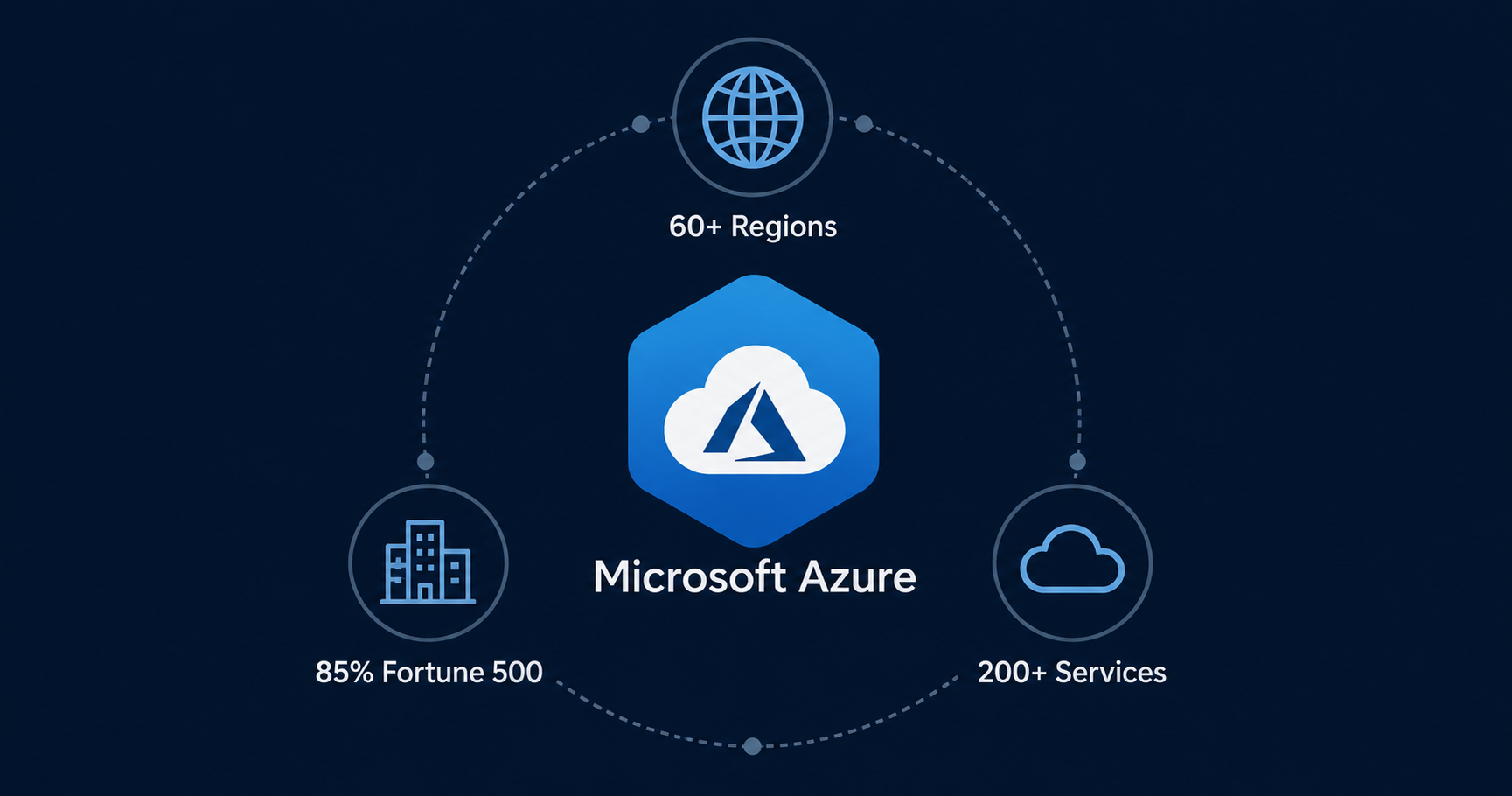
Microsoft Azure is a public cloud platform built and operated by Microsoft. Launched in 2010 as Windows Azure and rebranded in 2014 to reflect its expanded support for Linux, open-source frameworks, and every major programming language, it now delivers over 200 services across more than 60 regions globally. Teams use it to build, deploy, and scale applications without owning or managing physical hardware.
Azure holds approximately 24% of the global cloud infrastructure market as of 2026 and serves as the exclusive cloud provider for OpenAI. It differentiates from AWS and Google Cloud through its hybrid cloud capabilities via Azure Arc and native integration with the Microsoft ecosystem including Active Directory, Teams, Office 365, and Visual Studio.
> To understand how cloud deployment models work and which one fits your stack, see the full breakdown of [cloud deployment models explained](/blogs/cloud-deployment-models/).
## What Are the Core Microsoft Azure Services?

Azure offers more than 200 services. Most teams interact with a core set of products that cover the five foundational categories: compute, storage, networking, databases, and identity.
### Azure Virtual Machines
Azure Virtual Machines (VMs) are IaaS compute instances that run Windows or Linux. You choose the OS, configure the instance, and manage it yourself via SSH or the Azure portal. VMs are the foundation for teams that need full control over the runtime environment, including custom kernels, specific OS versions, or legacy enterprise software that cannot run on a managed platform.
VM sizes range from the B1s (1 vCPU, 1 GB RAM, starting around $7.30/month) to memory-optimised and GPU-accelerated instances for AI and high-performance workloads.
### Azure App Service
Azure App Service is a fully managed PaaS for deploying web applications and APIs. It connects to your GitHub or Azure DevOps repository, builds on push, and deploys automatically without requiring you to manage a VM. It supports Node.js, Python, .NET, Java, PHP, and Ruby.
App Service handles SSL certificates, custom domains, auto-scaling, and deployment slots for staging environments. The Free and Shared tiers are available for development. Production plans start at around $13/month.
### Azure Kubernetes Service (AKS)
Azure Kubernetes Service is Microsoft's managed Kubernetes offering. AKS provides a free control plane and charges only for the worker nodes you provision. It integrates with Azure Container Registry, Azure Monitor, and Azure Active Directory for RBAC. AKS is designed for teams already running containerised workloads that need orchestration at scale without managing the Kubernetes control plane themselves.
### Azure Storage
Azure Storage is the platform's object and file storage layer. It covers four main types: Blob Storage for unstructured data like images, videos, and backups; File Storage for managed SMB file shares; Queue Storage for message passing between services; and Disk Storage for persistent volumes attached to VMs. All storage types are globally redundant by default with multiple replication options.
### Azure SQL Database and Cosmos DB
Azure SQL Database is a fully managed relational database service based on Microsoft SQL Server. It handles backups, patching, and high availability automatically. Basic plans start at around $5/month for development workloads.
Azure Cosmos DB is a globally distributed NoSQL database designed for single-digit millisecond read and write latency at any scale. It supports multiple APIs including SQL, MongoDB, Cassandra, and Gremlin. Cosmos DB is used by applications that need multi-region writes and automatic data replication.
### Azure Active Directory (Entra ID)
Azure Active Directory, now rebranded as Microsoft Entra ID, is Azure's identity and access management layer. It provides single sign-on (SSO), multi-factor authentication, conditional access policies, and role-based access control across Azure services and integrated third-party applications. For organisations already using Microsoft 365, Entra ID is the identity backbone that connects cloud resources to user accounts.
### Azure AI and Machine Learning Services
Azure AI Foundry is the platform's end-to-end AI development environment. It provides access to OpenAI models (including GPT-4o and o1), Azure Machine Learning for custom model training, Azure AI Search, and Azure Cognitive Services for pre-built capabilities like vision, speech, and language processing. Azure serves as the exclusive infrastructure provider for OpenAI, which means the most advanced AI models available commercially run on Azure hardware.
> For a breakdown of IaaS, PaaS, and SaaS and how Azure spans all three, see [IaaS vs PaaS vs SaaS explained](/blogs/iaas-vs-paas-vs-saas/).
## How Does Microsoft Azure Pricing Work?

Microsoft Azure pricing is based on a pay-as-you-go model. You are billed for the compute, storage, networking, and database resources you consume, with no upfront costs or cancellation fees. New accounts receive a $200 credit for the first 30 days and access to 12 months of popular free services plus over 55 services that are always free at limited usage levels.
**Pay-As-You-Go:** The default billing model. You pay for resources by the hour or second depending on the service, with no minimum commitment. This is flexible but can become expensive at scale if resources are not actively right-sized.
**Reserved Instances:** A 1-year or 3-year commitment to specific VM sizes in exchange for discounts of up to 72% compared to pay-as-you-go rates. Best for stable, predictable workloads that run continuously.
**Azure Savings Plans:** A flexible commitment to a consistent spend amount per hour across any VM region, size, or OS, with savings of up to 65%. More flexible than Reserved Instances for teams whose workload mix changes over time.
**Azure Hybrid Benefit:** A licensing offer for organisations with existing Windows Server or SQL Server licences with Software Assurance. When combined with Reserved Instances, savings can reach up to 85% compared to standard pay-as-you-go rates.
Here is a reference table of entry-level pricing across the main Azure services:
| Service | Plan | Starting Price |
|---|---|---|
| Virtual Machine | B1s (1 vCPU, 1 GB RAM) | ~$7.30/month |
| App Service | Free F1 (dev only) | $0/month |
| App Service | Basic B1 (production) | ~$13/month |
| AKS (Kubernetes) | Control plane | Free |
| AKS Worker Node | B2s (2 vCPU, 4 GB) | ~$30/month |
| Azure SQL Database | Basic (5 DTU) | ~$5/month |
| Blob Storage | LRS, first 50 TB | ~$0.018/GB/month |
| Azure Active Directory | Free tier | $0/month |
One important reality with Azure pricing: costs compound quickly in a real production setup. A typical application running a VM, a managed database, a storage account, a load balancer, and outbound data transfer each generates a separate billing line. Teams new to Azure regularly encounter higher-than-expected bills because egress costs and premium features are easy to overlook during setup.
 > If Azure's cost structure feels like a lot to manage, see the top [Azure alternatives](/blogs/azure-alternatives/) that offer simpler, more predictable pricing for developer teams.
## What Is Microsoft Azure Good For? Use Cases and Limitations

Azure is a strong fit for specific teams and workloads, and a poor fit for others. Being clear about both is more useful than a marketing summary.
### Where Azure Works Well
**Enterprises already in the Microsoft ecosystem:** If your organisation runs Active Directory, Office 365, Teams, or SQL Server on-premises, Azure is the natural extension. Identity, licensing, and compliance tools integrate without additional configuration.
**Hybrid cloud and multi-cloud environments:** Azure Arc extends Azure management to on-premises servers, other clouds, and edge locations. This makes Azure the most practical choice for enterprises that cannot move everything to the cloud at once and need a unified control plane across environments.
**AI and machine learning at scale:** As the exclusive infrastructure provider for OpenAI, Azure hosts the most advanced commercially available AI models. Azure AI Foundry, Azure Machine Learning, and Azure OpenAI Service give enterprise teams a managed path to building, fine-tuning, and deploying AI applications at production scale.
**Regulated industries:** Azure holds compliance certifications across HIPAA, FedRAMP, ISO 27001, SOC 1/2/3, and more than 90 other standards. For healthcare, financial services, and government workloads, this compliance coverage is often a deciding factor.
**Global reach requirements:** With 60+ regions and availability zones in most major geographies, Azure can place workloads close to users in markets where other providers have limited presence.
### Where Azure Is Not the Right Fit
The gap between what Azure promises and what smaller teams actually experience shows up consistently in user reviews and developer forums. Here are the real-world problems that come up repeatedly:
**Billing surprises that are hard to predict:** A recurring complaint across developer communities is unexpected charges from egress fees, idle resources, and premium services enabled by default. A typical production setup on Azure involves a VM, a managed database, a load balancer, object storage, and outbound transfer, each on a separate billing line. Teams frequently report bills two to three times higher than their initial estimate because something was left running or a data transfer tier was miscalculated.
**Steep complexity for smaller organisations:** Reviews from small and mid-size teams on PeerSpot repeatedly note that Azure's tooling is built for large enterprise scale. One consultant with over ten years on the platform noted: "An improvement could be a version that is more adapted for small companies." Products like Microsoft Sentinel and Azure Purview are enterprise-grade by design, and that shows in setup time and ongoing management overhead.
**Multi-cloud visibility gaps:** Users managing workloads across Azure and other providers consistently flag that Azure lacks strong native tooling for cross-cloud visibility. As one infrastructure architect put it: "It's wonderful when you're one hundred percent on Azure. But if you'd like to have something more of a multi-cloud strategy, that's a bit of a gap." Teams not fully committed to a single provider feel this most.
**Configuration overhead before the first deploy:** Provisioning a production environment on Azure requires navigating resource groups, subscriptions, VNets, NSGs, and identity role assignments before a single line of application code runs in the cloud. For a startup or solo developer trying to move quickly, that is a real cost in time.
If these pain points sound familiar, the issue is not Azure itself. Azure was designed for a different user than you. That is exactly where platforms built around developer simplicity close the gap.
> For teams evaluating whether AWS or a simpler platform is a better fit than Azure, the [best AWS alternatives for cloud hosting](/blogs/best-aws-alternatives-for-cheaper-cloud-hosting/) covers where each option is strongest.
## Is Microsoft Azure Right for Your Team?
Microsoft Azure is one of the most capable cloud platforms available. It has the infrastructure, the compliance credentials, the AI services, and the global reach to support virtually any enterprise workload. For large organisations with existing Microsoft investment, it is often the most logical choice.
For most development teams, though, Azure is the wrong answer to the wrong question. If you are asking how to get a web application, a backend API, or a full-stack product into production reliably, the bottleneck is rarely the cloud platform's raw capability. It is the time and expertise required to configure it correctly.
Azure's IaaS and PaaS layers both still require meaningful engineering time to set up properly. Virtual networks, security groups, identity roles, monitoring pipelines, cost alerts, and environment variable management across services do not configure themselves. And for a team that just wants their application running in the cloud, that overhead is genuinely expensive, in time if not in money.
If your team is large, enterprise-grade, deeply embedded in the Microsoft ecosystem, and has the DevOps capacity to manage cloud infrastructure as a discipline, Azure is worth the investment. If you are a startup, a small dev team, a solo founder, or an agency shipping client work, the complexity-to-value ratio points strongly in a different direction.
> See how Azure compares directly to simpler deployment options in the [Heroku vs Azure vs Kuberns comparison](/blogs/heroku-vs-azure-vs-kuberns/).
## Why Kuberns Is the Right Fit for Your Business

Kuberns is an AI-native cloud deployment platform built for teams that want their applications in production without the configuration overhead that platforms like Azure require. Where Azure asks you to provision infrastructure, configure networking, manage identity roles, and monitor billing across a dozen services, Kuberns asks you to connect your repository and click deploy.
The platform handles the rest. Environment detection, dependency installation, runtime configuration, SSL, custom domains, and auto-scaling are managed by Kuberns AI automatically. No YAML files, no Dockerfiles, no DevOps team required.
Here is where Kuberns fits the teams that Azure does not serve well:
- **Startups and small dev teams** that need production deployments without hiring a cloud engineer
- **Vibe coders and AI-assisted builders** who generate code with Cursor, Windsurf, or Lovable and need deployment to match that speed
- **Freelancers and agencies** managing multiple client projects who want a consistent, low-friction deployment workflow
- **Founders shipping solo** who need every hour spent on the product, not on cloud configuration
Kuberns is built on AWS infrastructure and costs up to 40% less than running equivalent workloads directly on AWS or Azure. There are no upfront costs and free credits worth approximately $14 cover the first 30 days.
For teams that have outgrown PaaS simplicity but do not yet need Azure's enterprise complexity, [Kuberns](https://dashboard.kuberns.com) is the deployment layer that grows with you.
## Conclusion
Microsoft Azure is one of the most powerful cloud platforms ever built. It is enterprise-grade, globally distributed, AI-capable, and deeply integrated with the Microsoft ecosystem. For large organisations, those strengths justify the investment. For everyone else, the complexity that makes Azure powerful is the same complexity that slows teams down.
If you need Microsoft Azure's full enterprise surface area, it is the right call. If you need your application in production this week without a cloud engineer, [deploy on Kuberns](https://dashboard.kuberns.com) and focus on building.
> If Azure's cost structure feels like a lot to manage, see the top [Azure alternatives](/blogs/azure-alternatives/) that offer simpler, more predictable pricing for developer teams.
## What Is Microsoft Azure Good For? Use Cases and Limitations

Azure is a strong fit for specific teams and workloads, and a poor fit for others. Being clear about both is more useful than a marketing summary.
### Where Azure Works Well
**Enterprises already in the Microsoft ecosystem:** If your organisation runs Active Directory, Office 365, Teams, or SQL Server on-premises, Azure is the natural extension. Identity, licensing, and compliance tools integrate without additional configuration.
**Hybrid cloud and multi-cloud environments:** Azure Arc extends Azure management to on-premises servers, other clouds, and edge locations. This makes Azure the most practical choice for enterprises that cannot move everything to the cloud at once and need a unified control plane across environments.
**AI and machine learning at scale:** As the exclusive infrastructure provider for OpenAI, Azure hosts the most advanced commercially available AI models. Azure AI Foundry, Azure Machine Learning, and Azure OpenAI Service give enterprise teams a managed path to building, fine-tuning, and deploying AI applications at production scale.
**Regulated industries:** Azure holds compliance certifications across HIPAA, FedRAMP, ISO 27001, SOC 1/2/3, and more than 90 other standards. For healthcare, financial services, and government workloads, this compliance coverage is often a deciding factor.
**Global reach requirements:** With 60+ regions and availability zones in most major geographies, Azure can place workloads close to users in markets where other providers have limited presence.
### Where Azure Is Not the Right Fit
The gap between what Azure promises and what smaller teams actually experience shows up consistently in user reviews and developer forums. Here are the real-world problems that come up repeatedly:
**Billing surprises that are hard to predict:** A recurring complaint across developer communities is unexpected charges from egress fees, idle resources, and premium services enabled by default. A typical production setup on Azure involves a VM, a managed database, a load balancer, object storage, and outbound transfer, each on a separate billing line. Teams frequently report bills two to three times higher than their initial estimate because something was left running or a data transfer tier was miscalculated.
**Steep complexity for smaller organisations:** Reviews from small and mid-size teams on PeerSpot repeatedly note that Azure's tooling is built for large enterprise scale. One consultant with over ten years on the platform noted: "An improvement could be a version that is more adapted for small companies." Products like Microsoft Sentinel and Azure Purview are enterprise-grade by design, and that shows in setup time and ongoing management overhead.
**Multi-cloud visibility gaps:** Users managing workloads across Azure and other providers consistently flag that Azure lacks strong native tooling for cross-cloud visibility. As one infrastructure architect put it: "It's wonderful when you're one hundred percent on Azure. But if you'd like to have something more of a multi-cloud strategy, that's a bit of a gap." Teams not fully committed to a single provider feel this most.
**Configuration overhead before the first deploy:** Provisioning a production environment on Azure requires navigating resource groups, subscriptions, VNets, NSGs, and identity role assignments before a single line of application code runs in the cloud. For a startup or solo developer trying to move quickly, that is a real cost in time.
If these pain points sound familiar, the issue is not Azure itself. Azure was designed for a different user than you. That is exactly where platforms built around developer simplicity close the gap.
> For teams evaluating whether AWS or a simpler platform is a better fit than Azure, the [best AWS alternatives for cloud hosting](/blogs/best-aws-alternatives-for-cheaper-cloud-hosting/) covers where each option is strongest.
## Is Microsoft Azure Right for Your Team?
Microsoft Azure is one of the most capable cloud platforms available. It has the infrastructure, the compliance credentials, the AI services, and the global reach to support virtually any enterprise workload. For large organisations with existing Microsoft investment, it is often the most logical choice.
For most development teams, though, Azure is the wrong answer to the wrong question. If you are asking how to get a web application, a backend API, or a full-stack product into production reliably, the bottleneck is rarely the cloud platform's raw capability. It is the time and expertise required to configure it correctly.
Azure's IaaS and PaaS layers both still require meaningful engineering time to set up properly. Virtual networks, security groups, identity roles, monitoring pipelines, cost alerts, and environment variable management across services do not configure themselves. And for a team that just wants their application running in the cloud, that overhead is genuinely expensive, in time if not in money.
If your team is large, enterprise-grade, deeply embedded in the Microsoft ecosystem, and has the DevOps capacity to manage cloud infrastructure as a discipline, Azure is worth the investment. If you are a startup, a small dev team, a solo founder, or an agency shipping client work, the complexity-to-value ratio points strongly in a different direction.
> See how Azure compares directly to simpler deployment options in the [Heroku vs Azure vs Kuberns comparison](/blogs/heroku-vs-azure-vs-kuberns/).
## Why Kuberns Is the Right Fit for Your Business

Kuberns is an AI-native cloud deployment platform built for teams that want their applications in production without the configuration overhead that platforms like Azure require. Where Azure asks you to provision infrastructure, configure networking, manage identity roles, and monitor billing across a dozen services, Kuberns asks you to connect your repository and click deploy.
The platform handles the rest. Environment detection, dependency installation, runtime configuration, SSL, custom domains, and auto-scaling are managed by Kuberns AI automatically. No YAML files, no Dockerfiles, no DevOps team required.
Here is where Kuberns fits the teams that Azure does not serve well:
- **Startups and small dev teams** that need production deployments without hiring a cloud engineer
- **Vibe coders and AI-assisted builders** who generate code with Cursor, Windsurf, or Lovable and need deployment to match that speed
- **Freelancers and agencies** managing multiple client projects who want a consistent, low-friction deployment workflow
- **Founders shipping solo** who need every hour spent on the product, not on cloud configuration
Kuberns is built on AWS infrastructure and costs up to 40% less than running equivalent workloads directly on AWS or Azure. There are no upfront costs and free credits worth approximately $14 cover the first 30 days.
For teams that have outgrown PaaS simplicity but do not yet need Azure's enterprise complexity, [Kuberns](https://dashboard.kuberns.com) is the deployment layer that grows with you.
## Conclusion
Microsoft Azure is one of the most powerful cloud platforms ever built. It is enterprise-grade, globally distributed, AI-capable, and deeply integrated with the Microsoft ecosystem. For large organisations, those strengths justify the investment. For everyone else, the complexity that makes Azure powerful is the same complexity that slows teams down.
If you need Microsoft Azure's full enterprise surface area, it is the right call. If you need your application in production this week without a cloud engineer, [deploy on Kuberns](https://dashboard.kuberns.com) and focus on building.
 ## Frequently Asked Questions
### What is Microsoft Azure used for?
Microsoft Azure is used for hosting web applications, running virtual machines, managing databases, deploying containerised workloads with Kubernetes, building AI and machine learning models, and storing data at scale. It is widely used by enterprises, governments, and development teams that need a full-stack cloud platform with compliance, security, and global availability built in.
### What is the difference between Microsoft Azure and AWS?
Azure and AWS are both public cloud platforms with comparable service depth. Azure has an edge in hybrid cloud environments and integrates natively with Microsoft tools like Active Directory, Office 365, and GitHub. AWS has a larger global footprint and a broader third-party ecosystem. Azure holds around 24% of the cloud market versus AWS at around 31%.
### Is Microsoft Azure free to use?
Azure offers a free account with 12 months of popular free services, plus over 55 services that are always free at limited usage levels. New accounts also receive a $200 credit for the first 30 days. Beyond the free tier, Azure operates on a pay-as-you-go pricing model where you are billed for what you use.
### What is ms azure cloud?
MS Azure cloud refers to Microsoft Azure, the public cloud computing platform operated by Microsoft. It provides over 200 services covering compute, storage, networking, databases, AI, and developer tools, all hosted across Microsoft's global network of data centres.
### What is the Azure cloud platform?
The Azure cloud platform is Microsoft's public cloud infrastructure that delivers IaaS, PaaS, and SaaS capabilities. Organisations use it to build, deploy, and scale applications without managing physical hardware. It spans over 60 regions globally and supports hundreds of programming languages, frameworks, and tools.
### How many regions does Microsoft Azure have?
As of 2026, Microsoft Azure operates across more than 60 regions worldwide, making it one of the most geographically distributed cloud platforms available. These regions are organised into geographies to help organisations meet data residency and compliance requirements.
### Is Azure IaaS or PaaS?
Azure provides both IaaS and PaaS capabilities, along with SaaS offerings. Azure Virtual Machines are IaaS. Azure App Service and Azure Kubernetes Service are PaaS. Products like Microsoft 365 running on Azure infrastructure are SaaS. Organisations can mix and match service models depending on how much infrastructure control they need.
### What companies use Microsoft Azure?
Approximately 85% of Fortune 500 companies use Microsoft Azure. Major users include Samsung, Boeing, BMW, Walmart, and Adobe. Azure is also the exclusive cloud provider for OpenAI, which runs ChatGPT and GPT-4 infrastructure on Azure.
### What is the difference between Azure and Microsoft 365?
Microsoft 365 is a SaaS productivity suite that includes Word, Excel, Outlook, Teams, and SharePoint. Azure is the underlying cloud infrastructure platform that developers and IT teams use to build and deploy applications. The two products are separate but integrate closely, particularly around identity management through Azure Active Directory.
### How does Azure pricing work?
Azure primarily operates on a pay-as-you-go model where you pay only for the resources you consume. You can reduce costs with Reserved Instances, Azure Savings Plans, and Azure Hybrid Benefit for customers with existing Microsoft licences. Costs compound across services since VMs, storage, networking, and databases are each billed separately.
---
- [More Deployment Guides articles](https://kuberns.com/blogs/category/deployment-guides/1/)
- [All articles](https://kuberns.com/blogs/)
## Frequently Asked Questions
### What is Microsoft Azure used for?
Microsoft Azure is used for hosting web applications, running virtual machines, managing databases, deploying containerised workloads with Kubernetes, building AI and machine learning models, and storing data at scale. It is widely used by enterprises, governments, and development teams that need a full-stack cloud platform with compliance, security, and global availability built in.
### What is the difference between Microsoft Azure and AWS?
Azure and AWS are both public cloud platforms with comparable service depth. Azure has an edge in hybrid cloud environments and integrates natively with Microsoft tools like Active Directory, Office 365, and GitHub. AWS has a larger global footprint and a broader third-party ecosystem. Azure holds around 24% of the cloud market versus AWS at around 31%.
### Is Microsoft Azure free to use?
Azure offers a free account with 12 months of popular free services, plus over 55 services that are always free at limited usage levels. New accounts also receive a $200 credit for the first 30 days. Beyond the free tier, Azure operates on a pay-as-you-go pricing model where you are billed for what you use.
### What is ms azure cloud?
MS Azure cloud refers to Microsoft Azure, the public cloud computing platform operated by Microsoft. It provides over 200 services covering compute, storage, networking, databases, AI, and developer tools, all hosted across Microsoft's global network of data centres.
### What is the Azure cloud platform?
The Azure cloud platform is Microsoft's public cloud infrastructure that delivers IaaS, PaaS, and SaaS capabilities. Organisations use it to build, deploy, and scale applications without managing physical hardware. It spans over 60 regions globally and supports hundreds of programming languages, frameworks, and tools.
### How many regions does Microsoft Azure have?
As of 2026, Microsoft Azure operates across more than 60 regions worldwide, making it one of the most geographically distributed cloud platforms available. These regions are organised into geographies to help organisations meet data residency and compliance requirements.
### Is Azure IaaS or PaaS?
Azure provides both IaaS and PaaS capabilities, along with SaaS offerings. Azure Virtual Machines are IaaS. Azure App Service and Azure Kubernetes Service are PaaS. Products like Microsoft 365 running on Azure infrastructure are SaaS. Organisations can mix and match service models depending on how much infrastructure control they need.
### What companies use Microsoft Azure?
Approximately 85% of Fortune 500 companies use Microsoft Azure. Major users include Samsung, Boeing, BMW, Walmart, and Adobe. Azure is also the exclusive cloud provider for OpenAI, which runs ChatGPT and GPT-4 infrastructure on Azure.
### What is the difference between Azure and Microsoft 365?
Microsoft 365 is a SaaS productivity suite that includes Word, Excel, Outlook, Teams, and SharePoint. Azure is the underlying cloud infrastructure platform that developers and IT teams use to build and deploy applications. The two products are separate but integrate closely, particularly around identity management through Azure Active Directory.
### How does Azure pricing work?
Azure primarily operates on a pay-as-you-go model where you pay only for the resources you consume. You can reduce costs with Reserved Instances, Azure Savings Plans, and Azure Hybrid Benefit for customers with existing Microsoft licences. Costs compound across services since VMs, storage, networking, and databases are each billed separately.
---
- [More Deployment Guides articles](https://kuberns.com/blogs/category/deployment-guides/1/)
- [All articles](https://kuberns.com/blogs/)