Published
- 11 min read
Why Developers Are Replacing Netlify With an AI Powered Deployment Platform
1. Introduction
Developers who search for a Netlify alternative are usually looking for something simple to use, yet powerful enough to handle more than static or Jamstack sites. Netlify has always been a good choice for frontend hosting and small serverless functions. It helped many teams ship quickly without worrying about servers or complex cloud providers.
But the development landscape in 2025 has changed. Modern applications include full APIs, background workers, real-time features, Docker-based services, queues, heavy backend compute and multiple moving parts. Developers now expect a platform that can support all of this without locking them into a serverless-only model. They want faster builds, smarter scaling, lower cloud cost and less DevOps work.
Traditional frontend hosting platforms cannot keep up with these needs. Teams want one place where they can deploy the frontend and the backend together. They want simple deployments, clear logs, predictable performance and the ability to run any type of service. Most importantly, they want AI to automate the difficult parts of deployment, scaling, monitoring and configuration.
This is where Kuberns stands out. It keeps the ease that people love about Netlify and adds full-stack support with an AI-driven workflow. If you are new to Kuberns, you can read a simple overview here in What Is Kuberns, The Simplest Way To Build, Deploy and Scale Full Stack Apps. The platform removes most of the manual work around builds, infrastructure and scaling so you can focus on your product.
2. Where Netlify Falls Short and What Developers Actually Need Today
 Netlify works beautifully for static sites, landing pages and Jamstack apps. But once teams start building real products with APIs, backend logic or heavier workloads, its limitations become clear. This is usually when developers start searching for a Netlify alternative with more flexibility and power. If you want to see a broader comparison of platforms, check out this overview of the best Netlify alternatives.
Below is a clear look at the gaps in Netlify and the expectations modern teams have today.
2.1 Netlify’s Limitations
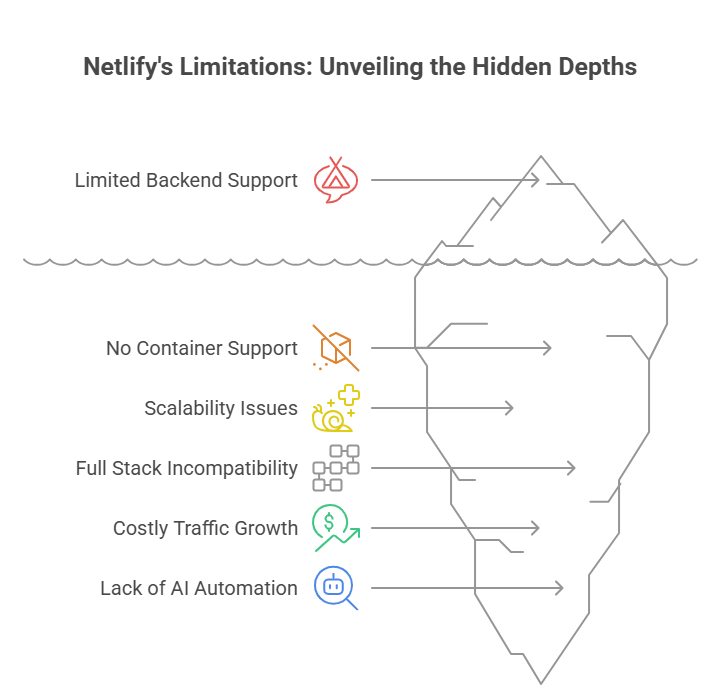
1. Limited backend support
Netlify handles simple serverless functions, but it cannot run full APIs, long running processes or real time features. As soon as your backend needs grow, you end up moving to a separate platform, which makes the workflow harder to manage. For teams deploying full-stack Node or backend heavy apps, this limitation becomes a blocker. For a real-world example of why many move from Netlify to a smarter choice, see this post on deploying Node.js on Netlify and why Kuberns is often a better fit.
2. No native container support
Modern apps depend on Docker for consistency and custom runtimes. Netlify does not support containers. This becomes a hard stop for frameworks like Django, Laravel, Rails, FastAPI, Flask or custom Node services. Developers end up splitting infrastructure across multiple services, which defeats the idea of a unified platform.
3. Slower or inconsistent builds at scale
Small projects build fast on Netlify, but larger codebases often face queue delays, slower build times and serverless cold starts. These delays hurt teams that rely on frequent deployments and fast shipping cycles.
4. Not ideal for full-stack applications
If your app includes APIs, workers, scheduled tasks or background jobs, Netlify cannot handle everything in one place. Developers must combine multiple services for the same application, which leads to scattered logs, multiple dashboards, higher cost and more DevOps complexity.
5. Cost increases as traffic grows
Serverless pricing looks attractive early on, but with higher traffic or heavy workloads cost can rise rapidly. Many teams find their bills unpredictable once usage scales up, which makes long-term planning harder.
6. No AI automation for infra or deployments
Netlify does not provide AI-based assistance to optimize builds, manage scaling, or monitor services. Everything still relies on manual setup, configuration, and maintenance. For teams that want to reduce DevOps overhead and focus on building features instead of pipelines, this becomes a significant drawback.
2.2 What Developers Expect in 2025
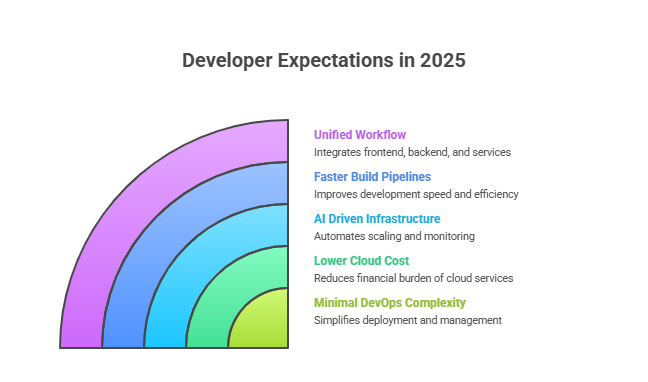 The expectations from a deployment platform have evolved. Developers now want more flexibility, performance, and simplicity. Here is what many look for today:
1. Ability to deploy any type of app
Teams want support for static frontends, full backend APIs, workers, cron jobs, real-time systems, background tasks, microservices or monoliths. All of these should run smoothly on the same platform without having to split the stack across multiple services.
2. First-class Docker support
Docker helps maintain consistency between development and production. Developers expect their platform to run containers natively so they can ship any runtime—Node.js, Python, Go, Ruby or custom binaries—with ease, without worrying about limitations.
3. Faster, smarter build pipelines
Modern development demands quick deploys, efficient caching, predictable build times and zero delay between commit and production. Teams expect these regardless of project size or complexity.
4. AI-driven infrastructure, scaling, and monitoring
Developers want platforms that automatically detect their stack, generate configuration, optimize builds, manage scaling and monitor health. AI should handle the heavy lifting so teams don’t waste time on boilerplate DevOps tasks.
5. Lower and predictable cloud cost
Startups and agencies care deeply about cost efficiency. They prefer platforms that automatically optimize resource usage rather than charging unpredictably based on usage spikes. Predictable billing helps with budgeting and scaling planning.
6. One unified workflow for frontend, backend and services
Having frontend, backend, background jobs and services under one platform simplifies development and maintenance. Teams expect shared logs, unified deployment pipelines and consistent environments for all parts of their stack.
7. Minimal DevOps complexity
Developers want to avoid managing CI pipelines, YAML or infra scripts. They want a platform where they push code and the rest is handled automatically. This saves time and reduces the overhead of maintaining deployment infrastructure.
If you want to see how Kuberns matches these expectations, or compare with other alternatives, the article on top Netlify competitors offers useful context. With Kuberns, you get a unified, AI-powered deployment environment that adapts to modern full-stack needs without adding complexity.
3. Meet Kuberns, The AI-Powered Netlify Alternative
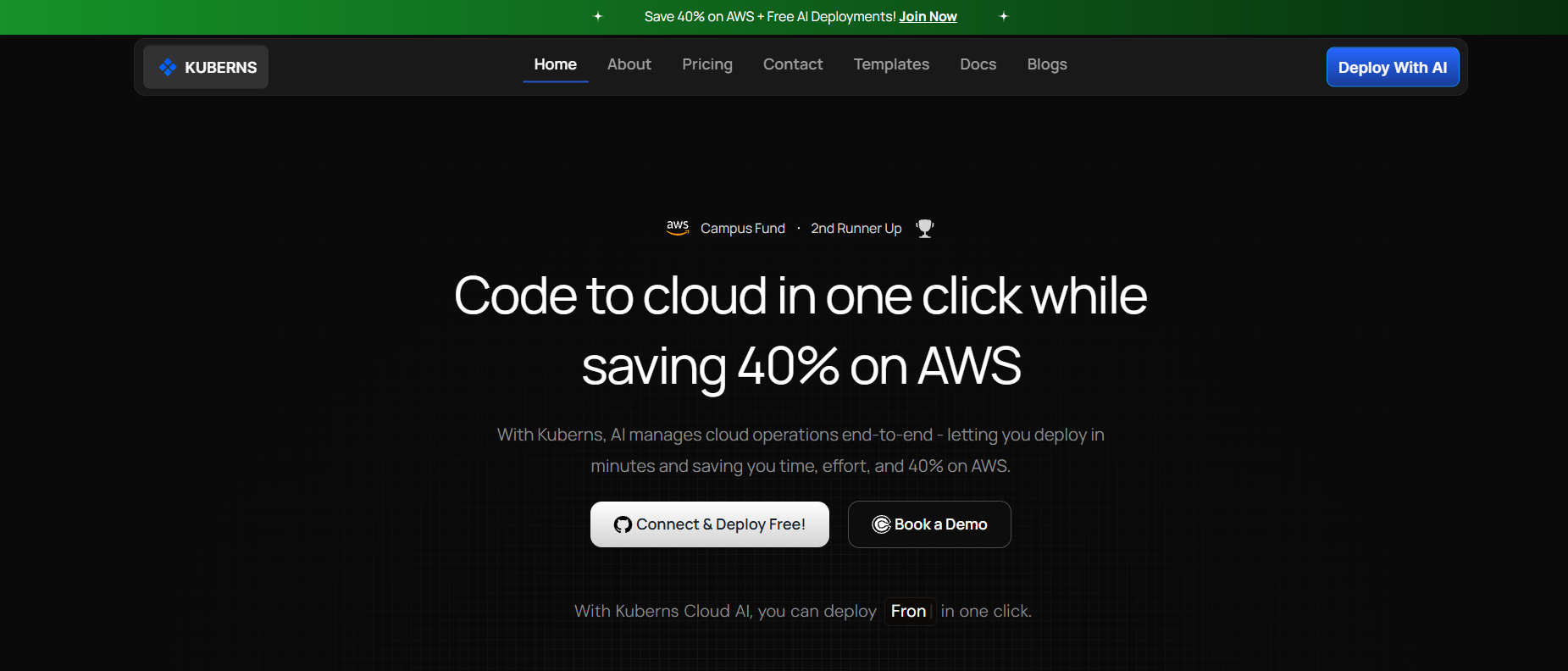 Kuberns is designed for developers who love how simple Netlify feels but need a platform that can handle full stack applications without adding extra services or complexity. It gives you the flexibility to deploy frontends, backend APIs, background workers and full Docker based services in the same workflow, which means your entire application can live in one place instead of being split across multiple tools.
What makes Kuberns especially useful is its AI-driven automation. The platform detects your tech stack, prepares the right build steps and manages scaling without asking you to write YAML files or maintain CI pipelines. This removes a lot of the DevOps work that usually slows teams down, and it keeps the deployment process simple even for backend-heavy projects.
Another important advantage is cost. Kuberns runs on optimized AWS infrastructure and offers a guaranteed 40 percent saving on cloud cost with no platform fee on top. You get AWS-level performance at a much lower price, which makes the platform a strong choice for startups, solo developers and IT agencies that care about cost efficiency.
Kuberns also supports the frameworks teams already rely on, such as Next.js, React, Node.js, Django, Laravel, Flask and Go, along with anything that runs inside a container. This gives developers freedom to build their applications the way they want without hitting the limitations that often appear on Netlify.
Overall, Kuberns keeps the experience simple and familiar but adds the full-stack power, AI automation and predictable cost model that modern applications require. It is a natural next step for teams who have outgrown what Netlify can support.
4. Netlify vs Kuberns, Feature Comparison Table
Netlify is excellent for static sites and simple frontends, but it becomes limiting when teams try to build full-stack applications or anything with heavier backend logic. Kuberns is designed to handle those workloads without adding complexity, and the differences become clear when you compare the two platforms side by side.
Here is a straightforward comparison to highlight where each platform fits best.
Netlify vs Kuberns
| Feature | Netlify | Kuberns |
|---|---|---|
| Supported Apps | Static sites and Jamstack frontends | Full stack apps, APIs, workers, cron jobs and containers |
| Backend Support | Limited to serverless functions | Native support for full backend services |
| Docker Support | Not supported | Fully supported |
| Build Speed | Fast for small projects, slows as apps grow | AI optimized builds with caching and dependency analysis |
| Scaling | Basic scaling via serverless functions | AI powered predictive scaling for any workload |
| AI Automation | No AI for infra or deployments | AI handles config, builds, scaling and monitoring |
| Logs and Monitoring | Primarily frontend and function logs | Unified logs, alerts and AI driven insights |
| Cost | Can increase quickly with traffic | 40 percent AWS savings with predictable pricing |
| Vendor Lock In | Tied to Jamstack and serverless model | Works with any framework or container |
| Best For | Static frontends and simple projects | Modern, full stack and backend heavy applications |
5. Why Developers Are Switching From Netlify to Kuberns
Developers often start with Netlify because it is quick and simple, but as their applications grow, the limitations begin to show. The most common reason for switching is the need for stronger backend support. Netlify works well for small serverless functions, but full APIs, background jobs or long running processes require separate platforms. Managing multiple services eventually becomes slow and expensive. Kuberns removes this problem by letting the entire application run in one place, from frontend to backend to workers.
Another big driver is the industry shift toward Docker based development. Most serious applications rely on containers for consistent builds and predictable environments. Since Netlify does not support Docker, teams are forced to maintain additional infrastructure just to deploy their backend code. With Kuberns, developers can run any containerized app with no extra setup, which creates a smoother workflow across development and production.
Cost is also a major reason behind migration. Many teams discover that Netlify’s serverless pricing becomes unpredictable once traffic increases. By comparison, Kuberns runs everything on optimized AWS infrastructure with a guaranteed 40 percent cost saving, which makes it easier to plan and manage cloud expenses.
Finally, developers appreciate the time saved through AI driven automation. Kuberns handles deployment pipelines, scaling decisions and monitoring without requiring YAML files or manual configuration. Teams that want to move quickly, especially those without dedicated DevOps engineers, find this extremely valuable.
Together, these factors explain why developers who outgrow Netlify look for a more flexible and unified platform. Kuberns gives them the backend power, Docker support, lower cost and AI automation that modern applications need.
6. Conclusion
Netlify is an excellent platform for static sites, but today’s applications demand more than frontend hosting and simple serverless functions. As products grow, teams need support for full APIs, background workers, Docker based services, real time features and predictable performance. Netlify was never built for this level of complexity, and that is where many developers begin looking for an alternative that can support their entire stack.
Kuberns offers that next step. It keeps the experience simple while giving developers the flexibility to deploy any type of application in one place. With AI handling configuration, scaling and monitoring, and with the efficiency of optimized AWS infrastructure, teams get a platform that is both powerful and easy to manage. The result is a smoother workflow, lower cloud cost and far less time spent on DevOps.
If you want a platform that feels simple like Netlify but is built for modern full stack development, you can explore Kuberns and try it for your next project.
7. FAQ
1. What is the best Netlify alternative for full stack applications?
For full stack apps, Kuberns is a strong alternative because it supports frontends, backend APIs, workers, cron jobs and Docker based services in one place. It removes the limitations developers face with Netlify and provides AI driven automation for deployments and scaling.
2. Can Kuberns replace Netlify for my existing project?
Yes. If your project has outgrown Netlify or requires backend features Netlify does not support, you can move both the frontend and backend to Kuberns. The platform handles static sites, SPAs, APIs and containerized workloads with a single workflow.
3. Does Kuberns support deploying backends and APIs?
Kuberns supports all backend frameworks including Node.js, Django, Flask, Laravel, Go and any app that runs inside a container. This is a major advantage over Netlify, which only supports small serverless functions.
4. Can I deploy Docker applications on Kuberns?
Yes. Kuberns has full Docker support, so you can deploy any containerized application without changing your existing setup. This makes it suitable for production grade apps and microservices.
5. How does AI help with deployments on Kuberns?
AI in Kuberns detects your tech stack, configures build steps, manages resource allocation, optimizes scaling and monitors your application for issues. It reduces the need for manual configuration and helps teams ship faster with less DevOps effort.
6. Is Kuberns more affordable than Netlify?
For most backend heavy or growing applications, yes. Kuberns runs on optimized AWS infrastructure and provides a guaranteed 40 percent cost saving with no platform fee. Netlify’s serverless pricing can become expensive as traffic or compute usage increases.
7. Is Kuberns good for agencies and client deployments?
Yes. Agencies use Kuberns because it supports any type of application, has predictable pricing and reduces the DevOps time needed for each client project. Everything runs on a single platform, which simplifies maintenance and scaling.
8. Does Kuberns support modern frontend frameworks like Next.js and React?
Absolutely. Kuberns supports Next.js, React, Vue and all modern frontend frameworks, along with their connected backends. This makes it easier to manage full stack applications without switching platforms.