Published
- 9 min read
How to Deploy bolt.new Websites in 2026: The Complete Step by Step Guide
If you just built a website on bolt.new and want to take it live, Kuberns gives you one of the simplest ways to deploy it.
You connect your GitHub repo, click deploy, and Kuberns takes care of the entire process for you. There are no Docker files to write, no servers to configure, and no CI pipelines to maintain. Everything is handled automatically, so you can focus on building instead of managing infrastructure.
Kuberns was built to simplify deployment for developers, and the platform overview in What Is Kuberns, The Simplest Way to Build, Deploy and Scale Full Stack Apps explains this philosophy clearly.
In this guide, you will learn exactly how to deploy your bolt.new website on Kuberns in 2025 using a fast and reliable one click workflow through GitHub.
Why Deploy Your bolt.new Website on Kuberns?
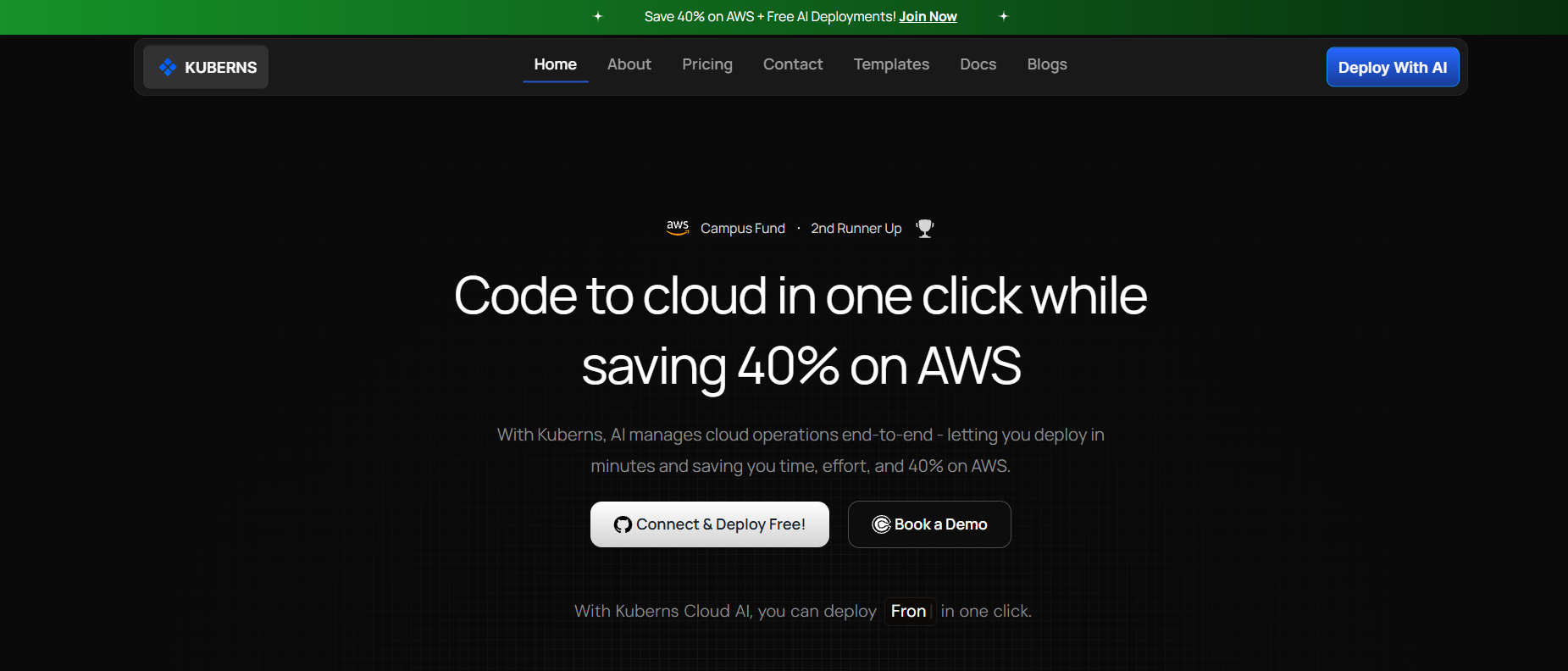 bolt.new helps you generate a working website quickly, but deployment is where things often slow down. Self hosting means handling servers, Nginx, SSL, scaling and logs. Kuberns removes all of this and gives you a simple, automated deployment flow.
When you deploy your bolt.new site on Kuberns, you get:
- One click deployment through GitHub
- Automated builds and container generation
- Global CDN with free SSL
- Up to 40% AWS based hosting savings
- Zero config for most frontend frameworks
- Automatic scaling without DevOps work
Kuberns is an AI powered deployment platform that detects your project type and configures everything for you. bolt.new already generates production ready code, so this pairing works perfectly. You build your site, connect GitHub, and Kuberns handles the runtime, scaling and performance without any manual setup.
Here is the step-by-step guide for you.
Step 1: Export Your bolt.new Website
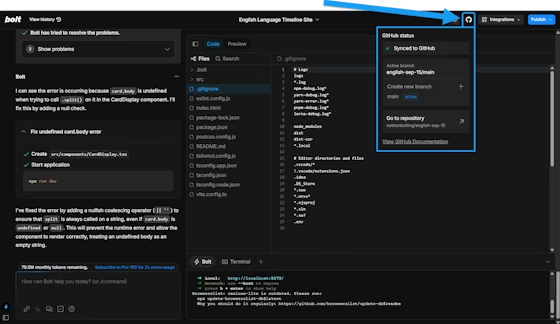 bolt.new allows you to export your project and also gives you the option to connect your GitHub account so you can push the generated code directly into a repository.
Since Kuberns deploys from GitHub, this is the simplest path.
If you choose the GitHub export option in bolt.new:
- Open your bolt.new project
- Click Export
- Select Export to GitHub
- Connect your GitHub account (first time only)
- Choose or create a repository
- Confirm the export
Your code is now in GitHub and ready to deploy on Kuberns.
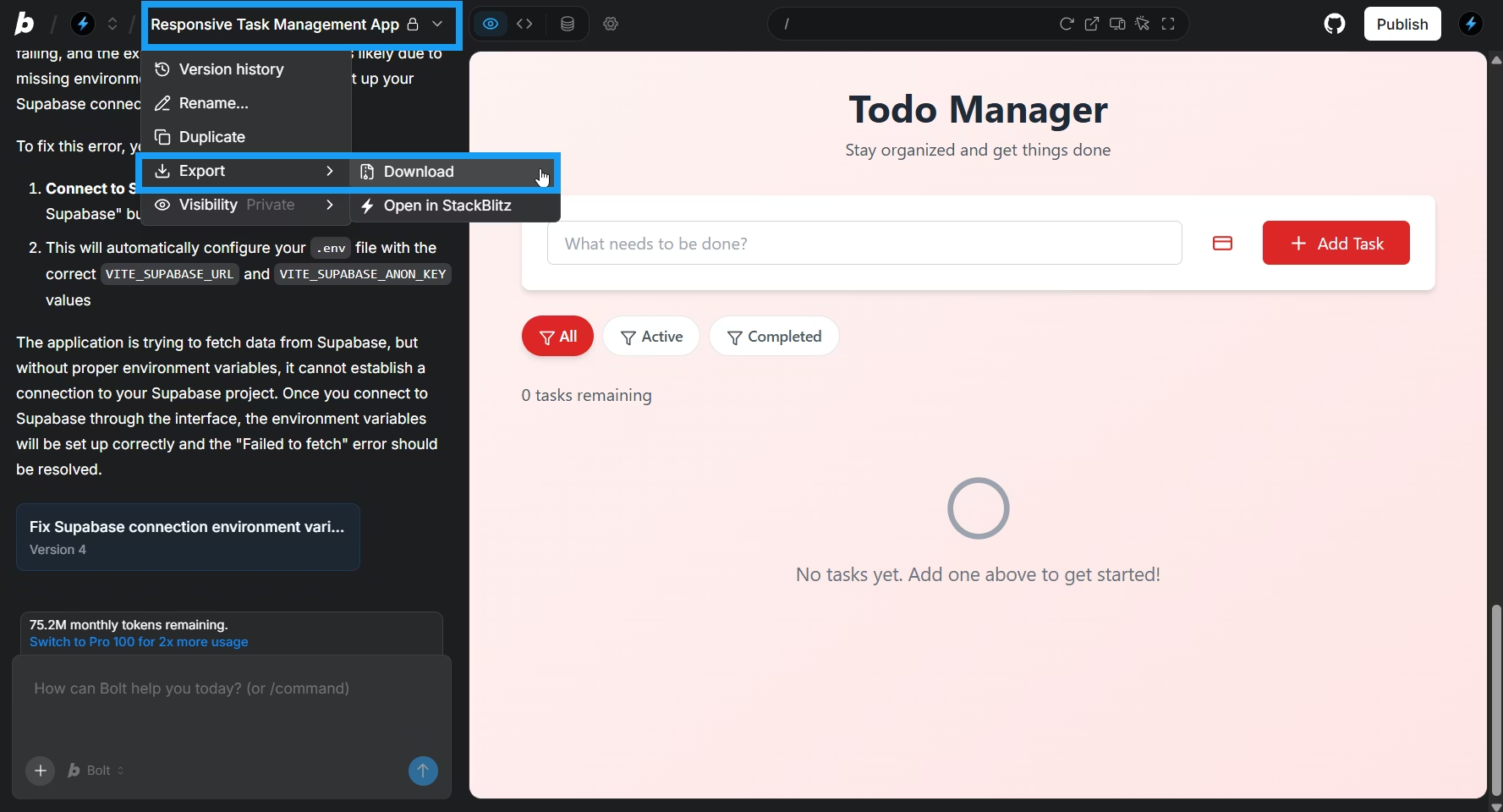 If you prefer manual export:
- Download the ZIP from bolt.new
- Extract it locally
- Create a GitHub repo
- Push the files manually
Both methods work the same way for Kuberns, but direct GitHub export is faster and avoids manual setup.
Step 2: Create a New Project on Kuberns
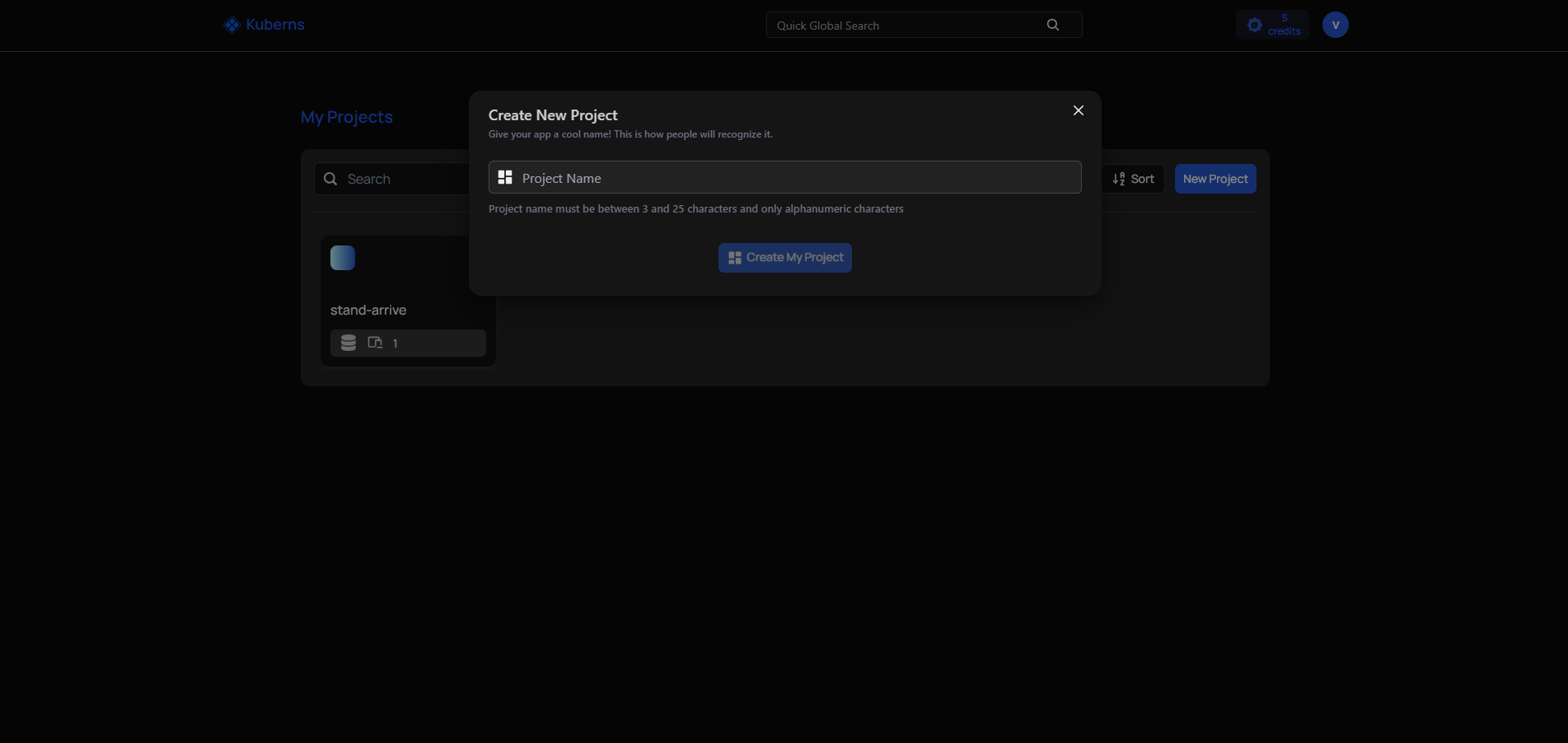 Go to kuberns.com and log in to your dashboard.
- Click Create Project
- Select Connect GitHub Repository
- Approve GitHub permissions (only once during the first setup)
- Choose the repo that contains your bolt.new code
Kuberns will automatically scan your repo and detect the project type. bolt.new usually generates a React, Next.js or static site depending on your selection at creation time. Kuberns matches the correct buildpacks and prepares your build environment without manual configuration.
If the code is a static website, Kuberns will deploy it on its global CDN. If the code is a Next.js app with server functions, Kuberns will generate a container and handle the server runtime.
Step 3: Configure Build Settings (Zero Work Needed)
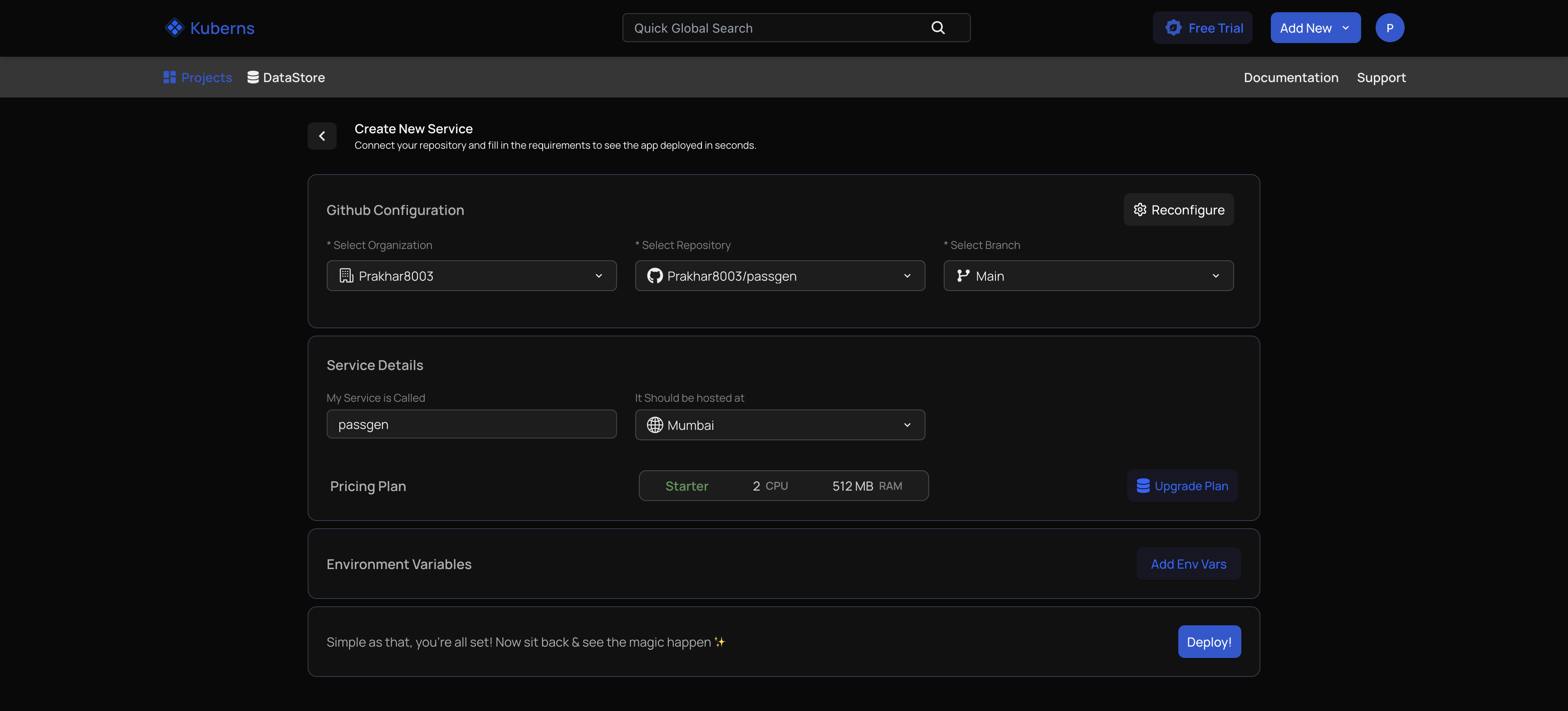 Kuberns automatically understands the structure of your bolt.new project. It scans your package.json, folders like app, pages or src, public assets and any framework files such as next.config.js.
From this, Kuberns automatically sets the correct build command, output directory, Node version, environment and all required build steps.
Important: You do not need to change anything here. bolt.new projects work with Kuberns out of the box. The Build Settings tab exists in case you ever want custom commands or overrides, but it is completely optional.
Step 4: Deploy Your bolt.new Website
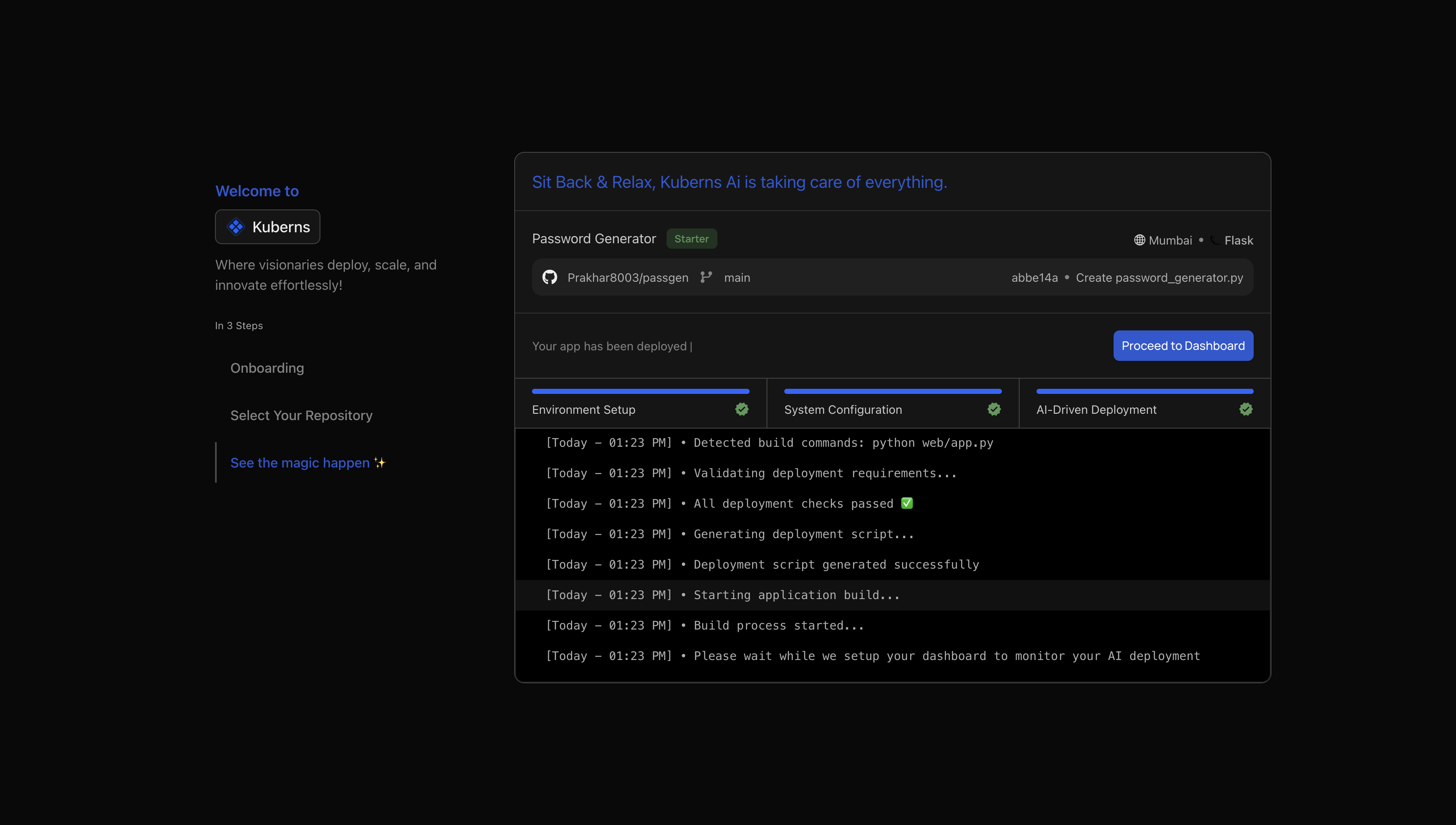 Once your project is connected and everything looks correct, click Deploy to start your first build.
Kuberns uses an AI-driven build system that automatically detects your project structure, installs dependencies, runs the right build commands and prepares the production output for you. You can watch the logs in real time, and within seconds, your website goes live.
After the deployment completes, click Proceed to Dashboard to view your project details.
What you get after deployment:
- A live production URL
- Automatic HTTPS
- Preview environments for every GitHub pull request
- Automatic redeploys on every commit to your selected branch
- A unified dashboard to monitor builds, logs, deployments and environments
This gives you a clean continuous deployment workflow without maintaining any pipelines. Everything runs on autopilot, which is ideal for solo developers and teams who want fast, reliable deployments without DevOps work.
Step 5: Add a Custom Domain
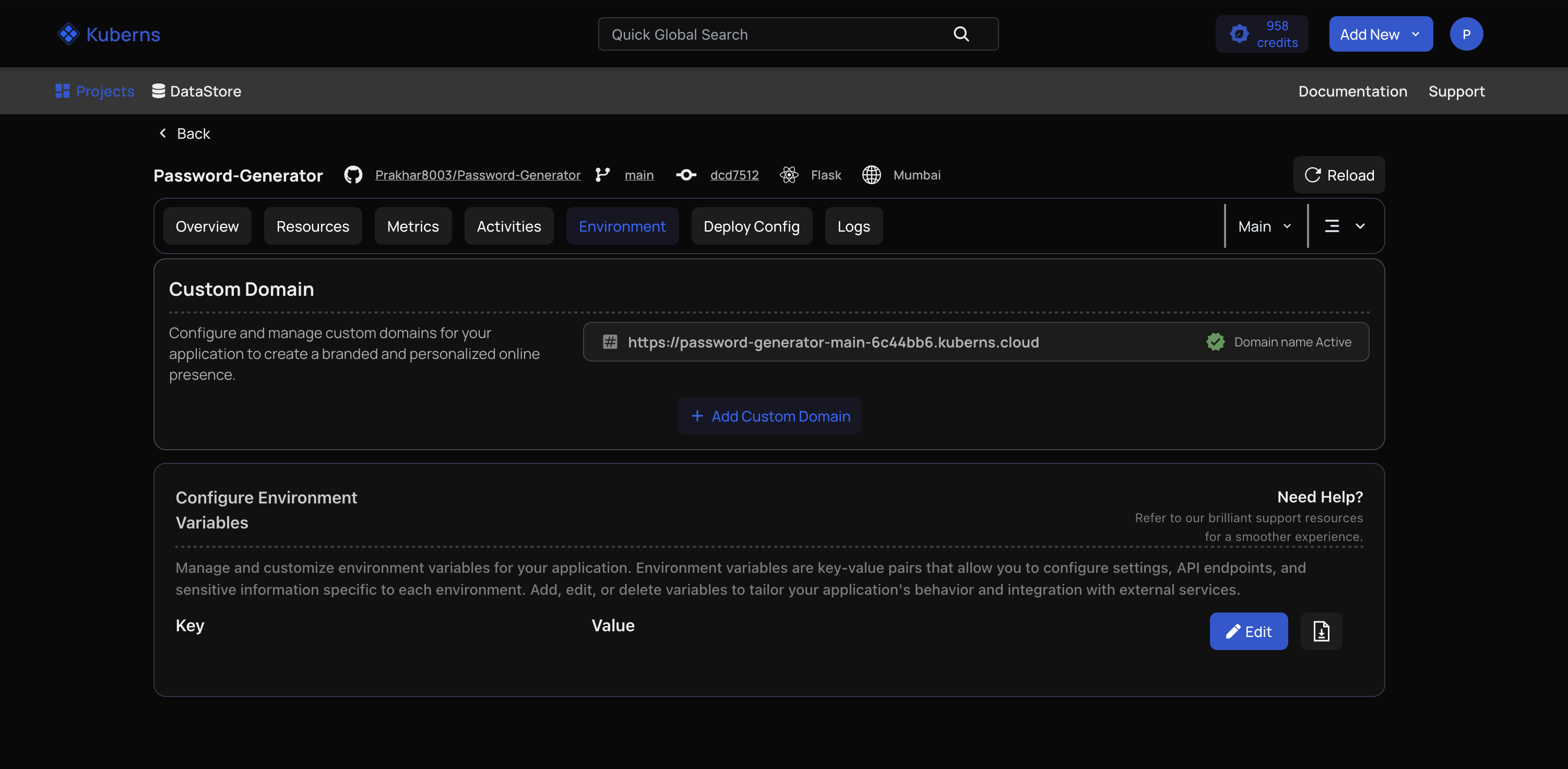 If you want your bolt.new website to use your own domain:
- Open the Environment tab inside your Kuberns project
- Click Add Domain
- Enter your domain
- Update DNS records as instructed
- Within minutes, SSL is issued automatically
Kuberns handles certificate renewal and ensures your content is served securely.
Step 6: Set Up Environment Variables (If Needed)
 If your bolt.new project uses API keys or environment-based settings, you can configure them directly in Kuberns.
To add environment variables:
- Open Environment Variables inside your Kuberns project
- Add your key value pairs or upload your .env file
- Save the changes & Redeploy so the new variables are applied
Kuberns encrypts all environment variables and injects them securely during build and runtime.
How Kuberns Handles bolt.new Framework Variations
bolt.new can generate different types of sites. Here is how Kuberns treats each one.
Static Websites (HTML, CSS, JS)
Kuberns deploys these on its global CDN. You get instant caching, fast load times and zero server maintenance.
React Websites
Kuberns runs npm install and npm run build, then optimises your output. The final bundle is deployed as a static site with client side routing.
Next.js Websites
Kuberns detects whether your site uses server components or static exports.
- If static export is possible, Kuberns deploys to the CDN
- If server functions are needed, Kuberns builds and containers the server with auto scaling
APIs inside bolt.new projects
If your bolt.new repo includes backend routes or API endpoints, Kuberns runs them as a server application. The process is fully automated.
Why Deploying bolt.new Websites on Kuberns Saves Time and Cost
Many bolt.new users deploy on platforms like Vercel, Netlify or Render, but these can become expensive as your traffic grows due to build minute charges, bandwidth costs and team limits. Kuberns avoids these issues and gives you a faster, more affordable deployment path.
What you get with Kuberns:
- Up to 40% savings on AWS compute
- Zero platform fees
- Unlimited team members
- Faster builds through AI-optimised pipelines
- Automatic scaling without extra charges
Since Kuberns runs on its own AWS infrastructure, you only pay for compute, which is already discounted.
Kuberns removes all deployment complexity. You do not configure Docker, Nginx, Kubernetes clusters or CI pipelines. You connect GitHub, click deploy and the platform handles everything, which makes it ideal for solo developers, startups, indie hackers, agencies, students and teams that need reliable deployments without DevOps overhead.
You focus on building the website. Kuberns manages deployment, performance and scaling, giving you a simple and stress free way to run your bolt.new projects in production.
Ready to Deploy Your bolt.new Website
Connecting GitHub and clicking deploy is all you need to take your bolt.new website live.
If you want a platform that removes complexity and reduces deployment time, start deploying on Kuberns today.
Frequently Asked Questions (FAQ)
Can I deploy any bolt.new project on Kuberns
Yes. Whether it is a static site, React site or a Next.js app, Kuberns can deploy it without configuration.
Does Kuberns require Docker files
No. The platform generates containers automatically using AI based buildpacks.
Do I need AWS or Kubernetes experience
No. Kuberns hides all complex infrastructure and lets you deploy in one click.
Can I deploy private GitHub repos
Yes. Kuberns supports private and public repositories.
How long does deployment take
Most bolt.new projects deploy within 10 to 20 seconds.
Does Kuberns support custom domains
Yes. You can add your own domain and Kuberns issues SSL for free.