Published
- 11 min read
How to deploy server.js in Minutes with AI?
Introduction: Deploying server.js Should Not Be Difficult in the AI Era
Deploying a simple server.js file should be the easiest part of building a Node.js application, but most developers discover the opposite as soon as they leave their local environment. On your laptop, everything runs smoothly. Your API responds instantly, environment variables load correctly, and nothing fights for ports.
The moment you deploy, things change. Ports break, SSL becomes confusing, CORS blocks your requests, and your backend stops working for reasons that are hard to trace.
This is not a rare experience. A large portion of Node.js deployment failures comes from predictable issues like incorrect port configuration or missing environment variables. Industry analyses consistently show that over 40% of Node deployment errors are caused by misconfigured ports or environment variables. Another 30% break due to Node version mismatches, especially when developers deploy on platforms that default to older runtimes.
Even experienced developers still run into these issues because the traditional deployment workflow is too manual. You have to configure servers, set up process managers, adjust nginx, map domains, issue SSL certificates, and debug all of this across multiple tools. This is why so much modern DevOps writing has shifted toward automation and simplification. If you have read about how teams now remove manual steps in CI workflows or how AI is transforming deployment pipelines, the trend is the same: developers want less configuration and more automation.
Instead of wrestling with ports, infrastructure, or runtime settings, the platform analyses your code, detects server.js automatically, assigns ports dynamically, provisions SSL, and builds everything without any custom setup. This is the direction platforms like Kuberns focus on, and it matches the movement toward fully automated, intelligence-driven deployment tools seen across the industry.
This article will show you exactly how to deploy server.js with an AI-first workflow that saves time, reduces errors, and avoids the complicated DevOps setup developers had to handle in the past.
Why server.js Breaks in Production?
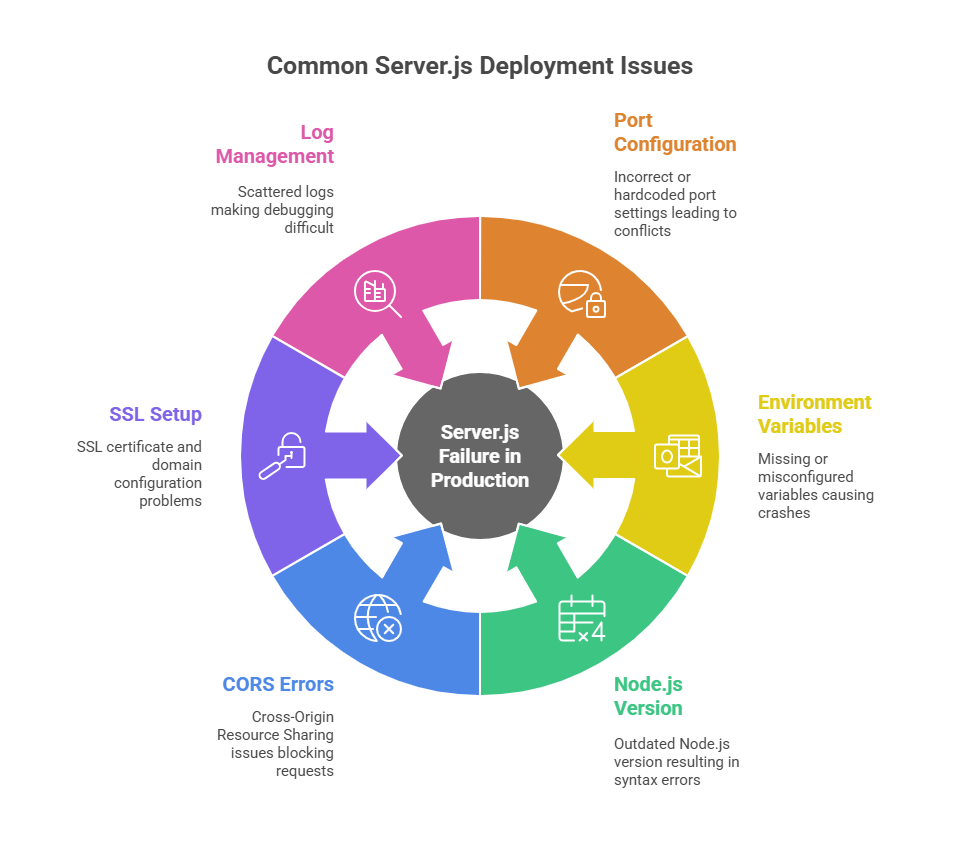 Every developer has had the moment where server.js runs perfectly locally, only to break the moment it touches production. The file is small, usually less than 100 lines, but the problems appear from everything around it. Ports, routing, environment variables, SSL, or database connections. These issues are so common that they have become a recurring theme across forums, DevOps reports, and platform comparisons.
Here are the core reasons why server.js fails after deployment, backed by real-world data.
1. Port Configuration Issues (Most Common Failure Point)
On localhost, you run your server on port 3000, 5000, or anything you choose. But cloud platforms assign ports dynamically. Hardcoding this inside server.js breaks the app immediately:
Error: listen EADDRINUSEIndustry research shows that over 40% of first-time Node deployments fail because the app does not use process.env.PORT. AI-driven platforms detect this automatically and patch port handling before the app breaks.
2. Environment Variables Not Loading Correctly
.env works locally, but most hosting platforms do not read .env files by default. If even one variable is missing, your backend crashes on boot.
This is one of the biggest causes of unpredictable production failures, especially with APIs that rely on DB URIs or JWT secrets. Our internal research for the guide on modern deployment services also showed how common misconfigured variables are. Here is the Complete Guide to Modern Software Deployment Services to understand how deployment platforms solve this problem.
3. Wrong Node.js Version in Production
Many hosting providers use older Node runtimes unless you specify the version manually. This leads to:
- Syntax errors for newer JavaScript
- Missing features
- Crashes on libraries that require newer Node versions
4. CORS Errors When Frontend and Backend Live Apart
If your frontend and backend deploy separately, the browser starts blocking requests.
This is one of the most common issues developers hit when deploying apps with React, Next.js, Vue, or any frontend that calls a server.js API. It forces you to:
- Add manual CORS policies
- Fix allowed origins
- Rebuild the frontend after every change to the API URL
This is why modern platforms (including Kuberns) encourage deploying both together for a unified environment. Check out how the unified deployments platform reduces CORS issues
5. SSL and Domain Setup Creates Hidden Failure Points
Let’s Encrypt, Certbot, nginx, reverse proxies. All of these introduce extra steps. SSL failures alone account for a large amount of downtime in small teams. In fact, a 2023 survey showed over 50% of small teams experienced SSL outages due to expired certificates or misconfigured domains.
AI-driven platforms automate certificate provisioning and renewal, eliminating an entire category of errors.
6. Logs are Split Across Multiple Tools
If your backend runs on one platform and the database somewhere else, debugging becomes slow. You jump between dashboards to piece together logs. Problems that should take 10 minutes stretch into hours.
This pain point is echoed in many DevOps insights, including discussions around why developers need integrated deployment platforms, rather than scattered tools. Here is the reason Why Developers Need Application Deployment Software.
Preparing server.js for an AI Deployment Platform
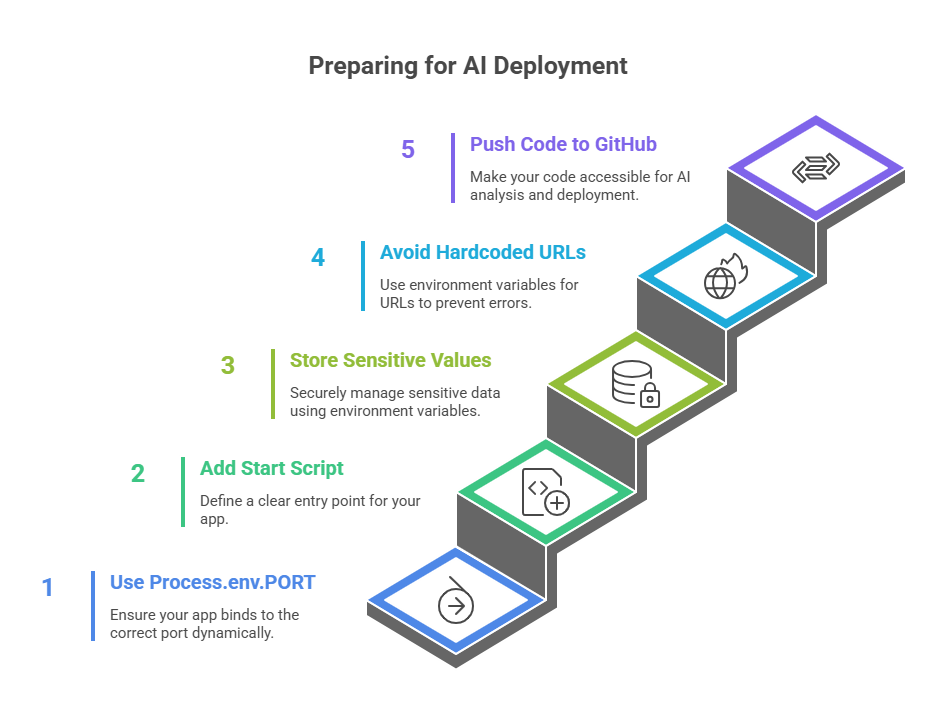 Even though AI can automate most of the deployment process, your project still needs a few basic elements in place so the system can understand your backend correctly. Think of it as giving the AI the signals it needs to deploy your app without errors.
These steps are simple, and once they are done, the entire deployment workflow becomes predictable.
1. Use process.env.PORT Inside server.js
Cloud platforms assign ports dynamically. Hardcoding a port like 3000 this breaks the app instantly.
This is enough:
constPORT = process.env.PORT || 3000; app.listen(PORT, () => console.log(`Server running on ${PORT}`));AI detects this pattern and ensures your app binds to the correct port at runtime. Port handling is one of the most common issues, something we also highlighted in guides comparing modern PaaS and DevOps tools. Here is the guide for How to Deploy Node.js Apps
2. Add a Clean Start Script in package.json
Your AI platform needs a clear entry point.
"scripts": { "start": "node server.js" }This helps the system detect your backend correctly and run the right command. Platforms like Kuberns automatically read this and configure startup commands without extra steps.
3. Store Sensitive Values in Environment Variables
Never hardcode database URIs, API keys, or secrets. During development, you might use a .env file, but production requires secure environment variable management.
Examples of variables you should set:
DB_URL = mongodb + srv://... JWT_SECRET=your-secret API_KEY=xyz AI-powered systems detect missing or incorrect variables before deployment. This eliminates a major source of errors, as explained in our article on reducing manual CI/CD steps
4. Avoid Hardcoded Localhost URLs in Your Code
Local development often includes lines like:
"http://localhost:5000/api"These break in production. Instead, pull from environment variables:
API_BASE_URL =…This allows AI systems to map frontend and backend services automatically, reducing CORS problems and mismatched URLs.
5. Push Your Code to GitHub
AI deployment starts by analysing your repository. Once your repo is pushed, the platform can:
- Detect Node.js
- Locate server.js
- Identify your build steps
- Map environment variables
- Suggest the correct Node version
- Generate a clean build pipeline
This is the foundation that lets AI perform one-click deployments and understand your backend without manual configuration.
Preparing these five things ensures your server.js is deployment-ready. Once these fundamentals are in place, AI can detect your backend, assign ports, configure your runtime, and handle everything else without any manual setup.
How to Deploy server.js With Kuberns AI
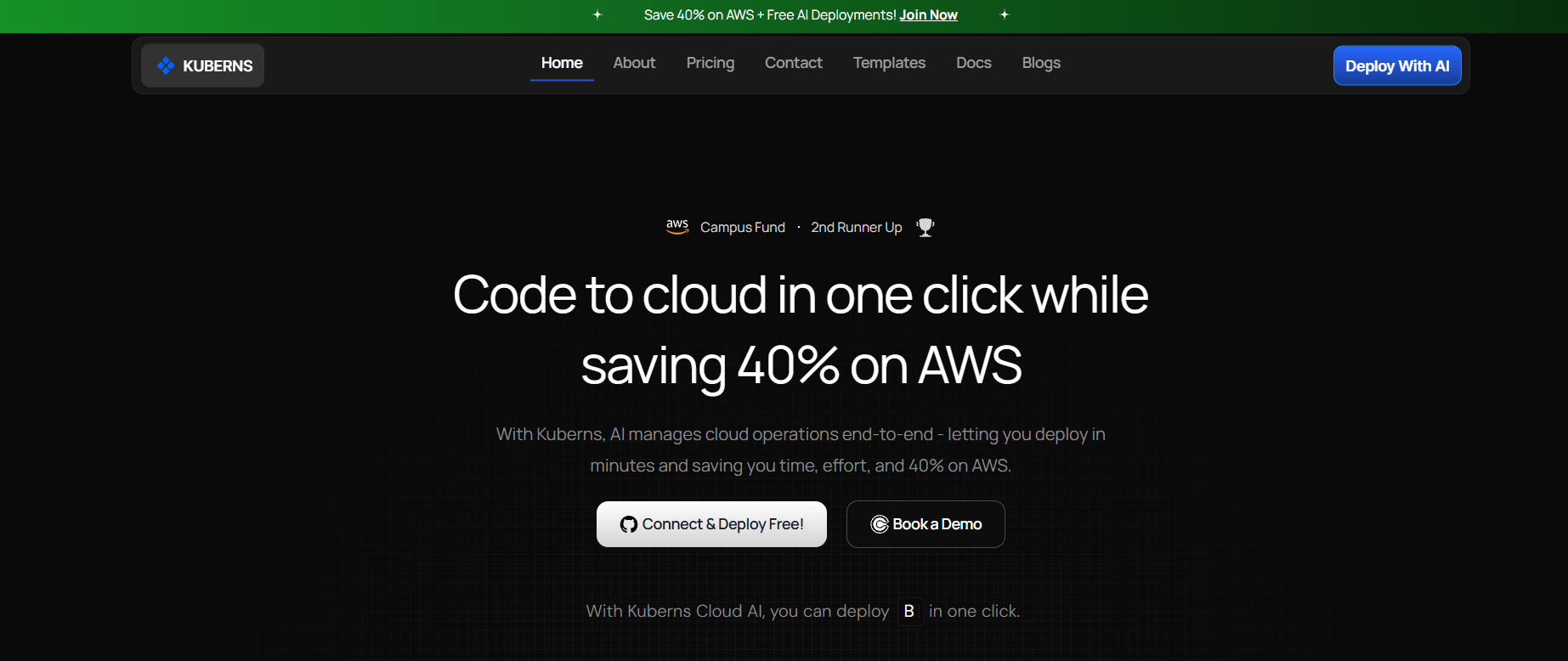 https://kuberns-blogs.s3.ap-south-1.amazonaws.com/kuberns-new-page.png
Once your project is prepared, deploying server.js with an AI-powered workflow becomes incredibly simple. Instead of configuring servers, fixing ports, installing SSL, or handling process managers, you work through a short guided flow where the platform reads your code, understands your backend, and handles everything from build to scale.
Below is the exact step-by-step process using Kuberns as the reference AI deployment platform.
Step 1: Connect Your GitHub Account
Start by connecting your GitHub profile. This allows Kuberns to analyse your repository structure and detect that your project contains a Node.js backend with server.js as the entry point.
This is the same kind of detection used across modern deployment systems that automate pipelines, something we discussed in our breakdown of AI-powered DevOps tools.
Step 2: Select Your Repository
Choose the repository that contains your backend. Kuberns scans the repo instantly and understands:
- Your folder structure
- Node.js version required
- That server.js is your entry point
- Whether you use Express, Fastify, or another framework
- Your package manager (npm, yarn, pnpm)
The platform learns all of this automatically by reading your code, a capability highlighted in many of our AI deployment guides.
Step 3: Add Environment Variables
Next, you add your environment variables. AI helps by:
- Highlighting missing or unused vars
- Detecting malformed database URIs
- Warning you about variables referenced in your code but not provided
- Ensuring sensitive values never leak into logs
Variables such as DB_URL, JWT_SECRET, API_BASE_URL, and others should be added here.
Step 4: Click Deploy
This is the moment AI takes over. Kuberns automatically handles:
Build
- Installs dependencies
- Selects the correct Node version
- Detects the correct build and start scripts
Runtime Setup
- Assigns a dynamic port
- Maps environment variables
- Configures networking
- Applies Node process management without PM2
Routing and Networking
- Generates routing rules
- Avoids CORS issues by keeping services together
- Applies backend rewrites automatically
This unified routing approach is something we covered in depth in our article about deploying full stack apps with AI.
SSL, Domains, and Certificates
AI provisions SSL automatically and renews it behind the scenes. No Certbot, no nginx, no manual tasks.
This approach is becoming standard across modern cloud platforms, something we highlighted in multiple Heroku alternative and cloud comparison blogs.
Monitoring and Scaling
Once deployed, AI keeps your app running smoothly by:
- Monitoring health
- Restarting on crash
- Scaling up during traffic
- Scaling down to save costs
- Rolling back failed deployments
This is the new norm in AI-driven DevOps, where systems adjust themselves automatically.
Zero Downtime Updates
Whenever you push new code, Kuberns:
- Builds your new version
- Runs tests and health checks
- Deploys it live
- Keeps the old version running until everything works
- Switches traffic safely
This ensures your API is always available.
In this workflow, deploying server.js becomes a guided, fully automated experience. You connect your repo, add environment variables, and the platform’s AI handles everything else.
Ship Your server.js With AI, Not More DevOps Work
Deploying server.js should not feel like a DevOps certification. You should not be configuring nginx, juggling ports, setting SSL manually, or debugging environments that behave differently in production. Those problems belong to the past.
AI-powered deployment changes the entire experience. Instead of figuring out infrastructure, the platform reads your code, understands your backend automatically, and handles everything from build to routing to SSL. You focus on writing your API logic. The system takes care of the rest.
And this matters because your time should go to building features, not fighting deployment steps.
If you want the fastest and cleanest way to deploy server.js, you can do it in minutes on Kuberns. Just connect your GitHub repo, add your environment variables, and let the AI engine deploy your backend with zero configuration.
Your app goes live. Your DevOps overhead disappears. You get a reliable deployment workflow that works every time.
If you are ready to deploy your server.js file the smart way, start with the Kuberns Quick Start Guide and ship your backend with one click.

Frequently Asked Questions (FAQ)
1. How do I deploy a server.js file without configuring servers?
You can use an AI-powered deployment platform like Kuberns. Connect your GitHub repo, add environment variables, and the platform automatically detects your Node.js backend, configures ports, sets up SSL, builds your app, and deploys everything with no manual steps.
2. Do I still need Docker to deploy server.js?
No. Docker is not required unless you prefer a custom runtime. Kuberns auto-detect your project and generate optimized build environments internally. This is similar to how one-click deployment systems simplify CI/CD setup.
3. Why does server.js work locally but fail in production?
Most failures come from Hardcoded ports, Missing environment variables, Incorrect Node versions, CORS misconfiguration, Invalid database URIs, SSL setup issues. Kuberns detect these issues before deployment and apply the correct configuration automatically.
4. Can I deploy server.js and my frontend together?
Yes, and it is recommended. Deploying both parts together avoids CORS issues and keeps API URLs consistent. Unified deployments are now standard for full-stack apps.
5. Does Kuberns support Express, Fastify, or custom Node servers?
Yes. Kuberns detects any Node.js HTTP server automatically, whether it uses Express, Fastify, Hono, Koa, or native Node APIs.
6. How long does it take to deploy server.js using AI?
Usually under one minute. Code detection, port assignment, SSL provisioning, and runtime setup happen automatically.
7. Is deploying server.js with AI better than traditional hosting?
Yes, especially for small teams or solo developers. AI removes the need for nginx, PM2, server configuration, SSL setup, manual scaling, CI pipelines. This is why AI deployment platforms are replacing traditional cloud workflows across the industry.