Published on · Updated on: · By Noah Dubois
- 9 min read
Self-Hosted vs. Fully Managed Hosting Platforms in 2026
Every developer eventually faces the same question: should you manage your own servers or let a platform handle it for you?
The honest answer depends on what your team actually needs, not on what feels like more control or what costs less per CPU hour on paper. Self-hosting has real advantages for certain situations. Fully managed platforms save time and reduce risk in others. Most teams get this decision wrong by focusing on the wrong factors.
This guide breaks down both options, explains where each one works and where each one fails, and helps you figure out which path makes sense for where you are right now.
What Self-Hosted Actually Means
Self-hosted means you are responsible for the server. You provision it, you configure it, you secure it, and you keep it running. The server might be a VPS from Hetzner or Vultr, a bare metal machine in a datacenter, or an EC2 instance on AWS. The platform might be Coolify, CapRover, Dokku, or a raw Ubuntu box with Nginx and systemd services.
The application running on the server is yours. The server it runs on is also yours to manage.
That means:
- Operating system updates and security patches
- SSL certificate provisioning and renewal
- Firewall rules and access management
- Monitoring setup and alerting
- Backup configuration and disaster recovery
- Scaling decisions and execution
None of these are optional in production. They are just not visible until something breaks.

What Fully Managed Hosting Actually Means
Fully managed hosting means a platform takes responsibility for the infrastructure layer. You push your code. The platform deploys it, secures it, scales it, and keeps it running.
Platforms in this category include Kuberns, Render, Railway, Heroku, and Vercel. The difference between them is how much they actually manage, what they charge, and how much they get out of your way.
The best managed platforms in 2026 go further than traditional PaaS. Kuberns uses Agentic AI to handle the full deployment lifecycle: detecting your stack, building your app, configuring HTTPS, setting up CI/CD from GitHub, and scaling automatically based on real traffic. None of this requires configuration files, Dockerfiles, or DevOps expertise.
The Real Trade-offs
Infrastructure Cost vs. Total Cost
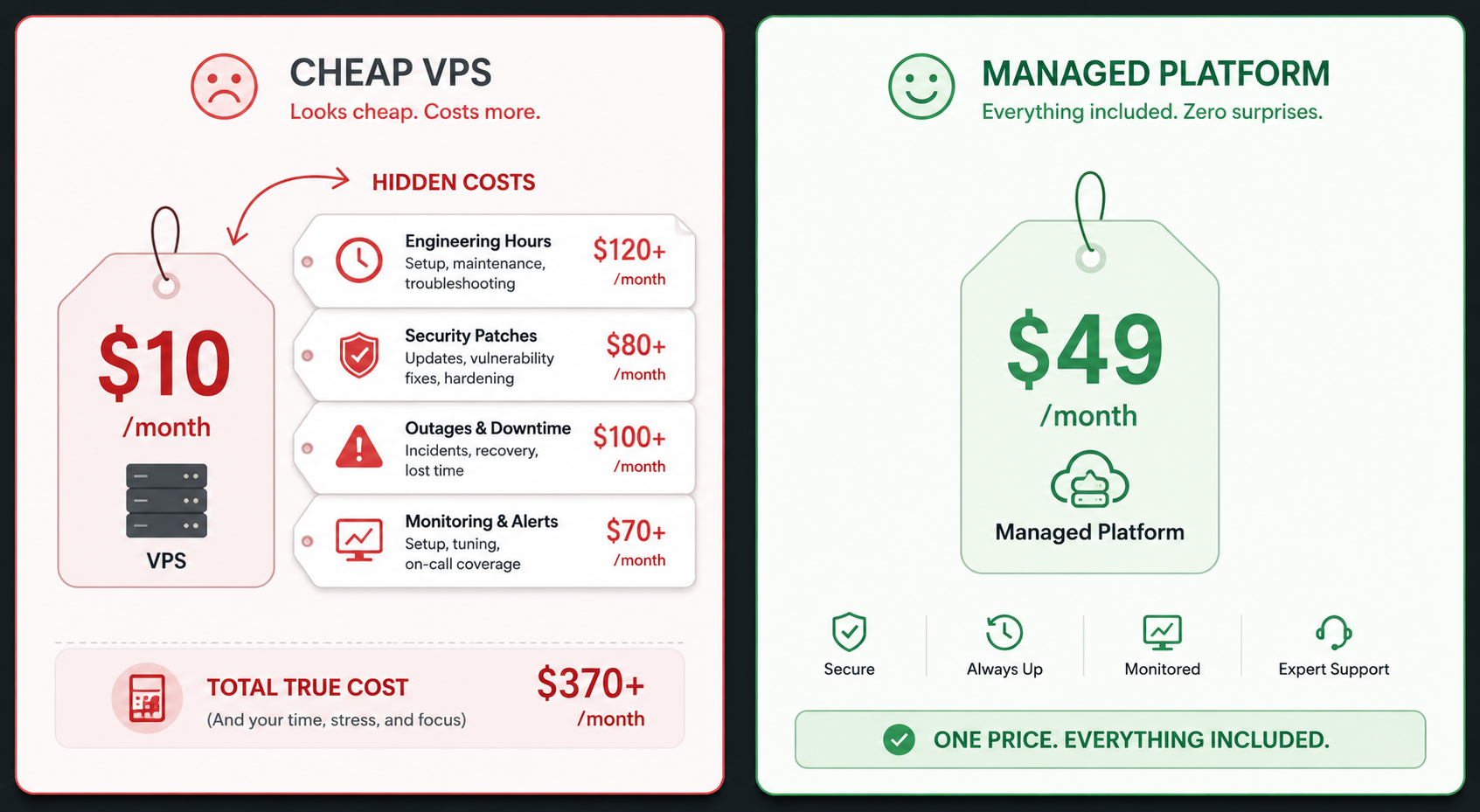
Self-hosting wins on raw server cost. A Hetzner VPS with 4 cores and 8GB RAM costs around 10 euros per month. A comparable instance on a managed platform costs more in direct compute charges.
What the comparison misses is everything else.
Engineering time spent configuring servers, debugging infrastructure incidents, patching security vulnerabilities, and responding to outages is expensive. At a standard developer rate of 50 to 100 dollars per hour, a single infrastructure incident that takes four hours to resolve costs more than months of managed hosting.
Most teams that self-host to save money end up spending more in total once they account for the engineering hours that disappear into server work rather than product work.
Control vs. Maintenance Burden
Self-hosting gives you full control over the stack. You can install anything, configure anything, and run any workload. For teams with strict data residency requirements, specific compliance needs, or unusual workload types, that control is not optional.
The cost of that control is maintenance. Every layer you control is a layer you are responsible for keeping updated, secured, and operational. SSL certificates expire. Security vulnerabilities appear in OS packages. Disk space fills up. None of this manages itself.
Fully managed platforms take that responsibility off your plate. On Kuberns, SSL certificates are provisioned and renewed automatically, infrastructure is maintained by the platform, and scaling happens without any manual intervention.
Scaling
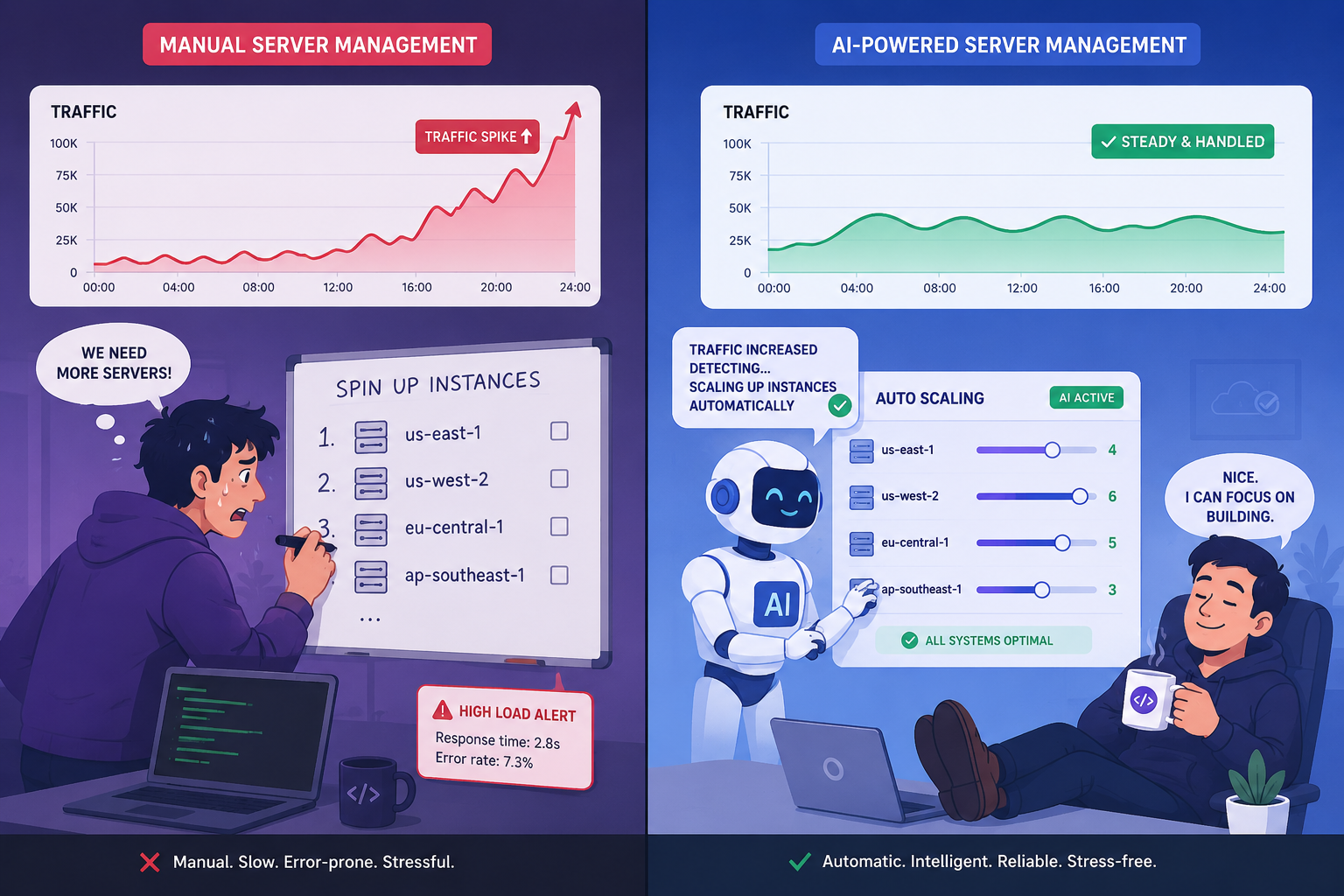
Self-hosted scaling requires you to anticipate traffic, provision capacity in advance, and manually add resources when demand increases. Getting it right means over-provisioning and wasting money. Getting it wrong means downtime.
Managed platforms scale automatically. Kuberns uses AI-driven autoscaling that responds to actual traffic patterns in real time. You do not set thresholds. You do not provision instances. The platform handles it.
Reliability
Self-hosted reliability depends on your setup. If you are running a single VPS with no redundancy, any hardware failure takes your application offline. Building proper redundancy on self-hosted infrastructure requires additional configuration, additional cost, and additional expertise.
Managed platforms on AWS infrastructure offer multi-availability-zone redundancy, automatic restarts, and health checks by default. Kuberns is built on AWS and provides enterprise-grade uptime without you configuring any of the underlying redundancy.
Time to Deploy
Self-hosted initial setup takes hours to days depending on complexity. You provision a server, install a runtime, configure a reverse proxy, set up a process manager, configure SSL, and test everything before your first deploy.
On Kuberns, you connect your GitHub repository, set your environment variables, and click Deploy. The AI detects your stack automatically and handles the rest. Most applications are live in under five minutes.
When Self-Hosting Makes Sense
Self-hosting is the right choice in specific situations:
You have dedicated infrastructure engineers. If your team includes engineers whose job is infrastructure, the maintenance burden is already accounted for. Self-hosting can make sense at scale when you have the people to run it properly.
You have hard data residency or compliance requirements. Some industries and jurisdictions require data to stay in specific locations or on infrastructure you fully control. Managed platforms may not satisfy those requirements depending on your specific obligations.
You are running cost-optimized workloads at genuine scale. At very high compute volumes, the cost difference between self-hosted and managed infrastructure becomes significant. Teams processing millions of requests per day at thin margins may find self-hosting worthwhile. At startup and growth stage, this is rarely the case.
You are hosting personal projects or development environments. Running a side project or a staging environment on a cheap VPS makes sense. There are no SLAs to meet and no users depending on uptime.
When Fully Managed Hosting Makes Sense
Fully managed hosting is the right choice in most production situations:
You are a small team or solo developer. The maintenance overhead of self-hosted infrastructure is a real cost. For teams of one to ten engineers, every hour spent on infrastructure is an hour not spent on product. Managed platforms let small teams operate with the reliability of a much larger organization.
You are deploying a production application. Production applications have users who depend on uptime, security, and reliability. Managed platforms deliver all three without requiring you to build your own operations capability.
You are deploying frequently. Continuous deployment from GitHub works better on managed platforms. Pushing to main on Kuberns triggers an automatic deploy with zero-downtime rollout. On self-hosted infrastructure, you build that pipeline yourself.
You want to focus on building, not operations. The promise of managed hosting is that your deployment platform handles itself. On Kuberns, the Agentic AI manages the full deployment lifecycle so your team spends time on product, not infrastructure.
How to Deploy on Kuberns
Getting a production application live on Kuberns takes less than five minutes:
Prerequisites:
- A GitHub repository with your application code
- Environment variables your application needs in production
Steps:
- Go to dashboard.kuberns.com and create an account
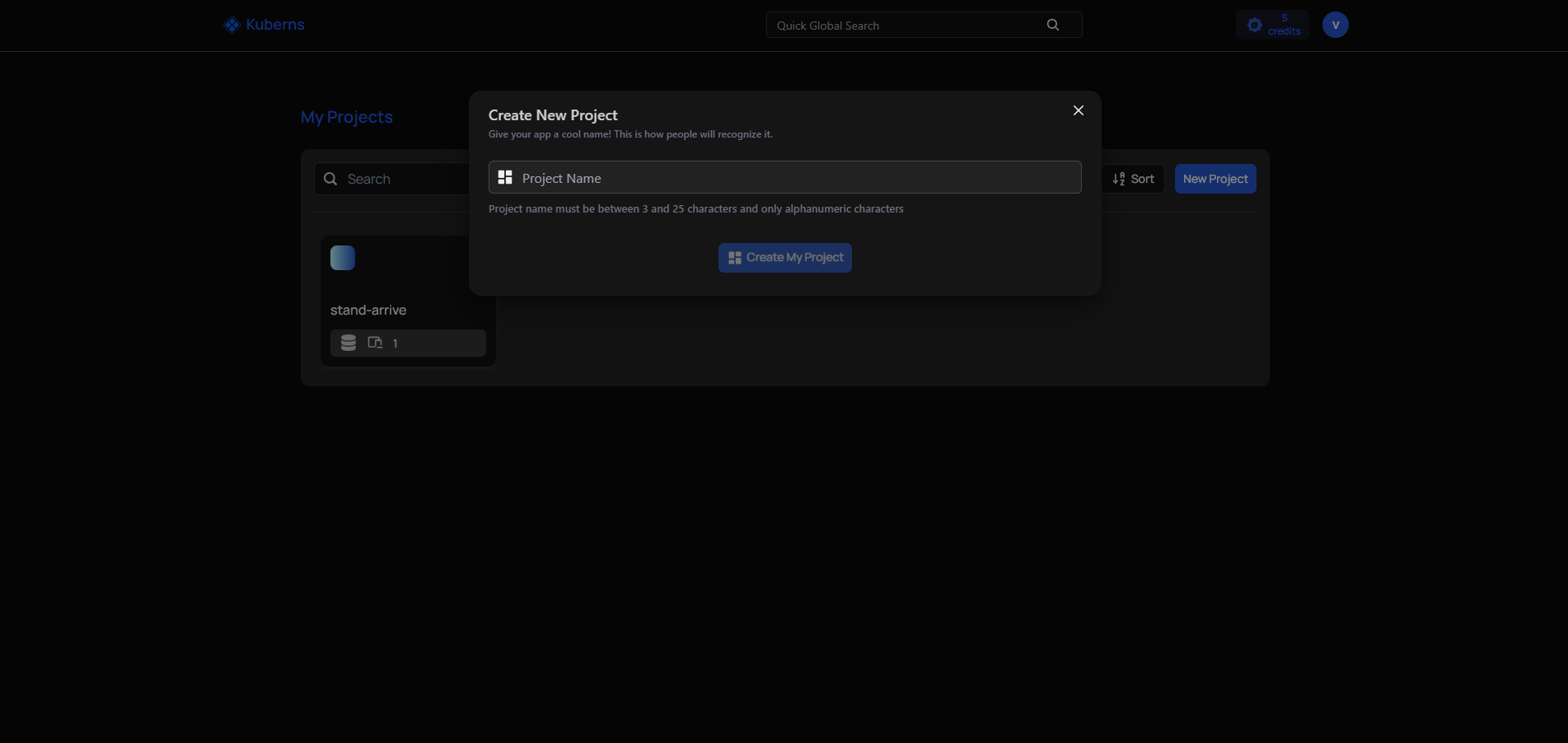
- Click New Project and connect your GitHub repository
- Kuberns detects your stack automatically. Review the detected build command and start command
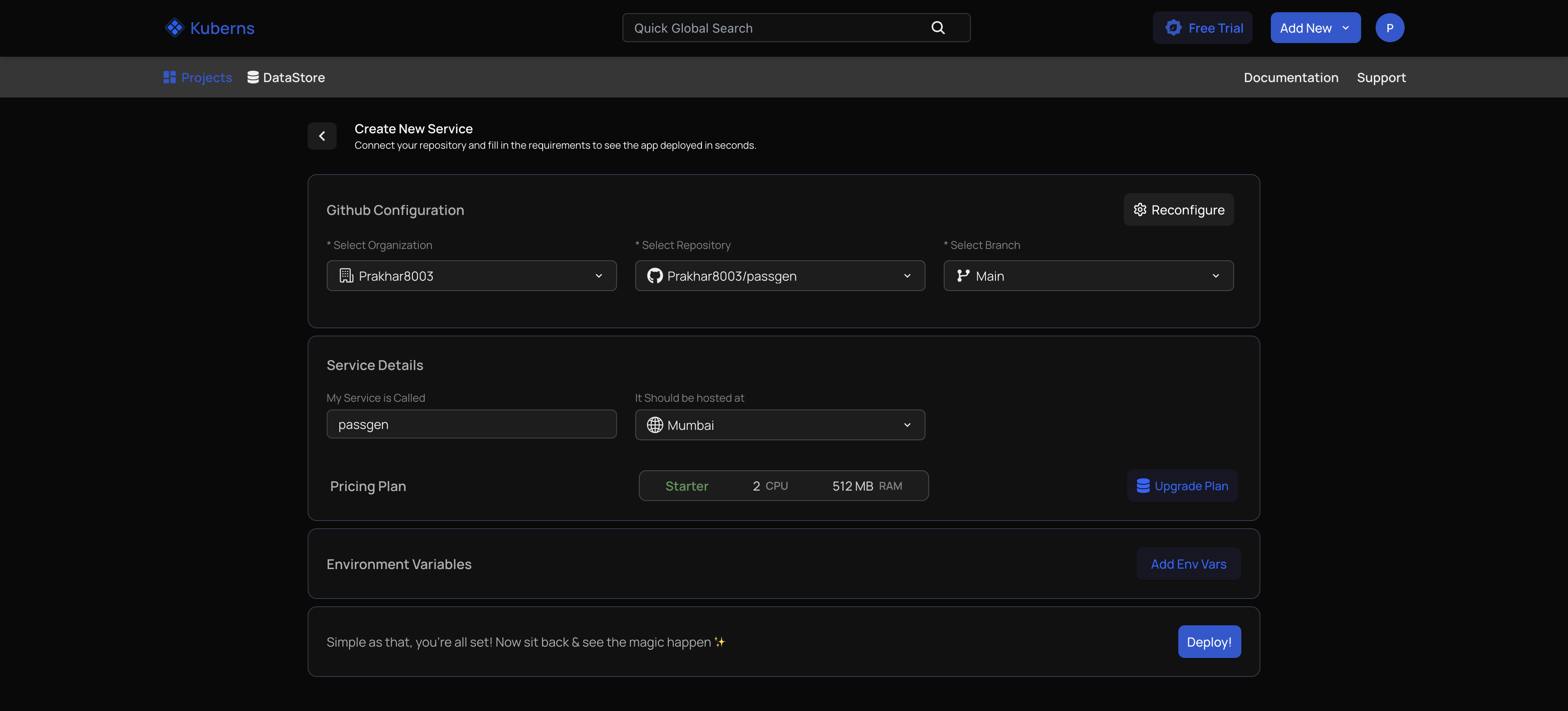
- Add your environment variables in the Environment section

- Click Deploy
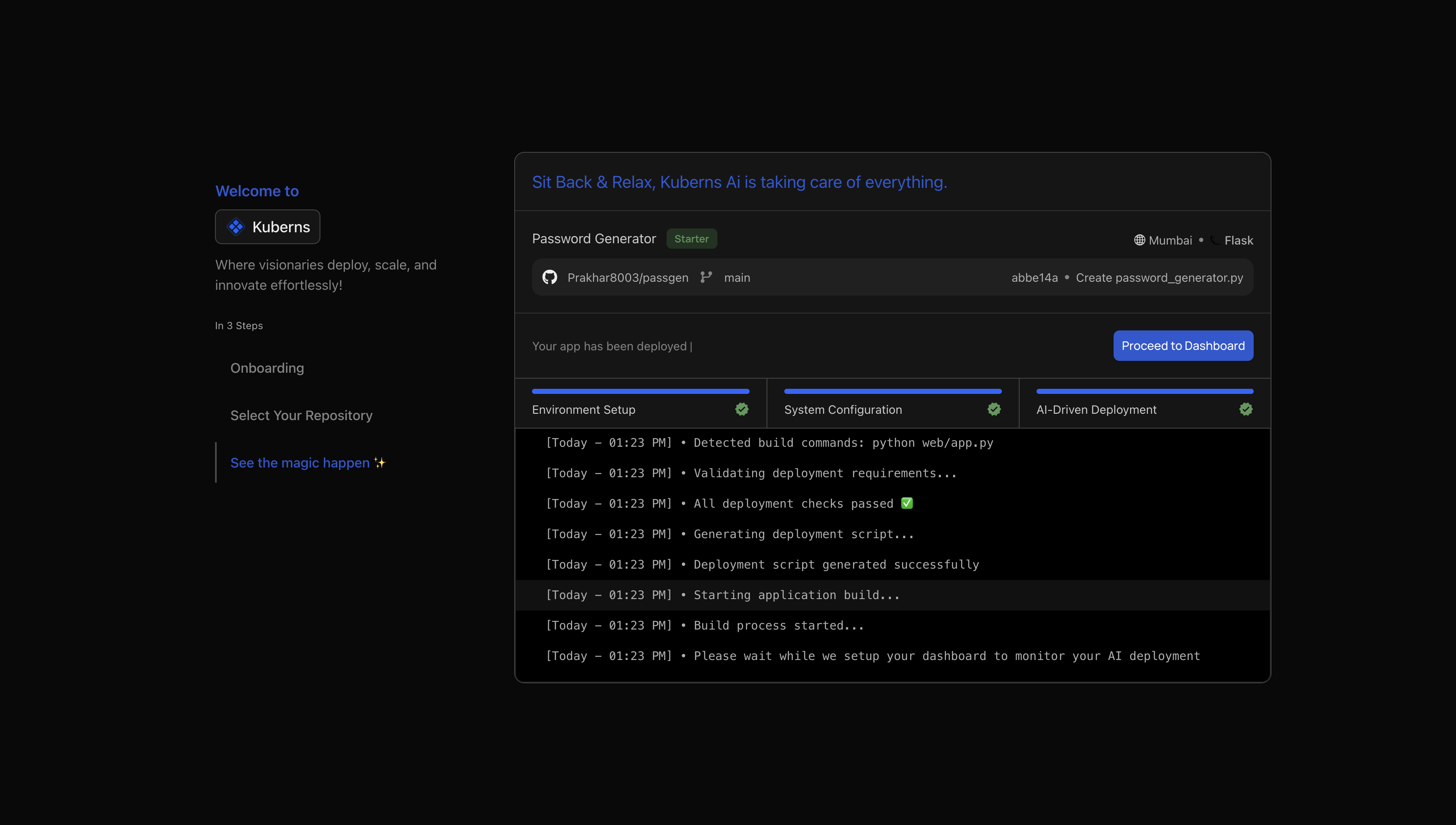
Kuberns builds your application, provisions HTTPS with an automatic SSL certificate, sets up a CI/CD pipeline from your GitHub branch, and deploys to AWS infrastructure. Every subsequent push to your connected branch triggers an automatic deploy.
Custom domains are added from the Domains section in the dashboard. DNS records take effect within minutes and SSL is handled automatically.
Side-by-Side Comparison
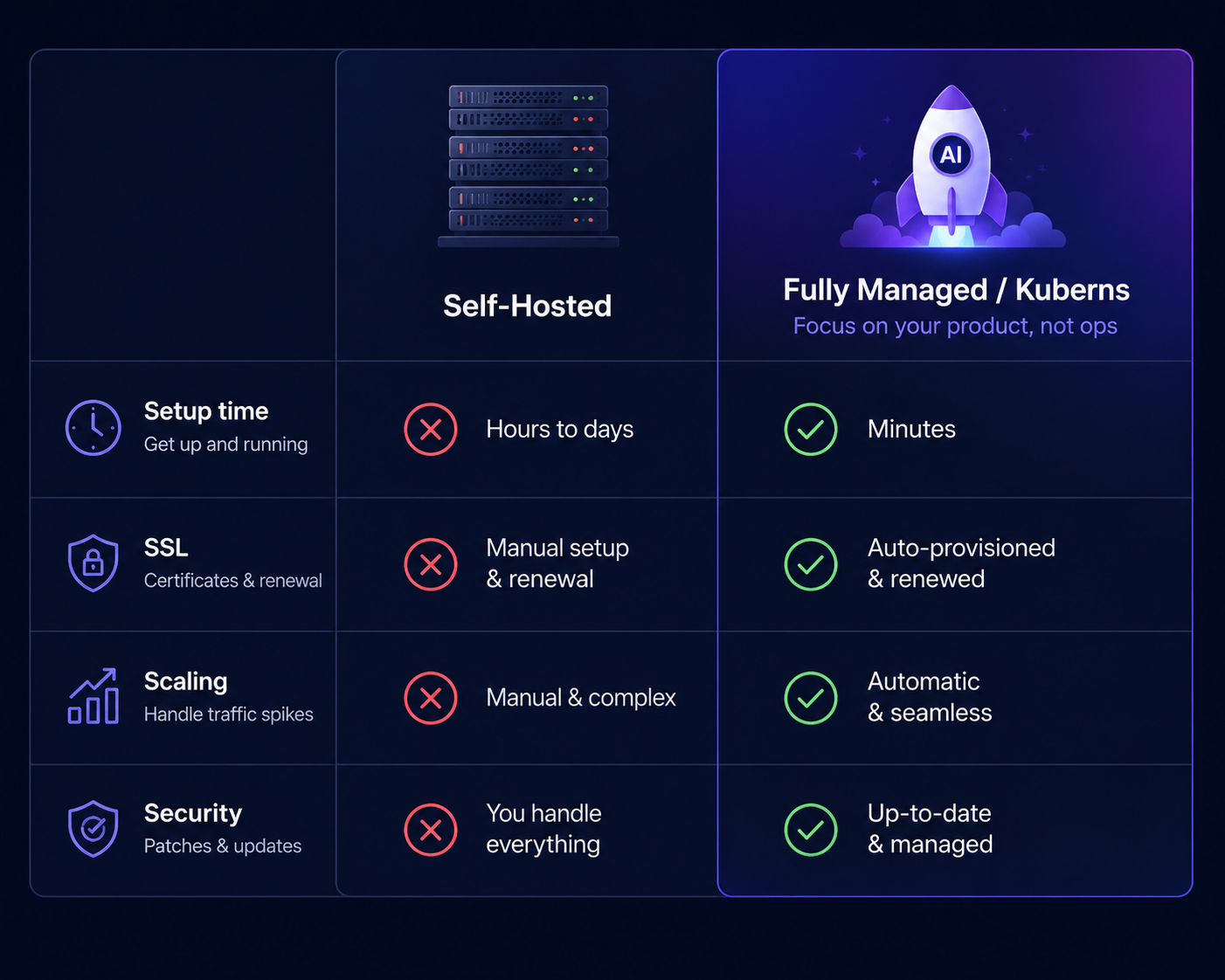
| Self-Hosted | Fully Managed (Kuberns) | |
|---|---|---|
| Setup time | Hours to days | Under 5 minutes |
| SSL certificates | Manual or scripted | Automatic |
| Scaling | Manual provisioning | AI-driven, automatic |
| Security patching | Your responsibility | Platform responsibility |
| Monitoring | Build it yourself | Built in |
| CI/CD | Configure it yourself | Automatic from GitHub |
| Uptime | Depends on your setup | AWS-backed, enterprise SLA |
| Cost | Low server cost, high ops cost | Transparent, predictable |
| DevOps required | Yes | No |
What Most Teams Get Wrong
The most common mistake is treating infrastructure cost as the only cost.
A team that spends 20 dollars per month on a VPS and four hours per week on infrastructure work is not saving money compared to a managed platform at 50 dollars per month. They are spending 200 to 400 dollars of engineering time to save 30 dollars in compute.
The second most common mistake is choosing self-hosting because it feels like the more serious or technically legitimate option. It is not. Running production applications on managed infrastructure with automated scaling, monitoring, and CI/CD is a serious engineering decision. The complexity is handled by the platform rather than your team, which is the point.
Which One Should You Choose
If your team spends more time building than operating, managed hosting is almost certainly the better choice. The reliability is higher, the setup time is shorter, and the engineering hours that would have gone into infrastructure work go into product instead.
If you have dedicated infrastructure engineers, specific compliance requirements, or genuinely cost-sensitive workloads at scale, self-hosting is worth evaluating seriously.
For most teams in 2026, Kuberns gives you the reliability and automation of enterprise infrastructure without the engineering overhead of managing it yourself. You connect your repository, set your environment variables, and deploy. The rest is handled for you.
Start deploying on Kuberns for free
Frequently Asked Questions
What is the difference between self-hosted and fully managed hosting?
Self-hosted means you provision and manage your own servers. You handle updates, security, scaling, and incidents. Fully managed hosting means the platform handles all of that. You focus on your application code and the platform keeps it running.
Is self-hosting cheaper than managed hosting?
Raw server costs on self-hosted infrastructure are lower. Total cost including engineering time for setup, maintenance, security patches, and incident response is usually higher than managed hosting at most team sizes.
When does self-hosting make sense?
Self-hosting makes sense when you have dedicated infrastructure engineers, strict data residency requirements, specific compliance obligations, or genuinely high-volume workloads where compute cost is the dominant expense.
What is the best fully managed hosting platform in 2026?
Kuberns is one of the strongest fully managed platforms in 2026. It uses Agentic AI to handle deployment, scaling, monitoring, and infrastructure management on AWS with no YAML, no Dockerfiles, and no DevOps team required.
Can I switch from self-hosted to managed hosting without rewriting my app?
Yes. Kuberns deploys directly from your GitHub repository. Connect your repo, set your environment variables, and deploy. No code changes are required in most cases.
Does fully managed hosting support custom domains and SSL?
Yes. Kuberns provides automatic HTTPS with SSL certificates provisioned and renewed automatically. Custom domains are configured through the dashboard with no manual server configuration needed.